CONQUERCUBE
The game guide

The CONQUERCUBE wiki

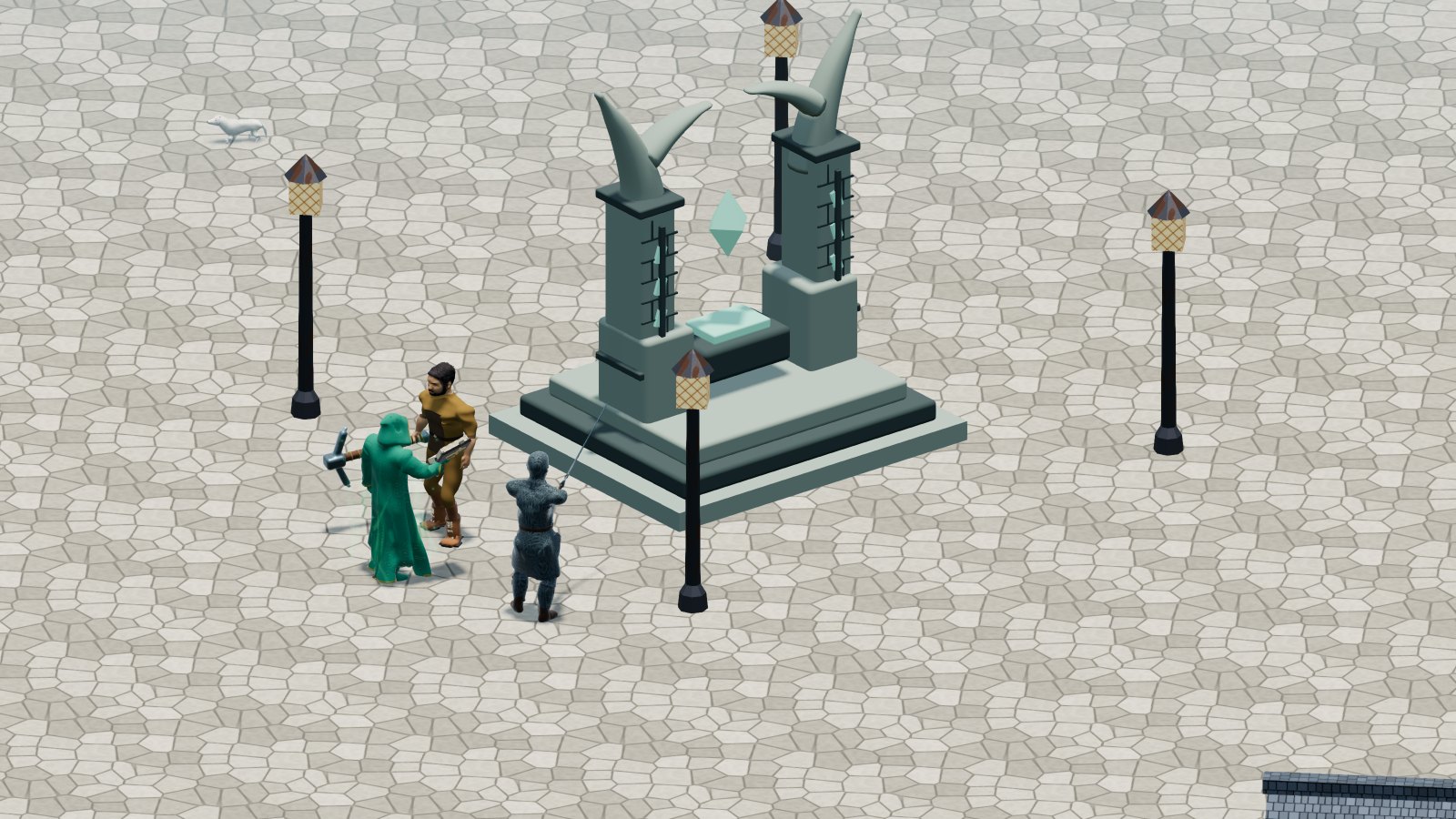
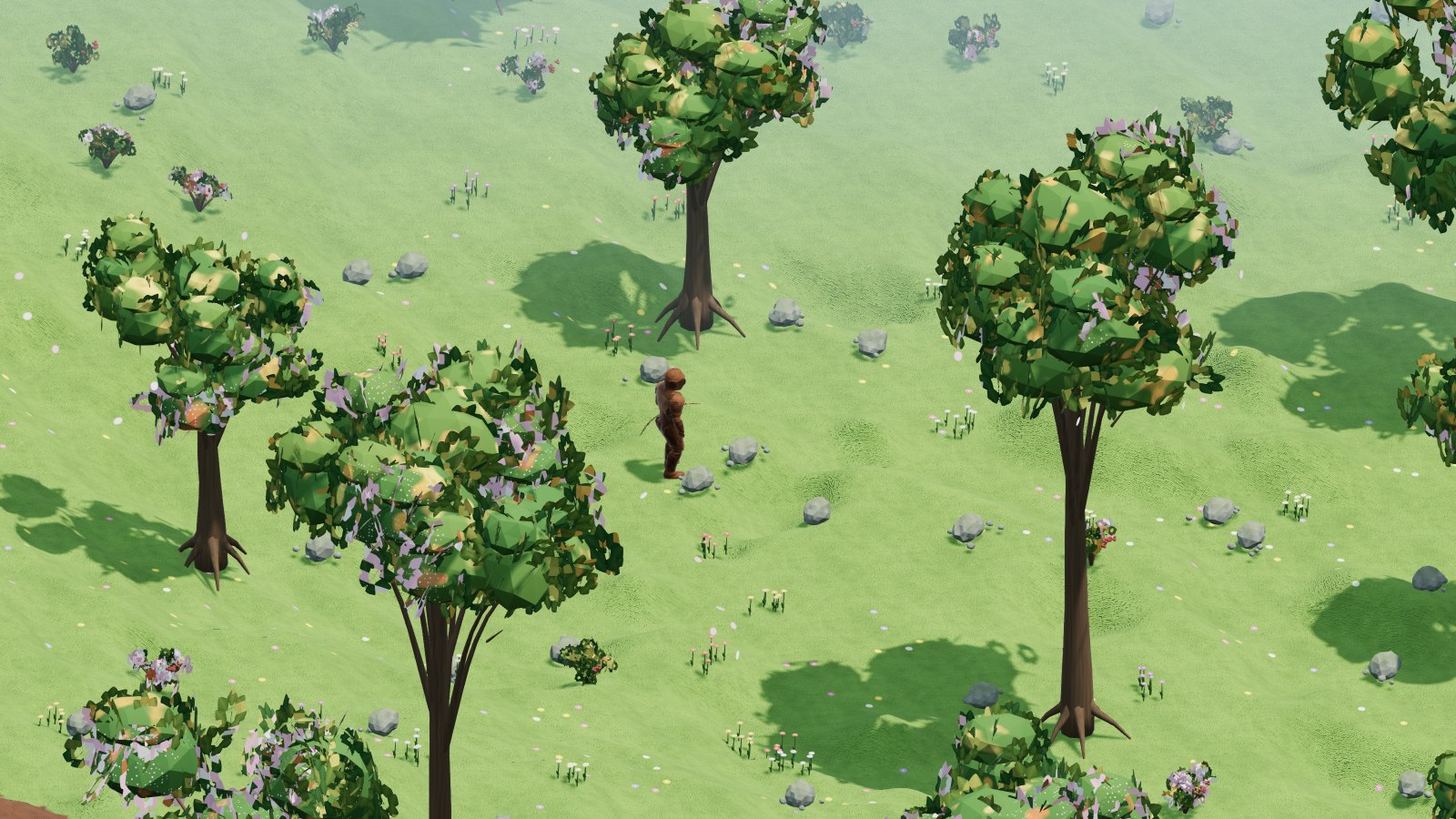
Everything you need to live in Fioralba and survive in Cenerombra, one chapter for every part of the game. The images come from the game engine; the charts are calculated in this page with the same formulas as the server.

I Welcome

CONQUERCUBE is a character MMO, seen from above like the role-playing games of the old days, that runs in the browser without installing anything. A whole world made of cubes, a server that decides everything that happens, and two rules that make it different from almost every game today: PvP is open and loot is full.

You control one single character. You raise it through two hundred levels, choose what to become among twenty-seven skills, explore two mirror worlds, go down into dungeons, mine, forge, trade. And in Cenerombra, the dark world, you fight against anyone: what you carry when you fall stays on your body, and whoever gets there first takes it.

Portrait of Dott. Manuel Stefanelli
The author

Dott. Manuel Stefanelli

CONQUERCUBE is a game by Dott. Manuel Stefanelli, who loves the games of the old days: those with open loot and open PvP, where leaving the city was a real risk, where the armor you wore could change hands and an encounter in the woods made your heart race.

This game was born from that passion, rebuilt with a modern engine: cube graphics crafted down to the last shadow, a sky calculated like the real one, an economy where coins are made by the players.

Instagram: @dottmanuel1981

How to read this guide

The chapters follow a player's path: first the steps in the city and the world, then the character, combat and magic, then the risks (PvP, death), the places (dungeons, castles, towers, graveyards) and the monsters, and finally work and the economy. The box at the top searches all the chapters.

II The short start and the controls

You create the account, choose name, appearance and city, then you enter with the character. At the account's first birth the short start begins automatically. The server saves the step: logging out and back in you resume where you left off. It is not a series of quests, it gives no rewards and it does not change the game's requirements.

Account access and recovery

The account name has 3 to 32 characters: letters without accents, numbers, dot, hyphen and underscore. The password must have at least 6 characters. After five wrong passwords the account stays locked for fifteen minutes.

To create the account press «Create Account» at the entrance: a dedicated page opens with account name, password and recovery email, which is required. The message to activate it reaches the email at once, with a link valid for forty-eight hours: open it and confirm. If you do not activate it the account stays, but password recovery does not work. The email can be changed from the Account card or from «Recovery email» below the entrance buttons.

Password recovery uses only the confirmed email; the recovery link lasts fifteen minutes and can be used once. The password is reset from the login screen.

After logging out the character stays in the world for thirty seconds and can be attacked. Logging back in waits until the previous session has really left: closing the window does not make it vanish at once.

What you have at birth

ItemUse and rules
SpellbookIt is empty: spells are learned with scrolls. It is never lost: when you die it stays with you, it does not end up in the corpse and nobody can loot it. It cannot be sold or traded.
1000 gold coins in the bankThey are in the bank and not in the backpack, so you do not lose them when you die. You receive them only at the first birth of the account: creating another character grants no more coins. Shop vendors also take them straight from the bank; for the Barber, the portal, trades and crafting withdraw them into the backpack.

Nothing else: weapon, armor, bandages, potions and work tools are bought from the city vendors, and the short start walks you through it before your first fight. Pickaxe, Skinning Knife and Hatchet are items like the others: when you die they end up in the corpse, they can be traded, dropped on the ground (and they disappear after sixty seconds like any item), put in the bank, sold to the Market and deleted with the bin. They last a very long time, 30,000 strokes, but cannot be repaired: at the last stroke they break and disappear. They are bought for very few coins from the «Work Tools» vendor (Tool Vendor), next to the Totem in the center of every city.

The controls

ControlUse
Right button held downFollow the cursor: close by you walk, farther away you run.
A and D / W and SYou rotate the view / change its tilt; these keys do not make the character walk.
Wheel / wheel pressed and draggedYou zoom the view in or out / turn the view around the character.
One click / double-click on the creatureYou choose the target / start the fight.
I / COpen backpack / character sheet.
1–0Use the first ten quick-bar slots. All twelve slots can be clicked; the last two are used with the mouse. While typing, numbers do not activate the bar.
Ctrl+1–Ctrl+0You use the Autocast bar for the configured spells.
EscYou cancel the crosshair and close windows; without a crosshair you clear the target and stop attacking. It also stops automatic work.
EnterWrite a sentence; with Enter you send it as speech.

The slot keeps a shortcut, not a copy of the item. Drag a weapon from the backpack into a free slot: selecting it equips it automatically. The item stays in the backpack or in the equipment and the server checks that you own it. The Configure the bars gear lets you choose known actions, items and spells; the Autocast bar holds the spells allowed and configured on the character.

The steps of the short start

1. Play fair

First of all, a rule: anyone who tries to cheat by creating several characters and passing money between them to increase it is caught immediately by the AI systems and severely punished. Press «I understand» to begin.

The first step is completed only with the «I understand» button, which the server accepts only at this step. The rule applies to the whole game, not only during the tutorial.

Open the whole chapter: The short start and the controls

2. The bank

Follow the arrow to the city bank. To walk, hold the right mouse button on the ground: close to the character you walk, farther away you run. Go in (if the door is closed, open it with a double-click) and click the banker, who has Banker written above the head, or the building: the bank and the backpack open together. The 1000 coins of your birth are already there. What it is for: if you die, everything you have in the backpack and on you falls into your corpse and you risk losing it; what is in the bank does not. Each world has its own bank, the same in all its cities. You can keep the coins in the bank or in the backpack: to move them, drag them between the two windows and choose how many. When you buy from shop vendors the game takes first the coins in the backpack and then those in the bank, so you do not need to withdraw to buy from them. The Barber, the portal, trades, crafting and repairs instead use only the coins in the backpack. The step is completed by opening the bank.

The step is completed as soon as you open the bank in front of the banker or their counter: the server checks that you really are in the bank, so opening it from far away does not count. It is also completed by a real deposit or withdrawal. You do not need to move any coins: the 1000 coins of your birth stay in the bank until you decide otherwise. Shop vendors charge first the coins in the backpack and then those in the bank, even far from the bank. The Barber, the portal, trades, crafting, repairs, the Redistribution and the Totem of Redemption instead use only the coins in the backpack. If you die, the coins in the backpack fall into the corpse; those in the bank do not.

Open the whole chapter: The short start and the controls

3. Do your shopping before fighting

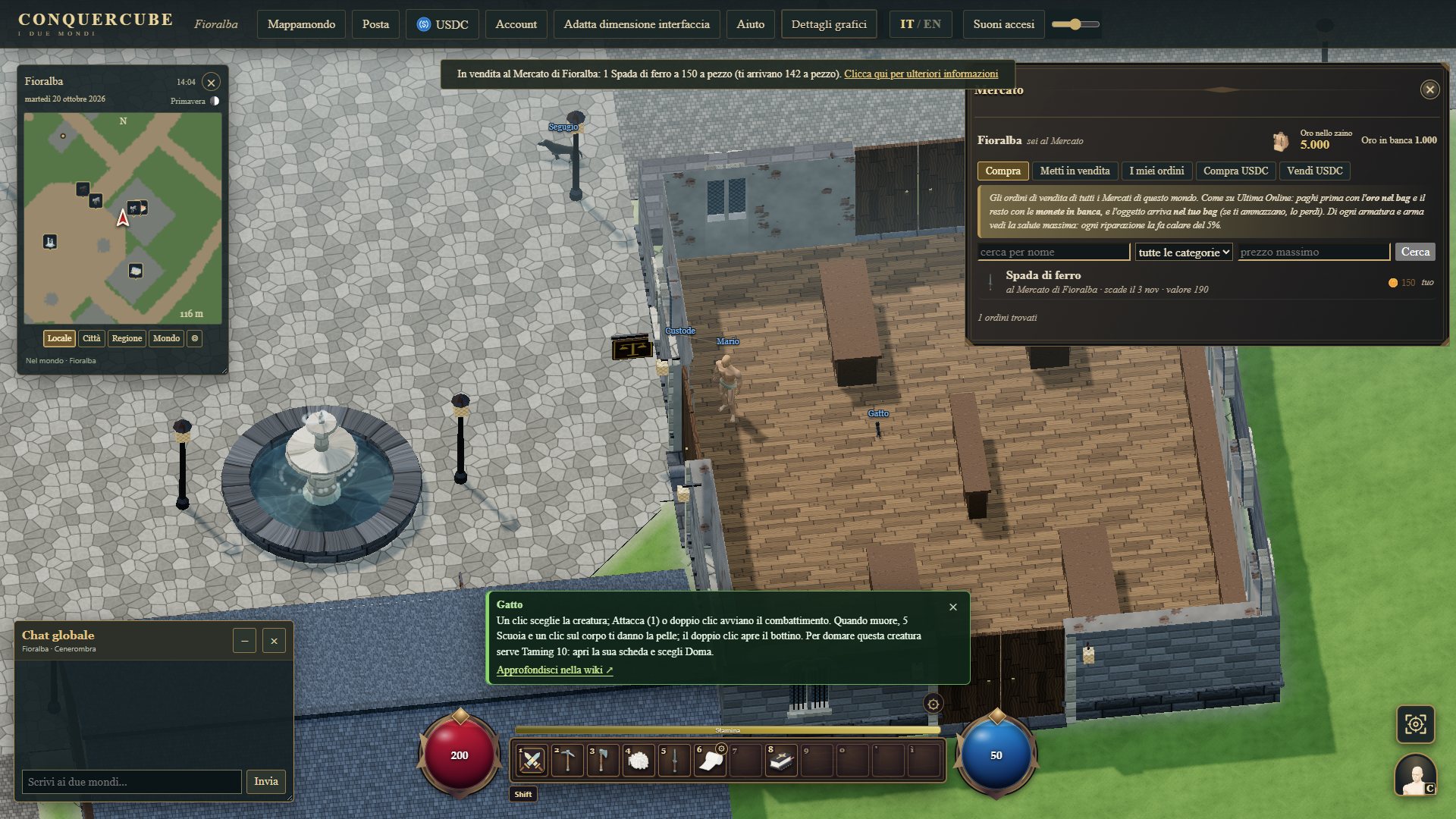
Before the first monsters you need armor, a sword and a shield, then bandages and a potion. How to buy: follow the arrow to the right shop, go in (if the door is closed, open it with a double-click) and click the vendor, who has their trade in English above the head. Their shop window opens: choose the item, type how many you want and press Buy. From the Blacksmith buy a piece of armor, the Copper Sword and the Copper Shield; from the Tailor the Bandages; from the Mage Tower (Mage) a potion, for example the Small Heal Potion. Each vendor has only a few pieces of everything: their shop window says how many are left and when they restock. At every vendor cycle everything comes back full, in every city; a cycle lasts an hour. If the Blacksmith has no swords left, another Blacksmith weapon will do: choose a one-handed one (Copper Scimitar, Copper Mace, Copper Dagger or Copper Kryss), because the shield cannot be held with a two-handed weapon. You pay first with the coins in the backpack, then with those in the bank. The step is completed when you have all five things, in the backpack or on you.

The step is completed when, in the backpack or on you, you have together a piece of armor (leather or the mage set count too), a melee weapon (the Copper Sword or another Blacksmith weapon; not the bow or the crossbow, because they do not hold the shield), a shield, some Bandages and a first-level flask. What you had already bought before this step counts too: if you reach it with everything, the step completes by itself. The list at the bottom marks with ✓ what you have and with ○ what is missing, and the arrow leads to the shop of the first thing missing. Each vendor has only a few pieces of everything and their shop window says how many are left: at every vendor cycle (a cycle lasts an hour) everything comes back full, in every city. How many pieces each vendor has and how long the cycle lasts are decided by the game master, the same in both worlds. The tutorial gives nothing away.

What each vendor sells

Open the whole chapter: Economy and Market

4. Move

Hold the right mouse button on the ground: close to the character you walk, farther away you run. A and D rotate the view; W and S change the tilt. Cover twenty meters.

Open the whole chapter: Moving

5. Backpack and character sheet

Open the backpack with I and the character sheet with C (or with the portrait at the bottom right). In the backpack there is the Spellbook, still empty: it is yours forever, you do not lose it when you die and nobody can loot it. There you also find what you bought; in the sheet you see your attributes, your skills and what you are wearing.

Open the whole chapter: The short start and the controls

6. Put on armor and shield

Armor and shield only protect you if you wear them. Open the backpack (I) and double-click the piece of armor and then the shield, or drag them onto the figure in the character sheet (C). The shield goes in the free hand: you cannot hold it with a two-handed weapon or with the bow in hand, so if you have one in hand take it off first. The step is completed when you wear a piece of armor and the shield together.

The step is completed when you wear a piece of armor (head, body, arms, gloves, legs or feet) and the shield in the off hand together. If you were already wearing them when you reach this step, it completes by itself. The shield cannot be held with a two-handed weapon, the bow or the crossbow in hand.

Open the whole chapter: Combat

7. The quick bar

Drag your weapon from the backpack into a free slot of the bar at the bottom (for example 7), then press that key or click the slot: the weapon goes into your hand by itself. 1 Attack strikes the chosen target, or asks you to click one. 6 is your bandages: with no target chosen (Esc clears it), press 6 and click your character to bandage yourself; with that bandage the step is completed. You can also enable Self-healing using the small button on the Bandages slot. With ⚙ Configure the bars you choose actions, items and spells; the second bar is the Autocast.

To complete the step you must hold any weapon (the bow too) with its shortcut in the bar and apply a bandage to yourself with the Bandages in slot 6. If the weapon was already in hand before the step, it is enough that its shortcut is in the bar. A bandage on another target does not complete this step. The bandage can be applied even at full health: it is a test of the command, not a reward.

Open the whole chapter: The short start and the controls

8. The knife for the hide

Before fighting you need a Skinning Knife: with the Skinning Knife you take the hide of the creatures you kill, and their body only lasts one minute. Next to the Totem in the center of the city there is the «Work Tools» vendor (above the head: Tool Vendor). Follow the arrow, click it and buy a Skinning Knife: it costs very few coins. If the vendor has sold out, they come back at the next vendor cycle (a cycle lasts an hour); meanwhile you can buy it from the tool vendor of another city. If you like, already take the Hatchet, Pickaxe and Sewing Kit too: you will need them after the first monsters.

The step is completed when you have a Skinning Knife in the backpack or in hand; the one you already had counts too. It is needed before the cat because a creature's body only lasts one minute: afterwards there is no time to go and buy it. Every city has its own stock: if the vendor has sold out, they come back at the next vendor cycle (a cycle lasts an hour), and meanwhile the one from the tool vendor of another city will do. The same vendor also sells the other tools: Pickaxe, Hatchet, Smith's Hammer, Bowyer's Tools, Sewing Kit, Leather Awl.

Open the whole chapter: Mines and crafts

9. The first fight

Follow the arrow to the cat. A click chooses it; 1 Attack or a double-click attack it: the blow charges up (you see it in the target bar) and starts as soon as the cat is within reach, then the character keeps striking. If it runs away, follow it with the right button. If your health drops, bandage yourself: Esc clears the target, then press 6 and click your character; with Self-healing enabled, pressing 6 is enough. You can also drink the healing potion you bought: double-click the flask in the backpack.

The arrow points to the nearest live cat. If there is none nearby, it leads to the nearest cat among those of the world's cities; a killed cat reappears after thirty minutes. No special opponent is created, no damage or stats are changed and the tutorial advances only after a kill validated by the server.

Open the whole chapter: Combat

10. Take the hide

The cat's body only lasts one minute: act at once. 5 Skin puts the Skinning Knife you bought in your hand and puts the shield away. Click the body from close by to take the Hide Level 1. Then press your weapon's key to put it back in your hand.

Hide and loot are taken from the cat just killed in the previous step. If its body disappears first (it lasts one minute), this step can no longer be completed today: the bar says so and from the Account card you can turn the Tutorial off and on again to start over from the first step.

Open the whole chapter: Mines and crafts

11. Open the loot

The cat's body only lasts one minute from its death. Double-click it to open it. If it contains something, drag at least one piece into the backpack; if it is empty, opening it is enough.

If the body is empty, opening it is enough. If there is loot, open it and take at least one piece. The tutorial does not add loot to the creature. The one minute of the cat's body applies here too.

Open the whole chapter: Camps and chests

12. The work tools

Now the tools for working. Go back to the «Work Tools» vendor (Tool Vendor) next to the Totem and buy a Hatchet, a Pickaxe and a Sewing Kit, if you do not have them yet: in the next steps you need them to sew the bandages at the Tailor, chop wood and dig in the mine. The Sewing Kit is also sold by the Tailor. Tools are items like the others: when you die they end up in the corpse, they can be put in the bank and traded. They last a very long time (30,000 strokes) but cannot be repaired: when one breaks, buy it again. The ones the vendor has sold out come back at the next vendor cycle (a cycle lasts an hour); meanwhile those of the tool vendor of another city will do too.

The step is completed when you have together Hatchet, Pickaxe and Sewing Kit, in the backpack or in hand; the ones you already had count too. Every city has its own stock: if the vendor has sold out, they come back at the next vendor cycle (a cycle lasts an hour), and meanwhile the ones from the tool vendor of another city will do too. The Sewing Kit is also sold by the Tailor.

Open the whole chapter: Mines and crafts

13. Shear a sheep

The sheep graze outside the city: follow the arrow to a sheep that has not been shorn. Press 4 Shear (it puts the Skinning Knife in your hand) and click the sheep, on foot: the character goes to its side, kneels and shears for six seconds. If you move or are hit the shearing is interrupted: resume it within thirty seconds and you continue from where you were. At the end 2 or 3 Wool Level 1 reach the backpack; that sheep stays shorn for ten minutes, then the fleece grows back. You do not shear while mounted.

The step is completed when a shearing really finishes and the wool reaches the backpack. The arrow points to the nearest sheep that has not been shorn; if there is none around, it leads to the nearest one among those in the city pastures. A shorn sheep stays shorn for ten minutes, for the other players too. The tutorial does not create sheep and does not add wool.

Open the whole chapter: Mines and crafts

14. Sew the bandages

With the tools you create things at the shop benches. Bandages are made from wool at the Tailor's bench, with the Sewing Kit in hand. Follow the arrow to the Tailor, double-click the Sewing Kit in the backpack to take it in hand, then click the «CLICK HERE» sign (craft / repair) above the bench and choose the Bandages recipe: with 3 Wool Level 1 you make 5 Bandages, with no coins, and this recipe always succeeds. The character goes to the bench and sews; if you move you interrupt the gesture. If the sheep gave you fewer than 3, shear another one or buy the Wool Level 1 from the Wool Mill (Weaver). The step is completed when the bandages reach the backpack.

The step is completed when a crafting of the Bandages recipe succeeds at the Tailor's bench and the bandages reach the backpack. The recipe uses 3 Wool Level 1 and gives 5 Bandages; it costs no coins and always succeeds, with no skill. To work at the Tailor's bench you must hold the Sewing Kit: without it the server refuses the job and the warning explains it. It is the same way you create all the other things: each shop has its own bench and its recipes, explained in the crafts chapter.

Open the whole chapter: Mines and crafts

15. Chop an ash tree

Follow the arrow. 3 Chop takes the Hatchet you bought; click the ash tree. It takes three chops to fell it and get the logs; at skill zero one attempt in two can fail. The Sawmill is explained in the wiki.

The short start stops at gathering. Refining copper and treating ash wood are explained in the shops: at skill zero the respective first-tier recipes have a minimum success of 5%, and a failure uses up the set share of materials. These failures do not prevent you from continuing the tutorial.

Open the whole chapter: Mines and crafts

16. Mine copper

Follow the arrow to the First Steps Mine, outside the city. 2 Dig takes the Pickaxe you bought: click the copper cubes until a Copper Ore reaches your backpack. At skill zero you can fail one attempt in two. The refiner is explained in the wiki.

The short start stops at gathering. Refining copper and treating ash wood are explained in the shops: at skill zero the respective first-tier recipes have a minimum success of 5%, and a failure uses up the set share of materials. These failures do not prevent you from continuing the tutorial.

Open the whole chapter: Mines and crafts

17. Death: run to your corpse

In this game, if you die you risk losing ALL the things you carry: backpack, weapons, armor, coins and tools stay in your corpse, and in Cenerombra anyone can open it and take them. When you die you become a ghost: reach a Resurrection Totem, click it and answer Yes to come back to life, then run straight to your corpse to take your belongings back. The tomb on the minimap and on the world map shows you where it is; the corpse lasts twenty minutes (sixty seconds if you die in the water), then it disappears with everything inside. Now follow the arrow to the Totem in the center of the city: just reaching it is enough, this step does not make you die.

Get close to the city's Totem. You do not have to die or cause a death: the step explains what to do when a death really happens.

Remember: in this game, when you die you risk losing everything you carry. Keep in the bank what you do not need and, when you die, run to the corpse: the tomb on the minimap and on the world map shows you where it is, as long as it exists.

Open the whole chapter: Death and resurrection

18. What now?

World Map, at the top, shows you cities, mines and dungeons. The green bars of the dynamic hints appear every time you get close to something and lead to the wiki. To turn them off or on again open Account, at the top: in the «In-game guide» box there is the «Dynamic hints» switch; the «Tutorial» switch restarts this short start from the first step, or turns it off halfway.

The final button says «you finished the tutorial, you can turn it back on if you want» and opens the Account card; the «Open the Account card» button opens it without closing the tutorial. A finished tutorial turns off; you turn it back on only when you choose to do it again.

Open the whole chapter: The short start and the controls

The two switches in the Account card

Open Account in the header: in the «In-game guide» box there are two switches, «Dynamic hints» and «Tutorial (short start)». They are two separate choices: you can keep the hints on even without doing the short start. Turning the hints off hides the green bars; turning them back on restores them when you get close to things.

The tutorial starts automatically only at the account's first birth. Turning it off keeps the save; turning it back on from the Account card restarts from the first step. A finished tutorial stays off until you choose to turn it back on. None of these choices gives items or experience. The hints preference is saved on the account; the tutorial progress is saved with the character.

Read all the dynamic hints

III The two worlds

Fioralba and Cenerombra are two copies of the same land: one great continent, with the same rivers, the same mountains, the same places and the same ten cities in twin positions. What changes is the light, the colours, the water and above all the rules. Each world is a server of its own.

The Fioralba globe with the continent
The Fioralba globe: the continent with the cities, the portals, the mines and the dungeons.
The Cenerombra globe
The same continent in Cenerombra, in ash and blood.
FioralbaCenerombra
Characterlush and bright, with a blue seagrim, ash and lava, blood-coloured water, ghostly mists
Players against playersno one can hurt youanyone can attack you, anywhere, even in town
Your body, if you dieonly you can open itanyone can open it
Lavain the red patches of the volcanic landsin the same patches, and in the mountains too
Monsters outside the dungeonsup to level 100; a very few stronger leaders in the most remote placesup to level 200; no boss outside the dungeons
Beastsdeer, wolves, bears and the others: they never strike firstonly monsters, except the sheep near the cities and a few horses
Metalsfrom copper to valoriteall of them, including vermillion, black rock and mithril; gold yields 50% more
Dungeonseight, monsters from level 8 to 95, bosses at 100seven, monsters from level 60 to 200, bosses at 300
Chests in the placesfrom A to Dfrom D to F
Rarest scrollsnoonly here

One single continent

Each world is a real spherical planet, as big as the Earth at a 1:300 scale: a radius of 21.2 km and 5,667 km² of surface. The land is one single continent of 1,644 km², 29% of the planet. At the two poles the polar lands remain, separated from the continent by the sea; climate, seasons and weather follow the latitude as always.

The continent is varied: a wall of mountains along the whole east coast, a snowy plateau in the north-east, the ochre plateau with its deserts and mesas, the jungles and swamps of the south, the woods and plains of the centre, and the red patches of the volcanic lands, with real lava, in both worlds. Where the mountains meet the sea the coast is a cliff. Wandering around you often come across something: castles, towers, graveyards, camps, ruins, mazes, rock inlets and the dungeon gates (The places of the world).

On the continentHow manyWhere and how
The cities10 + 10ten per world, each the twin of the other (The cities)
Great rivers15102 km in all; they flow into the sea, a lake or another river
Streams5139.5 km of shallow water, crossed on foot and on horseback
Lakes3Middle Lake, Lago Sereno and Reed Lake, plus the ponds
Bridges3733 over the rivers, wooden or stone, and 4 long stone ones over the sea inlets; in Cenerombra also the Bridge of Laments
Pathsabout 562 kmthey link cities, places, gates and bridges
Gorges7narrow passes through the mountains, from one valley to the next
Dungeon gates15huge, carved into the rock walls (The dungeons)
Portals between the worlds5in the open, far from the cities
Great mines8at the foot of the mountains; plus a beginners' mine near every city of Fioralba
Reagent bushes830per world, along the river banks (Gathering reagents)

Rivers, streams, lakes and bridges

  • The great rivers have shallow banks and a deep middle: along the banks you walk in the water, in the middle you swim.
  • Streams are a veil of water a few centimetres deep running down from the hills: you cross them on foot and also in the saddle, with your following creatures.
  • Bridges carry the paths from one bank to the other. You climb the ramp to the head of the bridge, and where there is water below the parapet keeps you on the deck. The deck stands high above the water: you pass underneath by swimming or wading. If you click on the bridge from the bank, the character goes round to the ramp and climbs up, without jumping into the water.
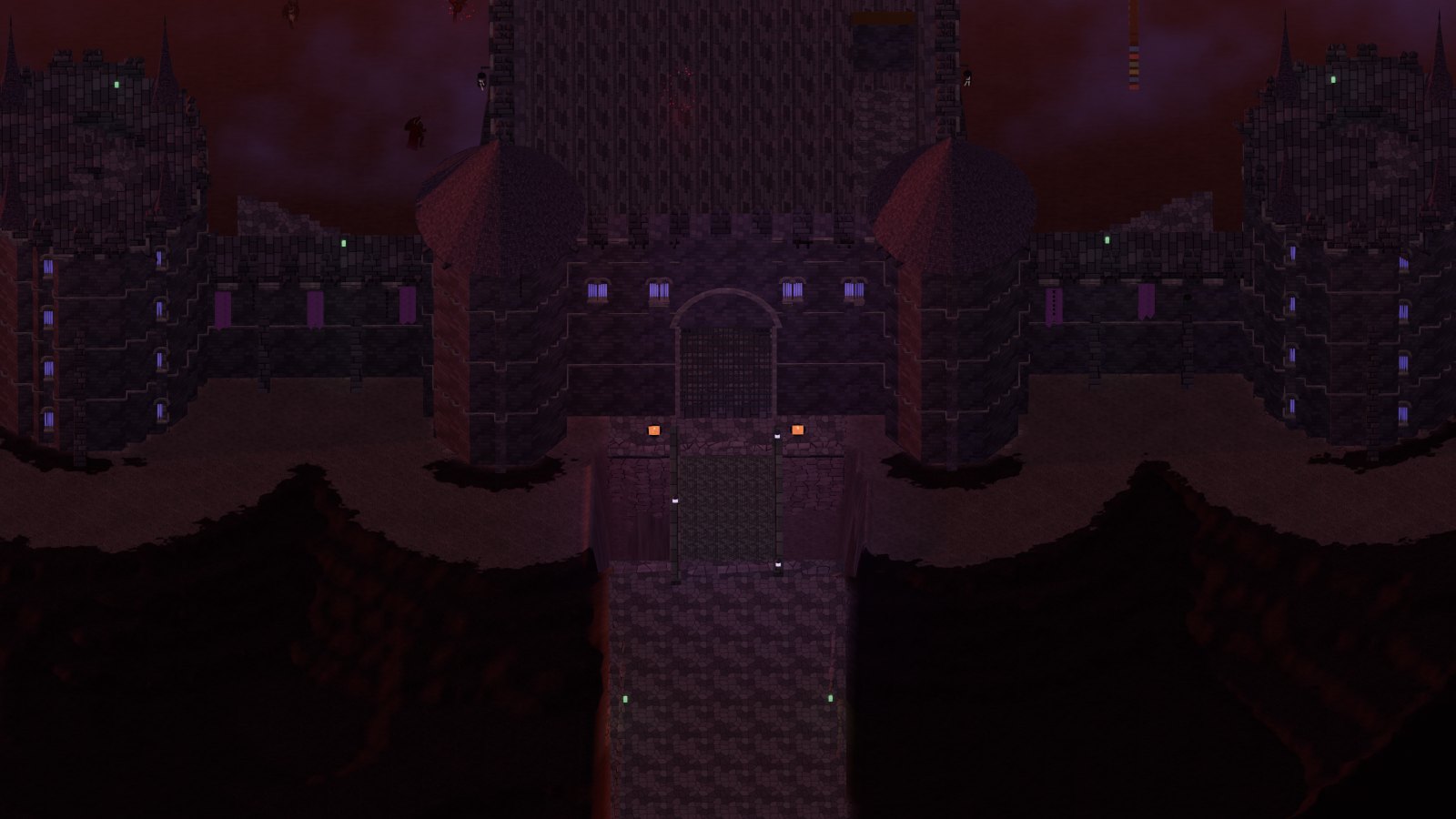
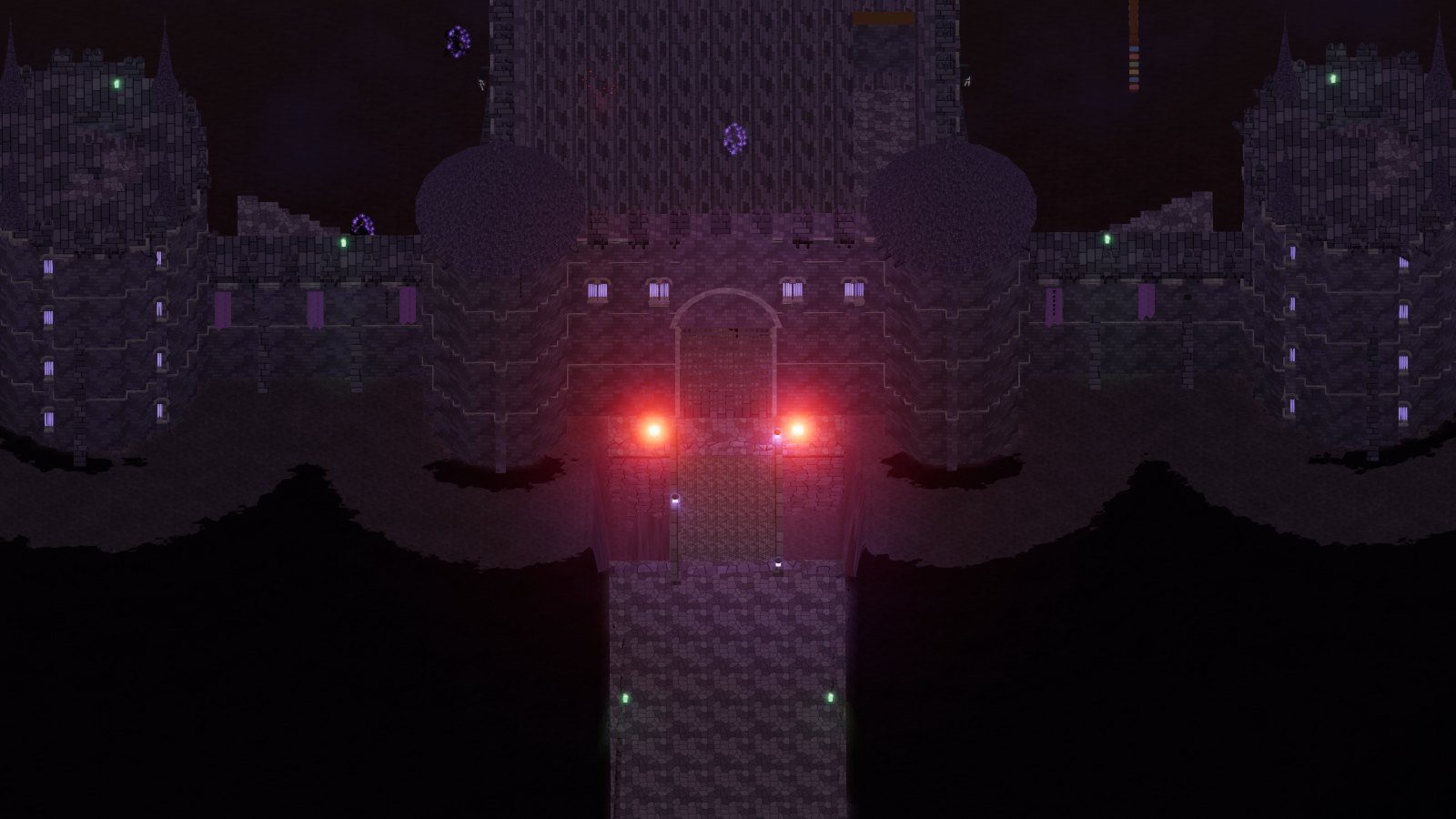
  • The lakes: the Middle Lake in the centre of the continent, with its island, and the lakes among the southern swamps. In Cenerombra, on the island of the Middle Lake, stands Morgana’s Castle, reached by the Bridge of Laments, 1,764 metres long.
  • Gorges are narrow passes between two mountain masses, with rock walls on the sides: the floor rises gently and you cross them on foot and on horseback.
A bridge over a river in Fioralba
A bridge over the river: you climb the ramp, underneath you swim.

The five portals

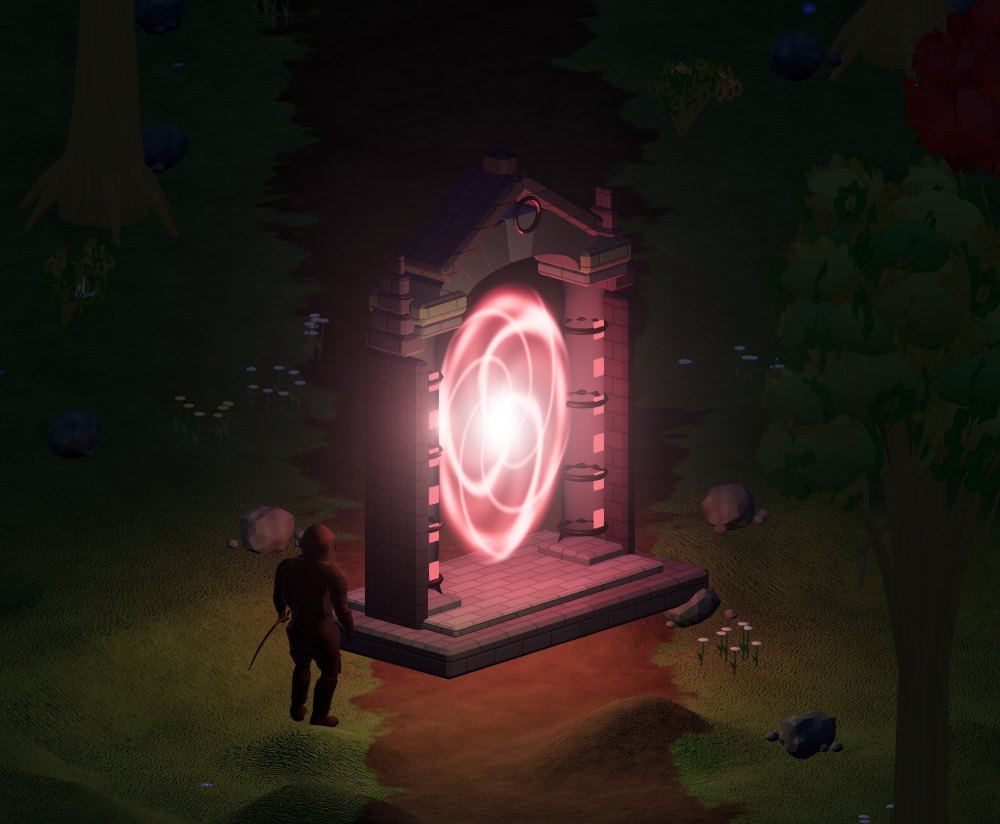
The ghostly red portal of Fioralba
In Fioralba the portal is ghostly red: it leads into the dark world.
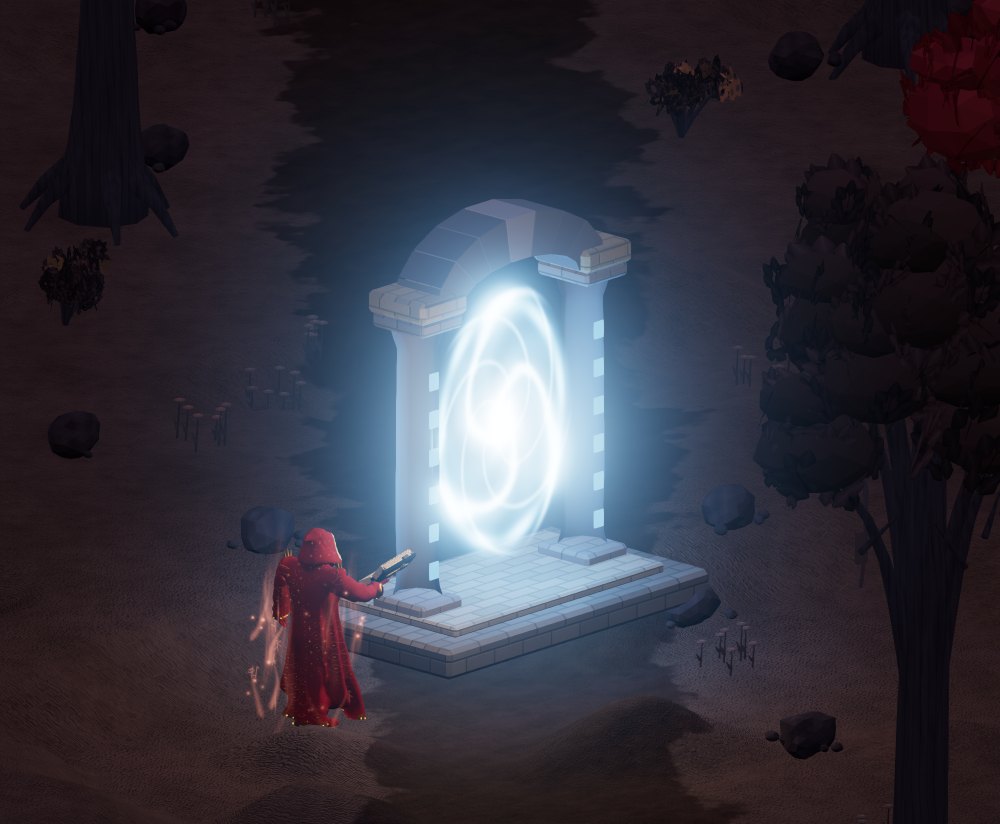
The energetic blue portal of Cenerombra
In Cenerombra it is energetic blue: it leads back to the good world.

The five permanent portals connect Fioralba and Cenerombra. Enter and remain inside for 5 seconds: crossing costs 1000 gold coins from your backpack. The coins are burned. These portals require you to dismount; orange- or red-named characters cannot use them to return to Fioralba. Your character and backpack travel to the other world, but banks remain separate. Followers stay in the world you leave; figurines travel in your backpack. These conditions apply to permanent portals; rune travel has its own rules.

The new world: everyone starts again from zero

With the continent the world started again from zero. Every player character, except those of the game masters, is reborn as if just created: the account, the name, the looks and the birth city stay, while level, experience, attributes, skills, spells, backpack, bank, equipment and creatures start over. Whatever lay on the old geography (dug cubes, items on the ground, corpses and graves) is gone too.

At the first login the character appears in Fioralba, on the square of the Resurrection Totem of their birth city, with the empty Spellbook and 1,000 coins in the bank, like anyone born today (what you have at birth). A notice explains it just once: «The world is new: your character starts again from zero…».

Water and swimming

  • On foot you walk in the water as long as it reaches your shoulders (80% of the character’s height: a little over three metres). Beyond that, in the sea, in the lakes and in the middle of the rivers, you swim on the surface. While swimming you cannot fight or cast spells: reach dry land first.
  • In the saddle you only pass where the water is a veil a few centimetres deep, that is on the streams; in real water the mount stops on the bank. Tamed creatures following you stop on the bank too. Ghosts walk on the surface of the water: they run at three times normal speed without using stamina.
  • Swimming while moving uses stamina: 4 per second × the load × (1 − the skill). The load is ×1 when empty, ×1.5 at half, ×2 full, ×3 overloaded; the skill is 0.6% per point of Swimming plus 0.06% per point of Strength and Dexterity, at most 85%. Standing still afloat, stamina comes back; at zero you stay still afloat until it rises again.
  • With the «▼ Dive» and «▲ Surface» buttons you go down and up one meter at a time (holding them down you keep going). Underwater stamina stays still and oxygen counts: 20 seconds in all, plus 0.8 per point of Swimming and 0.1 per point of Strength and Dexterity; it drops by 2 per second × the load × (1 − the skill), still or moving, and afloat it refills in about 4 seconds.
  • At zero oxygen you drown: you lose 5% of your maximum health per second, and nothing blocks it, until you return to the surface.
  • Whoever dies in the water leaves the corpse on the bottom for 60 seconds (to take your things back you must dive) and becomes a ghost on the surface of the water at the same spot.

· The cities

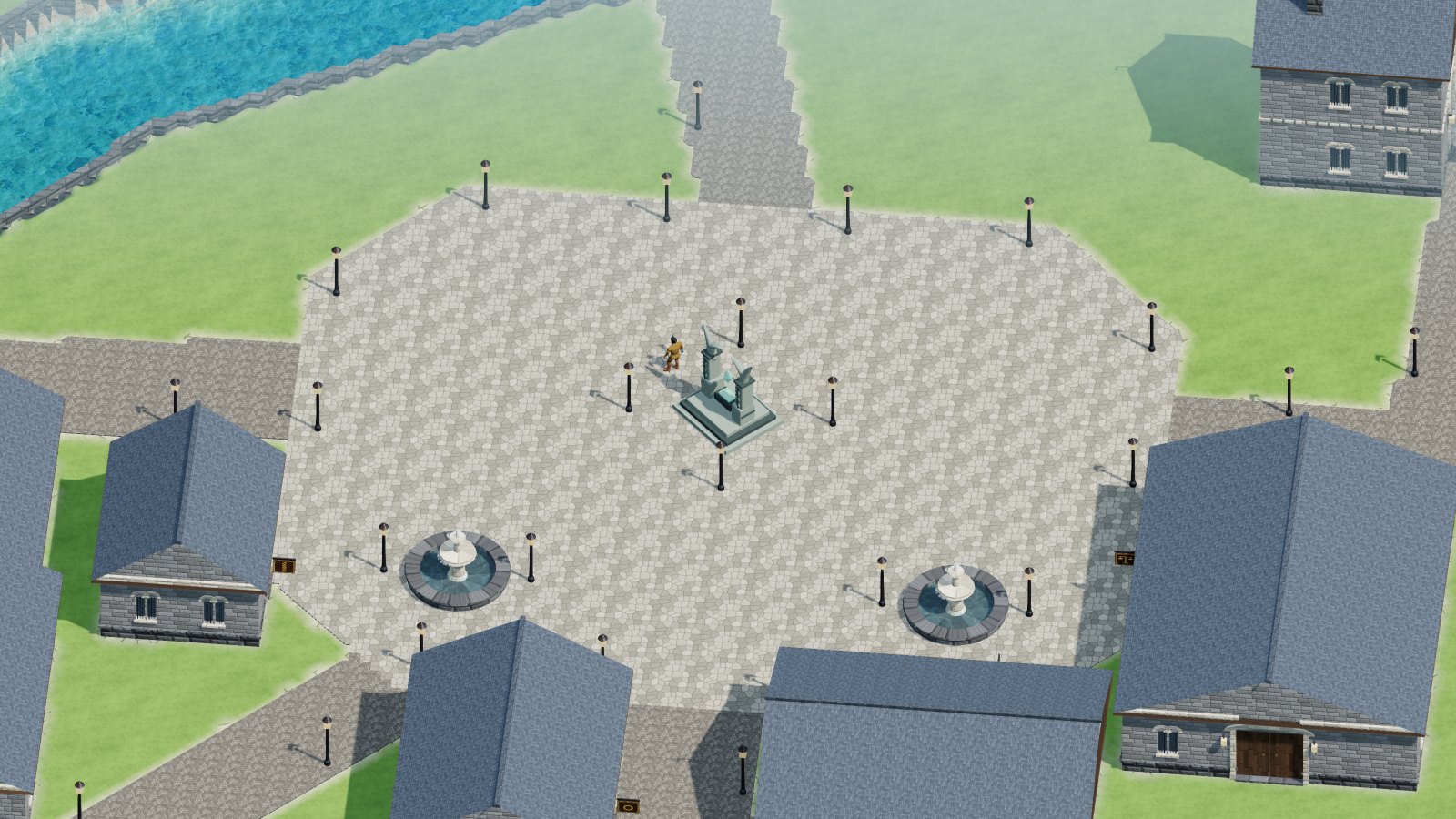
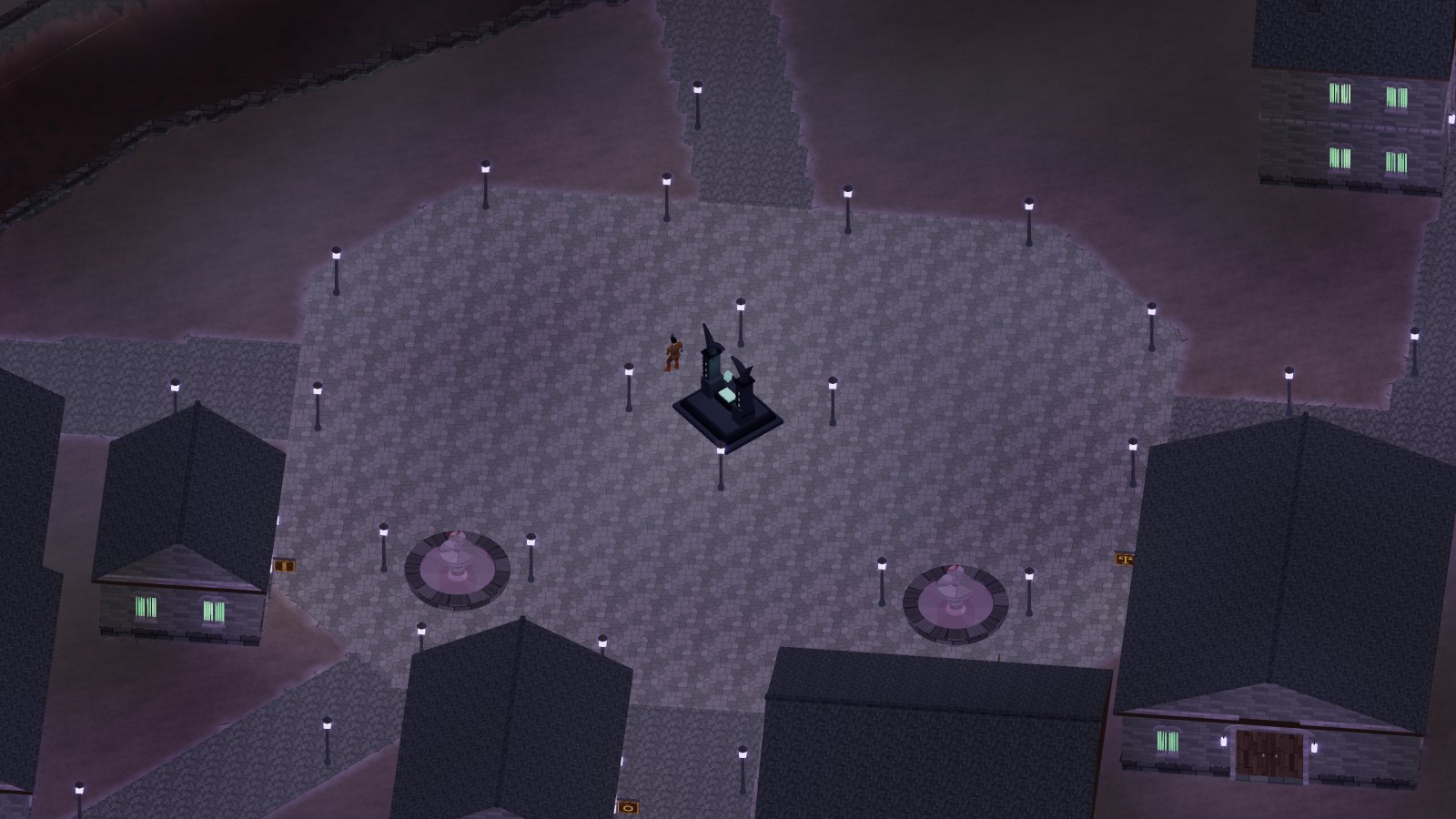
Each world has ten cities built as in Ultima Online: closed shops with a door, a sign and the vendor inside, scattered houses, squares, fountains, streams and rivers with bridges. Each has its own plan, its own style and its own materials, and stands in the spot of the continent that suits it: on a plain by the river, in the woods, on a mesa, in the desert, in a mountain inlet, among the lava, on canals, on a hill, on a lake, on a promontory. The twin in Cenerombra has the same plan, the same materials and the same style, but darker and grimmer.

The city of Fioralba seen from above, in the morning
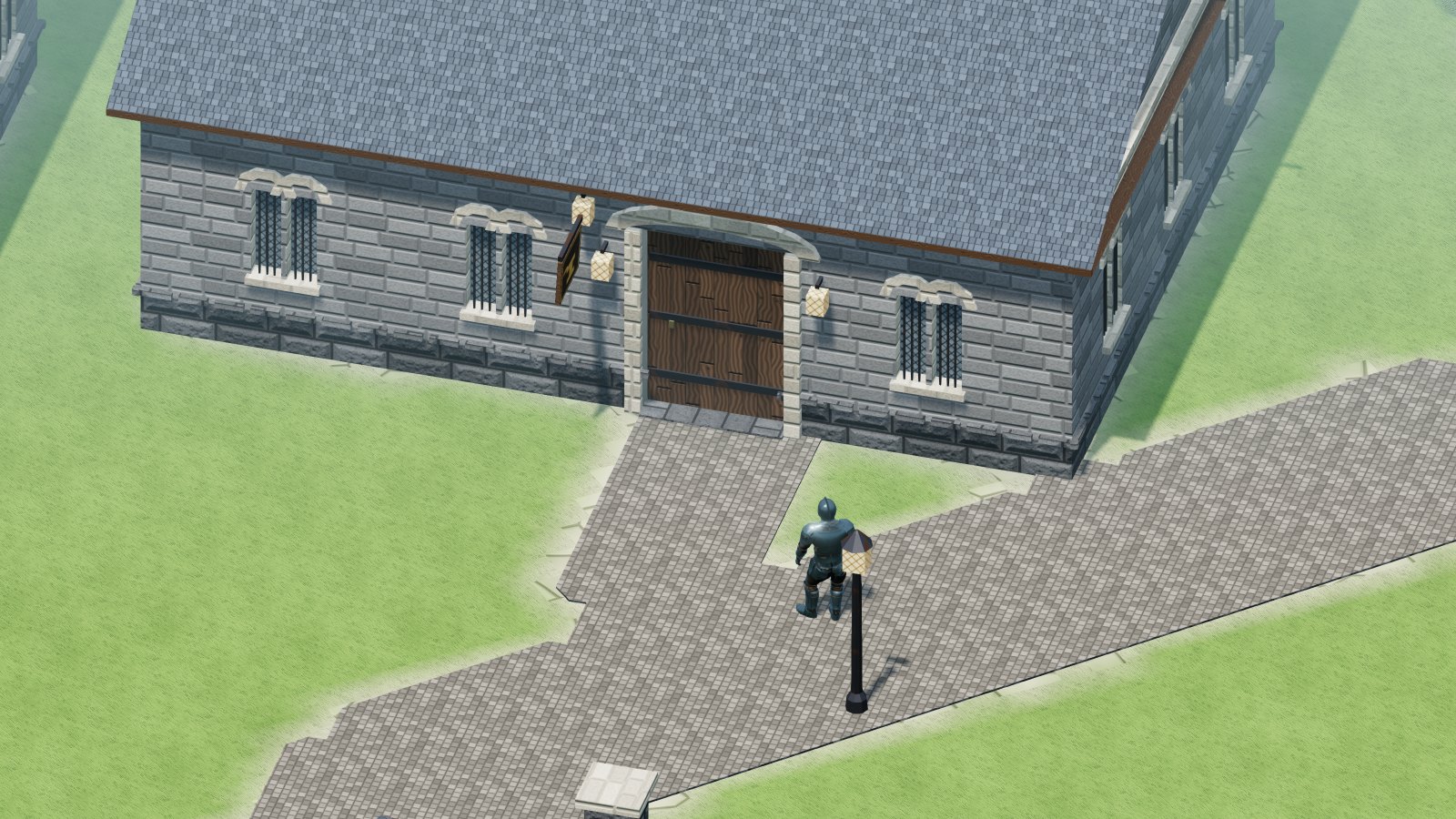
Fioralba, the capital on the river: the Totem square, the slate-roofed shops, the bridges.
The city of Cenerombra at night
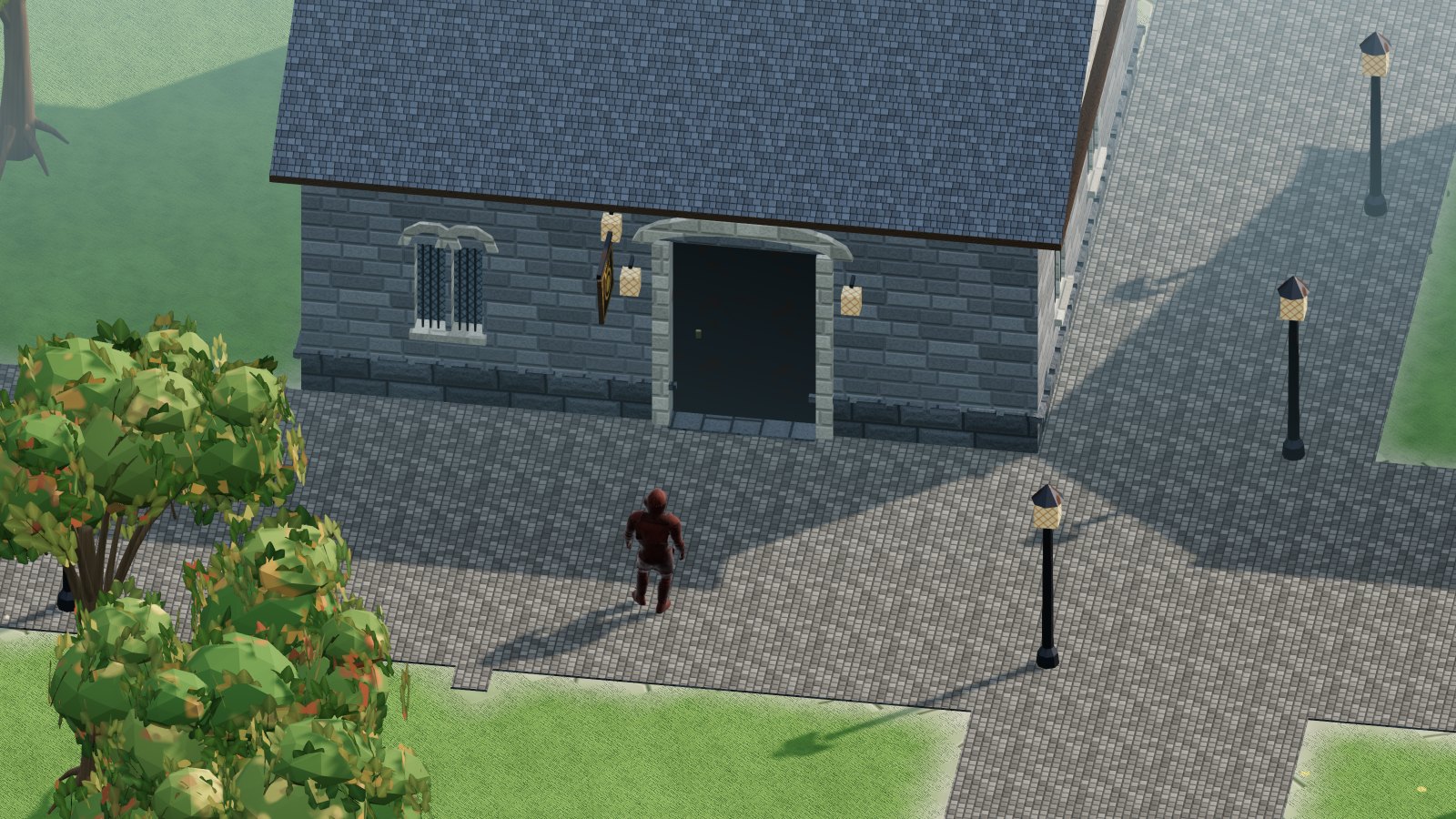
The twin in Cenerombra, at night: same plan, grimmer.
CityThe twinWhere it standsStyleWaterSize
FioralbaCenerombraa plain with a great riverGrey stone and slate: walls of squared grey stone blocks, roofs of steep blue-grey slatea river, 3 bridges93,129 m²
ValchiaraValcupaa wooded valley floor with a torrentLight wooden boards: walls of light fir boards laid horizontally, roofs of larch shinglesshallow streams, 2 footbridges71,641 m²
PietrabiancaPietrasordaan isolated plateau (mesa)White marble: walls of large blocks of veined white marble, roofs of marble terraces and domes, golden cornicesshallow streams, 9 footbridges80,445 m²
Riva DorataRiva Neraopen desertGolden sandstone: walls of golden sandstone blocks, roofs of flat terraces with canvas awningsshallow streams73,785 m²
AltaviaAltacorvaa mountain inletPink granite and copper: walls of rusticated pink granite, roofs of verdigris copper sheetsshallow streams65,963 m²
SolferratoFerrospentoa tableland between lava flows, with a torrentBasalt and iron: walls of dark basalt blocks, roofs of red clay tiles and brick chimneysa river, 5 bridges87,593 m²
CampolietoCampoluttoa low plain where a river splits into canalsRed bricks and clay tiles: walls of bare red bricks and timber framing, roofs of terracotta tilescanals, 6 bridges84,575 m²
Vigne AlteVigne Mortea terrace on a south-facing hillLimestone and lime plaster: walls of bare limestone and coloured lime plaster, roofs of pale clay tilesshallow streams, 4 footbridges75,652 m²
Lago SerenoLago Fermothe shore of a lake among the swampsDark wood, pebbles and thatch: walls of round lake pebbles and dark chestnut beams, roofs of thick thatch with reed ridgesthe lake with its piers, 1 bridge85,633 m²
CapoventiCapotempestea promontory over the sea (a cape)Rock slabs: walls of large dry-laid rock slabs, roofs of stone shingles (overlapping slabs)shallow streams, 1 footbridge71,329 m²

The shops, as in Ultima Online

Every city has the same fifteen shops: Bank, Market, Jeweler's Shop, Mint, Mage Tower, Blacksmith, Refinery, Sawmill, Bowyer, Wool Mill, Tailor, Hideworker, Tannery, Barber and Stat / Skill Redistribution. They are closed one-storey buildings, grouped by district: the Bank and the Market on the Totem square, metals, wood, textiles and magic in their own districts. The Mage Tower has two floors.

  • The door. Every shop and every house has its own door, different according to the building. Double-click the door, from close by (within 4 metres) and on the same floor: if it is closed it opens, if it is open it closes. The door is the same for everyone: if you open it, it is open for everyone. It closes by itself after 20 seconds, if nobody is standing on the threshold. A closed door is a wall: it stops steps, sight, arrows and spells. Monsters do not open doors; ghosts do, so they can leave the shop where they died.
  • The roof that opens. When you go inside, the roof and everything above your head disappear, as in Ultima Online: you see the room you are in, the counter and the vendor. If you climb to the first floor of the Mage Tower you see the first floor and no longer the ceiling; going back down the ground floor returns. When you go out the roof comes back. It works for every building: shops, houses, castles, towers. Outside, when a wall or a tree stands between you and the camera, there is the circle of transparency.
  • The sign. Next to the door of every shop there is a sign: click it and a card tells you what place it is. Houses have no sign.
  • You buy and work only inside. As in Ultima Online the vendor stands behind the counter and the trade tools (the anvil, the loom, the alembic and the others) stand in the workshop: to buy and to work you have to go in. From outside, through the wall, you neither buy nor work. The Scribe’s Desk is on the first floor of the Mage Tower: to inscribe you climb the stairs.
  • The Bank stands on the Totem square in every city, with its door on the square. The Work Tools vendor (over the head: Tool Vendor) is the only one outdoors: he stands near the Totem, in the centre of the city.
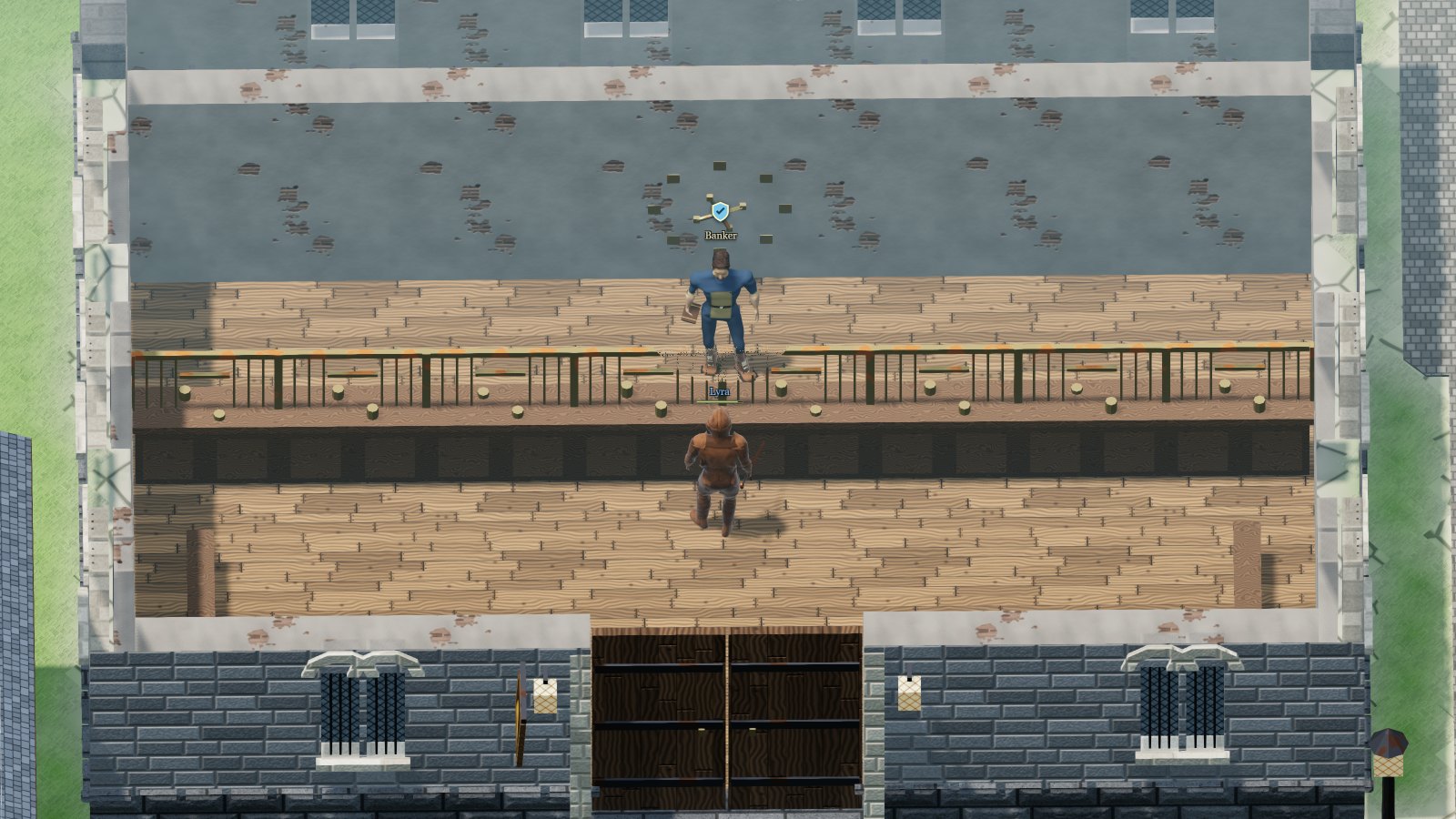
Inside the Bank, with the roof cut away
Inside the Bank: the roof is gone, the Banker waits behind the counter.
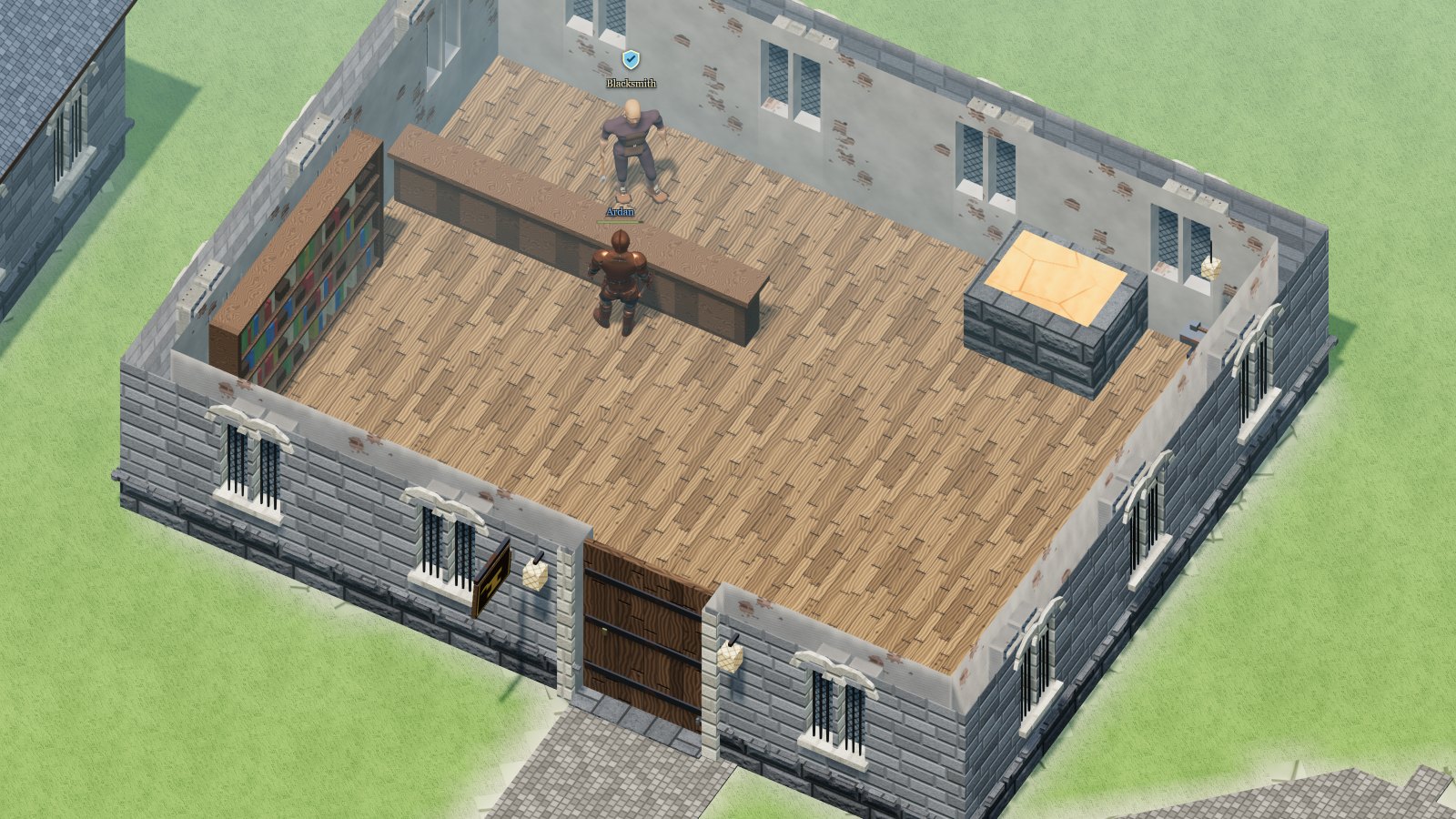
Inside the Blacksmith’s shop
At the smithy: the Blacksmith at the counter and the anvil in the workshop.
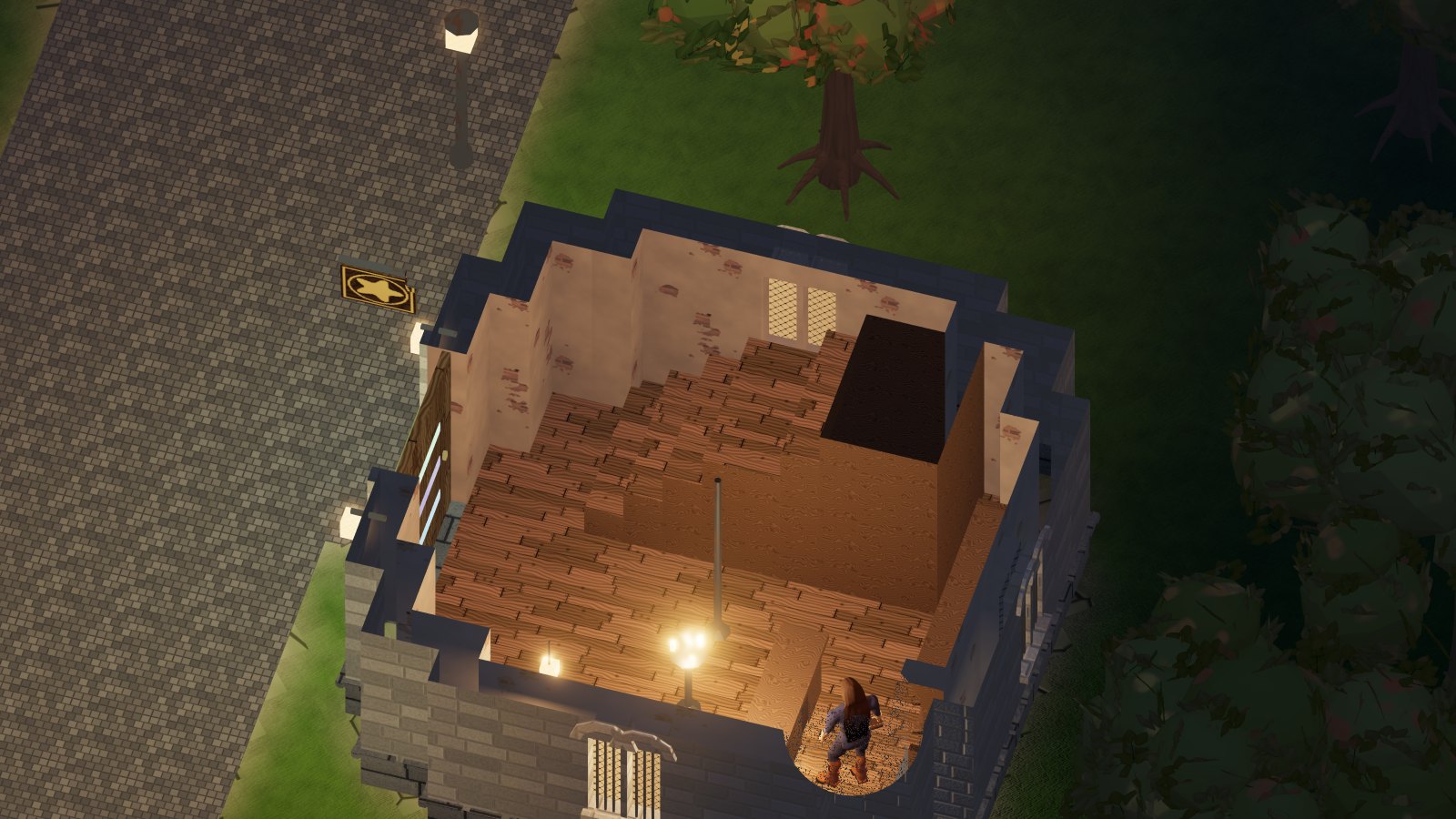
Inside the Mage Tower, with the roof cut away
Inside the Mage Tower: the wooden stair climbs to the first floor, where the Scribe’s Desk stands.

The scattered houses

Every city has twelve scattered houses, built on ten different models (three with two floors), in the style of the city: the cottage, the long house, the L-shaped house, the one with a porch, the tower house, the courtyard house with a well, the villa, the house with a vegetable garden. They have doors like the shops, and you can go in and look around. One day they can be bought: for now they have no owner.

Water, walls and lights

  • In six cities (Valchiara, Pietrabianca, Riva Dorata, Altavia, Vigne Alte and Capoventi) shallow streams flow, crossed on foot and on horseback, with footbridges on the main streets. In four (Fioralba, Solferrato, Campolieto and Lago Sereno) there is a deep river, canals or a lake: there you cross on the bridges, because you cannot wade across. Fountains and shallow ponds stand in the squares and gardens.
  • Solferrato and Capoventi have walls, with towers and gates on the roads out.
  • At night the cities light up with a lighting plan: lamps on both sides of the doors, a lamp under the signs, lanterns along the streets, the squares and the walls, never a torch in the middle of the road. In Cenerombra the lights are cold and gloomy.

Where you are born

A new character is born on the square of the Resurrection Totem of their city, in a free spot near the Totem. The Totem stands in the centre of every city: that is where you come back to life after death (Death and resurrection).

The vendors

Every shop has its vendor, and over the vendor’s head the trade is written in English, the same in both languages of the game, so there is no mistaking it. To buy you go in, click the vendor and choose from the showcase. Each one sells the basic goods of the trade, the same in Fioralba and in Cenerombra:

ShopOver the headWhat it sellsHow many per cycle
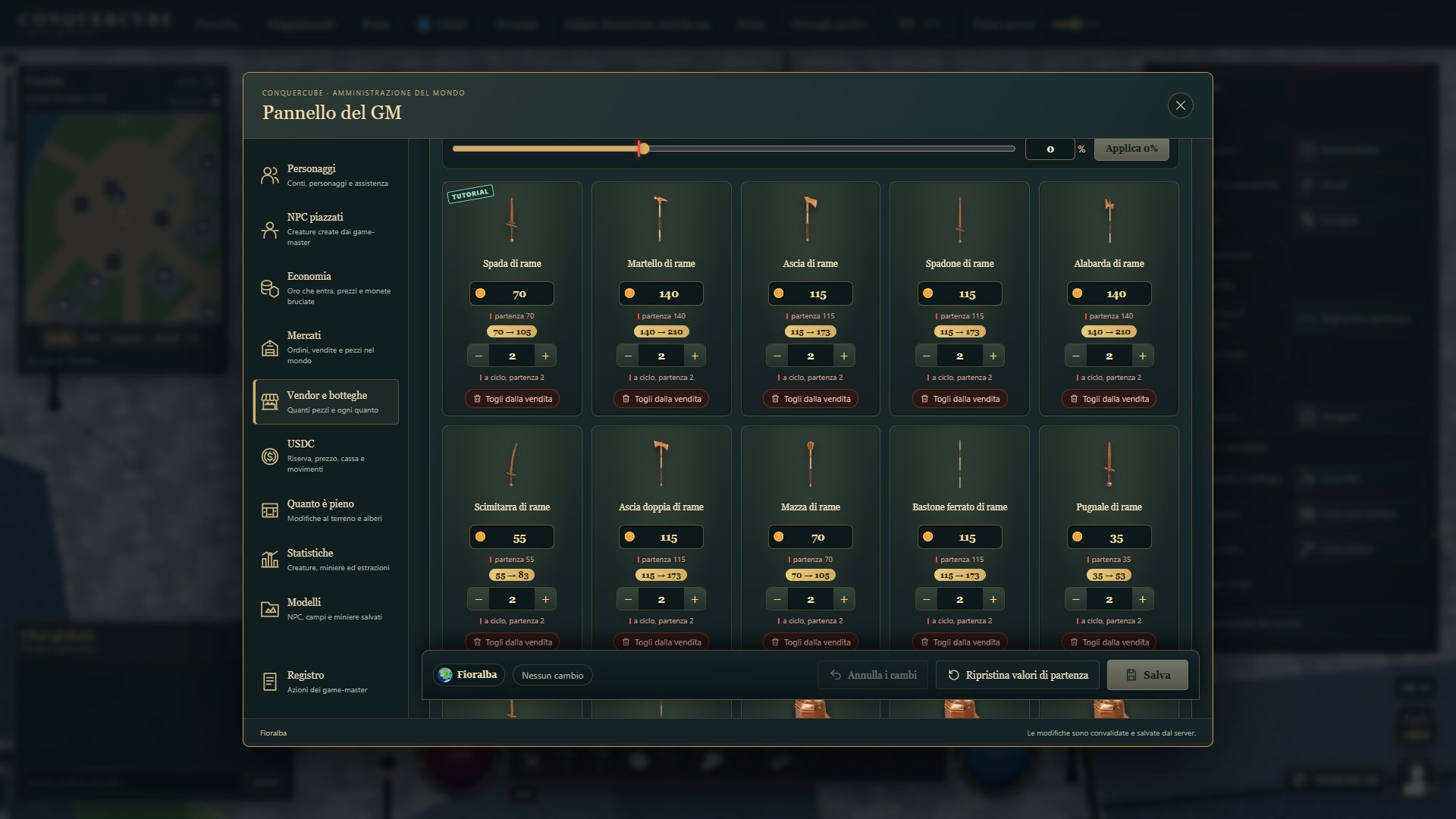
BlacksmithBlacksmithCopper Sword, Copper Hammer, Copper Axe, Copper Greatsword, Copper Halberd, Copper Scimitar, Copper Double Axe, Copper Mace, Copper Quarterstaff, Copper Dagger, Copper Kryss, Copper Spear, Copper Plate Helm · Armet, Copper Plate Helm · Bascinet, Copper Plate Helm · Burgonet, Copper Plate Helm · Closed helm, Copper Plate Helm · Stechhelm, Copper Plate Chest, Copper Plate Arms, Copper Plate Gloves, Copper Plate Leggings, Copper Plate Boots, Copper Chainmail Helm, Copper Chainmail Chest, Copper Chainmail Arms, Copper Chainmail Gloves, Copper Chainmail Leggings, Copper Chainmail Boots, Copper Shield and Smith's Hammer2 of each
BowyerBowyerAsh Bow, Ash Crossbow, Arrows, Bolts and Bowyer's Tools50 of Arrows and Bolts; 2 of Ash Bow, Ash Crossbow and Bowyer's Tools
Mage TowerMageGarlic, Ginseng, Nightshade, Mandrake Root, Blood Moss, Spider's Silk, Black Pearl, Sulfurous Ash, Blank Scroll, Teleportation Rune, Small Heal Potion, Small Mana Potion, Lesser Antidote, Lesser Poison, Lesser Refresh, Strength Potion Level 1, Dexterity Potion Level 1, Intelligence Potion Level 1 and Lesser Explosive Flask50 of each reagent; 10 of each flask; 2 of Blank Scroll and Teleportation Rune
TailorTailorBandages, Sewing Kit, Mage Robe Level 1, Mage Boots Level 1 and Mage Gloves Level 150 of Bandages; 2 of Sewing Kit, Mage Robe Level 1, Mage Boots Level 1 and Mage Gloves Level 1
TanneryTannerLeather Helm Level 1, Leather Chest Level 1, Leather Arms Level 1, Leather Gloves Level 1, Leather Leggings Level 1, Leather Boots Level 1, Leather Awl and Pouch2 of each
Jeweler's ShopJewelerCoffer2 of each
RefinerySmelterCopper Ingot2 of each
SawmillCarpenterAsh Boards2 of each
Wool MillWeaverWool Level 12 of each
HideworkerLeatherworkerLeather Level 12 of each
Work ToolsTool VendorPickaxe, Skinning Knife, Hatchet, Smith's Hammer, Bowyer's Tools, Sewing Kit and Leather Awl2 of each
BankBankernothing: it is the bank—
MintMinternothing: it mints gold into coins—
BarberBarbernothing: changes hair, beard and moustache—
Stat / Skill RedistributionTrainernothing: redistributes attributes and skills—
Market—no vendor: there are the players’ orders and the Market’s own orders—
  • Stock is limited, as in Ultima Online. The table shows the quantities in force right now, the same in every city of both worlds. The game master decides them, item by item, from the GM panel (Vendors and shops): they apply to every vendor of that kind. The vendor’s showcase also tells how many pieces are left. No one buys more than what is left.
  • Vendors restock in cycles, as in Ultima Online: at every cycle everything they sell comes back full, even what was sold only in part. There is one cycle for the whole game: it applies to every vendor of every city, in Fioralba and in Cenerombra, and they all come back full at the same moment. Right now a cycle lasts an hour; the game master decides it. The showcase tells when the next restock comes. Each city has its own stock: if a counter is empty, try another one.
  • If the game master sets an item to 0, that vendor no longer sells it: it disappears from the showcase in every city of both worlds. If no vendor sells it any more, the warning tells you to look for it at the Market.
  • You pay first with the coins in your backpack, then with those in the bank. The price is chosen by the Game Master for each world: at the start twice the reference value, less for copper, iron, agapite, verite and valorite weapons, armour and shields (The city vendors).
  • Vendors buy nothing. To sell there are the Market orders, between players; gold enters the world from monsters and chests.

IV The biomes

The lands of each world are divided into fourteen biomes, from the beaches to the snowy peaks. The biome decides the ground under your feet, the trees and the woods you chop, the beasts and monsters that live there, the places that rise there and the dungeon gates.

How much land each biome covers

Square kilometres of land on the continent, the same in the two worlds: in Fioralba too the volcanic lands have lava.

Trees never too thick

Even the thickest jungle always lets you through: between two trees there are at least five meters, between a tree and a bush three and a half. No forest blocks the character. Felled trees grow back.

The woods

Ash and yew are the common woods. The fine woods grow in few biomes, mixed with the other trees: yew in the cold forests and in the mountains, heartwood in the ancient woods, bloodwood in the jungle and in the swamps, frostwood in the tundra and on the peaks. The finer the wood, the better the bow. In every season the fine woods stay recognizable: the trunk keeps the color of its wood.

Beasts and monsters

In Fioralba, outside hostile sites, the biome beasts live: deer, wolves, boars, bears and others. They do not attack first and defend themselves when attacked. Hunt them for hides and experience, and tame the more peaceful ones. Monsters roam their biomes in small groups, guard the places of the continent and the dungeons, and attack on sight (The monsters and their brains). Each biome has its own. With GM mode active, monsters do not choose the game-master as a target on their own; they can retaliate when attacked. With GM mode inactive, the normal rules apply.

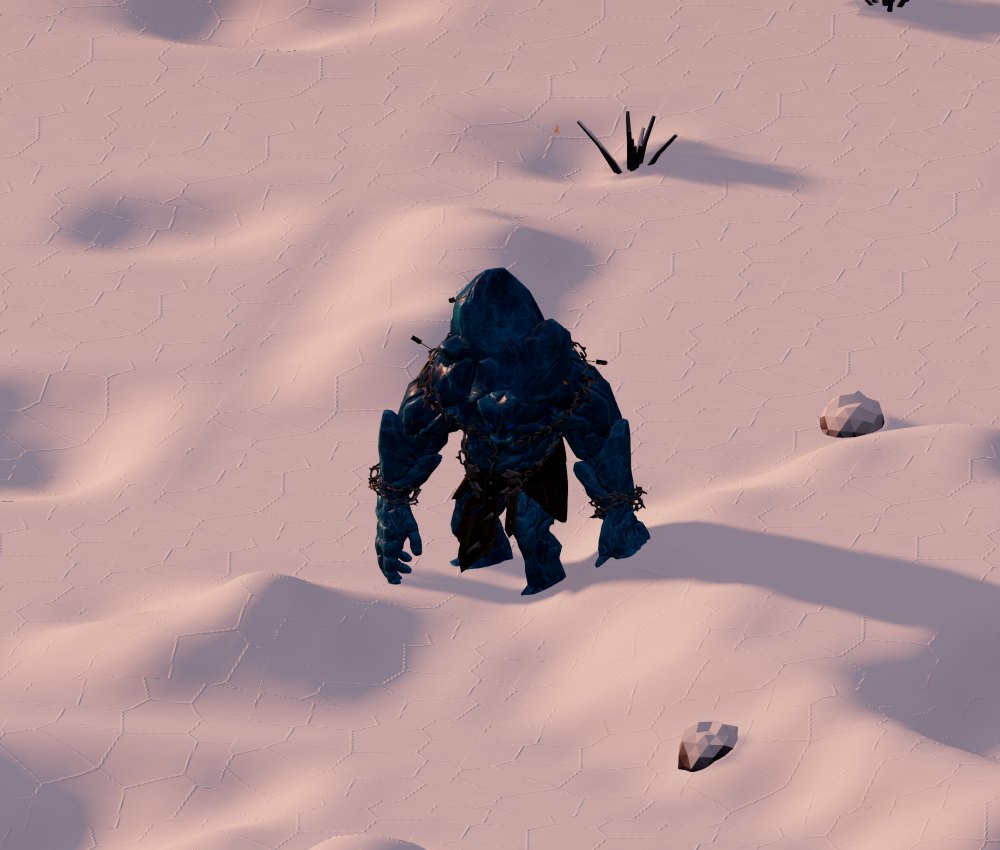
The ice golem
Ice Golem · ice fields of Cenerombra
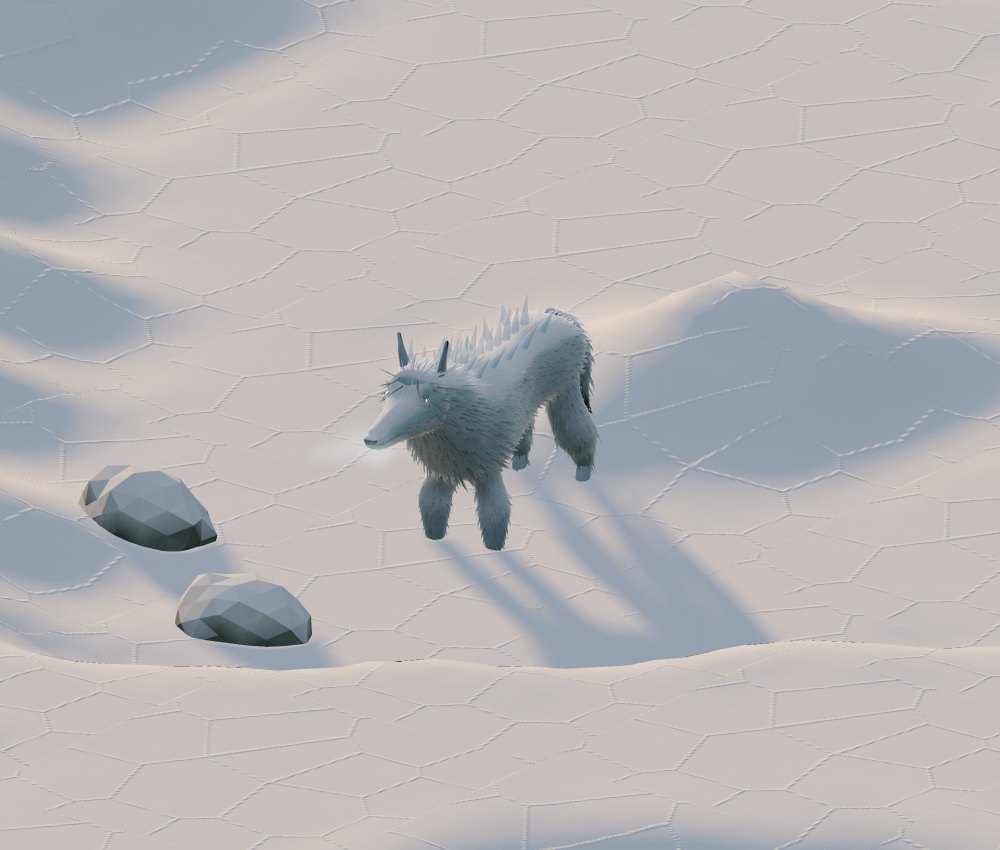
The ice wolf
Ice wolf · frost lands
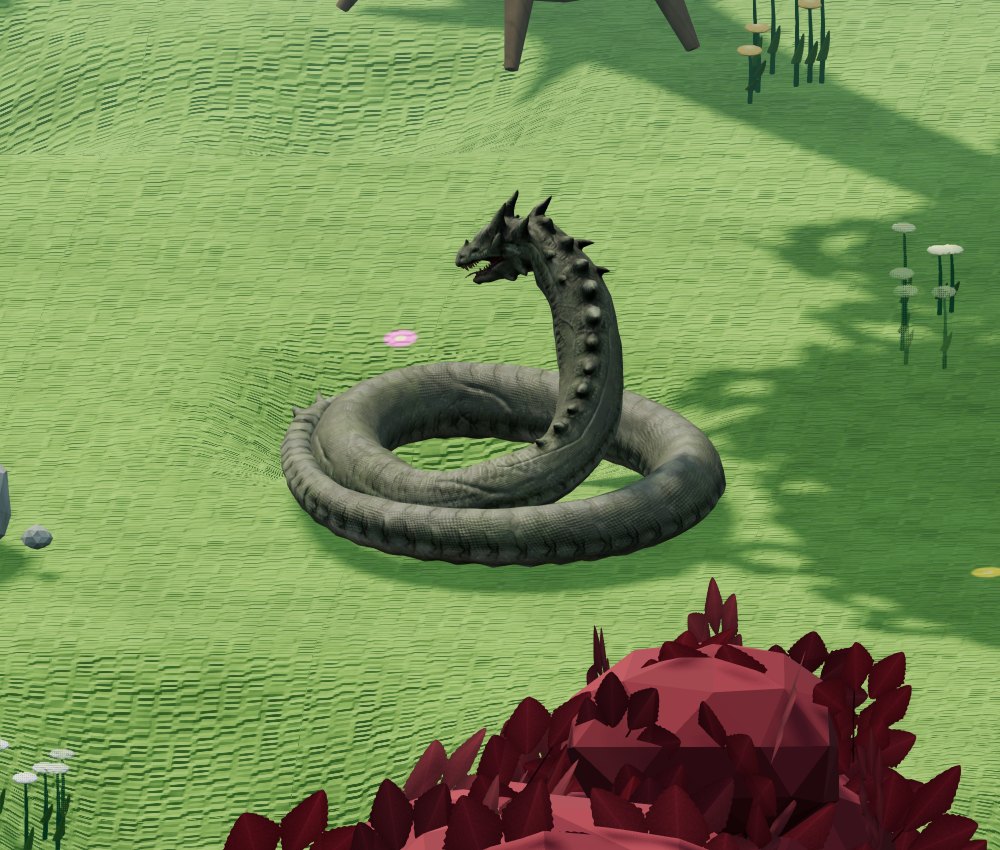
The jungle constrictor
Constrictor · jungle
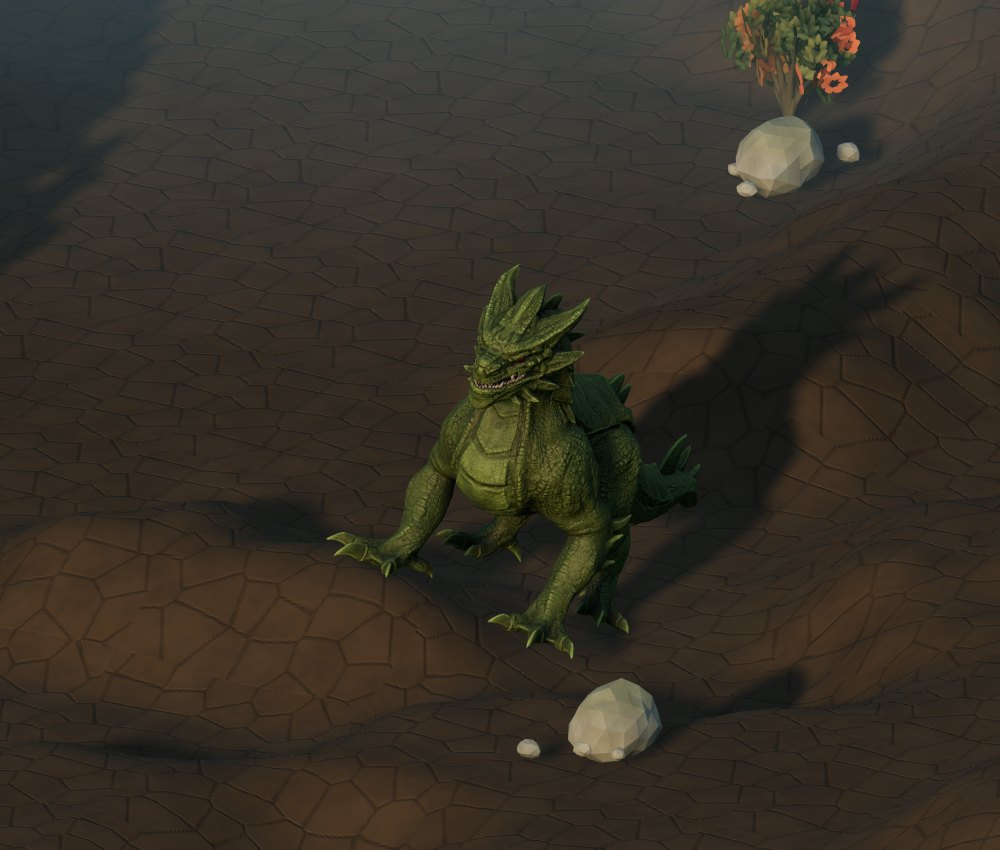
The young swamp drake
Young Swamp Drake · swamps
The orc raider
Orc Raider · savanna
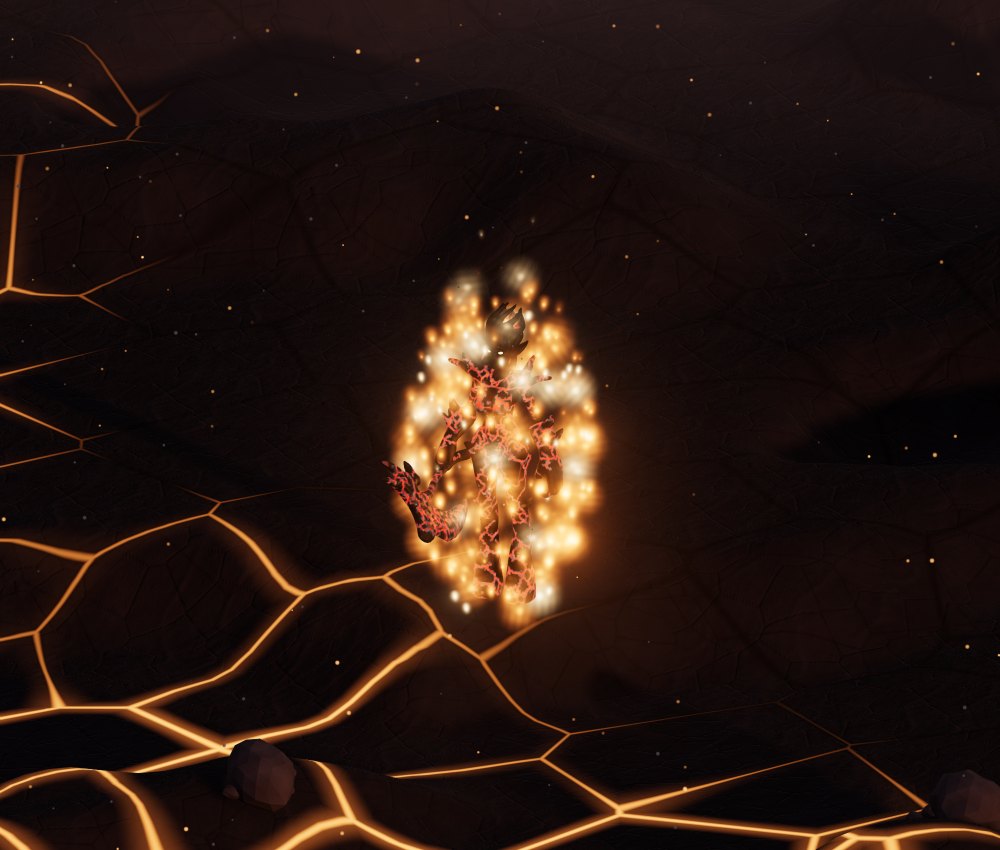
The wandering flame
Wandering Flame · volcanoes
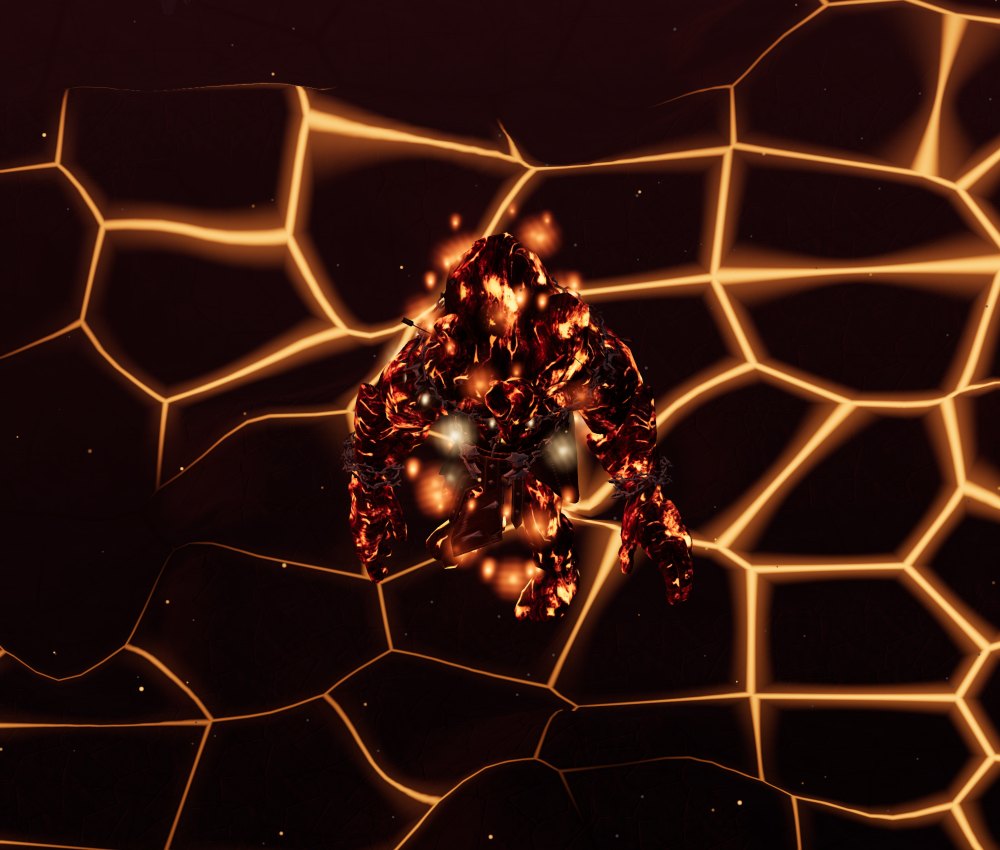
The lava elemental
Lava elemental · volcanoes
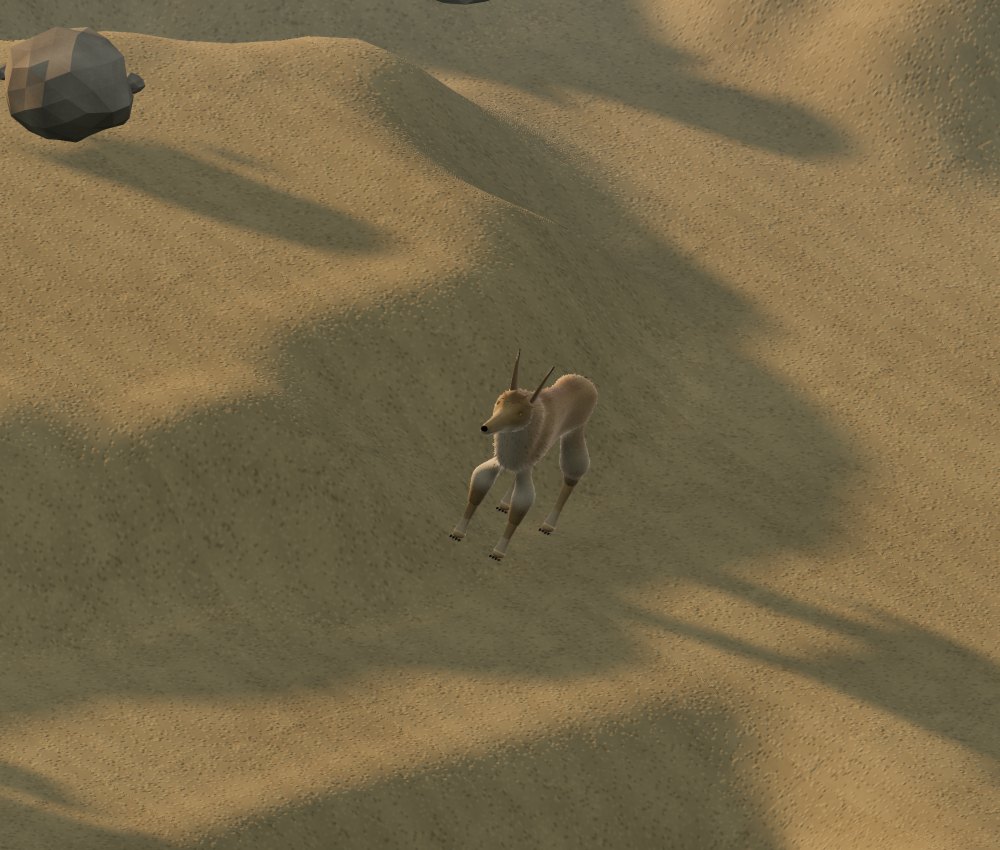
The dune jackal
Dune jackal · desert

Cenerombra

In the dark world the biomes are the same but change their face: the ground is ash, the trees are dark and twisted, the water is blood, in some areas a ghostly fog comes down, and lava flows in the mountains too.

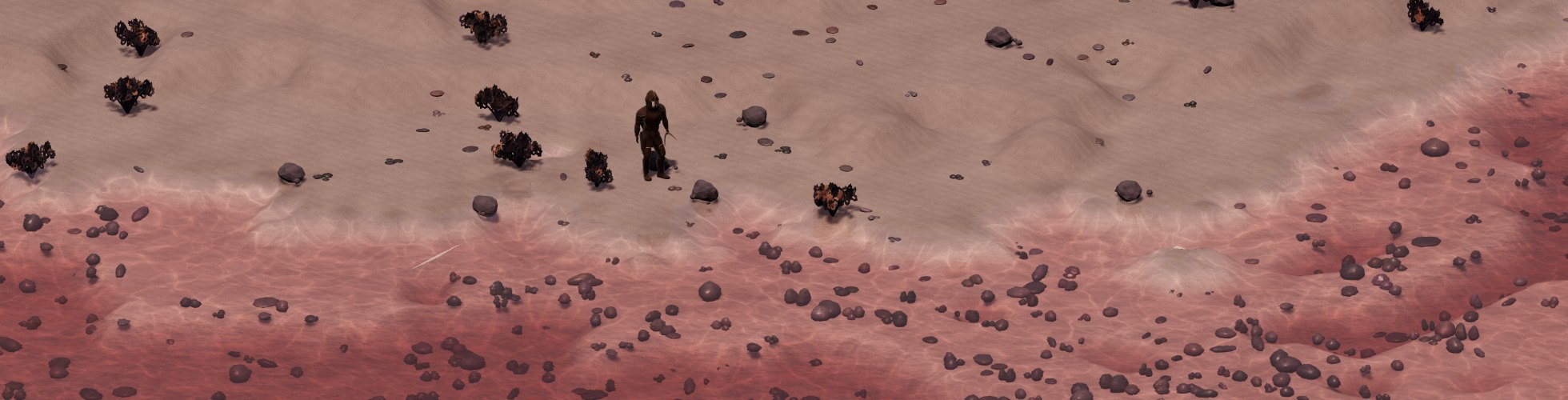
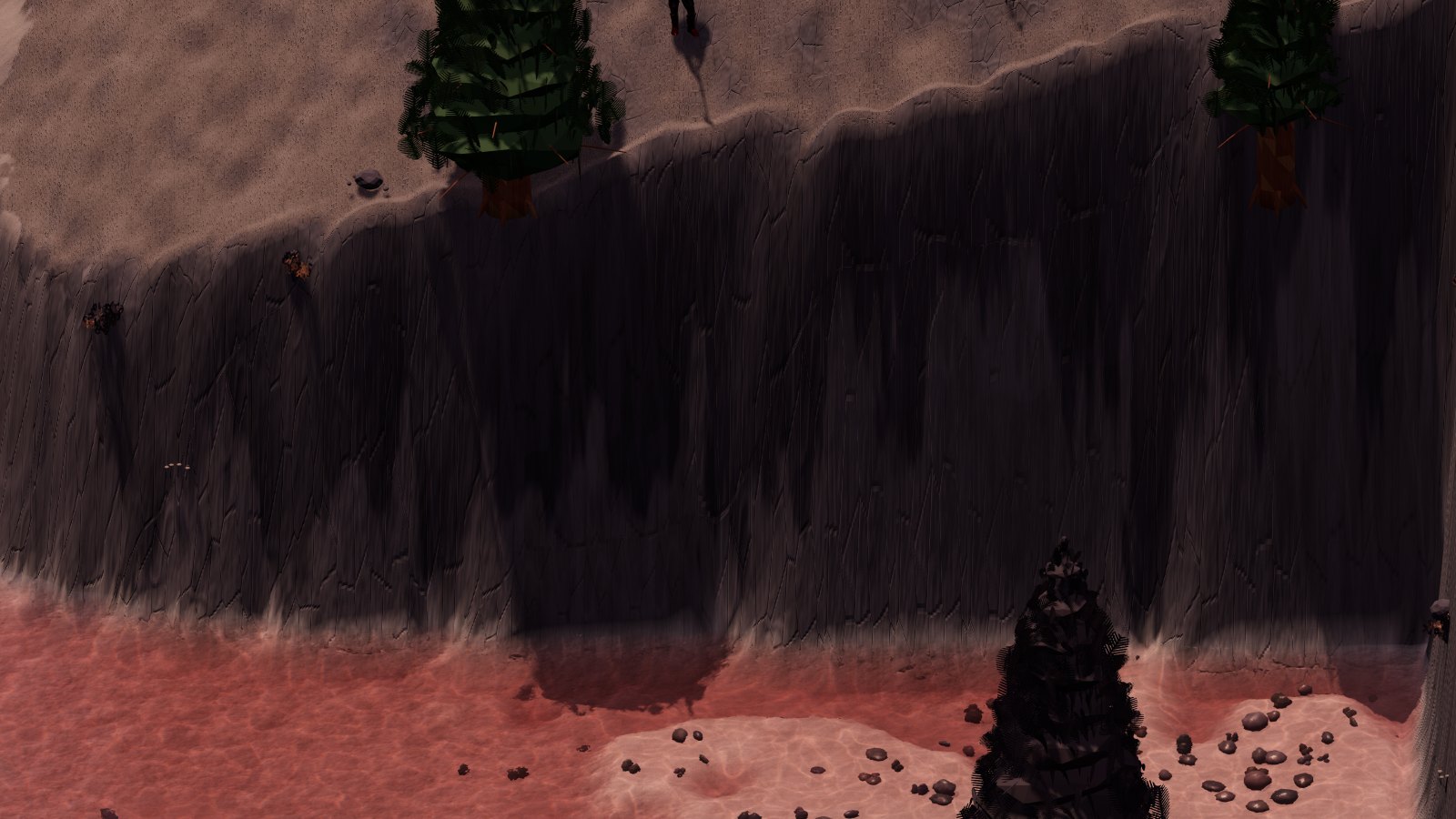
The Cenerombra coast with blood-colored water
The Cenerombra coast: the water is blood.
The Cenerombra cliffs
The edge of the cliffs.

V The sky, the seasons and the shadows

The sky of CONQUERCUBE is the real one. The day lasts twenty-four hours, the date is today's, the sun and the moon are where they are on the Earth at this moment. Nobody can make time run faster: neither the players nor the Game Masters.

Right now, in the game

…calculating the sky

The sun, with Kepler's laws

The world turns around the sun on an elliptical orbit, like the Earth: in January it is closer, in July farther away. Its axis is tilted by 23.44 degrees, and it is this tilt that makes the seasons. The game calculates the true position of the sun at every moment with the formulas of astronomy: Kepler's second law, the eccentricity of the orbit, the equation of time that makes true noon arrive a few minutes earlier or later.

The world's time is the solar time of the place where you are, that of a sundial: no time zones, no daylight saving time. Going east the sun rises earlier, going west it rises later; on horseback, riding west, you can even chase the sunset.

How many hours of daylight, day by day

Calculated here for the whole current year with the game's formulas. The vertical line is today.

The shadows

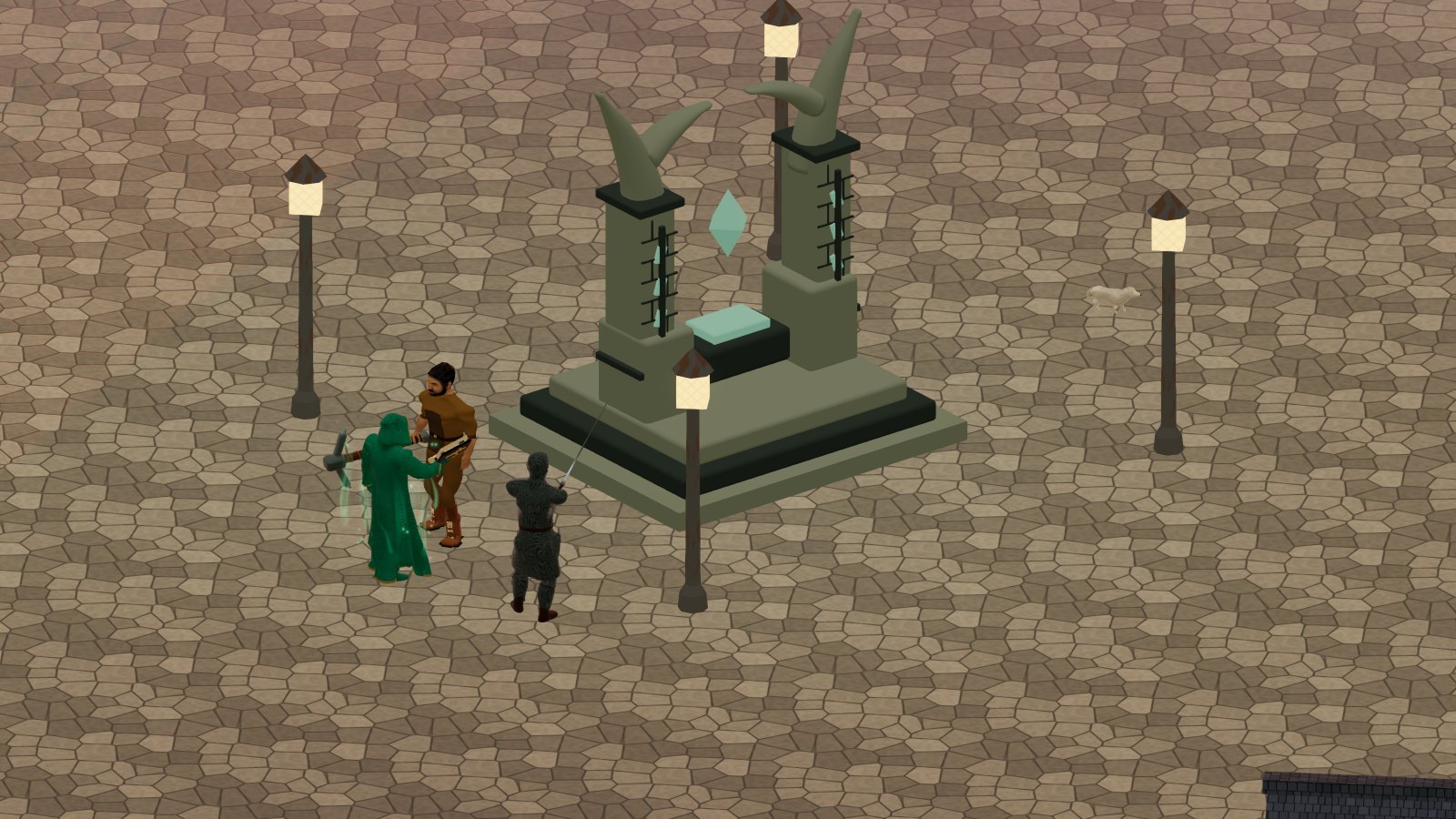
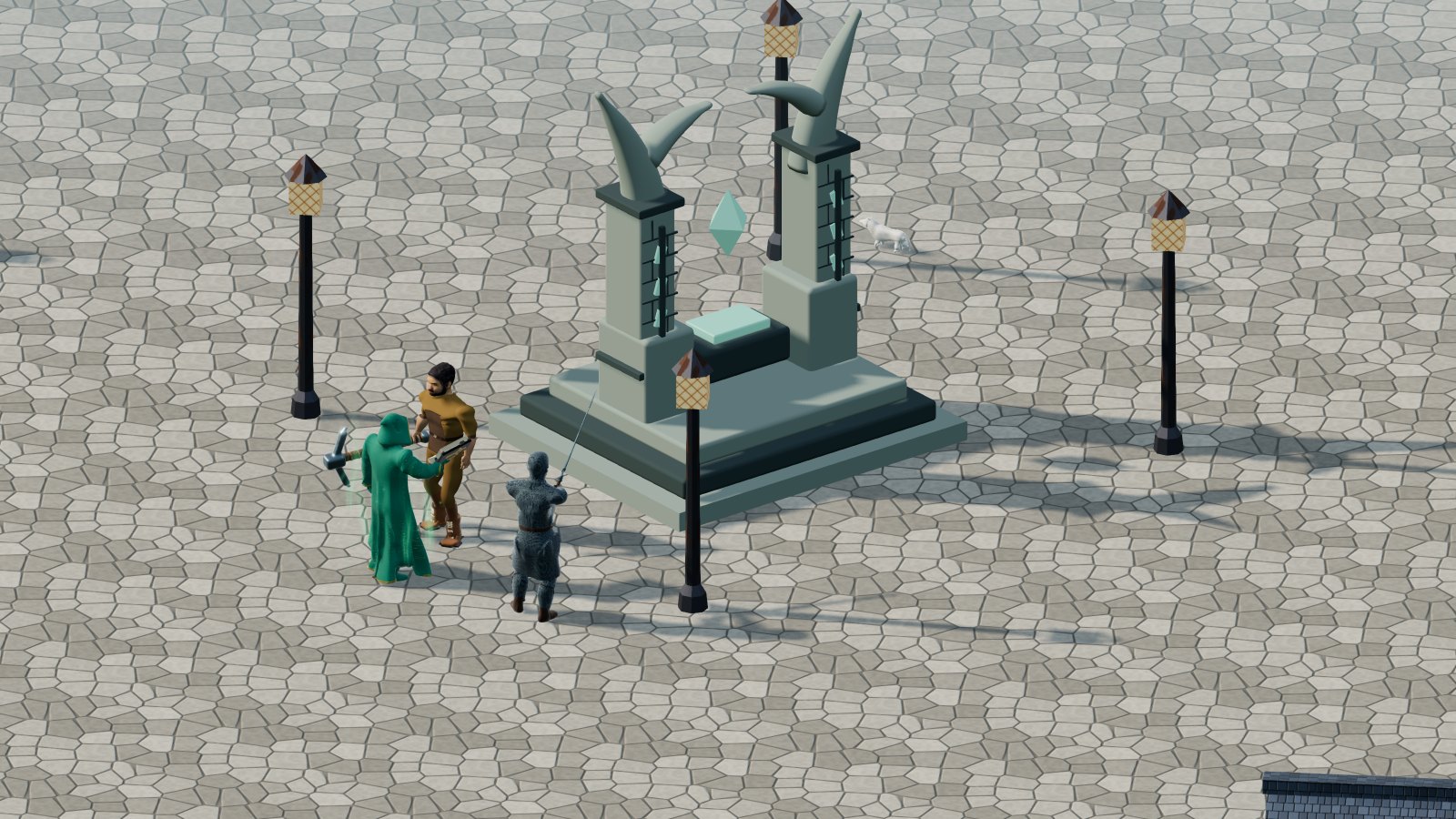
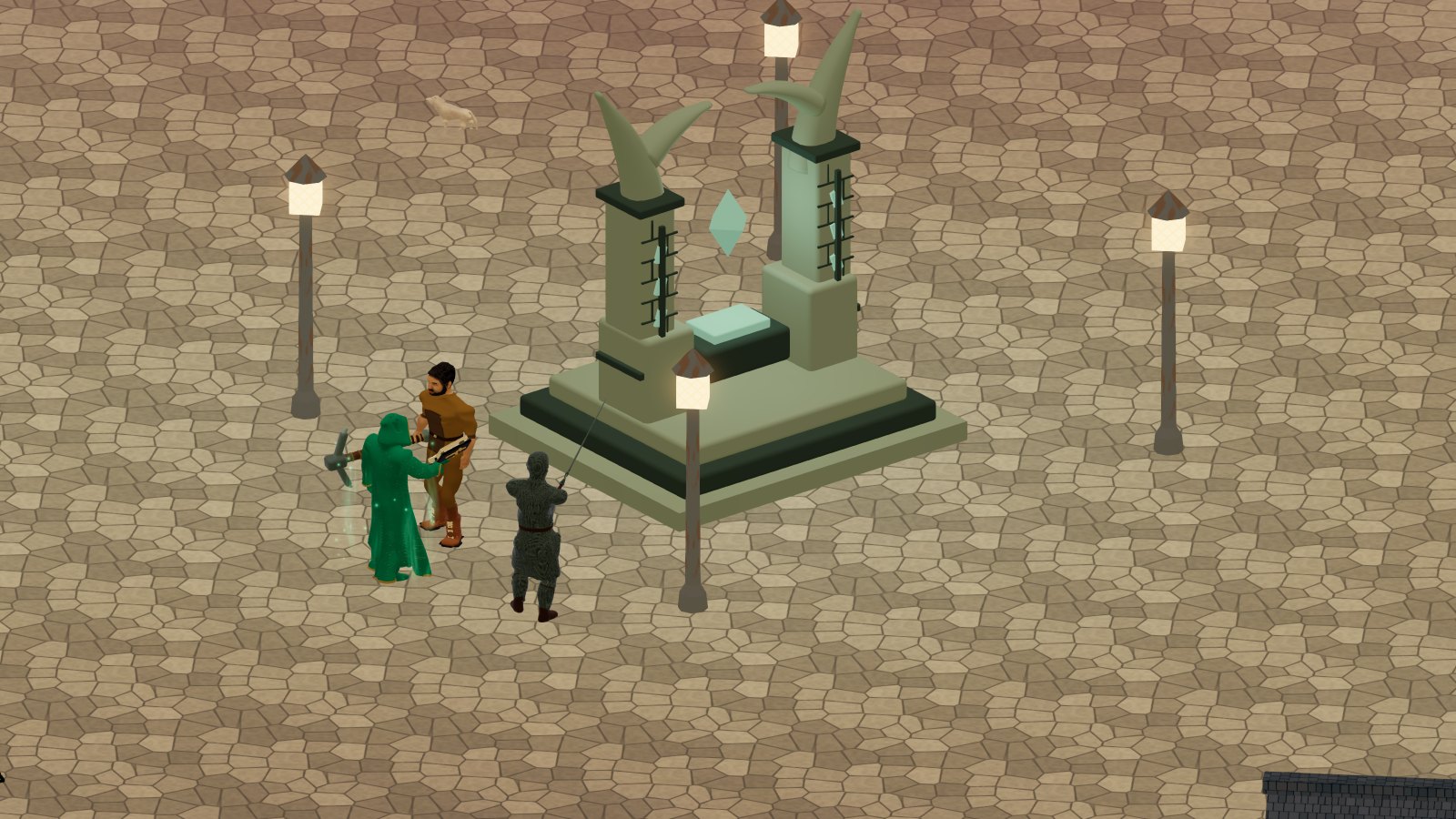
Every shadow in the game comes from the real sun: at dawn it is long and points west, at noon it is short, at sunset it lengthens again towards the east. In winter the sun stays low and the shadows are long all day; in summer it climbs high. At night the light comes from the moon, and it changes with its phase.

Winter dawn
Winter dawn
Winter afternoon with long shadows
Afternoon: the shadows turn
Twilight
Twilight
Summer noon
Summer noon

The moon

The moon goes around the world like the real one: about twenty-nine and a half days from one new moon to the next, an orbit tilted by just over five degrees, the nodes turning in eighteen and a half years. There are full moon nights, when you can see far, and moonless nights, truly dark.

The next phases of the moon

The dates of the next four main phases, calculated now.

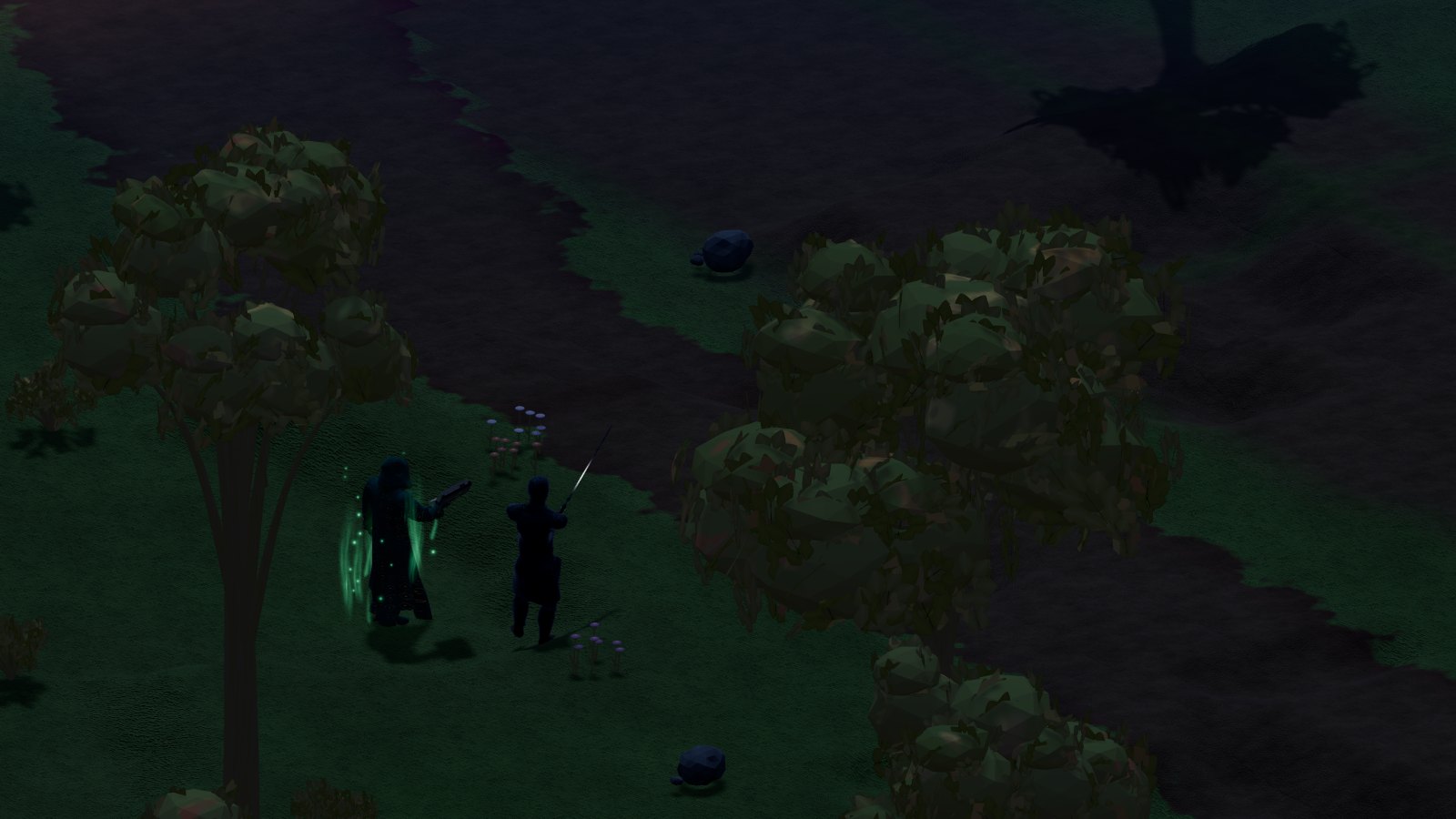
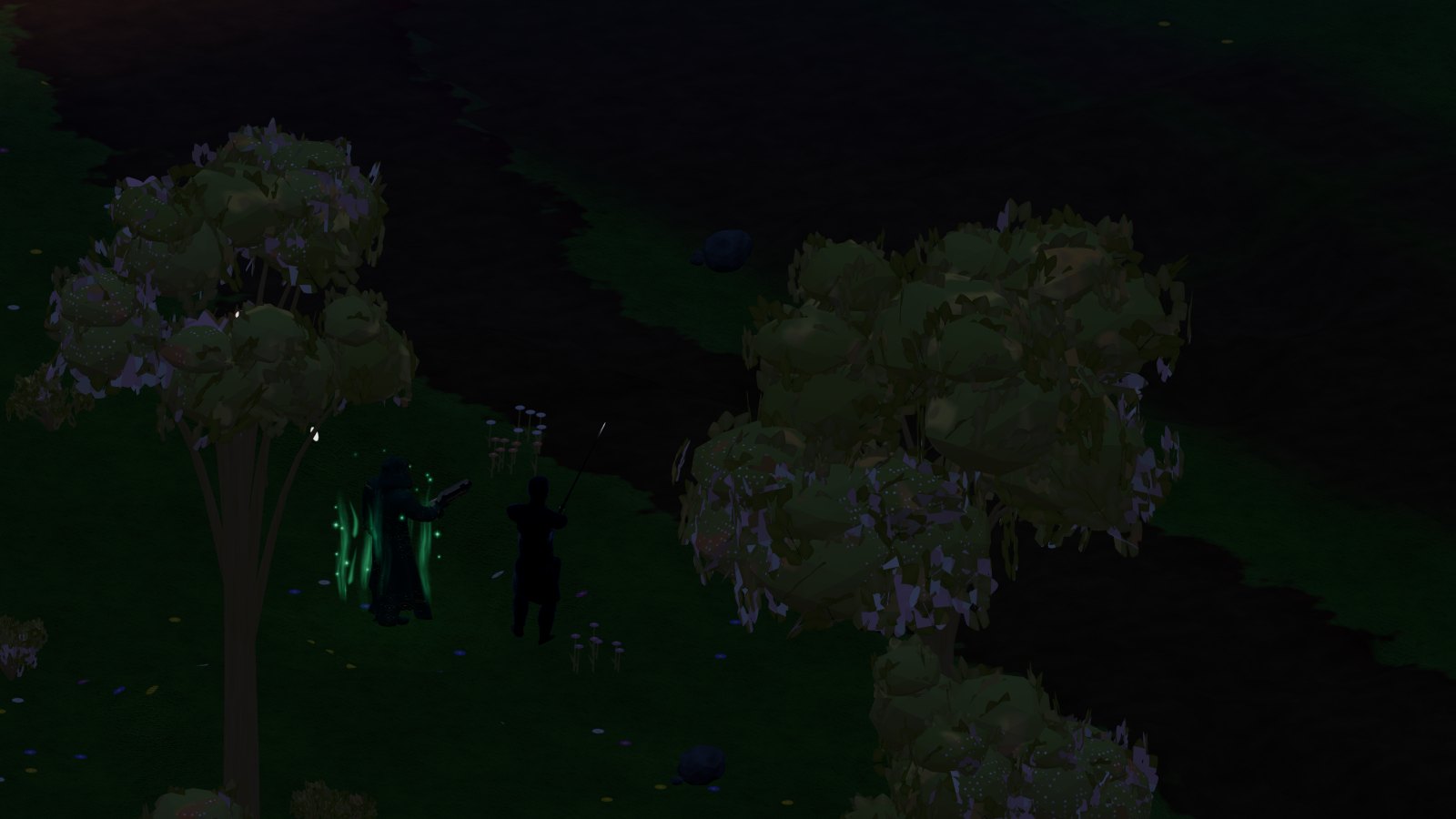
Full moon night
A full moon night on the meadow just outside the town: the shadows are cast by the moon.
Moonless night
The same meadow without a moon: away from the town lamps it is truly dark.

The seasons

The seasons are the astronomical ones: northern spring begins at the March equinox, summer at the June solstice. In the south it is the opposite: when it is winter in the north, it is summer in the south. At the top of the screen the game shows the date and the season of the spot where you are. At the equator the day lasts twelve hours all year round; going up towards the poles the summer days lengthen up to the midnight sun and the winter ones shorten down to the polar night.

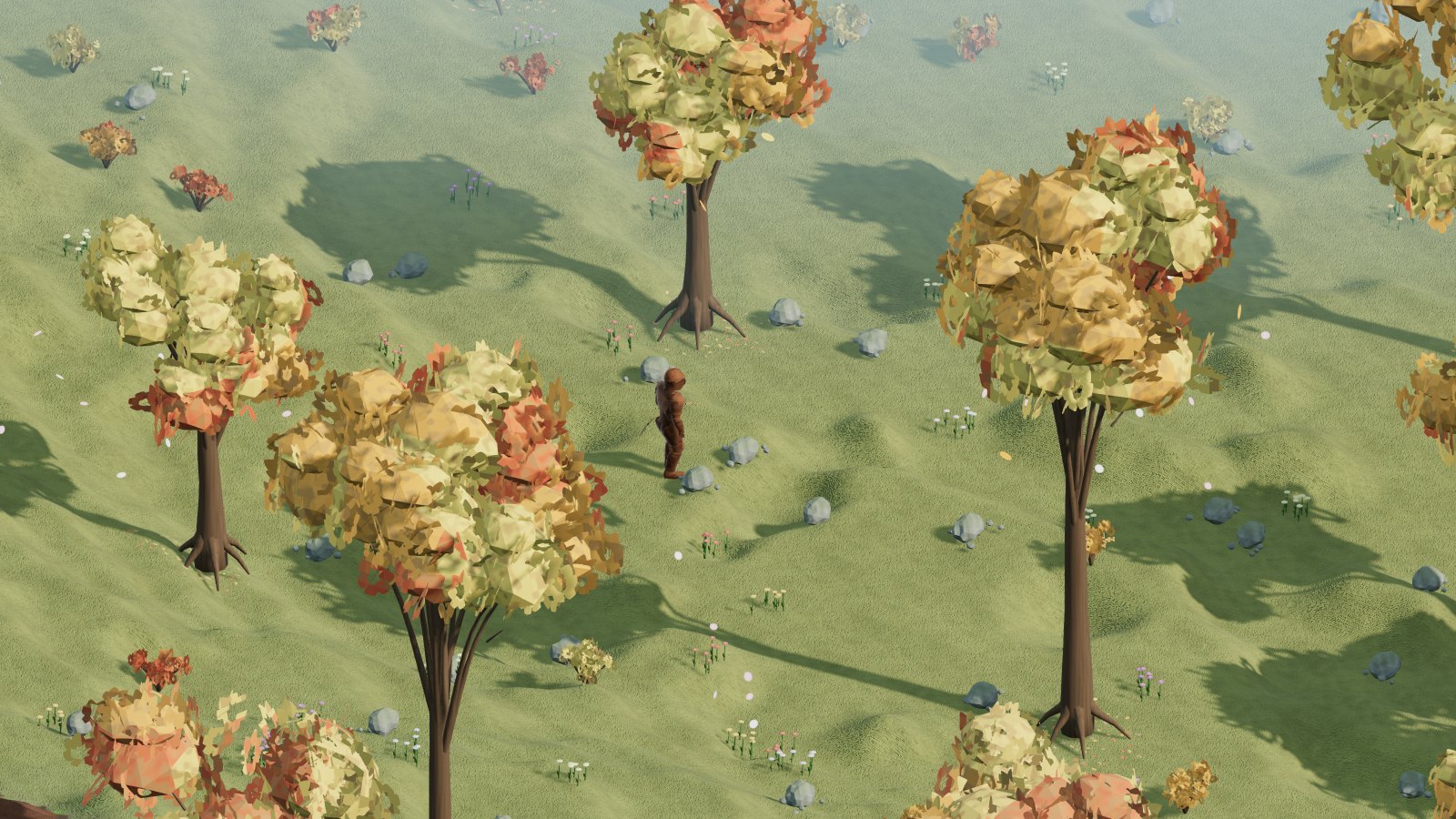
The woods in bloom
31° north, spring: the blossom.
The woods in late autumn
Late autumn: the crowns shed their leaves.
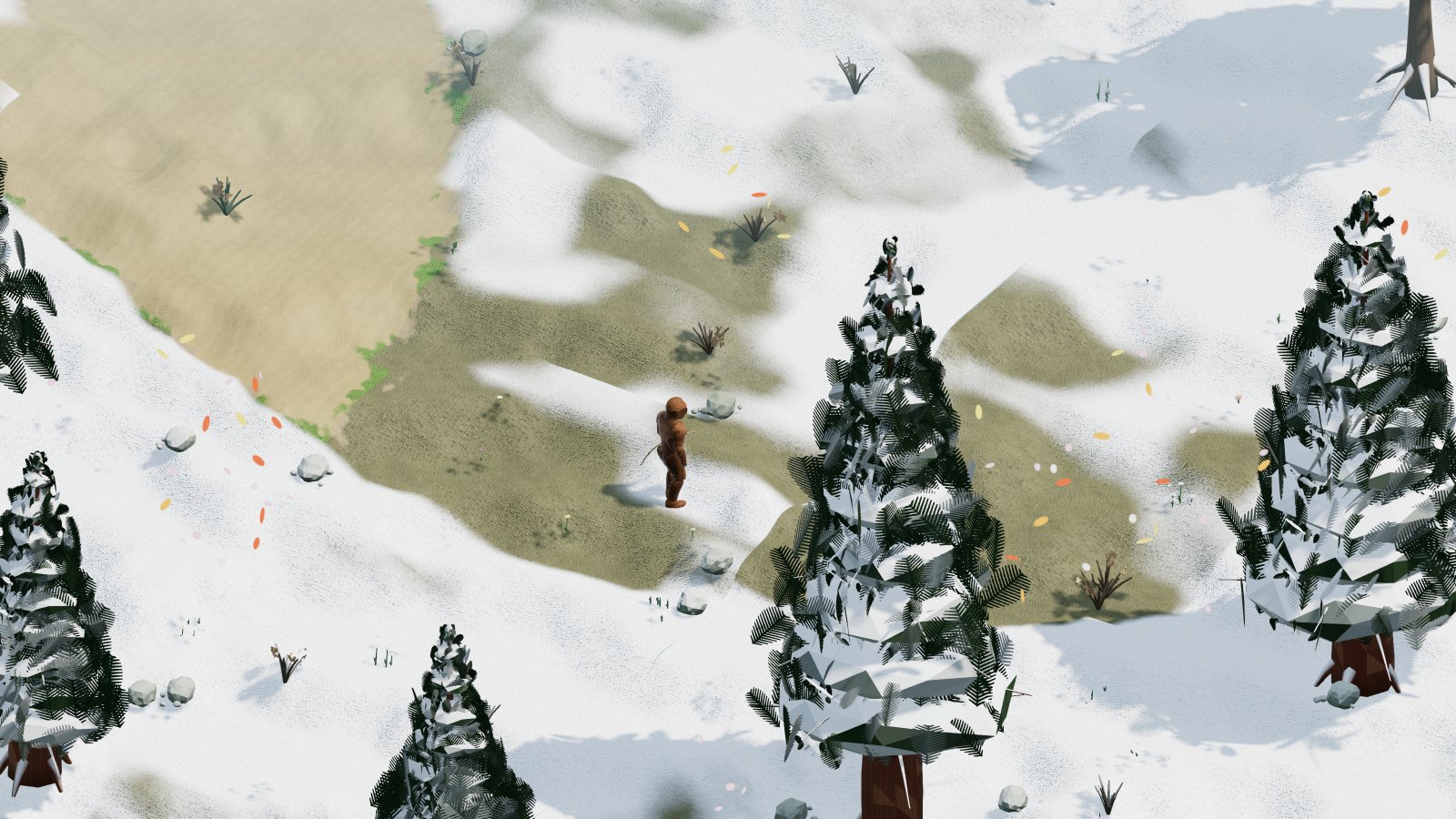
The woods in the thaw
Thaw: the snow withdraws.
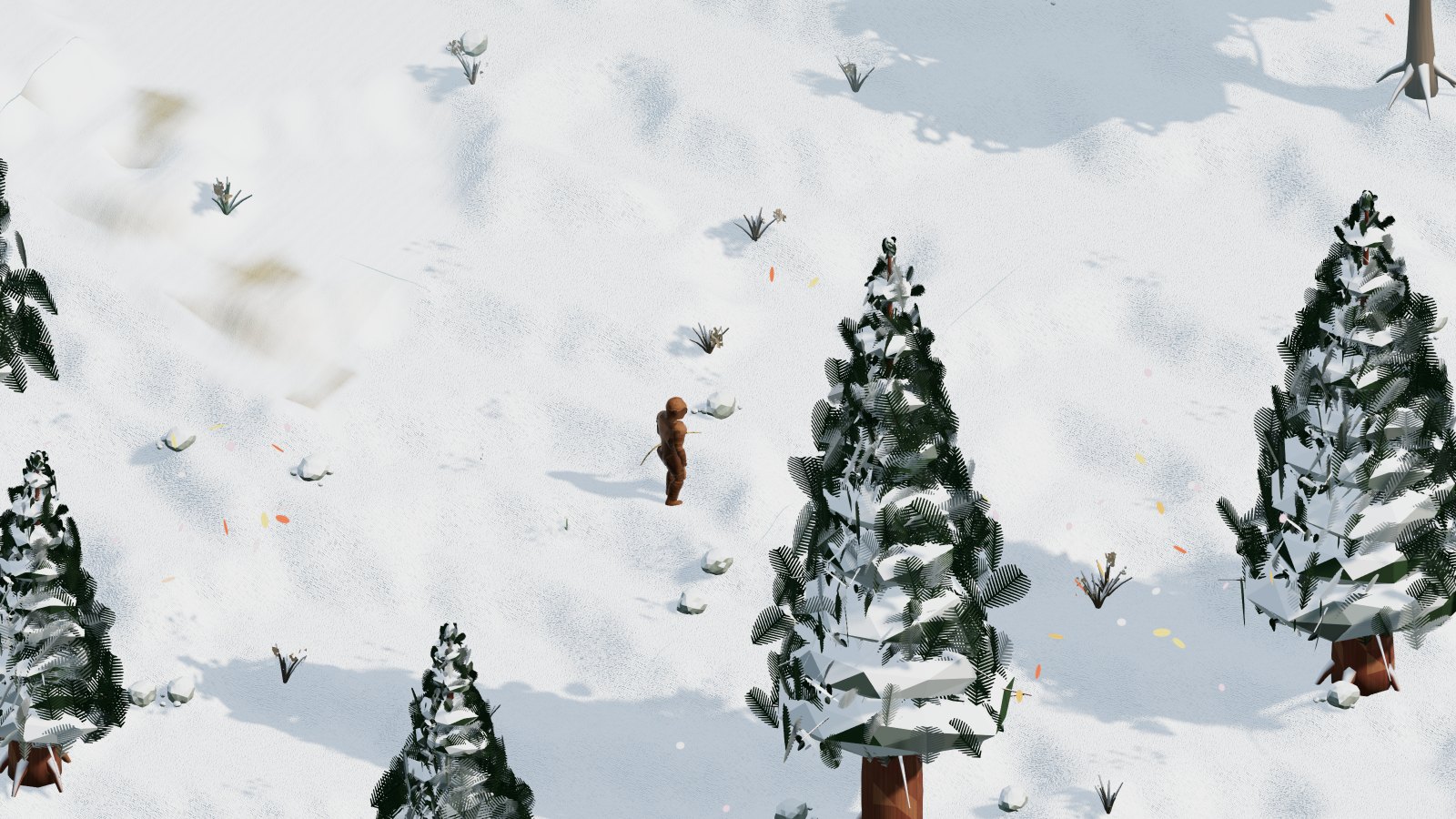
The wood at 31 degrees north in winter
The same day: winter at 31° north…
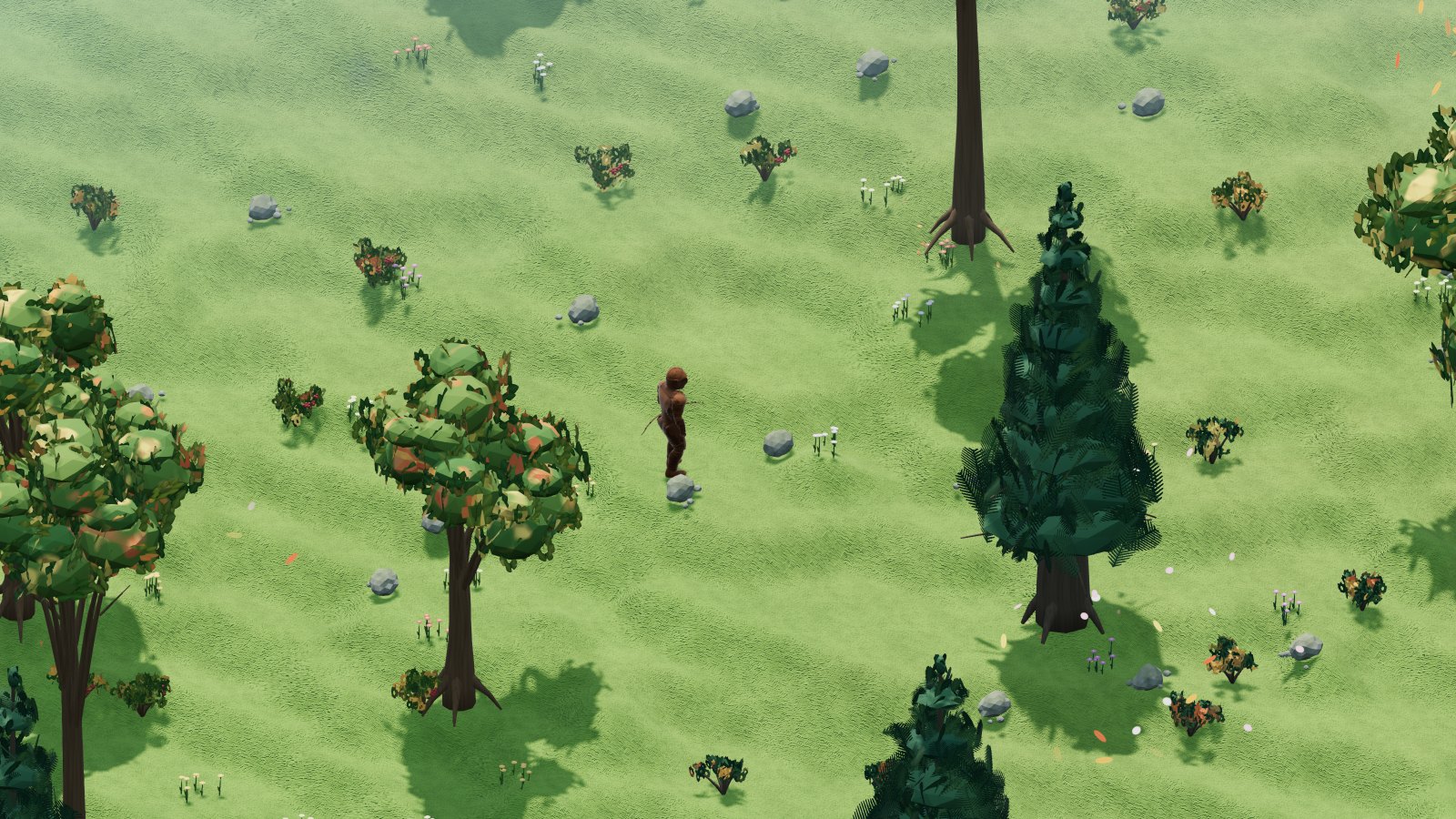
A wood at 34 degrees south in summer
…and summer at 34° south.

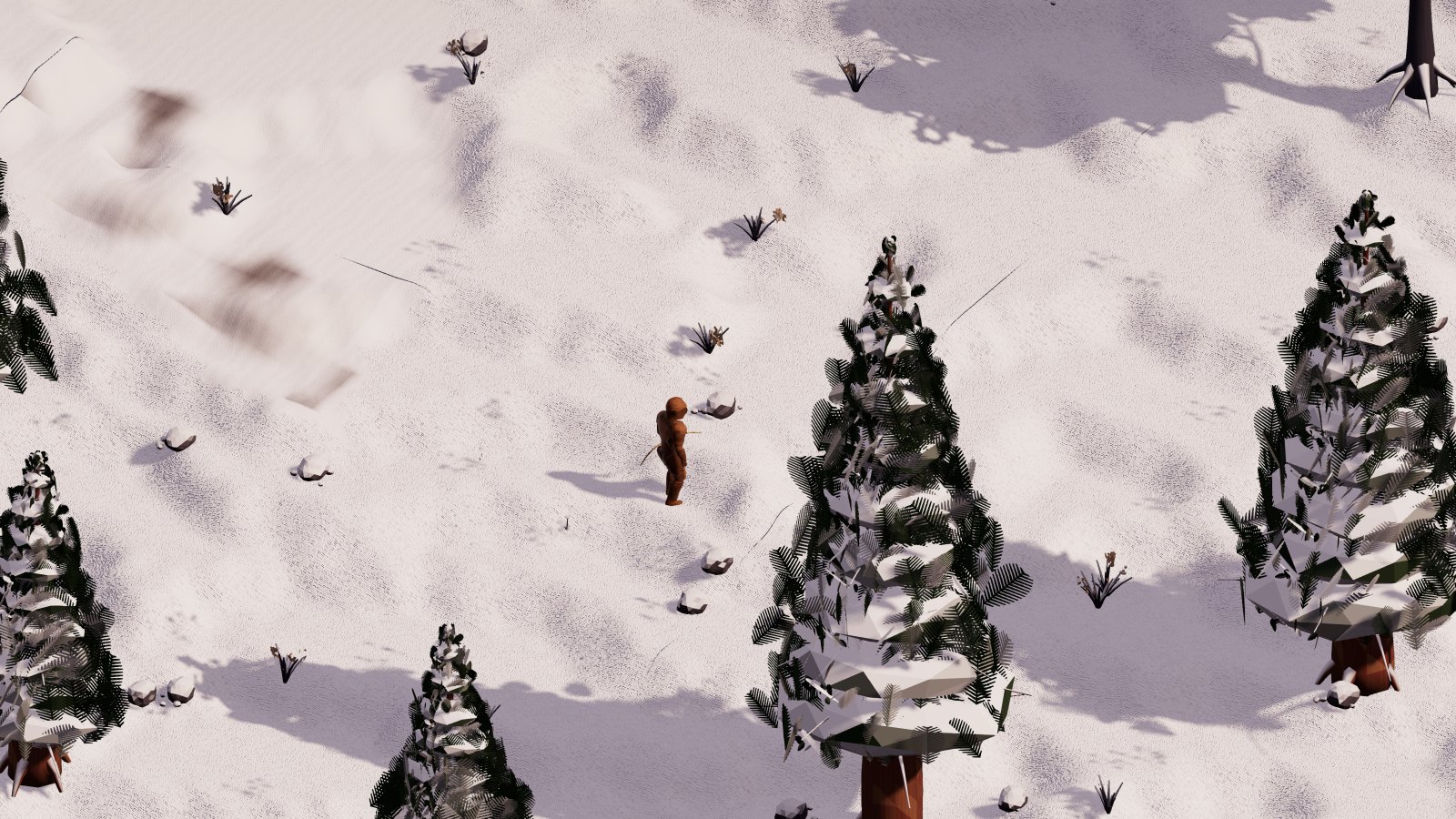
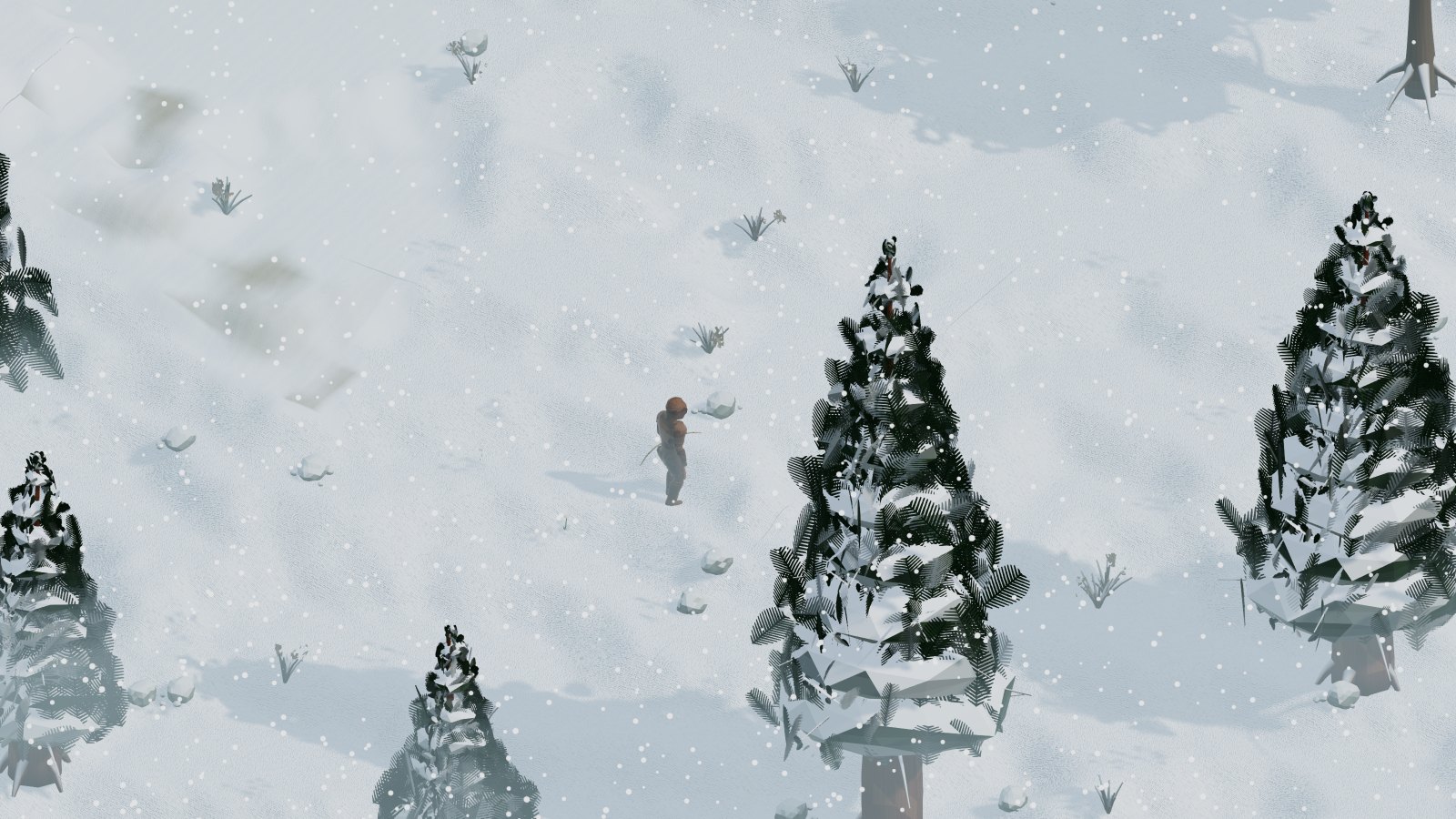
The world changes with the season: the crowns turn yellow and fall, the trees blossom, the snow settles on the meadows, on the roofs and on the conifers, and whoever walks leaves footprints. Lakes and rivers freeze and you can walk on them, and near the poles the sea is covered with pack ice, which withdraws in summer. If the ice melts beneath you, the game takes you to the nearest land or solid ice, on foot and mounted; only if there is nothing solid around do you find yourself swimming. Before that, when the ice is about to give way, it creaks and a warning tells you. In Cenerombra the snow is grey with ash, the frost is reddish and the sea of blood freezes into a dark crust.

The pack ice in winter
The pack ice at 65° north in winter…
The sea in summer
…and in summer.
Cenerombra in winter
Cenerombra: snow of ash.

The weather

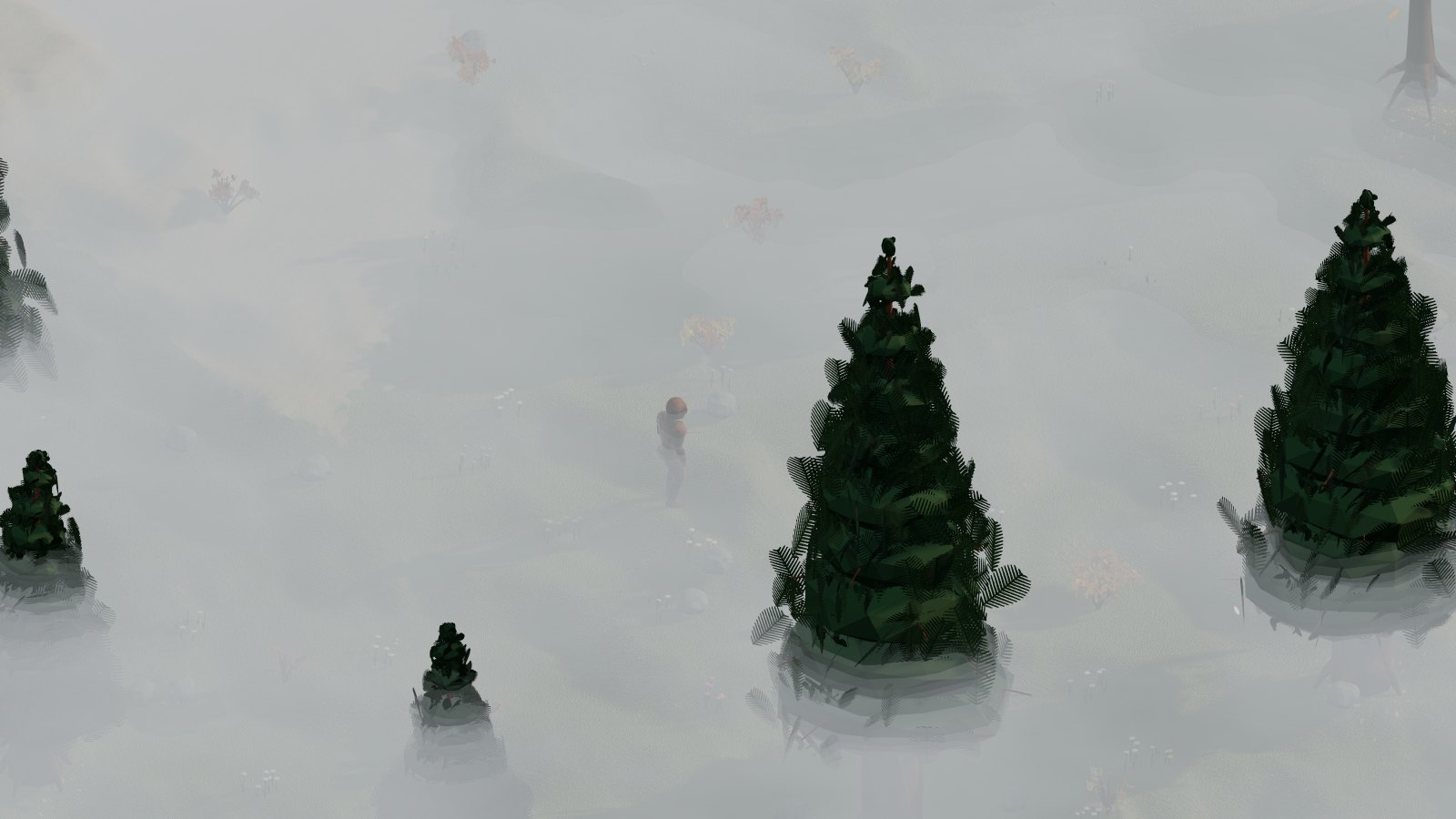
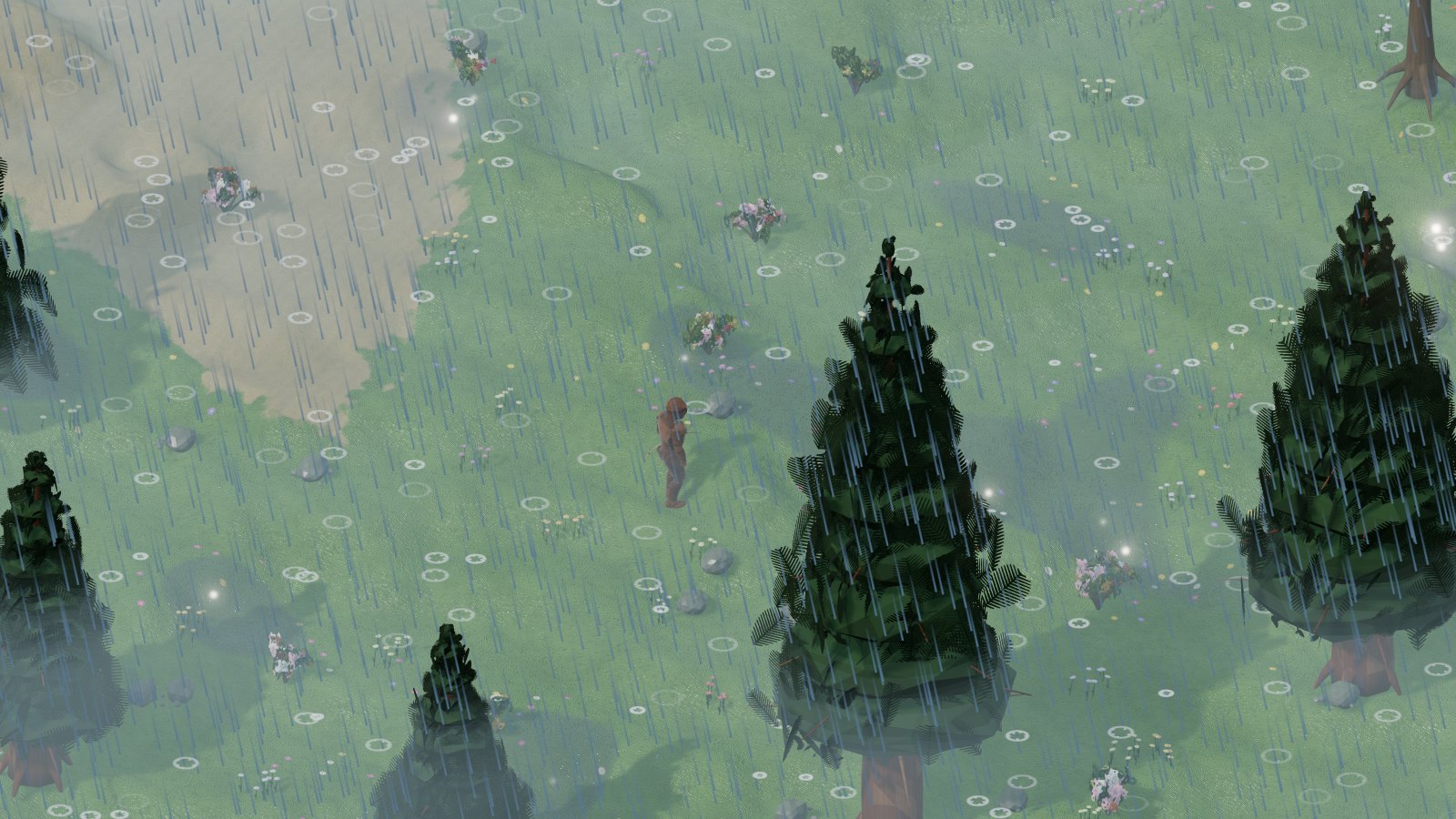
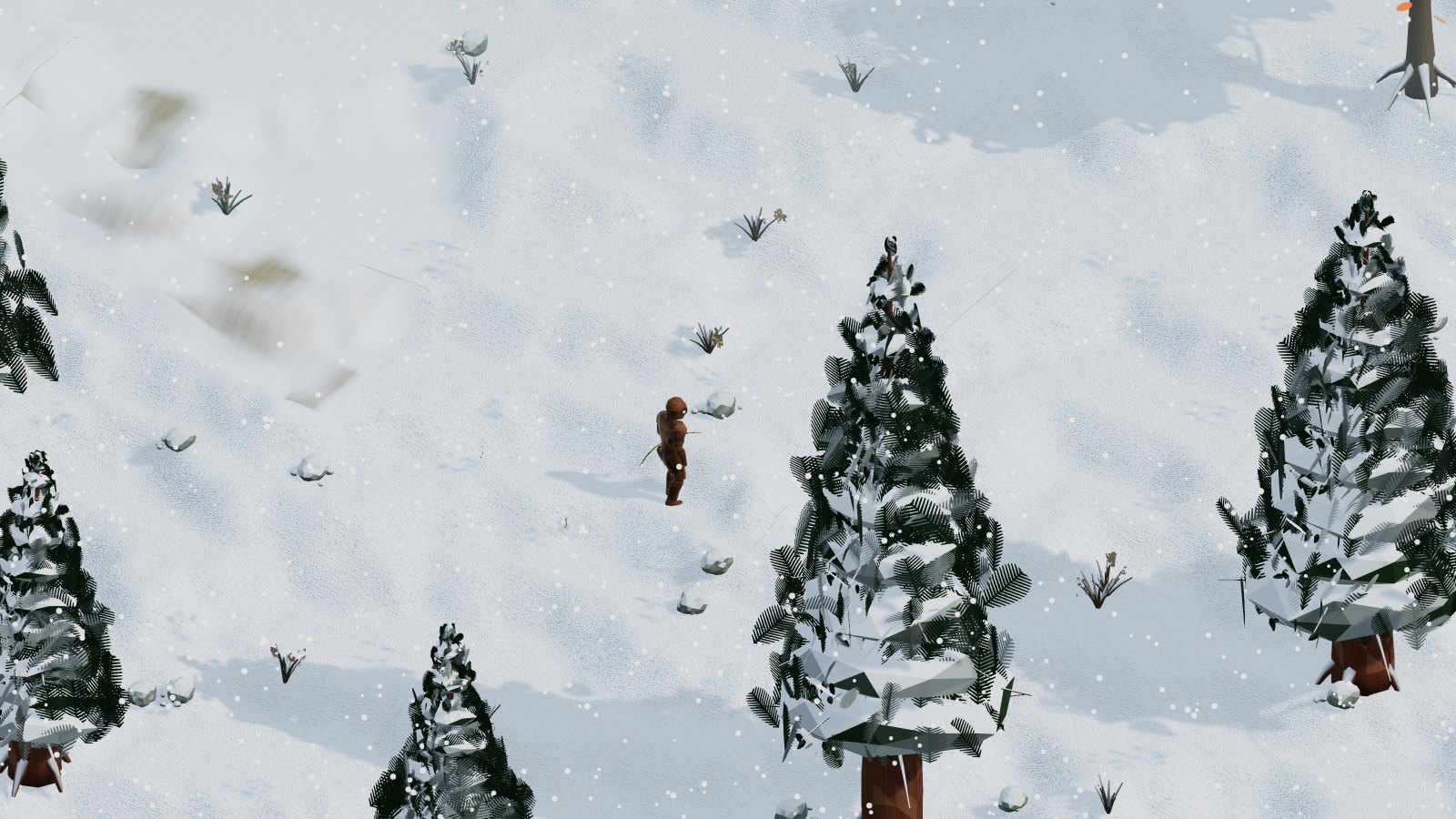
The weather follows a formula calculated from the date, area by area, and it is the same for all players: rain in spring and autumn, summer storms, snow where it is cold, the desert almost always dry, the tropics with their rainy season, fog in the morning and on the mountains. You see clouds, drops, flakes, lightning, puddles. The weather is only looks: it does not change the rules of the game.

Autumn fog
Autumn fog
Summer storm
Storm
Snow
Snowfall
Blizzard
Blizzard

The torch

At night and underground the torch gives light; it is made at the Mage Tower (sulfurous ash, logs and a few coins, no skill needed). It goes in its slot of the character sheet and is lit and put out with a double-click on the slot. Lit, it gives light around for about ten meters and you see the little flame on your back; put out, it gives no light and is not visible on you.

A torch lasts 30 minutes of light, and time runs only while it is lit: putting it out stops the consumption. When the 30 minutes are over the torch disappears and the slot stays empty: you put in another one. It weighs 0.6 kg. The alternative is the Night Sight spell, which lets you see at night as in daylight.

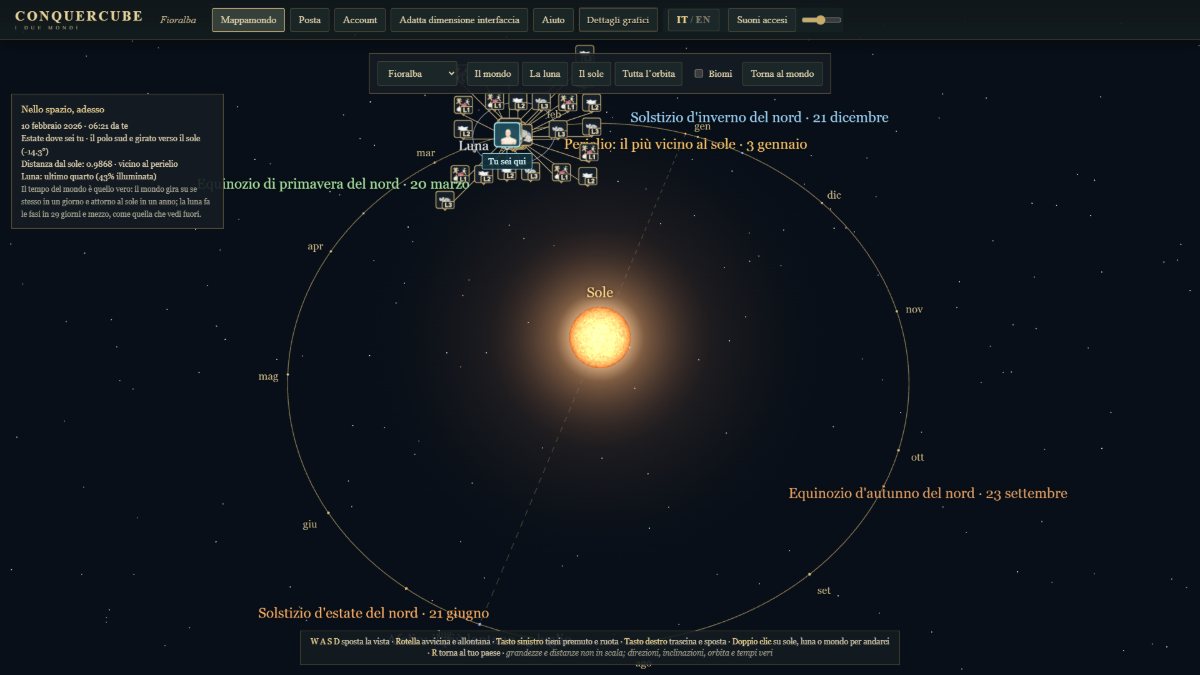
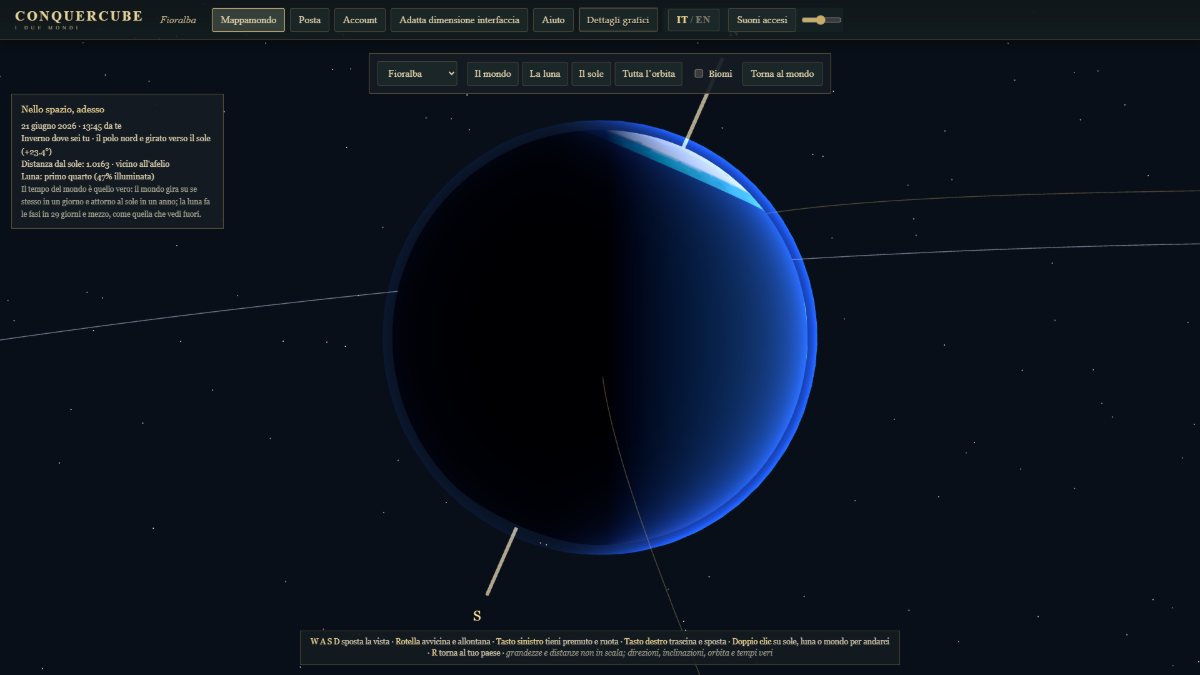
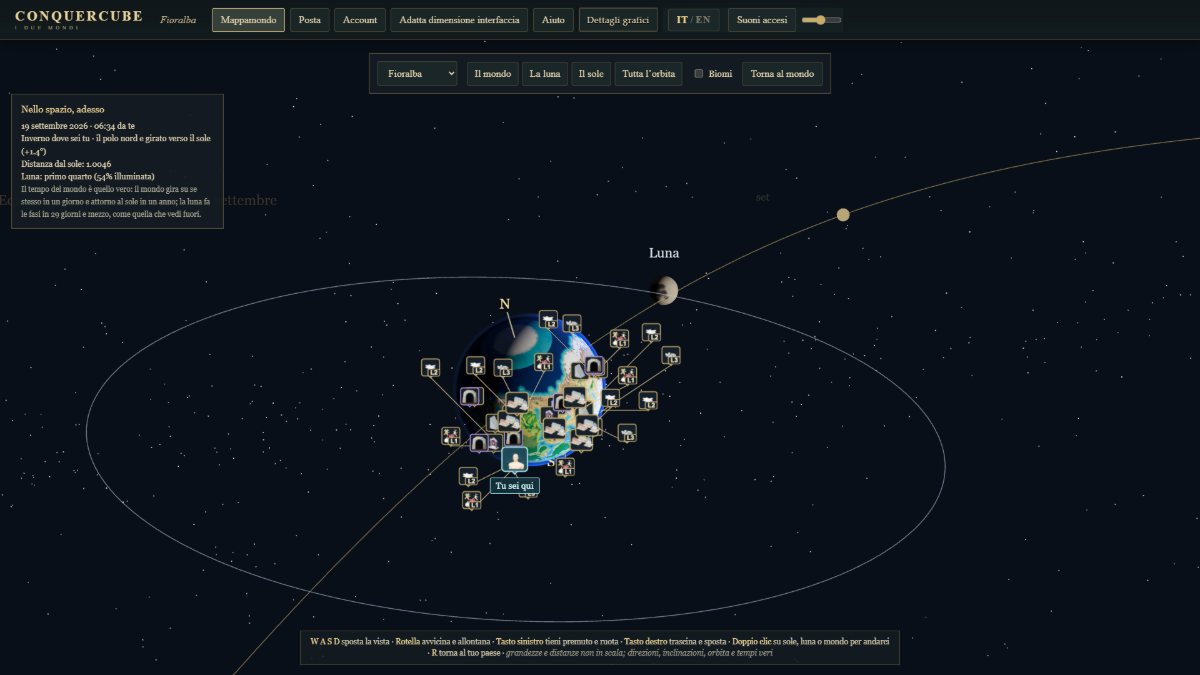
The world map is the solar system

Opening the world map you see the planet in its space: the sun, the elliptical orbit, the moon going around it, the tilt of the axis that brings one pole towards the sun in summer and takes it away in winter. All with the same calculations as the sky you walk under. With W A S D you move the view, with the wheel you zoom in, with the left button you rotate.

The world's orbit around the sun
The whole orbit.
The summer solstice seen from the side
Summer solstice: the north faces the sun.
The world and its moon
The world and its moon.

VI Levels, attributes and skills

The character rises up to level 200. At every level it gets 3 attribute points and 5 skill points to put wherever it wants. Rising is slow, as in the games of the old days, and the points are not enough for everything: you have to choose what to be.

When you level up health, mana and stamina are refilled, and the character lights up with a sound: those standing near you see and hear it too. It happens at the instant the experience is enough, whatever gave it to you.

Experience from monsters

  • A monster gives all its experience as long as your level does not exceed it by more than 24 levels; beyond that, −2.5% for each extra level, never below 10%. Hunting monsters that are too weak pays little.
  • Killed summoned creatures give neither experience nor loot: they vanish. Not even a tamed creature (someone's) gives experience.
  • A monster brought down by your follower counts as killed by you: experience and loot are yours (or your party's).
  • Monsters that the Game Master made stronger or weaker give the experience of their new level; the loot stays that of the original monster, unless the Game Master gave it its own bag in the creation sheet. Those commanded by the Game Master give experience to nobody.
  • In a party experience is split among the living members within 50 meters: see parties.

The three attributes

AttributeWhat it gives
Strengthhealth, damage of heavy weapons, weight you can carry; it decides the blacksmith's success
Dexteritydodging, light weapons and bow, stamina, bandage speed; it decides the success of wool, leather and bows
Intelligencemana, spell damage; it decides the success of alchemy (taming creatures is done with the Taming skill, not Intelligence)

Each attribute has a cap, which potions and jewels can exceed a little. In the character card you see the values, the cap and the points still to spend.

The twenty-seven skills

Each skill reaches 100 (a little more with jewels). With 5 points per level, at level 200 you have 1,000 points: ten full skills out of twenty-seven. Whoever wants to be a great mage will not also be the best blacksmith, and whoever wants to mint coins gives up something else.

SpellCombatCrafts and world
Spell
Spell Empowerment
Meditation
Concentration
Magic Defense
Inscription
Tactics
Anatomy
Swordsmanship
Mace Fighting
Fencing
Archery
Parrying
Healing
Hiding
Poisoning
Taming
Mining
Lumberjacking
Smelting - Making Ingots
Minting
Blacksmith
Carpentry
Tailoring
Alchemy
Jewelcrafting
Swimming

How many full skills you can have

Total skill points divided by one hundred, level by level. There are twenty-seven skills: you cannot have them all.

Changing your mind

Points are spent from the character card. In every city there is the shop to redistribute attributes and skills: you can rebuild the character without starting over.

Jewels

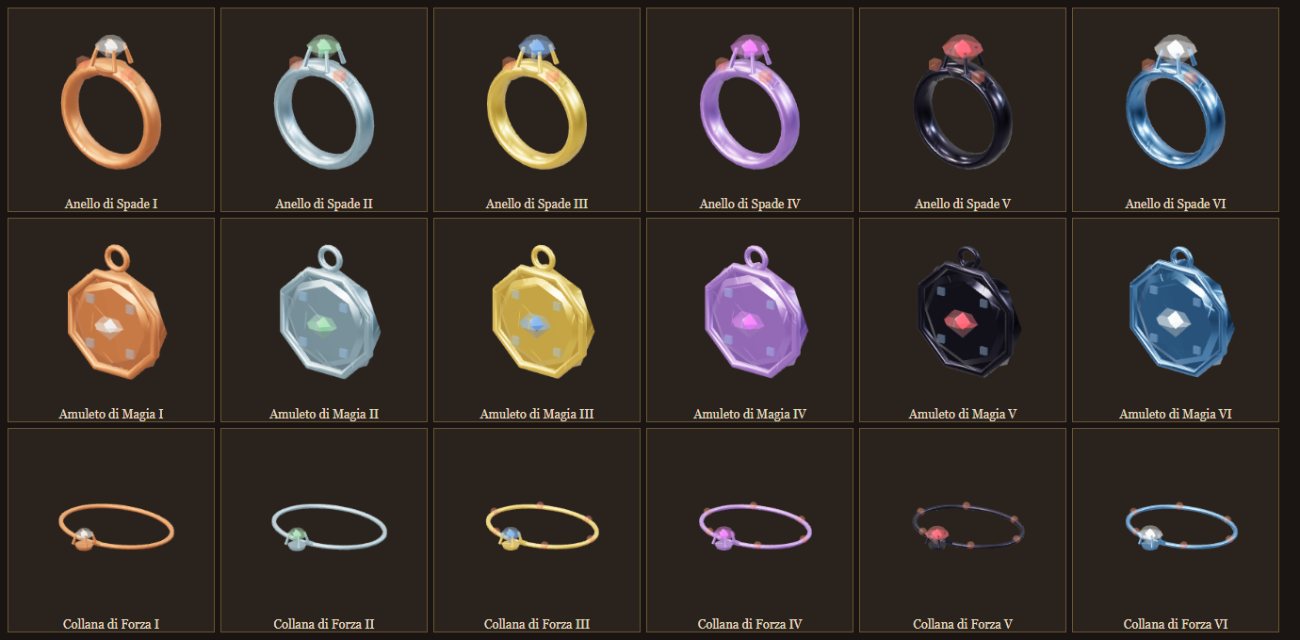
Rings and amulets raise a skill, necklaces an attribute. Rings, amulets and necklaces can also be of defense, of magic resistance, of fire and of duration. Six levels, from I to VI, and they are the only way to take a skill beyond 100. They are not crafted: they are found only in the loot of chests and monsters. You wear one per slot: a necklace, an amulet and a ring.

JewelWhat it raisesIIIIIIIVVVICap
Ring or amulet of a skill (all twenty-seven, Jewelcrafting, Swimming and Poisoning too)the skill+2+4+6+9+12+15120
Necklace of Strength, Dexterity or Intelligencethe attribute+8+15+22+30+40+50300
Ring, amulet or necklace of defensephysical defense, above 88%+1+1.5+2+3+4+598%
Ring, amulet or necklace of magic resistancemagic resistance, above 75%+1+1.5+2+3+4+585%
Ring, amulet or necklace of firethe damage of Fireball, Fire Field and Flamestrike, Explosion, Meteor Swarm+3%+6%+9%+13%+17%+22%+40%
Ring, amulet or necklace of durationthe duration of all lasting spells: paralysis, walls, summons, Polymorph, protections, blessings, invisibility, curses, poison+4%+8%+12%+16%+21%+27%+40%

Two jewels of the same skill or the same effect add up, up to the cap.

How to recognize them

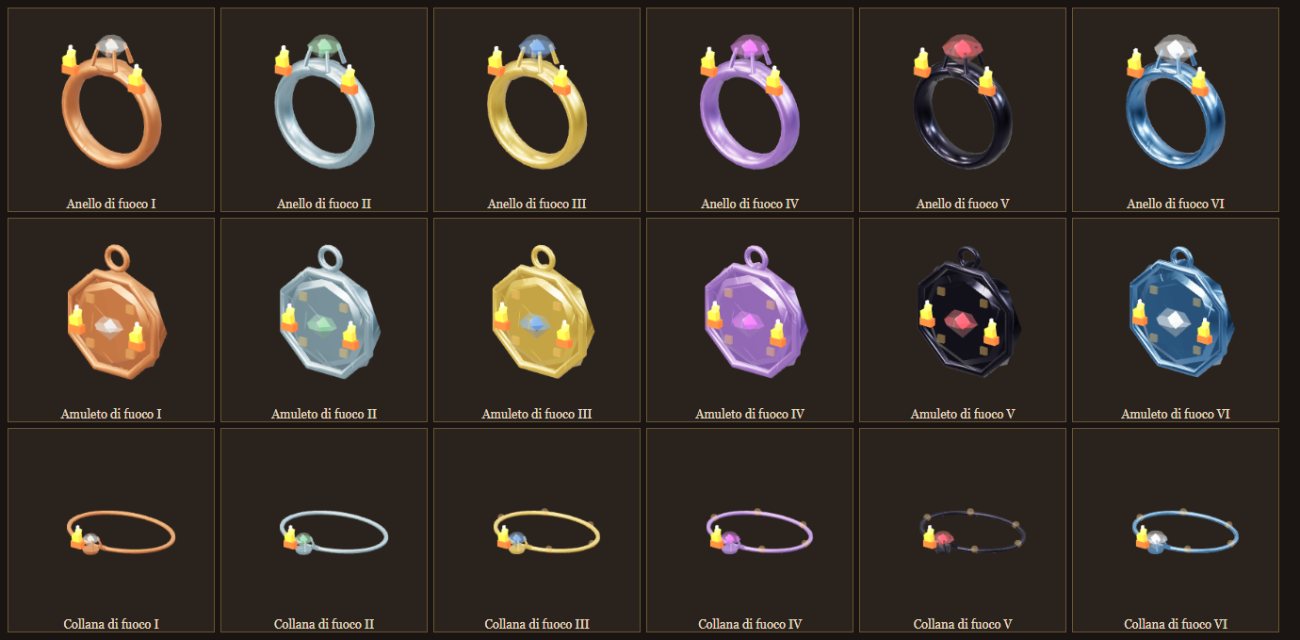
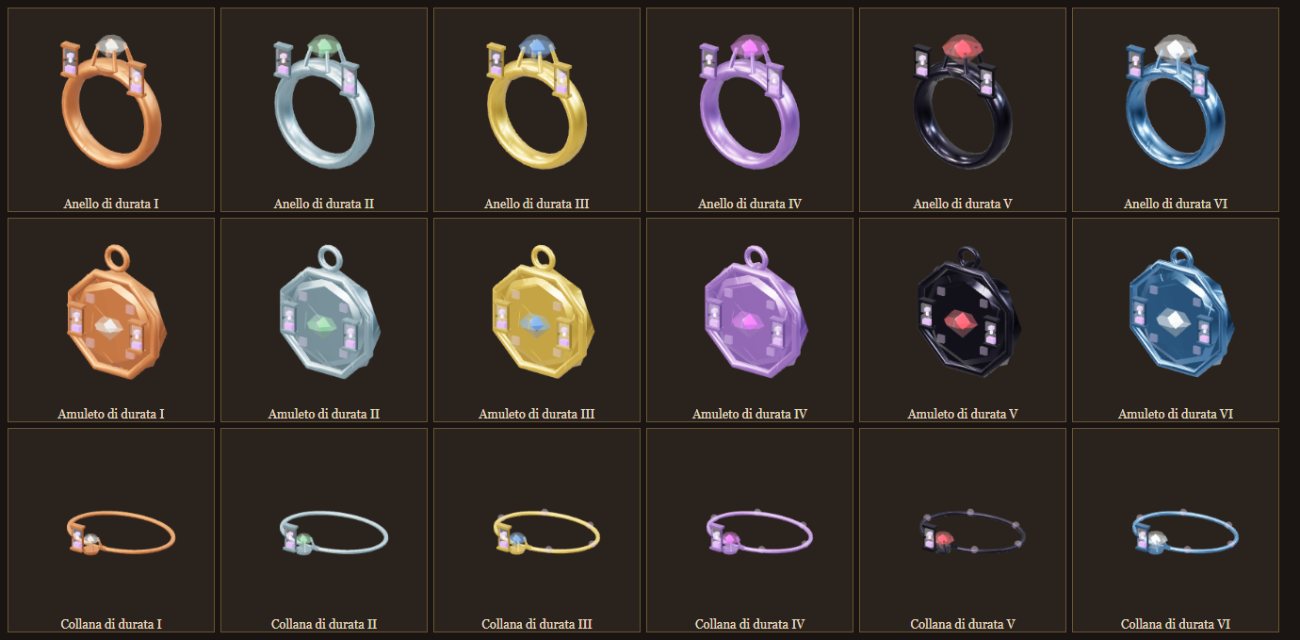
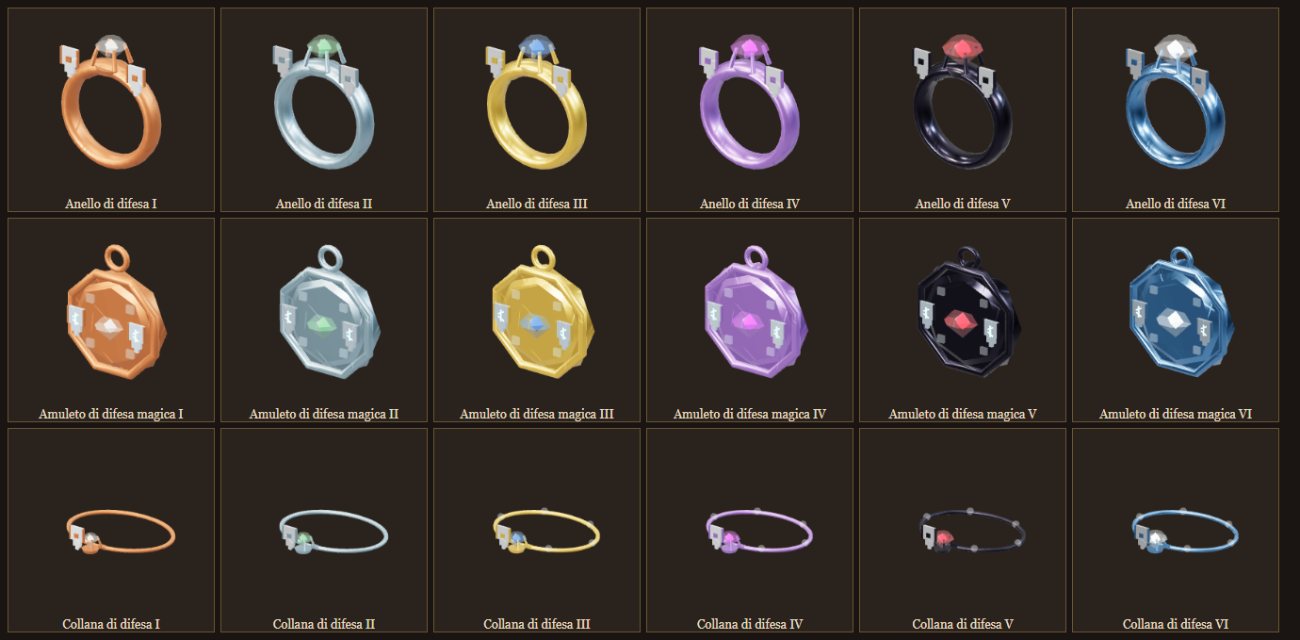
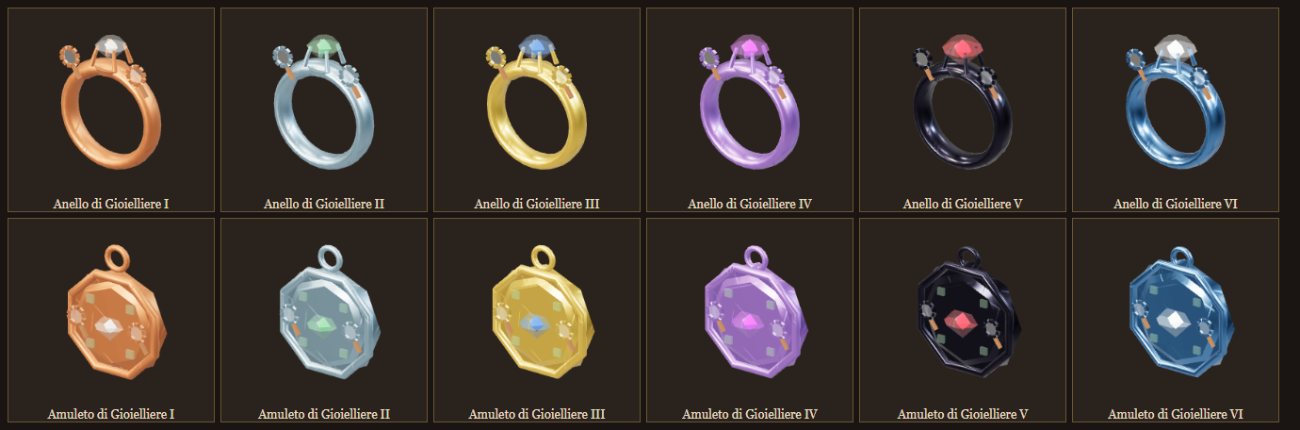
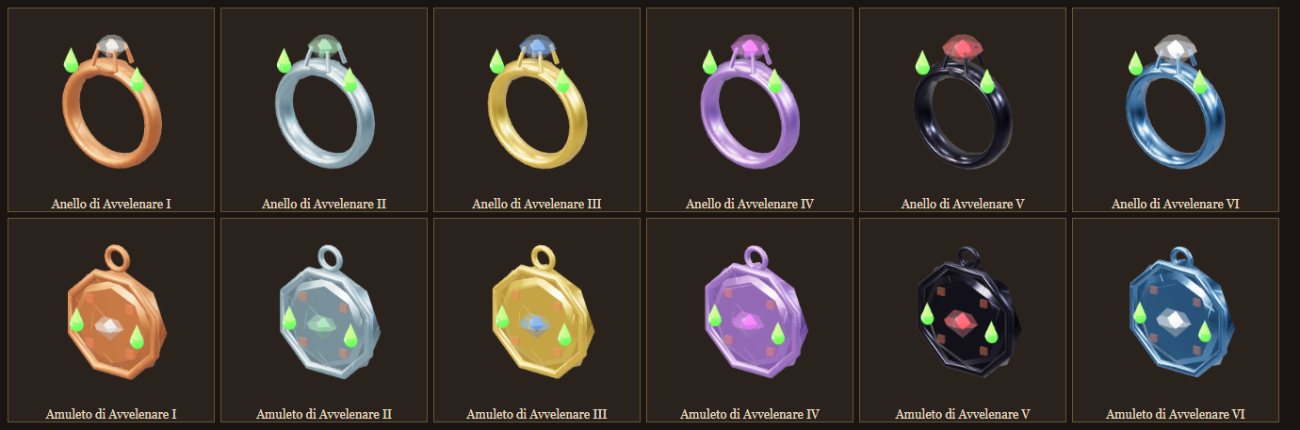
The shape tells the type: the ring is a band with the gem in its setting, the amulet an octagonal medallion, the necklace a little chain with a pendant. The level is read from the metal and the gem: I copper and quartz, II iron and emerald, III gold and sapphire, IV agapite and amethyst, V black rock and ruby, VI mithril and diamond; from IV the gem has a heart that shines, brighter going up. The family from the little stones on the sides: red for combat, blue for magic, green for crafts. The new families also have a symbol in relief: glowing ember flames for fire, an hourglass with violet sand for duration, a small silver shield for defense, a small shield with a blue rune for magic resistance, the goldsmith's lens for Jewelcrafting, a green drop of poison for Poisoning.

Rings of Swordsmanship, amulets of Magery and necklaces of Strength from I to VI
The classics, from I to VI: ring of Swordsmanship (red stones), amulet of Magery (blue), necklace of Strength.
Fire jewels from I to VI
Fire jewels: the ember flames on the sides of the gem. They raise the damage of all fire spells.
Duration jewels from I to VI
Duration jewels: the hourglass with violet sand. They lengthen all lasting spells.
Defense and magic resistance jewels from I to VI
The defenses: the small silver shield for physical defense, the small shield with the glowing blue rune for magic resistance.
Jewelcrafting rings and amulets from I to VI
Jewelcrafting: the goldsmith's lens. They raise the skill of those who repair jewels, up to 120.
Rings and amulets of Poisoning from I to VI
Poisoning: the green drop of poison. They raise the skill that makes the poison on blades stronger and longer, up to 120.

How rare they are

A jewel can come out of every chest of the places of the world and of the dungeons, from the boss chest and from every monster. The level of the chest (or of the monster's band) is the maximum: a VI can come out of an F chest, but almost always something lower comes out. In Fioralba you do not go beyond III; from IV only in Cenerombra. Of the jewels found 3% are of defense, 3% of magic resistance, 5% of fire, 5% of duration; the rest are skill rings and amulets (56%) and attribute necklaces (28%).

How often a jewel comes out

For each chest opened or monster killed. A dungeon's boss chest refills once an hour.

Which level comes out

When a jewel comes out, its level: each chest goes up to its maximum, and the high levels are the rarest. Monsters follow their band: 1-20 up to I, 21-40 to II, 41-72 to III, 73-120 to IV, 121-160 to V, from 161 to VI.

In practice

A level VI jewel comes out of one F chest in 3,300; one from IV up from one F chest in 260. A monster leaves a jewel every 625 kills, a guardian once in a hundred, a boss in its corpse once in forty, and the boss chest once in ten. Whoever hunts in Cenerombra finds one every few hours, almost always of the first levels: a V or a VI is a stroke of luck, and you take good care of it.

They wear out

Jewels have durability, and they are fragile: half the plate of their tier.

IIIIIIIVVVI
Durability when new1002004001,3002,7003,800

At every blow that reaches you, from a weapon, an arrow or a spell, from a player or a monster, every jewel you wear rolls on its own and loses a point once in two, independently of the armor: the same blow can ruin the glove and the ring too. An armor piece loses a point once in seven, a jewel once in two: the jewel wears out about three and a half times faster, and it has half the durability. A parried or dodged blow does not touch it. Below half of its durability when new the jewel gives a smaller bonus, like everything (chapter XIV); fully worn out it breaks and disappears.

They can be repaired, but they yield less

The jeweler repairs them, with the Jewelcrafting skill, at the Jeweler's Shop, at the goldsmith's bench with the lens and the vise: the higher the skill, the more the repair succeeds. Each repair takes away forever 10% of the durability when new and 10% of the effect (the effect never below half from repairs); after nine repairs it can no longer be repaired, and you wear it until it breaks. From the sixth repair the maximum durability is below half of the original, and the jewel yields even less right after being repaired: the two drops multiply.

Ring of Swordsmanship VI (+15, 3,800 durability)Maximum durabilityEffect from repairsFrom durabilityYields right after repairSkill
new3,800100%100%100%+15
1 repair3,42090%100%90%+13.5
23,04080%100%80%+12
32,66070%100%70%+10.5
42,28060%100%60%+9
51,90050%100%50%+7.5
61,52050%90%45%+6.8
71,14050%80%40%+6
876050%70%35%+5.3
9 (the last)38050%60%30%+4.5
10it can no longer be repaired: you wear it until it breaks

This is why a new jewel is always worth more than a repaired one, at the Market and on you: fighters are always hunting new jewels, and jewelers always have work.

VII Combat

With a click you choose the target, with a double-click you attack it, and the attack goes on until you press Esc. You strike while running, on horseback too; you shoot and cast while moving. Every blow can hit or miss, be dodged or parried, and armor, shield and defenses work against every blow.

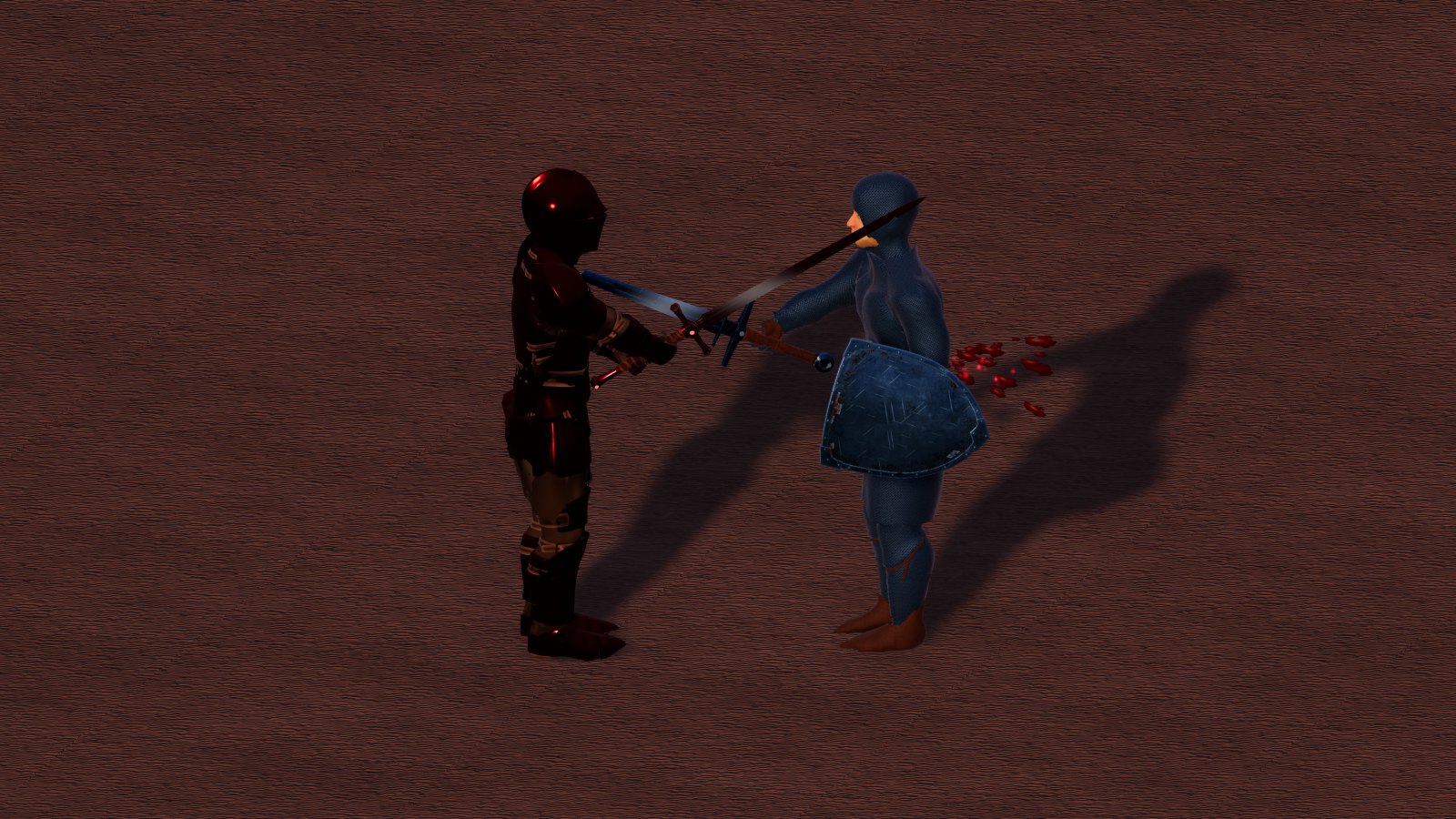
Two warriors in melee in Cenerombra: a vermillion greatsword against a valorite sword and shield
In melee outside a city of Cenerombra: the vermillion greatsword against a valorite sword and shield.

Balance

Thousands of combinations

The combat system was balanced by trying thousands and thousands of combinations: weapons, armor, metals, shields, robes, jewels, skills and attributes, for the warrior, the archer and the mage, on foot and on horseback, alone and in a party, in duels and in dungeons. With the help of artificial intelligence thousands of virtual simulations were run between all classes and all gear, until no path turned out to be the right path for everyone.

No table tells who wins a duel. It depends on who is behind the character, on the terrain, on the supplies, on the friends who arrive, on the moment you drink a potion. You do not need to study formulas: you play, and you learn by playing.

Reach and weapons

Bows, crossbows and targeted spells hit up to 30 meters; melee reaches 2 meters, halberd and spear 3. Without the weapon's skill you rarely hit; with full skill almost always. Damage grows with the weapon's metal (from copper to mithril) and, for bows and crossbows, with the wood.

WeaponHandsReachStrikesSkill
Sword, scimitarone2 mone targetSwordsmanship
Greatsword, axetwo2 mup to twoSwordsmanship
Double axetwo2 mone, very hardSwordsmanship
Halberdtwo3 mup to threeSwordsmanship
Maceone2 moneMace Fighting
Hammertwo2 moneMace Fighting
Quarterstafftwo2 mup to two, fastMace Fighting
Dagger, kryssone2 mone, very fastFencing
Speartwo3 moneFencing
Bow, crossbowtwo30 moneArchery

Dagger, kryss, spear, bows and crossbows use Dexterity instead of Strength.

Those that hit more enemies (greatsword, axe and quarterstaff up to two, halberd up to three): the blow goes to the chosen target and, in the same swing, to the nearest enemies who are attacking you within the weapon's reach. Each takes a full blow, with its own dodge and its own parry. Those not attacking you, companions and mounts are never hit; the weapon wears only once per swing.

The special weapon: the Vampiric Greatsword. It fights like the vermillion greatsword and 40% of the damage it deals comes back as health to the wielder. It is made at the Blacksmith with 30 vermillion ingots, 15 mithril ingots and 50,000 coins, and it needs Blacksmith at least 115: without Blacksmith jewels you cannot even try. If the work fails you lose half the ingots and all the coins.

The charged blow

As in Ultima Online, when attacking the blow charges up before it starts, with all weapons. With the target far away the character raises the weapon (or draws the bow, or aims the crossbow) and stays charged while running after it: as soon as the target is within reach, and in sight for bow and crossbow, the blow starts. Even the first blow with the target already close waits for the gesture: whoever is attacked sees the charge and can run away. Whoever has a charged blow has two crossed yellow swords on a red background above their head, visible to everyone. If the target vanishes (invisibility, Hiding) the charged blow is lost; when the attack is dropped (Esc, target dead or beyond 34 meters, another target) the weapon goes back to rest. Monsters charge their blows too. Spells keep their casting time.

Stamina

Stamina is the character's fatigue: one point for each point of Dexterity (never less than 10). You see it in the bar above the quick bar and in the character sheet. Casting spells costs no stamina, and on horseback running costs nothing: the beast does the work.

WhatStamina
Running on foot2 per second
Shooting an arrow or a bolt while moving (on horseback too)8 per shot
Every blow that reaches you2
Swimming afloat4 × load × (1 − swimming skill) per second
Walking overloaded (beyond carrying capacity)1 per meter, plus 1 every 10 kg over
Standing still (also still afloat)comes back 6 per second
Walkingcomes back 3 per second
Running on foot, swimming, underwaterdoes not come back

At zero: on foot you can only walk and cannot shoot while moving (you must stop to shoot); afloat you stay still until it comes back; overloaded you can no longer move. Underwater stamina stays still: there oxygen counts (Water and swimming, chapter III). Refresh potions restore it: the lesser a quarter, the normal half, the greater all of it; then for 8 seconds you cannot drink another Refresh.

How fast you run

On foot speed comes from Dexterity: at 250 you run at 35 km/h and walk at 13 km/h; each point below 250 takes away 0.15%, down to 36% less at Dexterity 10. You run by holding the right button (or Shift) and running costs stamina; at zero stamina you walk.

DexterityRunWalk
1025.7 km/h9.6 km/h
5027.3 km/h10.1 km/h
10029.2 km/h10.8 km/h
15031.1 km/h11.6 km/h
20033.1 km/h12.3 km/h
25035.0 km/h13.0 km/h
300 (with jewels)36.9 km/h13.7 km/h

In the saddle (horse, Nazgul Horse, Ancient Weaver and bears) you go at 70 km/h running and 20 km/h walking, and running costs no stamina. Free beasts and monsters move at their own pace instead (a free horse runs at 35 km/h). Swimming, on the surface and underwater, everyone goes at 10 km/h fast and 5 km/h slow. Beyond the carrying weight you go slower; the ghost runs at three times the speed of running on foot.

The defenses

  • Physical defense, against blows and arrows: armor and shield, then protection spells and jewels. It has a cap, and close to the cap every point is worth a lot.
  • Magic defense: the Magic Defense skill with Intelligence, the plate metal or the leather, the robe, then the jewels.
  • Parrying: with the shield and the Parrying skill you parry melee blows and part of the arrows; the more precious the shield's metal, the more arrows it stops. Two-handed weapons, with Parrying, defend like a shield of their metal but parry less. A parried blow only wears the shield, or the two-handed weapon that parries. Spells cannot be parried or dodged.
  • Dodging: it comes from Dexterity.

Armor and sets

Four families: metal plate, chainmail, leather in five levels, and the mage set in five levels (robe, gloves and boots). Defense and magic defense add up piece by piece. The full set, all of the same family and the same level (or metal), gives a passive on top:

Full setPassive
Plate, six pieces of the same metalFortitude: more health, from 3% for copper to 10% for mithril
Chainmail, six pieces of the same metalLight Mail: you dodge more, from 0.5% for copper to 4% for mithril
Leather, six pieces of the same levelQuick Hand: you strike and shoot faster, from 2% to 10%
Mage set, three pieces of the same levelLiving Mana: mana recharges faster, from 15% to 75%; and the mage's aura

The passive does not drop with worn pieces: it disappears only if a piece breaks, because the set is no longer complete. Armor has no abilities to activate: only these passives count.

The mage set

Spell damage is also split among the three pieces, like the defenses: the robe carries 60%, the boots 25%, the gloves 15%, each according to its level. With nothing on, spells deal ×0.31; the full L5 set ×1.20, the L3 set ×0.70. With mixed pieces each one's share adds up: an L5 robe alone is not enough for full damage.

Spell damage, piece by piece

How much it multiplies the damage of each spell: the base share and the share brought by robe, boots and gloves.

WornSpell damagePhysical defenseMagic DefenseLiving ManaAura and eyes
Full L5 set×1.2035.2%50%+75%aura and red eyes
L5 robe, L3 boots, L2 gloves×0.9826.4%44%nonothing
L5 robe, L3 gloves, L1 boots×0.9324.2%42%nonothing
L3 robe, L5 gloves, L1 boots×0.7017.6%36%nonothing
Full L3 set×0.7019.8%37%+45%the level 3 aura
  • The aura lights up only with the full set of the same level, in the light color of the robe; spiral, circle at the feet, vapor, threads and runes grow with the level.
  • Red eyes only with the full level 5 set: aura and red eyes together.
  • With an L5 robe and gloves or boots of other levels: no red eyes, no aura, no passive.
  • Wear also goes piece by piece: a worn robe only lowers its own share.
A mithril plate armor
Mithril plate: the rarest metal, steel blue. It is mined only in Cenerombra.

What weapons, shields and armour look like

  • Weapons come in two shapes: a knightly one for copper, iron, agapite, verite and valorite, and a noble one, decorated with gold, for mithril, Black Rock and vermillion. The colour is that of the metal. Bows and crossbows have a shape for each wood, richer from ash to Frostwood. The Vampiric Greatsword has its own.
  • Shields: the lion shield for mithril, Black Rock and vermillion; for the other metals the knightly shield.
  • Plate is a slender, decorated armour, in the colour of its metal; the plate head comes in five shapes (below).
  • Chainmail is the foot soldier’s: a hauberk down to the knee with its slits, a mail hood, mail gloves with leather palms, mail hose and leather shoes.
  • Leather is made of plates of hardened leather, with a leather helmet and hood, and it grows with the levels: stitching and iron studs, then two straps crossed on the chest, then gold edges and studs; at level 5 a red gem shines in the middle of the chest and there is a gold medallion on each pauldron.
  • The robe of the mage set has a hood; boots and gloves are the same colour. The colours of the levels are ivory, blue, emerald, violet and red, and the embroidery grows with the level; the Nazgul Robe is black.
  • At night weapons, shields and armour of mithril, Black Rock and vermillion glow as always (below).

The shapes of the plate head

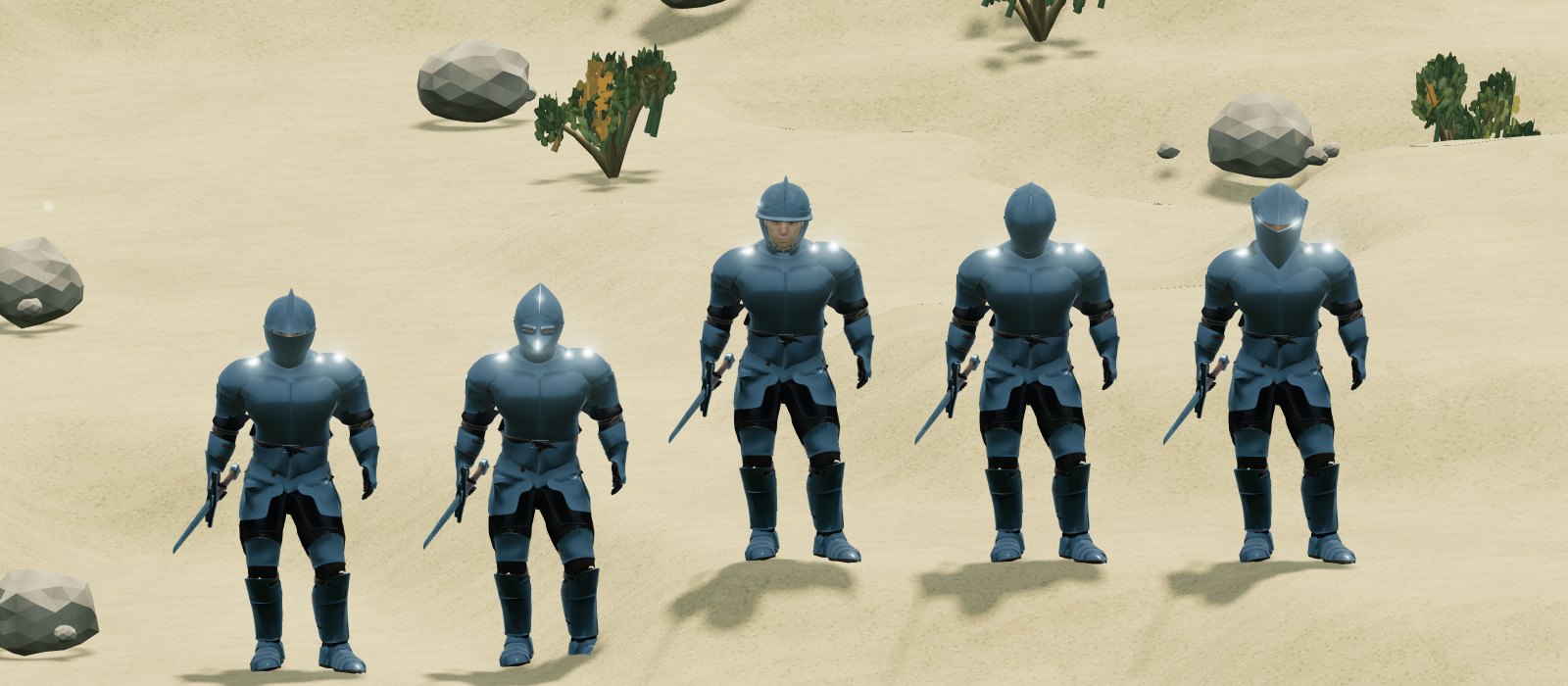
The plate head comes in five shapes: Armet, Bascinet, Burgonet, Closed helm and Stechhelm. They all have the same stats: only the look changes. The shape is chosen at the Blacksmith, when the head is forged, and never changes afterwards: it stays written on the item and travels with it through the bank, trades, the corpse and the Market. The vendors sell all of them, one entry per shape, at the price of the plate head. One dropped by monsters, or found in chests, has a random shape; one created by the game master has the shape he chooses. A plate head without a shape is an Armet.

Five warriors in iron plate, one for each shape of the plate head
The five shapes, from the left: Armet, Bascinet, Burgonet, Closed helm and Stechhelm.

At night the metals of Cenerombra glow

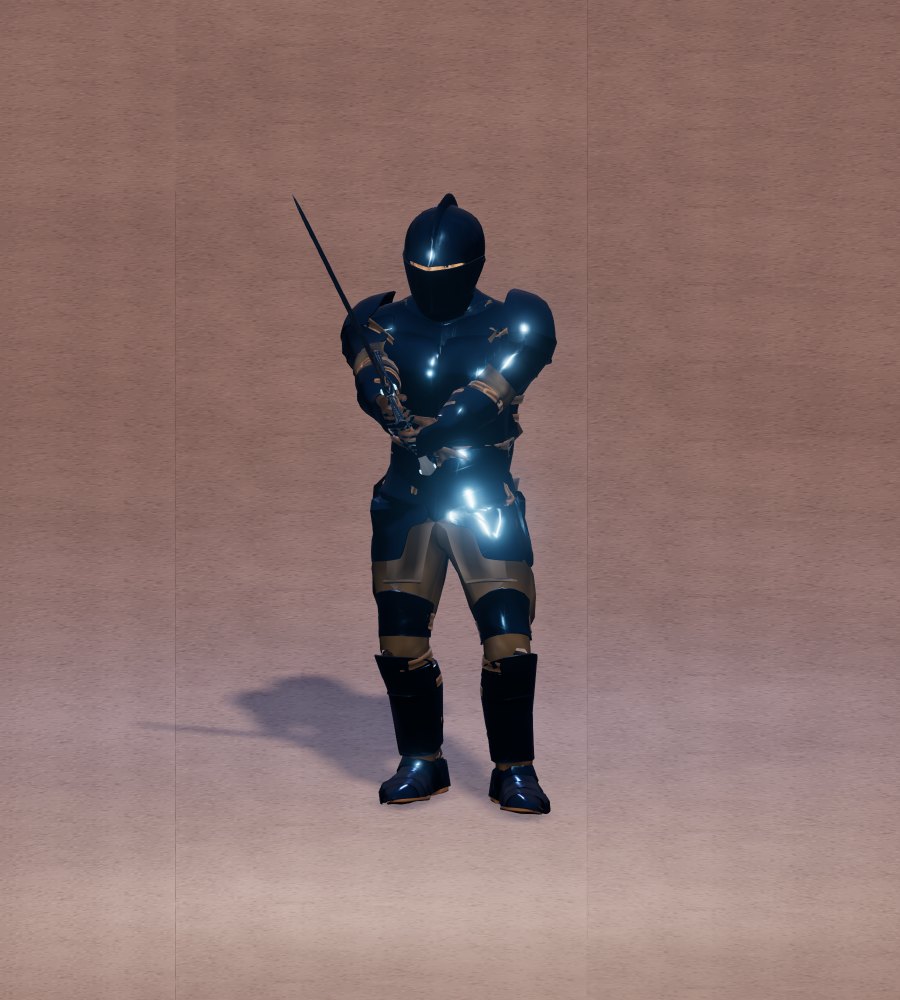
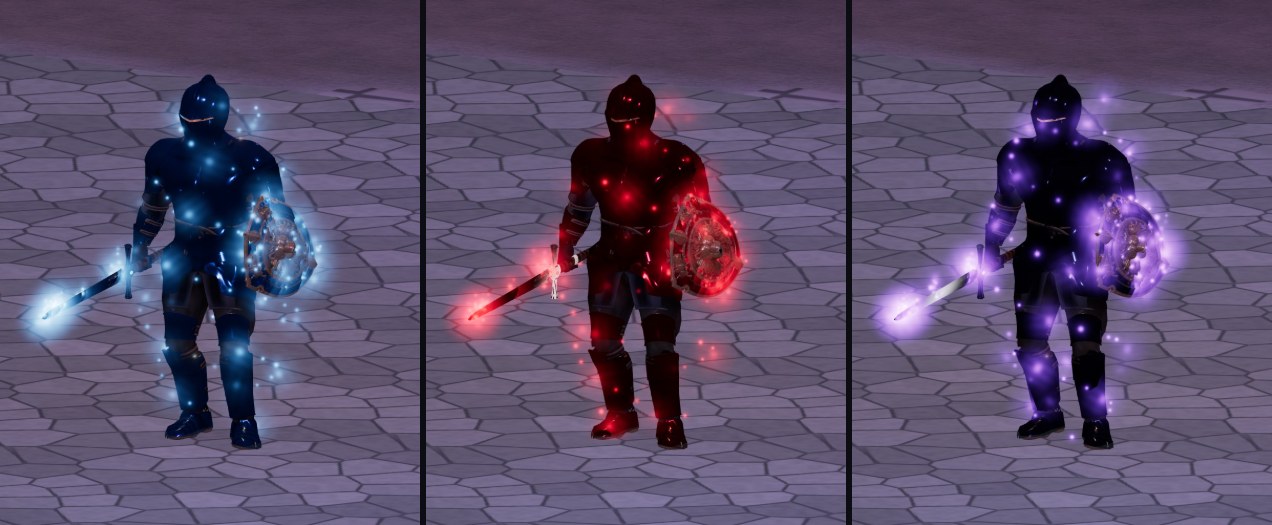
At night, mithril, vermillion and black rock armour lights up with an aura the colour of its metal: blue for mithril, red for vermillion, violet for black rock. The same aura runs along the blade of weapons and over the face of shields made of those three metals, even without the armour. It fades with the day; the vampiric greatsword stays red by day as well. If the weapon is also poisoned, the green of the poison is added to the aura.

Three warriors at night in mithril, vermillion and black rock plate, with sword and shield of the same metal
At night in Cenerombra: plate, sword and shield of mithril, vermillion and black rock.

Healing

  • Bandages: they heal a good part of your health in a few seconds, and you can bandage yourself even while running; with high Dexterity it is faster. A heavy blow while you bandage spoils the healing. When poisoned the bandage does not heal: it tries to remove the poison, all the more often the higher the Healing skill (bandages against poison).
  • Heal potions: three sizes, one potion every few seconds. Bandages and potions can be carried without limit.
  • Spells: Heal, Greater Heal, Arch Cure (chapter IX).

Poison

Poison goes through every defense. You get it from venomous creatures, from traps, from magic, and from poisoned blades: five flasks made at the Mage Tower, from lesser to lethal poison, poured on a cutting or piercing weapon (never on hammers and maces) and lasting a certain number of hits. To pour them you need the Poisoning skill at 30 at least (below). Arrows cannot be poisoned. The antidote, the Cure spell and bandages remove it.

You can see the poisoned hit

When a hit passes on poison, whether from a poisoned blade, the bite of a venomous creature or the spider boss, a cloud of green particles appears on the character or creature that was hit at the moment of the hit: you can tell at once that the hit was poisoned.

  • The poison symbol above the head: anyone who is poisoned, player or creature, by any poison (from weapons, creatures, traps or magic), carries it as long as the poison lasts, with its level.
  • The message: whoever is poisoned sees «You have been poisoned (Lethal)!», with the level of the poison. It comes with every new or stronger poison, not with every hit that renews it.
  • Only hits that land poison: a missed, dodged or parried hit does not pass on the poison. Whoever is immune (spiders and arthropods, undead, constructs such as golems, elementals) is not poisoned and shows no cloud; the cloud does not appear either if whoever is hit already carries a stronger poison, because that poison does not take.
  • Venomous creatures (spiders, scorpions, the Ancient Basilisk…) poison with every hit that lands, with the level of their poison.
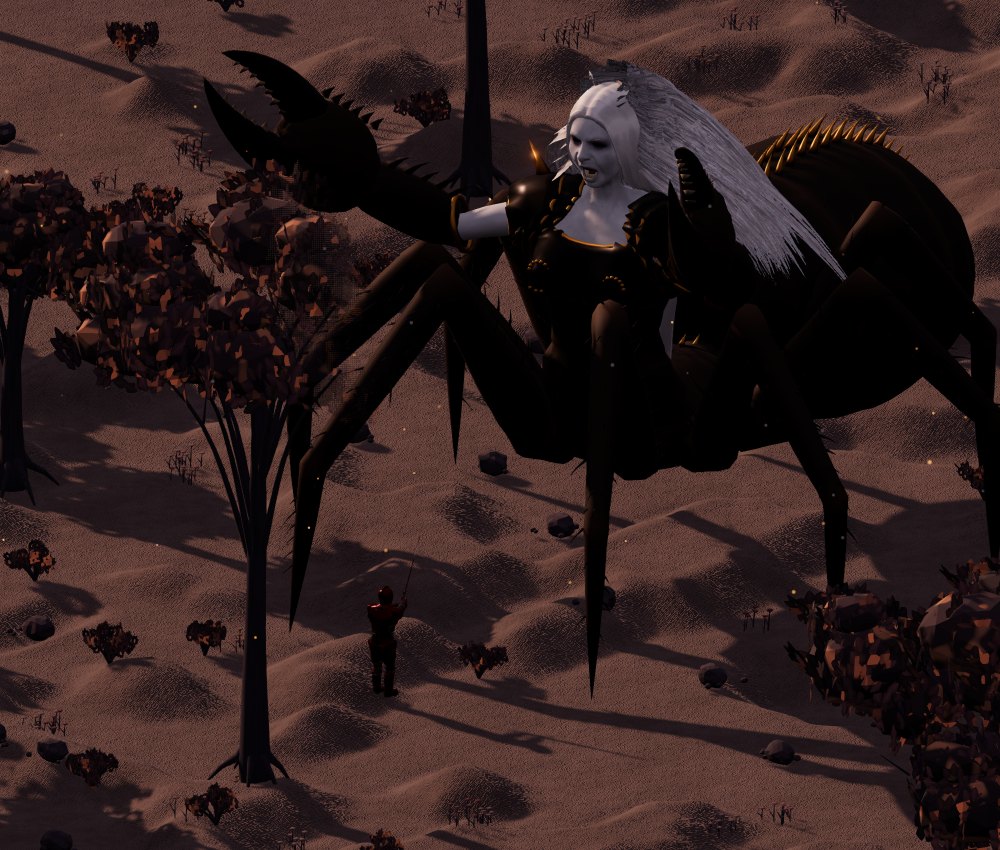
  • Arachnid, the spider boss with a human face (level 300), poisons with one hit in four that lands, with Lethal poison: that hit makes a large poisonous cloud around whoever was hit. The cloud is only seen: it does not poison those nearby.
Aracnide, the human-faced spider boss, facing a warrior in plate
Aracnide: the human-faced spider boss, almost eleven metres tall, with crab pincers instead of hands. Every fourth hit that lands poisons with Deadly poison.

Poisoning: the skill of poison on blades

To pour a poison on a weapon you need the Poisoning skill, a combat skill like Tactics or Parrying: it rises with skill points up to 100 and with jewels up to 120. Below 30, poison potions cannot be used: the game refuses the flask, which stays in the backpack, and the 30-second wait does not even start.

How to poison a weapon

  1. Take the weapon in hand: poison goes only on the weapon you are holding, not on those in the backpack.
  2. Double-click the poison flask in the backpack: the targeting cursor appears.
  3. Open the character sheet and click the weapon in the hand slot. The character pours the poison on the blade.
  4. Faster: put the flask on the quick bar and press its key: it poisons the weapon in your hand by itself.

After a flask you wait 30 seconds before pouring another one, even if you change weapon. The blade stays poisoned for its hits (from 10 to 4, depending on the poison: the poison table), and only the hits that land use them up. Clicking the weapon shows whether it is poisoned, with which poison, how many hits are left and how strong it is.

You can see the poisoned blade

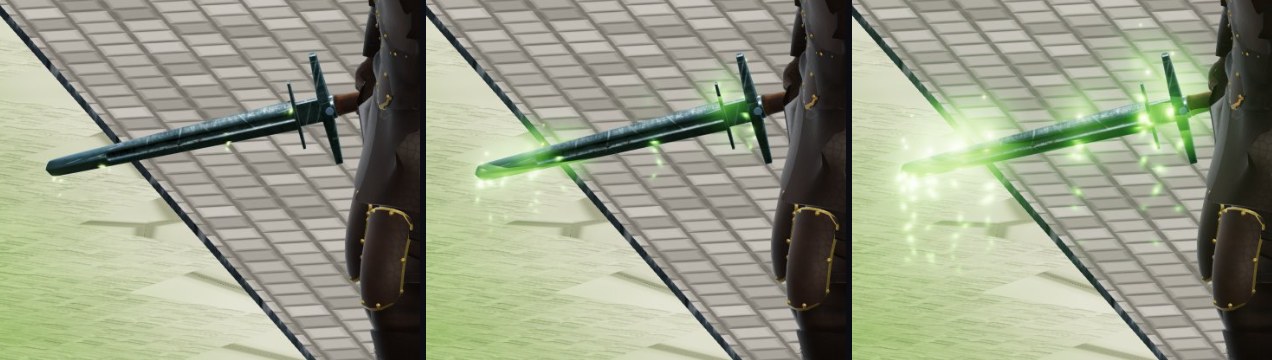
As long as hits remain, the poison shows on the blade: green particles along the edge, by day and by night, seen by anyone near you. The stronger the poison, the stronger the effect: with Lesser Poison a few dripping drops, from regular Poison also a thread of green vapour, from Strong Poison acid sparks and a glow, with Lethal Poison a thick cloud of drops and vapour. On mithril, vermillion and black rock weapons, at night, the poison adds to the aura of the metal.

On the character sheet the slot of the poisoned weapon shows a green drop: hovering over it with the mouse shows the poison and the hits left. Clicking the weapon opens its card: the weapon's characteristics and, in green, which poison it is, its level, the hits left and the strength given by the Poisoning skill (damage, duration, how much health it takes per second).

The same iron sword poisoned with Lesser Poison, Strong Poison and Lethal Poison
The same sword with Lesser Poison (level 1), Strong Poison (level 3) and Lethal Poison (level 5).
A warrior in mithril plate at night with a mithril sword poisoned with Lethal Poison
At night, the mithril sword poisoned with Lethal Poison: the blue aura of the metal and the green of the poison together.

Which weapons can be poisoned

WeaponCan it be poisoned?
Sword, scimitar, greatsword, axe, double axe, halberd, Vampiric Greatswordyes: they are cutting weapons
Dagger, kryss, spearyes: piercing weapons, archers use them too to poison
Mace, hammer, quarterstaff, siege hammerno: hammers and maces cannot be poisoned
Bow and crossbowno: arrows and bolts cannot be poisoned
Spellbook, fists, work toolsno

More skill, stronger and longer poison

The flask decides the level of the poison (from Mild to Lethal); the Poisoning skill decides how much it hurts and how long it lasts. With Poisoning at 100 the poison is exactly the one in the table; below it is weaker and shorter, above (only with jewels) a little stronger and longer. The strength is decided by whoever pours it, at the moment of pouring: it stays on the blade as long as there are hits, even if you then take off a jewel or hand the weapon to someone else.

PoisoningPoison damageDurationDeadly poison: per secondfor how longin totalLethal poison: in total
below 30poison potions cannot be used
3065%65%0.98%13 s12.7%21.1%
4070%70%1.05%14 s14.7%24.5%
5075%75%1.13%15 s16.9%28.1%
6080%80%1.2%16 s19.2%32%
7085%85%1.28%17 s21.7%36.1%
8090%90%1.35%18 s24.3%40.5%
9095%95%1.43%19 s27.1%45.1%
100100%100%1.5%20 s30%50%
110105%105%1.58%21 s33.1%55.1%
120110%110%1.65%22 s36.3%60.5%

The percentages are of the maximum health of whoever takes the poison, counted on 1,000 points at most: on big monsters the poison takes no more than that. The formula is the same as Tactics: 50% + 50% × Poisoning/100, both for the damage and for the duration. Poison goes through every defense, as always, and is removed with the antidote, with the spells that remove poison and with bandages.

In practice

Whoever puts 30 points into Poisoning uses all the poisons, but the Lethal one gives him as much as a master's Strong poison. Whoever brings it to 100 has the full poison; with a Poisoning ring and amulet he reaches 120 and his poison lasts and bites 10% more. The warrior chooses: a point in Poisoning is a point taken from another skill.

The jewels of Poisoning

As for every skill there are the ring and the amulet of Poisoning, from I to VI: +2, +4, +6, +9, +12, +15, up to the cap of 120. They have the same health, the same value at the Market and the same repairs at the Jeweler's Shop as the other skill jewels of the same level, and they wear out with the hits taken like the combat ones (they do not expire with time like the crafting ones). You recognize them by the red little stones of combat and by the green drop of poison on the sides of the gem. They are not crafted: they are found in the loot of chests and monsters like the other jewels, with the same chances as any other skill (how rare they are).

Bandages and self-healing

Bandages heal yourself, other players and any living creature, even other people’s (mounts, tamed creatures, animals and monsters); a mount is bandaged when nobody is riding it. Double-clicking Bandages in your backpack always opens the targeting cursor: choose whom to bandage, including yourself. From the action bar, selecting another player or a creature heals that target directly; with no target, a targeting cursor opens and Esc cancels it. The small button on the Bandages slot toggles Self-healing, initially off and saved for that slot. When enabled, the hotkey heals you; if another player is selected, a message explains that you pressed a self-healing hotkey, and no healing starts or bandage is consumed.

Bandages against poison

When poisoned the bandage does not heal health: it tries to remove the poison, of any kind and level (from monsters, traps, spells, poisoned blades). How often it succeeds is decided by the Healing skill of whoever bandages: it rises little by little, it is high at 100 and very high at 120 with jewels.

Healing02040506080100110120
Removes the poison0%16%32%40%48%64%80%87.5%95%
  • If the poison goes away, that bandage does not give back health: it only removes the poison («The bandage removed the poison»). The next bandage heals again.
  • If it does not go away, the bandage is used up, does not heal and the poison stays («The bandage did not remove the poison»): you try again with the next bandage, after the usual wait between one bandage and the next.
  • If the poison ends by itself (or an antidote removes it) while the bandage is working, the bandage heals health as always.
  • What counts is the skill of whoever bandages: a companion who is good with bandages removes the poison from you too.
  • The formula: 80% × Healing/100 up to 100; from 100 to 120 it rises from 80% to 95%.

The flasks

FlaskWhat it does
Heal, Mana, Refreshrestore health, mana and stamina, in three sizes
Antidoteremoves poison
Invisibilityyou vanish: you can move and heal, but not attack
Shrink Creatureturns one of your creatures into a figurine to carry in the backpack
Blade poisonfive strengths, with charges; Poisoning 30 and a cutting or piercing weapon are needed

Hiding

Anyone can try to hide: it succeeds more often with Dexterity and the Hiding skill. While hidden you take few steps; you reappear with the first blow, the first cast, when running or when someone bumps into you. You cannot hide right after being hit. The Reveal spell uncovers whoever is hidden or invisible.

Mounted

Fights often happen on horseback. While mounted the beast cannot be targeted: blows reach the rider. Mounts however have a shield of their own, which stops the first damage before it reaches the rider; the stronger the beast, the bigger the shield. Poison goes through.

VIII Potions, bandages, poisons and timed jewels

Everything you drink, pour, throw or wrap: the flasks of the Mage Tower, the Tailor's bandages, blade poisons, explosive flasks, the flask that shrinks creatures, and the jewels that expire. The numbers in these tables come from the game.

How to use them

  • Double-click the flask in the backpack, or drag it onto the quick bar and press its key (1–0), or click the slot.
  • Drinking has no animation and interrupts nothing: neither a spell you are preparing nor a blow you are charging. You only hear the sip.
  • Each family has its own wait: after a Heal you wait before another Heal, but you can drink a Mana or a Refresh right away. The waits do not affect bandages, spells and weapon abilities.
  • While paralyzed the only potion you can drink is the Anti-Paralysis Potion: no heals, mana, Refresh, antidotes, bandages, blade poisons, and not even the explosion potion (neither thrown nor set off on yourself). The others can be drunk again as soon as you are free (Paralyze).
  • Once drunk, the potion is gone: it leaves no empty bottle in the backpack, and no bottles are needed to make new ones.
  • Flasks, bandages and poisons stack; you can carry as many as you like, with their weight (0.5 kg per flask).

The potions to drink

They are made at the Mage Tower, at the alchemist's bench, with the Alchemy skill: at the required skill you succeed 40% of the time, 95% with a good third more. Reagents are enough, and they are sold at the Tower: empty bottles no longer exist. First-level ones can be bought ready-made from the Tower's Mage, at twice their value: the Mage has 10 of each kind (the game master decides how many) and at every vendor cycle (a cycle lasts an hour) they come back full.

FlaskWhat it doesThen you waitHow it is madeIn the shop
Small Heal Potion+10% of maximum health, immediately4 s before another heal potionMage Tower: 1 Ginseng, 1 Garlic, 3 coins → 3 come out, 4 s
Alchemy 4 for 40%, 6 for 95%
11 coins
Mage Tower
Medium Heal Potion+20% of maximum health, immediately8 s before another heal potionMage Tower: 2 Ginseng, 2 Garlic, 9 coins → 3 come out, 5 s
Alchemy 18 for 40%, 25 for 95%
no: it is crafted or found
Large Heal Potion+30% of maximum health, immediately12 s before another heal potionMage Tower: 3 Ginseng, 3 Garlic, 1 Blood Moss, 24 coins → 3 come out, 6 s
Alchemy 32 for 40%, 44 for 95%
no: it is crafted or found
Small Mana Potion+10% of maximum mana, immediately4 s before another mana potionMage Tower: 2 Mandrake Root, 4 coins → 3 come out, 4 s
Alchemy 5 for 40%, 7 for 95%
11 coins
Mage Tower
Medium Mana Potion+20% of maximum mana, immediately6 s before another mana potionMage Tower: 4 Mandrake Root, 12 coins → 3 come out, 5 s
Alchemy 20 for 40%, 27 for 95%
no: it is crafted or found
Large Mana Potion+30% of maximum mana, immediately8 s before another mana potionMage Tower: 6 Mandrake Root, 1 Black Pearl, 30 coins → 3 come out, 6 s
Alchemy 34 for 40%, 46 for 95%
no: it is crafted or found
Lesser Refreshrestores 25% of stamina8 s before another RefreshMage Tower: 1 Black Pearl, 3 coins → 3 come out, 5 s
Alchemy 4 for 40%, 6 for 95%
11 coins
Mage Tower
Refreshrestores 50% of stamina8 s before another RefreshMage Tower: 2 Black Pearl, 9 coins → 3 come out, 5 s
Alchemy 18 for 40%, 25 for 95%
no: it is crafted or found
Greater Refreshrestores all stamina8 s before another RefreshMage Tower: 3 Black Pearl, 1 Blood Moss, 24 coins → 3 come out, 5 s
Alchemy 32 for 40%, 44 for 95%
no: it is crafted or found
Lesser Antidoteremoves poison up to level 3 (Strong)8 s before another antidoteMage Tower: 3 Garlic, 6 coins → 3 come out, 4 s
Alchemy 16 for 40%, 22 for 95%
14 coins
Mage Tower
Greater Antidoteremoves poison up to level 5 (Lethal)8 s before another antidoteMage Tower: 3 Garlic, 2 Nightshade, 18 coins → 3 come out, 5 s
Alchemy 34 for 40%, 46 for 95%
no: it is crafted or found
Anti-Paralysis Potiondrunk only while paralyzed: frees you at once from any Paralysis (spell, Paralysis Field, monsters); then 12 s in which you cannot be paralyzed again30 s before another Anti-Paralysis PotionMage Tower: 2 Blood Moss, 2 Garlic, 1 Ginseng, 24 coins → 3 come out, 5 s
Alchemy 50 for 40%, 68 for 95%
no: it is crafted or found

The Anti-Paralysis Potion can also be found in monster loot: 1% up to level 40, 2% up to level 100, 3% (1 to 2) up to level 160, 4% (1 to 2) above level 160; the monsters that cast Paralyze (Corrupted Siren, Lich, Archdemon, Lich King) drop it 15% of the time (1 to 2). Beasts do not, and chests never have it.

Attribute and invisibility potions

FlaskWhat it doesThen you waitHow it is madeIn the shop
Strength Potion Level 1+10 Strength for 3 minutes (beyond the cap of 250, up to 300)a new one replaces the one of the same type you already haveMage Tower: 1 Mandrake Root, 1 Nightshade, 4 coins → 3 come out, 5 s
Alchemy 10 for 40%, 14 for 95%
20 coins
Mage Tower
Strength Potion Level 2+20 Strength for 5 minutes (beyond the cap of 250, up to 300)a new one replaces the one of the same type you already haveMage Tower: 2 Mandrake Root, 2 Nightshade, 12 coins → 3 come out, 5 s
Alchemy 22 for 40%, 30 for 95%
no: it is crafted or found
Strength Potion Level 3+30 Strength for 8 minutes (beyond the cap of 250, up to 300)a new one replaces the one of the same type you already haveMage Tower: 3 Mandrake Root, 3 Nightshade, 30 coins → 3 come out, 5 s
Alchemy 34 for 40%, 46 for 95%
no: it is crafted or found
Dexterity Potion Level 1+10 Dexterity for 3 minutes (beyond the cap of 250, up to 300)a new one replaces the one of the same type you already haveMage Tower: 1 Blood Moss, 1 Mandrake Root, 4 coins → 3 come out, 5 s
Alchemy 10 for 40%, 14 for 95%
20 coins
Mage Tower
Dexterity Potion Level 2+20 Dexterity for 5 minutes (beyond the cap of 250, up to 300)a new one replaces the one of the same type you already haveMage Tower: 2 Blood Moss, 2 Mandrake Root, 12 coins → 3 come out, 5 s
Alchemy 22 for 40%, 30 for 95%
no: it is crafted or found
Dexterity Potion Level 3+30 Dexterity for 8 minutes (beyond the cap of 250, up to 300)a new one replaces the one of the same type you already haveMage Tower: 3 Blood Moss, 3 Mandrake Root, 30 coins → 3 come out, 5 s
Alchemy 34 for 40%, 46 for 95%
no: it is crafted or found
Intelligence Potion Level 1+10 Intelligence for 3 minutes (beyond the cap of 250, up to 300)a new one replaces the one of the same type you already haveMage Tower: 1 Mandrake Root, 1 Nightshade, 4 coins → 3 come out, 5 s
Alchemy 10 for 40%, 14 for 95%
20 coins
Mage Tower
Intelligence Potion Level 2+20 Intelligence for 5 minutes (beyond the cap of 250, up to 300)a new one replaces the one of the same type you already haveMage Tower: 2 Mandrake Root, 2 Nightshade, 12 coins → 3 come out, 5 s
Alchemy 22 for 40%, 30 for 95%
no: it is crafted or found
Intelligence Potion Level 3+30 Intelligence for 8 minutes (beyond the cap of 250, up to 300)a new one replaces the one of the same type you already haveMage Tower: 3 Mandrake Root, 3 Nightshade, 30 coins → 3 come out, 5 s
Alchemy 34 for 40%, 46 for 95%
no: it is crafted or found
Invisibility Potion Level 1invisible at once for 20 s, like the spellone every 2 minutesMage Tower: 1 Blood Moss, 1 Nightshade, 12 coins → 3 come out, 5 s
Alchemy 16 for 40%, 22 for 95%
no: it is crafted or found
Invisibility Potion Level 2invisible at once for 40 s, like the spellone every 2 minutesMage Tower: 2 Blood Moss, 2 Nightshade, 36 coins → 3 come out, 5 s
Alchemy 28 for 40%, 38 for 95%
no: it is crafted or found
Invisibility Potion Level 3invisible at once for 60 s, like the spellone every 2 minutesMage Tower: 3 Blood Moss, 3 Nightshade, 90 coins → 3 come out, 5 s
Alchemy 40 for 40%, 54 for 95%
no: it is crafted or found

The potion's invisibility is the spell's: you can move and heal, but attacking or casting you reappear at once.

Blade poisons

They are not drunk: they are poured on the cutting or piercing weapon you hold (double-click the flask and then click the weapon with the targeting cursor, or from the quick bar); never on hammers and maces. The Poisoning skill is needed, at least 30: below that, the flask cannot be used (the Poisoning skill). The blade stays poisoned for a certain number of hits landed: missed, dodged or parried blows do not use up the poison. After pouring one you wait 30 seconds before pouring another (the wait is on your hands, not on the blade). They do not go on the bow, the crossbow or the Spellbook, and a weaker poison does not replace a stronger one that is still active. Clicking the weapon shows which poison it carries, how many hits it has left and how strong it is.

FlaskPoison passedHitsPoison damage with Poisoning 100How it is madeIn the shop
Lesser PoisonMild (level 1)100.25% of health per second for 15 sMage Tower: 1 Nightshade, 4 coins → 3 come out, 5 s
Alchemy 8 for 40%, 11 for 95%
10 coins
Mage Tower
PoisonsNormal (level 2)80.5% of health per second for 15 sMage Tower: 2 Nightshade, 9 coins → 3 come out, 5 s
Alchemy 16 for 40%, 22 for 95%
no: it is crafted or found
Strong PoisonStrong (level 3)60.9% of health per second for 20 sMage Tower: 3 Nightshade, 1 Spider's Silk, 20 coins → 3 come out, 5 s
Alchemy 24 for 40%, 33 for 95%
no: it is crafted or found
Deadly PoisonDeadly (level 4)51.5% of health per second for 20 sMage Tower: 5 Nightshade, 2 Spider's Silk, 1 Blood Moss, 40 coins → 3 come out, 5 s
Alchemy 34 for 40%, 46 for 95%
no: it is crafted or found
Lethal PoisonLethal (level 5)42% of health per second for 25 sMage Tower: 8 Nightshade, 3 Spider's Silk, 2 Blood Moss, 90 coins → 3 come out, 5 s
Alchemy 44 for 40%, 60 for 95%
no: it is crafted or found

The damage and duration in the table are those with Poisoning 100: with the skill at 30 the poison does 65% of the damage and lasts 65%, at 120 with jewels 110% (the full table in the Poisoning skill).

Poison goes through every defense. It is removed with Antidotes (table above) or with bandages, which on a poisoned target try to remove the poison instead of healing (bandages against poison).

Poison kills monsters too, and the kill goes to whoever applied it: if the poison tick brings health to zero, experience and loot belong to whoever poisoned it (to their party, if they have one). Two poisons do not add up: the second, equal or stronger, replaces the first, and with it the kill passes to whoever applied it; a weaker one does not remove a stronger one. On large monsters poison is calculated on 1,000 health points at most (a Lethal takes at most 500 points from a dragon). Immune: spiders and insects, undead, constructs and elementals. Magic Reflection sends the Poison spell back the first time.

Explosive flasks

They are lit (double-click or bar key) and the 3-second fuse starts, only one: throwing it does not reset it. They are thrown with the crosshair at a target or a spot within 12 meters and they always land where you throw them. If the fuse runs out in flight they burst when they land; if you do not throw them, they burst in your hand. One lit flask at a time; after one, you wait 15 seconds.

The burst hits everyone, companions and yourself included: full damage to whoever stands within 1 meter of the spot, half up to 3 meters. It is physical damage: it is dodged with Dexterity and parried with the shield like an arrow («Flask parried» or «Flask dodged» appears above the head), then physical defense counts. It stops behind cover, like spell areas.

FlaskDamage at the centerDamage up to 3 mHow it is madeIn the shop
Lesser Explosive Flask12060Mage Tower: 1 Sulfurous Ash, 12 coins → 3 come out, 5 s
Alchemy 12 for 40%, 17 for 95%
11 coins
Mage Tower
Explosive Flask250125Mage Tower: 1 Sulfurous Ash, 1 Black Pearl, 28 coins → 3 come out, 5 s
Alchemy 22 for 40%, 30 for 95%
no: it is crafted or found
Greater Explosive Flask450225Mage Tower: 1 Sulfurous Ash, 1 Black Pearl, 1 Blood Moss, 60 coins → 3 come out, 5 s
Alchemy 34 for 40%, 46 for 95%
no: it is crafted or found

Bandages

Bandages are made at the Tailor with first-level wool, for free, and they always succeed (Tailor: 3 Wool Level 1 → 5 come out, 2 s); they can also be bought ready-made from the Tailor, who has 50 (the game master decides how many) and is full again at every vendor cycle (a cycle lasts an hour). They are applied like flasks, but the healing arrives at the end:

  • How much it heals: from 36% to 60% of maximum health with Healing and Anatomy at 100 (less with less skill).
  • How long it takes: 8 seconds with Dexterity 0, 6 with Dexterity 100, never less than 3. You can move and fight while the bandage works; one every 6 seconds.
  • Blows spoil it: each blow that takes more than 19% of health removes 35% of the healing.
  • When poisoned the bandage does not heal health: instead it tries to remove the poison, 40% of the times with Healing at 50, 80% at 100 and 95% at 120 with jewels; if it fails, the bandage is used up and you try again with the next one (bandages against poison).
  • On others too: with a chosen target the bandage goes on them, player or creature, if you stand next to them (3 meters). The healing reaches them at the end, if they are still close. While mounted you cannot bandage your mount: dismount first.

Shrink Creature

The potion that turns one of your tamed creatures into a figurine to keep in the backpack, to bring back to life when needed or to give to another player. Drag the potion onto the creature. It cannot be used on a creature that has something in its pack (empty it first), on a summoned creature, or in flight. The figurine becomes a creature again only from the ground: drop it and double-click it, and it needs a little room around. Mage Tower: 2 Nightshade, 2 Spider's Silk, 1 Blood Moss, 60 coins, 10 s
Alchemy 44 for 40%, 60 for 95%.

Jewels, and those that expire

Rings, amulets and necklaces, their effects, how often they come out and how they wear with blows are in the chapter Levels, attributes and skills. Here the rule of the timed jewels:

  • The rings and amulets of the non-combat skills (crafts, gathering, Taming, Swimming and Inscription) last two months: 60 days from the first time you take them from a chest or from a monster's corpse. Taking them later, from the ground, from another player or at the Market, does not restart the time.
  • Their durability drops by one point a day, wherever they are (worn, in the backpack, in the bank, for sale): the label says «Durability 14/60 · in 14 days it wears out completely and is deleted». As long as they exist the effect is full.
  • They do not wear with blows, they cannot be repaired (the Jeweler answers that they last two months) and they are not crafted. When they expire they are deleted and a message arrives in the mail.

Weapons, armor and items that wear out

Weapons, armor, shields, robes and jewels have durability that drops with blows and each is repaired in the shop of its craft, at the bench. How they wear and how much a repaired item yields is explained in the chapters on jewels and on crafts.

IX The spell

57 spells in eight circles. To cast from the book you need the Spellbook in hand, mana, reagents and the learned spell. The book can be used with robes, leather, mail or plate, including while holding a shield.

Lightning and fireball in Cenerombra
Lightning and Fireball. During the cast the hands charge with an electric red, and the mage speaks the words of the spell.

The spellbook, armor and shield

You can cast spells naked or wearing robes, leather, mail or plate. The Spellbook goes in the main hand; a shield can be held in the off hand. You can equip armour before or after the book. Cast time follows the circle; mana cost is shown in the table, including the exceptions for Mark, Recall and Gate Travel. You can move and run while preparing a spell.

To cast from the spellbook you must have learned the spell and have enough mana and reagents: the server takes them at the start of the preparation, only once. If the cast is interrupted, they are not given back. Putting away the spellbook, dying, entering the water to swim or losing the session interrupts the cast. Scrolls are used up when read: they do not require the spellbook or reagents, but they require mana and the spell's own checks.

Reactive Armor and Protection stay full on those who wear cloth or no armor, and count for a third on those who wear leather, chainmail or plate. Putting on a piece of these armors only cancels Reactive Armor and Protection already active; changing robe, spellbook, shield or jewels does not cancel them. The other spells and the curses remain. A spellbook compatible with the armor does not remove this rule on the two buffs.

How to cast

  • You choose the spell from the bar, aim at the target (or the spot, for walls and area spells) and wait for the casting time. The higher the circle, the longer the cast, the more mana, the longer that spell's cooldown.
  • Spells need their reagents, which are bought at the Mage Tower or gathered.
  • Hit while casting, the spell can fail. The Concentration skill, Protection and the robe's concentration points lower the risk; jewels can raise the skill. Dexterity does not decide this failure. Poison damage can also make it fail.
  • Spells deal the same damage to players as to monsters, and area spells also hit companions.
  • The Autocast bar casts on yourself the spells you choose, with their timer.
  • Healing and help spells go on the chosen target, whoever it is: even an enemy, if you chose it. Heal, Greater Heal and Cure also heal a creature, for example your horse; while mounted, however, the mount cannot be targeted, it is healed after dismounting. Reactive Armor and Protection can also be given to another player: full on those wearing cloth, a third on those wearing plate, chainmail or leather. To cast them on yourself, click on yourself with the crosshair.

From the spellbook or from a scroll

From the spellbook a spell succeeds 50% of the time with the Magery skill at its circle's threshold, and always thirty points above. The thresholds: I 0, II 10, III 20, IV 30, V 40, VI 55, VII 70, VIII 80.

From a scroll, as in Ultima Online, the spell counts as two circles lower and with 20 extra Magery points, for success only: the damage stays that of your skills. A scroll needs no spellbook and no reagents, can be read in any armour and is used up. The cooldown belongs to the spell, not to the way it is cast: after a Paralyze from the spellbook the Paralyze scroll also waits its 18 seconds, and vice versa.

Paralyze (5th circle)Minimum MageryAlways succeeds fromCooldown
From the spellbook40 (succeeds half of the time)Magery 7018 s
From a scroll0 (succeeds half of the time)Magery 3018 s

Paralyze

  • It lasts 12 seconds at any Magery level, from the spellbook and from a scroll. Only duration jewels make it longer, up to +40%: 16.8 seconds.
  • The paralyzed player cannot do anything: cannot move, attack, cast spells (not even from scrolls or with Autocast), use abilities, bandages or potions, and not even the explosion potion, neither thrown nor set off on themselves. A spell being prepared fizzles.
  • The only thing they can do is drink the Anti-Paralysis Potion: it frees them at once, from any Paralysis (the spell, the Paralysis Wall, the monsters that cast it: Cultist, Horned Matriarch, Archdaemon, Lich, Swamp Spirit, Lich King and witches, hags and warlocks from level 130). Between one potion and the next 30 seconds pass, and its wait is separate from that of healing and of the other flasks.
  • It also breaks at the first hit taken, physical or magical. Afterwards, for 12 seconds they cannot be paralyzed again (also after the potion).
  • Magic resistance can resist it: at most 42.5% of the time, with resistance at the cap of 85.
  • Bosses are immune.

The mage in armour

In plate, chainmail or leather the spellbook works just the same, and the chance to succeed does not change. Three things are lost instead:

  • Spell damage: without the mage set pieces spells deal ×0.31; with the full L5 set ×1.20. In plate, then, about a quarter of the damage.
  • Meditation: up to 3.3 kg worn (the weight of the mage set) nothing is lost; each extra kg removes 20% of Meditation, and from 8.3 kg it no longer counts. The weight removes the ability to meditate, the meditation boost and the part of mana regeneration that comes from Meditation; base regeneration and the Intelligence part remain. A full mithril plate weighs 13.2 kg: with it you cannot meditate.
  • Living Mana and concentration: the extra regeneration of the full set (up to +75%) and the robe's concentration points, which lower the risk of failing the cast when you are hit.

The eight circles

CircleSpellsCast timeMana (exceptions shown)
IClumsy, Feeblemind, Heal, Magic Arrow, Night Sight, Reactive Armor, Weaken0.75 s15
IIAgility, Cunning, Cure, Harm, Protection, Strength1 s25
IIIBless, Fireball, Poison, Teleport, Wall of Stone1.25 s40
IVArch Cure, Arch Protection, Curse, Fire Field, Greater Heal, Lightning, Mana Drain, Recall1.5 s; Recall: 20 s59; Recall: 11
VBlade Spirits, Dispel Field, Magic Reflection, Paralyze, Poison Field, Summon Creature1.75 s79
VIDispel, Energy Bolt, Explosion, Paralyze Field, Invisibility, Mass Curse, Reveal, Mark2 s104; Mark: 20
VIIChain Lightning, Flamestrike, Mana Vampire, Mass Dispel, Meteor Swarm, Polymorph, Energy Field, Gate Travel2.25 s; Gate Travel: 20 s133; Gate Travel: 40
VIIIEarthquake, Energy Vortex, Summon Air Elemental, Summon Daemon, Summon Earth Elemental, Summon Fire Elemental, Summon Water Elemental, Resurrection, Dragon Form2.5 s168

The walls

Five spells raise a wall crosswise, following the terrain: the Wall of Stone blocks the way and cuts the line of sight, so no arrows or targeted spells go through it; the Fire Field burns whoever stands in it; whoever walks into the Paralyze Field gets stuck; the Energy Field blocks but lets blows through; the Poison Field poisons. Area spells go over the stone. Dispel Field puts them out.

Paralyze

Whoever is paralyzed cannot do anything, except drink the Anti-Paralysis Potion: no spells, scrolls, bandages or potions. Paralysis breaks with damage according to its effect or with the potion; magic defense helps resist it and afterwards you are immune for a while. The red chains can be seen and heard. All the rules in Paralyze.

Some rules to remember

  • Poison and Poison Field. For players, poison level depends on Magery, including jewellery bonuses: Lesser below 30, Regular from 30, Greater from 60, Deadly from 90 and Lethal from 120. Intelligence does not determine its level. The field retains the poison level determined when cast. A poison icon above poisoned players and monsters shows the level and remaining duration; it disappears when cured or expired.
  • Magic Reflection sends back the next hostile targeted spell, Poison included, then it breaks: 1 charge. It does not reflect area spells. After it breaks you must wait 30 seconds before putting it on again.
  • Poison Field is a strip across the chosen spot, up to 6 meters long and 3 meters high, like the other walls; it follows the terrain. It is not a disc with a 3-meter radius.
  • Blade Spirits and the other summons last according to the Magery skill: 180 seconds at Magery 100, in proportion to the skill, rounded and with a minimum of one second. Duration jewels lengthen the time.
  • Summon Creature from the spellbook requires the creature learned and allows a level at most equal to your Magery, up to 120. You choose among the summonable creatures: bosses and excluded special creatures do not become summonable just because you have enough Magery. The specific summoning scrolls have their own separate checks.

Rune travel: Mark, Recall and Gate Travel

Buy a Teleport Rune at the Mage Tower. Each rune is a separate item: brown when blank, red when marked. Click its name in its item card to rename it. After Mark it has 10 charges; the counter shows how many remain.

  1. Mark. Select the spell or its scroll, then click a blank rune in your backpack, including one inside a bag. Casting begins only after selecting it. On completion, the rune records your current location in Fioralba or Cenerombra, including a dungeon if the location is valid. Each rune can be marked only once: its destination cannot be changed, even after it runs out of charges.
  2. Recall. Select the spell or its scroll and click a marked rune in your backpack. The rune must be marked in your current world: Recall cannot travel between Fioralba and Cenerombra. Casting takes 20 seconds; only you see your Recall countdown. The destination terrain is prepared from the start of the cast. If preparation succeeds, you arrive at the rune’s location and consume one charge.
  3. Gate Travel. Select a rune marked in the same world. The gates form over 20 seconds: an energy vortex gradually becomes a doorway, with a rising sound. The departure gate forms in front of the caster, away from their body, and the other at the rune’s destination. The destination terrain is prepared from the start; nearby players also prepare their arrival as they approach. Once preparation succeeds, both gates open for 30 seconds from activation, with a positional energy hum. They are blue in Fioralba and red in Cenerombra. All players can cross in either direction: walk into the doorway to emerge from its twin, without another Recall or cast. NPCs cannot cross. All your living tamed animals in the same world arrive with you, including distant or stationary animals; the same applies on return. Opening consumes one rune charge; crossing consumes no additional charges. Preparing an arrival never extends the gates’ lifetime. After arriving, step out of the gate and back in to return.

Taking damage interrupts Recall and Gate Travel during the 20-second cast and while waiting for the destination to load, including damage from ongoing effects. If the destination is not ready when the countdown ends, the journey keeps loading: do not cast again, and slow preparation alone does not cancel the spell. Arrival or gate activation occurs only when the scenery is ready. One rune charge is consumed only once, upon a successful transfer or gate activation; crossing costs no additional charges. Mana, reagents or the scroll are paid only once at the start and are not refunded if interrupted. Gates remain open for 30 seconds from activation. Their sounds follow volume and mute settings and stop upon closure or cancellation.

Marked runes can be transferred to other players: current ownership matters, not who marked them. To cast, the rune must be in your own backpack, not in the bank, on the ground or in a creature’s inventory. A blank, exhausted or unowned rune cannot start Recall or Gate Travel. At zero charges it remains marked, but can no longer be used or marked again.

Casting from the spellbook requires the learned spell, the book in hand, mana and reagents; using a scroll requires the scroll and mana. Mana, reagents or the scroll are paid when casting begins and are not refunded if casting is interrupted. A rune charge is consumed only when Recall succeeds or Gate Travel opens its gates. Transferring or changing the rune during casting can cancel it.

SpellCircleManaCast timeCooldownReagents
MarkVI202 s25 sBlack Pearl, Blood Moss, Mandrake Root
RecallIV1120 s12 sBlack Pearl, Blood Moss, Mandrake Root
Gate TravelVII4020 s35 sBlack Pearl, Mandrake Root, Sulfurous Ash

The three spells and their scrolls use the circles, mana and times listed here. Their scrolls can appear in normal spell loot. Recall and Gate Travel work only within the same world, including while mounted, without a toll. A rune marked in the other world is rejected before consuming mana, reagents, a scroll or charges. To change worlds, use a permanent portal for 1000 coins. Murderers cannot enter Fioralba: they must first redeem themselves under the criminal system.

Scrolls, summons and Polymorph

  • Inscribing. At the Mage Tower, with the spellbook in hand, whoever has the Inscription skill (and the Magery of the circle) writes a spell from their book onto a blank scroll, paying the reagents and the mana. While the quill writes the mana flows away; if it succeeds, the spell flares for a moment on the mage and the scroll is ready; if it fails the spell fades, and the mana is lost anyway. Moving or being hit ruins the writing. The written scrolls are the same as those in loot, and they can be sold.
  • Scrolls are read without reagents, using them up, even without being a mage: the effect is that of the book, made with the reader's stats. The rarest drop only in Cenerombra.
  • Summoning and Polymorph scrolls are dragged onto the spellbook: the creature enters the spellbook forever, even after death. The more powerful the creature, the rarer its scroll.
  • Summon Creature calls one of the creatures in the spellbook; the elementals and the daemon have their own spells. Summons follow the mage and fight for them.
  • Polymorph turns the mage into one of the creatures in the spellbook, for five minutes: you really become that creature, with its health, its defense, its attack and its speed. As a creature you do not cast spells, do not use weapons, abilities, bandages or potions: you walk and fight with its attack, and the «Return to normal» button appears at the bottom. You also return at the end of the five minutes, with Dispel or by dying, and health comes back in the same percentage the creature had. Turning into a boss you get a weakened version: health divided by 3 and damage by 0.75.
  • Dragon Form, at the top of the eighth circle: for five minutes the mage becomes a black dragon, with bite and breath. The answer is Dispel, which turns them human again.
The Mage Tower
The Mage Tower of a city.
Magic at night in Cenerombra
Cenerombra at night: the red charge of a spell.

X PvP, loot and the criminal system

In Fioralba no blow passes between players. In Cenerombra PvP is open everywhere, even in the cities, and loot is full: whoever dies leaves on their body everything they carried, and in Cenerombra anyone can open it.

Name colors

Blueinnocent: whoever kills them gets a kill point
Orangeattacked a blue: criminal for five minutes from the last blow
Redfive active kill points: murderer
  • Only whoever started gets the kill. Whoever attacks first becomes their target's aggressor for five minutes; if the other defends themselves and kills you, it costs them nothing.
  • Criminal: attacking a blue player turns you orange for five minutes from the last blow. Whoever kills an orange gets no kill: if thirty of them attack you, that is your problem.
  • Murderer: at five active kills the name turns red. Whoever kills a red never gets a kill. A red who attacks does not turn orange: they are already attackable by anyone.
  • Active kills drop by one every twelve hours, on their own. Below five the name turns blue again.
  • Total kills never drop: they are shown in every player's card.
  • Oranges and reds cannot use the portals to go back to Fioralba.

The totems of redemption

A totem of redemption
One of the six totems of redemption of Cenerombra.

Six totems, scattered across Cenerombra, remove one active kill for 10,000 coins. Then you wait twenty-four hours on all the totems of the world, not only on the one used. Each totem is guarded by guards between level 100 and 120 who leave no loot.

The loot

Out of the water a player’s body stays on the ground for twenty minutes with the backpack and all the equipment. If they die in the water, it stays sixty seconds on the bottom and you must dive to recover it. In Cenerombra anyone can open it and take it piece by piece; in Fioralba only its owner opens it. When the body disappears, whatever nobody took disappears too. Only the Spellbook is never lost: it does not end up in the body and stays with you. Work tools (pickaxe, knife, axe) end up in the body like everything else. The tomb on the minimap and on the world map shows you where your last body is, as long as it exists (only you see it): if you die again it moves to the new body. The party does not protect you: in Cenerombra there is friendly fire, and the loot goes to whoever takes it.

A body on the ground in a Cenerombra street
A Cenerombra street: the body is on the ground, and someone is approaching.

XI Death and resurrection

You die as in Ultima Online. The body stays on the ground, and you become a ghost.

You diethe corpse stays twenty minutes on land; in the water, sixty seconds on the bottom
Ghostnext to the body: you walk, but you have nothing, you do not speak and you do not use the portals
Totemin the center of every city and outside every dungeon: from close by you touch it and confirm
You come back to lifewhere you are, with little health, no mana, wearing only the loincloth
A ghost next to the resurrection totem
The ghost in front of the Resurrection Totem.
  • The ghost runs at three times the normal running speed, without using stamina. It respects collisions; monsters ignore it, it does not attack, it does not speak and it does not go through portals. No spell touches it, except Resurrection.
  • At the totem you come back naked, with 10% of your life, and in your backpack only the Spellbook, which is never lost. Everything else, pickaxe, knife and axe included, is in your corpse: run to your body before it expires, twenty minutes on land, sixty seconds on the seabed if you died in water. The gravestone on the minimap and on the world map shows you where.
  • The Resurrection spell, of the eighth circle, works only on ghosts, who must accept it. Far from the corpse you rise as at the totem; near the body you go back into it, with all your belongings and half your health and mana.
  • Your creatures when you die (chapter XVII):
    • those summoned with a spell disappear;
    • the tamed followers become untamed at once: they go wild, with their leash at the spot where you died, and monsters stop attacking them; anyone can tame them again;
    • the mount you were riding does not go wild at once: it stays yours for 10 minutes, standing at the spot of your death with its leash. Nobody else can tame it, but monsters can attack and kill it. If you resurrect and get back in the saddle within 10 minutes, everything goes back to how it was; if not, it goes wild at that spot. Even if you die again, it keeps waiting for you at the first spot.
  • If you leave the game as a ghost, you come back as a ghost, where you were.

Game Masters

In Fioralba a character's corpse can be opened and looted by its owner or by a Game Master. In Cenerombra anyone can open it. The Game Master can open and take items from the corpses of all players, in dungeons too: they must get close to the body and respect its expiry.

The game master can click a ghost character and choose Resurrect from the menu. The character comes back to life where it stands, as at the Totem: 10% of life, zero mana and full stamina. Lost items stay in the corpse; this command does not recover them. The Spellbook, which is never lost, follows the same rules as at the Totem.

XII The dungeons

Fifteen dungeons, eight in Fioralba and seven in Cenerombra. Each one is a map of its own, outside the planet: you enter through a huge gate and find yourself on the threshold. The gates are spread across the whole continent, each one in the biome of its dungeon. Four floors going down, more and more dangerous, and at the bottom the boss hall.

The gates

  • Where the dungeon lies at the foot of a mountain, the gate is carved into the rock wall; on the plains, in the woods, in the deserts and in the swamps there is a stone temple gate built on purpose: a great pylon with two sloping towers, the hall with its buttresses and steps, two columns on the forecourt, in the stone of its biome (sandstone in the desert and savanna, mossy stone in the woods, drowned stone in the swamps, basalt in the volcanic lands, granite on the plains, white stone by the sea, frosted stone in the cold).
  • Each dungeon has its gate, four times as tall as a man: the stone arch, the two open doors and the darkness inside. The runes on the arch and on the doors sparkle in different colours by day and glow at night.
  • You enter by crossing the threshold, on foot: no command is needed. When you leave the dungeon you find yourself outdoors, in front of the gate.
  • The gate exists in both worlds, because the geography is the same: it is open only in the world of its dungeon; in the other it is sealed and you cannot enter.
  • Dungeons are always shown on the minimap and the globe. Next to every gate there is a Resurrection Totem.
A dungeon temple gate on the plains
The temple gate of the Catacombs by day: the runes sparkle.
The same gate at night
At night the runes glow.
A gate carved into a mountain wall
In Cenerombra: a gate in the mountain rock.

How they work

  • All your creatures come in with you, tamed and summoned, wherever they are.
  • Each dungeon has its own light: the ice and sea ones are bright; those of the undead and of the swamps are dim, with torches on the walls and a low fog on the floor of some halls.
  • Traps are plates hidden in the floor, almost identical to the stones: bursts of flame, poison clouds, paralysis, arrows from the wall. The Reveal spell uncovers them for thirty seconds to everyone watching, within twenty meters of the mage; once uncovered, they can be destroyed from a distance with bows and spells. Whoever hits them in melee sets them off on themselves. Automatic targeting never chooses them.
  • Chests open in thirty seconds and grow in value going down: in Fioralba from A to the boss's C, in Cenerombra from D to F. The boss chest refills once an hour and gives a jewel once in ten (in Fioralba up to III, in Cenerombra up to VI).
  • Bosses and guardians leave their loot in their corpse, richer than the other monsters': everything drops more often and in larger amounts (bosses double, guardians one and a half times) and a jewel drops more often (a boss once in forty, a guardian once in a hundred). Mithril, vermillion and black rock pieces are only in the boss chest of the Cenerombra dungeons, one time in ten. The boss chest is extra.
  • Emptied chests and killed bosses stay that way even if the server restarts, until their time comes back.
  • The big brutes stay in the large halls.

Monster levels, level by level

The bands of the two worlds: in Fioralba you learn, in Cenerombra you suffer.

The seven dungeons of Cenerombra

The first level of the Necropolis

Necropolis Cenerombra Ancient Woods · undead

The city of the dead beneath the ancient woods. Among the tombs roam werewolves, corpse spiders, vampires, death knights and Nazgul horses, with the cultists, witches, hags and warlocks; in the mist, the wraiths. Further down the liches and the Corpse Abomination, and at the bottom their king.

Monsters
Werewolf, Corpse Spider, Wraith, Vampire, Cultist, Death Knight, Nazgul Horse and witches, hags and warlocks
Guardians
Lich and Corpse Abomination
Bosses
Lich King, who strikes with magic
Levels
from 60 on the first level to 200 on the fourth; chests D-E, boss F
Light
dim, with torches on the walls, low fog in many halls
The boss hall of the Necropolis
The boss hall, on the fourth level.
The first level of the Frost Kingdom

Frost Kingdom Cenerombra Ice Fields · frost

Ice halls under the ice fields of the dark world, bright and freezing: orcs, hill trolls, frost wraiths, ice golems, hill and frost giants, wyverns, dragon warriors and titans. The dragons stand guard; the largest hall of all the dungeons belongs to the Ancient Black Dragon, some fifteen meters tall. Its breath is twice that of the other dragons: a cone of fire 20 m long and 12 wide at the end, hitting all the players and their creatures inside it. Where it passes, the fire stays on the ground, spreads and for 10 seconds burns whoever stands in it.

Monsters
Orc, Frost Wraith, Hill Troll, Orc Archer, Orc Shaman, Ice Golem, Hill Giant, Wyvern, Dragon Warrior, Frost Giant and Titan
Guardians
Black Dragon and Ice Dragon
Bosses
Ancient Black Dragon, which strikes with magic
Levels
from 60 on the first level to 200 on the fourth; chests D-E, boss F
Light
bright
The boss hall of the Frost Kingdom
The boss hall, on the fourth level.
The first level of the Infernal Portal

Infernal Portal Cenerombra Volcanic Lands · fire

Beneath the volcanic lands the gate of hell opens: lava in the cracks of the floor, red mist, salamanders and lava and fire elementals, stone golems, imps and demons of every breed, from flying maws to skull colossi and crowned demon kings, infernal wyverns, witches, hags and warlocks. The Archdaemon and the Red Dragon guard the boss hall, where the Lord and the Prince of the Abyss take turns.

Monsters
Imp, Daemon, Lava Elemental, Stone Golem, Lava Salamander, Flying Maw, Infernal Brute, Fire Elemental, Demon Warrior, Horned Matriarch, Blood-Horned Demon, Infernal Wyvern, Skull Colossus, Crowned Demon King and witches, hags and warlocks
Guardians
Archdaemon and Red Dragon
Bosses
in turn the Lord of the Abyss (fire whip) and the Prince of the Abyss (fire sword): same numbers and same loot, they strike in melee. When the level wakes up, it is the one of the current half hour; every time the boss comes back, the other one returns
Levels
from 60 on the first level to 200 on the fourth; chests D-E, boss F
Light
dim, with torches on the walls, a little fog
The boss hall of the Infernal Portal
The boss hall, on the fourth level.
The boss hall of the Infernal Portal with the Prince of the Abyss
When it is the Prince of the Abyss’s turn.
The first level of the Worm Pit

Worm Pit Cenerombra Desert · sand

Tunnels of sand and stone beneath the desert: giant scorpions, orc archers, stone golems, air and earth elementals, cyclopes and titans. The Sand Worm watches the road to the Scorpion King.

Monsters
Giant Scorpion, Orc Archer, Stone Golem, Air Elemental, Earth Elemental, Cyclops and Titan
Guardians
Sandworm
Bosses
Scorpion King, who strikes in melee
Levels
from 60 on the first level to 200 on the fourth; chests D-E, boss F
Light
dim, with torches on the walls
The boss hall of the Worm Pit
The boss hall, on the fourth level.
The first level of the Basilisk's Lair

Basilisk's Lair Cenerombra Swamps · swamp

Underground swamps in the half-light and the mist: swamp drakes, constrictors, putrid demons, water elementals, spiders up to the Spider Queen, witches, hags and warlocks. The Swamp Spirit guards the Ancient Basilisk, who strikes from afar.

Monsters
Venom-Spitting Spider, Jungle Constrictor, Giant Black Widow, Corpse Spider, Putrid Demon, Swamp Drake, Giant Spider, Water Elemental, Spider Queen and witches, hags and warlocks
Guardians
Swamp Spirit
Bosses
Ancient Basilisk, which strikes from afar
Levels
from 60 on the first level to 200 on the fourth; chests D-E, boss F
Light
dim, with torches on the walls, low fog in many halls
The boss hall of the Basilisk's Lair
The boss hall, on the fourth level.
The first level of the Leviathan's Abyss

Leviathan's Abyss Cenerombra Cliffs · sea

The gate stands on the edge of the cliffs and the descent leads towards the sea, through bright, wet halls: pirates, sea serpents, water elementals, witches, hags and warlocks. The Abyssal Elemental stands guard; at the bottom waits the Leviathan.

Monsters
Pirate, Sea Serpent, Water Elemental and witches, hags and warlocks
Guardians
Abyssal Elemental
Bosses
Leviathan, which strikes from afar
Levels
from 60 on the first level to 200 on the fourth; chests D-E, boss F
Light
bright, a little fog
The boss hall of the Leviathan's Abyss
The boss hall, on the fourth level.

Arachnid's Nest Cenerombra Ancient Woods · cave

Caves covered in webs beneath the ancient woods of Cenerombra, in the half-light and the mist: black widows, weavers, corpse spiders, giant spiders and the Spider Queen, with witches, hags and warlocks. The Colossal Spider guards the fourth floor; at the bottom waits the Arachnid, who calls the spiders of the nest when she is wounded.

Monsters
Venom-Spitting Spider, Weaver Spider, Giant Black Widow, Corpse Spider, Giant Spider, Spider Queen and witches, hags and warlocks
Guardians
Colossal Spider
Bosses
Arachnid, who strikes in melee
Levels
from 60 on the first level to 200 on the fourth; chests D-E, boss F
Light
dim, with torches on the walls, low fog in many halls

The eight dungeons of Fioralba

The first level of the Catacombs

Catacombs Fioralba Plains and Fields · catacombs

Tunnels of bones beneath the plains of Fioralba, in the half-light: skeletons, skeleton warriors and archers, ghouls and greater ghouls, mummies, spiders and frost wraiths. A werewolf guards the King of the Catacombs.

Monsters
Skeleton, Ghoul, Greater Ghoul, Skeleton Warrior, Skeleton Archer, Mummy, Venom-Spitting Spider, Weaver Spider, Giant Black Widow, Werewolf and Frost Wraith
Guardians
Werewolf
Bosses
King of the Catacombs, who strikes in melee
Levels
from 8 on the first level to 95 on the fourth; chests A-B, boss C
Light
dim, with torches on the walls, low fog in many halls
The boss hall of the Catacombs
The boss hall, on the fourth level.
The first level of the Goblin Den

Goblin Den Fioralba Temperate Forests · woods

Tunnels dug under the temperate forests: goblins, scouts, slingers and shamans. The Goblin Champion protects the Goblin King.

Monsters
Giant Rat, Goblin Apprentice Shaman, Goblin Scout, Goblin, Goblin Slinger, Goblin Shaman and Goblin Champion
Guardians
Goblin Champion
Bosses
Goblin King, who strikes in melee
Levels
from 8 on the first level to 95 on the fourth; chests A-B, boss C
Light
dim, with torches on the walls
The boss hall of the Goblin Den
The boss hall, on the fourth level.
The first level of the Bandit Hideout

Bandit Hideout Fioralba Cold Forests · cave

A cave in the cold forests, full of bandits, archers and assassins. The Bandit Chief guards the Bandit Lord.

Monsters
Assassin, Bandit, Bandit Archer, Pirate, Bandit Chief and Werewolf
Guardians
Bandit Chief
Bosses
Bandit Lord, who strikes in melee
Levels
from 8 on the first level to 95 on the fourth; chests A-B, boss C
Light
dim, with torches on the walls
The boss hall of the Bandit Hideout
The boss hall, on the fourth level.
The first level of the Spider Caves

Spider Caves Fioralba Ancient Woods · cave

Webs under the ancient woods: cellar and cave spiders, hunters, venom-spitters and weavers. The Giant Black Widow guards the Ancient Weaver.

Monsters
Cellar Spider, Hunting Spider, Cave Spider, Venom-Spitting Spider, Weaver Spider and Giant Black Widow
Guardians
Giant Black Widow
Bosses
Ancient Weaver, who strikes in melee
Levels
from 8 on the first level to 95 on the fourth; chests A-B, boss C
Light
dim, with torches on the walls, a little fog
The boss hall of the Spider Caves
The boss hall, on the fourth level.
The first level of the Pirate Cave

Pirate Cave Fioralba Beaches · beach

A bright cave beneath the beach, full of pirates, bandits and cave serpents. At the bottom, the Pirate Captain.

Monsters
Giant Rat, Bandit, Bandit Archer, Cave Serpent, Pirate and Sea Serpent
Guardians
Pirate
Bosses
Pirate Captain, who strikes in melee
Levels
from 8 on the first level to 95 on the fourth; chests A-B, boss C
Light
bright
The boss hall of the Pirate Cave
The boss hall, on the fourth level.
The first level of the Tombs of the Kings

Tombs of the Kings Fioralba Desert · sand

The tombs of the kings beneath the desert of Fioralba: mummies, skeletons, giant scorpions and dune jackals. In the last hall keeps watch the Tomb Colossus, a giant of dark stone with cracks glowing with gold.

Monsters
Skeleton, Skeleton Warrior, Skeleton Archer, Mummy, Dune Jackal, Venom-Spitting Spider, Giant Scorpion and Werewolf
Guardians
Giant Scorpion
Bosses
Tomb Colossus, who strikes in melee
Levels
from 8 on the first level to 95 on the fourth; chests A-B, boss C
Light
dim, with torches on the walls, a little fog
The boss hall of the Tombs of the Kings
The boss hall, on the fourth level.
The first level of the Marsh

The Marsh Fioralba Swamps · swamp

An underground swamp in the mist: young swamp drakes, jungle constrictors, ghouls and goblin shamans. At the bottom, the Ancient Swamp Drake.

Monsters
Giant Rat, Ghoul, Greater Ghoul, Goblin Apprentice Shaman, Young Swamp Drake, Venom-Spitting Spider, Jungle Constrictor and Goblin Shaman
Guardians
Jungle Constrictor
Bosses
Ancient Swamp Drake, who strikes in melee
Levels
from 8 on the first level to 95 on the fourth; chests A-B, boss C
Light
dim, with torches on the walls, low fog in many halls
The boss hall of the Marsh
The boss hall, on the fourth level.
The first level of the Raider Dens

Raider Dens Fioralba Savanna · savanna

Bright burrows beneath the savanna, now the lair of the orc raiders: outcast orcs, raiders, raider archers and shamans, with bandits, goblins and dune jackals. The Masked Orc Raider guards the Raider Chief.

Monsters
Bandit, Bandit Archer, Outcast Orc, Goblin Apprentice Shaman, Orc Raider, Dune Jackal, Goblin Slinger, Orc Raider Archer, Raider Shaman, Giant Scorpion, Goblin Shaman and Hill Troll
Guardians
Masked Orc Raider
Bosses
Raider Chief, who strikes in melee
Levels
from 8 on the first level to 95 on the fourth; chests A-B, boss C
Light
bright
The boss hall of the Raider Dens
The boss hall, on the fourth level.

XIII The places of the world and the chests

Outside the cities the continent is full of places to explore: castles, towers, graveyards, camps, ruins, mazes and rock inlets. They are built into the very ground of the world, in the open and in special spots (on a peak, in a crater, on a promontory, in a river bend), and inside there are themed monsters and loot chests. The old hostile camps are gone: monsters live in these places and roam their biomes (The monsters and their brains).

A Norman castle in Fioralba seen from above
A Norman castle: the curtain wall with its wall walk, the towers, the courtyard and the keep.
A cursed castle at sunset
A cursed castle: blackened stone, broken spires, the low mist.
PlaceHow manyWhichLevels in FioralbaLevels in CenerombraChests per place
Castles8Norman castle, Elven castle, Sand castle and Dwarven castle8–9654–1902
Cursed castles6Basalt castle and Cursed castle18–90104–1902
Towers20Wizard’s tower, Watchtower, Collapsed tower, Spiral tower and Lighthouse8–96104–1901
Cursed and demon-haunted towers16Cursed tower and Demon-haunted tower8–90104–1901
Graveyards16Monumental graveyard, Country graveyard, Northern graveyard, Desert graveyard and Swamp graveyard8–9690–1901
Camps26Orc camp, Bandit camp, Goblin camp and Gnoll camp8–9686–1461
Ruins and structures36Temple ruins, Abandoned quarry, Witch’s hut, Spider den, Northern ruins, Infernal altar and Stone circle8–9654–1901
Minor places150Bivouac, Nest, Barrow, Ruin, Bone pile, Pool and Lair8–9654–1801
Inlets (open-air dungeons)7Inlet of Shadows, Inlet of Laments, Inlet of the Black Wind, Inlet of a Thousand Ways, Serpent’s Inlet, Inlet of Whispers and Inlet of Mist8–9690–1741
Mazes6Bramble Maze, Maze of Sands, Green Maze, Frost Maze, Reed Maze and Ancient Maze8–9654–1901
Morgana’s Castle—only in Cenerombra—85–1903

The same places stand in the same spots in both worlds; in Cenerombra they are gloomier and their monsters much stronger. Levels rise with the distance from the nearest city and with the danger of the spot: the easiest near the cities, the hardest in the farthest cursed places, inlets and mazes.

Castles and towers

  • Castles have a curtain wall with a wall walk and battlements, corner towers with spiral stairs and a keep with several floors. Archers stand on the walls and on the towers; to get them you have to climb up. Every castle has two chests: at the top of the keep and at the bottom of the tower farthest from the gate.
  • Towers have four floors with a spiral staircase and a terrace or a pointed roof at the top; the chest is on the top floor. There are watchtowers, wizard’s towers, spiral towers, collapsed towers and a lighthouse.
  • When you go in, the roof and the floors above your head disappear, as in the shops: you only see the floor you are on. As you climb the stairs the cut rises with you.
  • Cursed castles and towers are the same buildings, blackened and broken: cracked stone, shattered battlements and spires, windows of green or violet light (red where demons dwell), hanging chains and cages, brambles and dead trees, bones and a low mist. Gothic castles and cursed towers hold the undead, basalt castles and demon-haunted towers hold demons.
A tower in the middle of the plain
A tower on the plain: four floors and the chest at the top.
A cursed tower at night
A cursed tower at night, with its ghostly windows.
The cursed castle at night
The same cursed castle, at night.

Graveyards, camps and ruins

  • Graveyards are ghostly even by day: the boundary wall with its gate, the gravel paths, the crooked rows of headstones, the large tombs, the statues, the dead trees, the will-o’-the-wisps, the candles and a light low mist that does not hide headstones or monsters. The chest is in the crypt at the back. There are country, monumental, desert (with mummies), northern (with barrows) and swamp graveyards.
  • Camps belong to orcs, goblins, bandits and gnolls (now inhabited by the orc raiders), in the biome that suits them: palisades, tents, the fire in the middle; the chest is in the leader’s tent.
  • Ruins and structures: temple ruins, abandoned quarries, spider dens, stone circles, witch’s huts, infernal altars and northern ruins, each with its monsters; the chest is on the altar or in the best-guarded spot. Minor places (bivouacs, nests, lairs, barrows, ruins, pools, bone piles) lie where the land calls for them: peaks, clearings, promontories, river bends, paths.
A graveyard in the evening, with low mist
A graveyard in the evening: rows of headstones, statues, the low mist.
A goblin camp
A camp: the palisade, the tents, the fire in the middle.

Open-air dungeons: inlets and mazes

  • The inlets (Inlet of Shadows, Inlet of Laments, Inlet of the Black Wind, Inlet of a Thousand Ways, Serpent’s Inlet, Inlet of Whispers and Inlet of Mist) are mazes of canyons carved into the mountains: narrow winding branches, wider spots and dead ends, tall irregular rock walls, puddles in the low spots and a low mist that changes with the biome. You enter from the gorges that run down to the land outside; the chest is in the dead end farthest from the entrance.
  • The mazes (Bramble Maze, Maze of Sands, Green Maze, Frost Maze, Reed Maze and Ancient Maze) are built in the open, as in Ultima Online: tall walls, corridors wide enough for a horse, themed after the biome (hedge, sandstone, vines, ice, reeds and stakes, ancient brambles). Here too there are puddles, low mist and the chest in the farthest dead end.
A maze seen from above
A maze from above: the corridors, the dead ends, the chest at the far end.
An inlet in the mountains
An inlet: the maze of canyons in the rock.

Morgana’s Castle

Only in Cenerombra, on the island of the Middle Lake, stands the largest and grimmest castle in the world: a black cliff sheer above the lake of blood, reached by the Bridge of Laments with its ghostly lanterns. It has a double curtain wall with towers, the drawbridge, the parade ground with the gallows and the cages, the prisons, the desecrated chapel with its crypt, the banquet hall and the keep with its floors, up to the throne room and the spire with the violet eye at the top, 96 metres above the forecourt.

Inside there are 74 monsters from level 85 upwards: lookouts with bows on the walls and towers, witches, warlocks, undead and demons, split into zones that call one another. In front of the empty throne stands guard a Lich of level 250. The chests, of tier F, are three: beside the throne, at the end of the crypt and in the last room of the spire.

Morgana’s Castle from the Bridge of Laments
Morgana’s Castle, from the end of the Bridge of Laments.
Morgana’s Castle at night
At night: the violet windows and the red lights of the gate.

When they wake up

The monsters of a place appear when a player comes within 400 metres and disappear when nobody has been within 450 metres for 30 seconds. Whoever dies comes back after 10 minutes, in the same spot; whoever is wounded heals by itself if you stop hitting it. On the globe and the minimap places follow the fog: they appear when you have them on screen (Maps and fog).

The chests

  • The chest is opened from close by (within 4 metres, on the same floor) and it takes 30 seconds: opening it wakes the monsters of the place, and if you move or get hit the opening stops. Once open, it shows its contents in a window: you take one piece at a time, dragging it into the backpack, or everything at once. A piece can also be dragged straight to the ground, and it counts as taken; on the ground it stays 60 seconds.
  • In Fioralba the chest tier follows the distance from the nearest city: A up to 3.5 km, B up to 6, C up to 8.5, D beyond (chapter XV). In Cenerombra it follows the strongest monster of the place: D up to level 120, E up to 160, F up to 200. It refills 60 minutes after the first piece is taken.
ChestsABCDEF
Fioralba6185798000
Cenerombra0002021771
Open chests

Everyone opens the same chest together, and each takes what they can: as soon as someone takes a piece, that piece vanishes at once from everyone else's window (the same goes for monsters' loot). The contents are rolled at the first opening and stay the same for whoever opens later. Sixty minutes after the first piece is taken, what is left disappears and the chest fills up again. From chests you only take: you do not put anything in.

  • In chests and on monsters there are gold coins, according to their level: a chest is worth 5 monsters of its level (chapter XV).
  • There are materials, weapons, armor, jewels, flasks, reagents and scrolls, each with its own probability. The rarest scrolls only in Cenerombra; weapons and armour of vermillion, black rock and mithril are only in the boss chests of the Cenerombra dungeons.
  • A jewel comes out of an A or B chest 0.6% of the time, C or D 1.25%, E 1.9%, F 2.5%; the chest's level is its maximum (chapter VI).

The game master’s camps

The old hostile camps have been removed from both worlds, together with their chests. The game master can still place a camp of monsters from his templates, for example for an event: the notices of his tools point to this chapter.

· The monsters and their brains

Monsters no longer wait camped around a fire: they roam their biomes in small groups, guard the places of the continent and the dungeons, and attack on sight. Each monster has a role (who hits, who shoots, who casts, who heals) and a race that sets its temper, and the monsters of a group coordinate with one another. The combat numbers are the same as always: what changes are the choices, that is whom to hit, when and from where.

A group of goblins against two players
A goblin pack: the melee in front, the slingers behind, the apprentice shaman in the middle healing.

Where the monsters are

  • In the places: castles, towers, graveyards, camps, ruins, inlets and mazes have their own themed groups (The places of the world).
  • In the biomes: the continent is divided into squares of 200 metres and on average there are 2 patrols per km², each of 2-4 monsters of the biome, with their roles. Never inside the cities or within 120 metres of them, never in the water, on buildings or on bridges, never closer than 200 metres to a totem or 150 metres to a dungeon gate.
  • Along the water: next to the reagent bushes, on the river banks, there are the guard posts: two creatures of the bushes’ level, sometimes with a companion from the biome who shoots or casts spells (Who guards the banks). They attack on sight too.
  • In the dungeons: every room has its squad, always with someone at the back shooting or casting (The dungeons).
  • Monsters appear when you come within 400 metres and disappear when nobody has been within 450 metres for 30 seconds; whoever dies comes back after 10 minutes, whoever is wounded heals by itself if you stop hitting it.
  • The beasts of Fioralba (deer, wolves, bears and the others) stay in their biomes, never strike first and defend themselves. In Cenerombra there are only monsters, except the sheep near the cities and a few horses.

Patrol levels rise with the distance from the nearest city:

Distance from the nearest cityFioralbaCenerombra
within 4 km8–3060–120
from 4 km to 12.7 km30–70100–160
beyond 12.7 km70–100150–200

In Fioralba no monster goes beyond level 100: bosses live in the dungeons, and in the world there are only four stronger leaders, of level 90 and 114, in the places farthest from the cities. In Cenerombra monsters reach level 200 and there are no bosses in the world: in the same four spots a guardian stands watch (Archdaemon and Black Dragon, level 250); level 300 bosses live only in the dungeons.

Which monsters you meet in each biome (the themes, most frequent first):

BiomeFioralbaCenerombra
Plains and Fieldsbandits, undead, orcs, goblinsundead, bandits, orcs
Temperate Forestsgoblins, bandits, spidersgoblins, undead, spiders, orcs
Cold Forestsbandits, goblins, frostfrost, undead, orcs
Ancient Woodsspiders, undead, goblinsspiders, undead
Savannaorc raiders, bandits, orcsorc raiders, orcs
Junglejungle, spidersjungle, spiders
Swampsswamp, undeadswamp, undead
Desertmummies, orc raiders, banditsmummies, elementals, demons
Mountainsmountain, orcs, goblins, banditsmountain, orcs, elementals
Tundrafrost, orcs, undeadfrost, undead
Beachespirates, banditspirates
Volcanic Landsdemons, elementalsdemons, elementals
Snowy Peaksfrost, undeadfrost
Ice Fieldsfrost, undeadfrost
Cliffspirates, banditspirates, elementals

The roles

RoleWhere it standsWhat it does
Assault warriorin front, opening the waycharges the group’s target and opens the way; chases whoever runs
Defenderin front of the squad’s magesprotects the mages, healers and archers: attacks whoever threatens them and stands in between
Flankeron the sides and behindcircles to the sides and behind, prefers whoever is already busy with someone else; hitting from behind does no extra damage
Archerbehind and on high spots (walls, towers, rocks)shoots only with a clear line, fans out to the sides of the melee, climbs to high spots; if you reach it, it falls back towards the defenders
Attack magein the middle of the group, protectedstrikes with magic whoever is preparing a spell and whoever has the lowest magic resistance, and warns the group about casters
Control magein the middle of the group, protectedparalyses the most dangerous foe (casters, whoever hits a mage, healers), curses the attribute that matters, places the Poison Field where enemies are thickest
Healerin the middle, behind the magesheals first whoever is about to fall, then whoever matters most (mages, healers, leaders); never wastes a heal
Summonerin the middle of the groupsummons a daemon like the players’ spell, at most two alive
Leaderat the back, next to the chestleads the group and the charge

How a group fights

  • Casters and healers in the middle, protected; shooters behind and on high spots; the melee in front and on the sides. The group picks a common target and calls for help: hit one, and the rest of the squad comes.
  • Encirclement: melee monsters share out the spots around you without piling up; whoever finds no room waits its turn in a wider circle and steps in as soon as a spot frees up. In corridors they line up.
  • Line of sight is the same as for players: outside the dungeons, trunks, tall hills, walls and closed doors stop the arrows and spells of monsters, exactly like yours. A covered archer moves to find a clear line.
  • Monsters do not attack one another, never cast spells they do not have and have no mana: their limit is the cooldown of each spell. They chase you at a run; only ghouls, skeletons and mummies chase you at a walk.
The groupIts make-up
Bandit ambushassault 30%, archers 30%, flankers 25%, attack mages 10%, healers 5%
Pirate crewassault 45%, archers 25%, flankers 15%, control mages 10%, attack mages 5%
Goblin packassault 30%, flankers 25%, archers 25%, healers 10%, attack mages 10%
Orc war bandassault 45%, archers 20%, attack mages 15%, defenders 10%, healers 10%
Undead waveassault 25%, archers 15%, defenders 10%, flankers 10%, attack mages 10%, control mages 10%, healers 10%, summoners 10%
Tomb guarddefenders 25%, assault 20%, flankers 15%, archers 10%, attack mages 10%, healers 10%, summoners 10%
Infernal courtassault 30%, attack mages 20%, defenders 10%, archers 10%, control mages 10%, healers 10%, summoners 10%
Nestflankers 30%, assault 20%, archers 20%, control mages 10%, healers 10%, summoners 10%
Frost packflankers 30%, assault 25%, defenders 15%, archers 10%, attack mages 10%, healers 10%
Raider bandassault 30%, flankers 30%, archers 20%, healers 10%, attack mages 10%
Jungle ambushassault 30%, archers 20%, defenders 10%, flankers 10%, attack mages 10%, healers 10%, summoners 10%
Marshassault 30%, archers 20%, flankers 10%, control mages 10%, attack mages 10%, healers 10%, summoners 10%
Mountain strongholdassault 35%, defenders 20%, archers 20%, healers 15%, attack mages 10%
Elemental knotdefenders 25%, attack mages 25%, assault 15%, archers 15%, healers 10%, summoners 10%
Abyssassault 45%, attack mages 25%, flankers 15%, control mages 15%

The races

The role says what a monster does; the race says how it does it:

RaceTemperHow it fightsWho (level)
Orcsfuriousthey charge straight from the front and never retreat, not even the shaman and the archer; they gang up on whoever hit a comradeOutcast Orc (26), Orc Raider (36), Orc Raider Archer (48), Raider Shaman (56), Masked Orc Raider (70), Orc (86), Raider Chief (100), Orc Archer (104), Orc Brute (118), Orc Shaman (124), Orc Chieftain (128) and Orc Warlord (140)
Goblinscowards in packsthey go in packs; when wounded below 35% of their life they flee, call the pack and come back after 8 seconds; when outnumbered (fewer than 2 per enemy) they flee already below 60%; they finish off the woundedGoblin Apprentice Shaman (30), Goblin Scout (42), Goblin (44), Goblin Slinger (48), Goblin Shaman (72), Goblin Champion (86) and Goblin King (100)
Banditsambushersthey wait in silence and all charge together when you come within 60% of their sight range, or after 4 seconds; if they are losing they all retreat; they prefer lone travellersAssassin (8), Bandit (14), Bandit Archer (18), Bandit Chief (68) and Bandit Lord (100)
Piratesambusherslike bandits: an ambush, then all together; they also prefer swimmersPirate (66) and Pirate Captain (100)
The undeadfearless, in wavesfearless, they never retreat; the melee attacks in waves: the second starts when one of the first falls, or after 6 secondsSkeleton (8), Ghoul (14), Greater Ghoul (20), Skeleton Warrior (22), Skeleton Archer (34), Mummy (36), Werewolf (90), Frost Wraith (90), King of the Catacombs (100), Corpse Spider (110), Wraith (110), Death Knight (134), Nazgul Horse (160), Lich (250), Corpse Abomination (250) and Lich King (300)
Vampireshit and runthey bite and pull away between blows, coming back when the bite is almost ready; they finish off the woundedVampire (114)
Spidersweave and poisonweavers cut off your retreat from behind; poisoners prefer whoever is not yet poisonedCellar Spider (8), Hunting Spider (24), Cave Spider (40), Venom-Spitting Spider (54), Weaver Spider (62), Giant Black Widow (80), Ancient Weaver (100), Giant Spider (132), Spider Queen (160), Colossal Spider (250) and Arachnid (300)
Demonsbrutalthey go for the weakest, the one with the least life, and never retreatImp (70), Goat Imp (80), Daemon (85), Skeletal Demon (110), Putrid Demon (120), Flying Maw (130), Infernal Brute (140), Demon Warrior (160), Horned Matriarch (170), Blood-Horned Demon (180), Skull Colossus (195), Crowned Demon King (200), Archdaemon (250), Lord of the Abyss (300) and Prince of the Abyss (300)
Witches, hags and warlockscursing from afarthe witch casts more curses and paralyses, the warlock and the hag more attack spells; all three heal; when wounded below 30% they withdraw for 6 seconds towards their healerWitch (110), Warlock (120), Hag (120), Elder Witch (130), Cultist (130), Elder Warlock (140), Elder Hag (140), Ash Witch (150), Ash Warlock (160), Ash Hag (160), Black Witch (170), Black Warlock (180), Black Hag (180), Supreme Witch (190), Supreme Warlock (190) and Supreme Hag (190)
Trollsbrutesthey stand in front and hit the nearest foe, never retreatingHill Troll (96)
Giantsbruteslike trolls: in front, the nearest foe, never retreatingHill Giant (146), Cyclops (160) and Titan (190)
Constructsfearless guardiansthe golem stands in front of the mages and stops whoever attacks them, fearlessTomb Colossus (100), Stone Golem (114) and Ice Golem (130)
Elementalsfearlessforces of nature: they never retreatWandering Flame (90), Lava Elemental (110), Air Elemental (150), Water Elemental (152), Earth Elemental (154), Fire Elemental (158), Swamp Spirit (250) and Abyssal Elemental (250)
Sea creaturesfrom the watersthey prefer swimmers (in the water you cannot fight or cast spells)Cave Serpent (40), Sea Serpent (92) and Leviathan (300)
Frost creaturesfrost packsthe wolves circle to the flanks and finish off the wounded; all of them prefer whoever is slowed by frostIce Wolf (56) and Frost Giant (174)
Dragonswith their breaththey aim the cone of their breath where it hits the most players; monster dragons do not fly and never retreatWyvern Whelp (90), Wyvern (166), Dragon Warrior (170), Infernal Wyvern (180), Red Dragon (250), Black Dragon (250), Ice Dragon (250) and Ancient Black Dragon (300)
Reptilesnever let gothey never let go of their preyYoung Swamp Drake (50), Jungle Constrictor (70), Ancient Swamp Drake (100), Swamp Drake (120), Lava Salamander (122) and Ancient Basilisk (300)
Predatorsin packsthey surround and finish off the woundedGiant Rat (12), Dune Jackal (40), Giant Scorpion (64), Sandworm (250) and Scorpion King (300)

Witches, hags and warlocks

Only in Cenerombra, from level 110 to 190, in the gloomiest places: cursed castles and towers, graveyards, swamps, dark woods and ruins of Cenerombra; Necropolis, Infernal Portal, Basilisk's Lair, Arachnid’s Nest. They are three families: the witches, old women with long white hair and a hooked staff; the hags, old women with one blind eye and a bone necklace; the warlocks, with white beards and hair and a staff topped by an orb. All of them dress in black, with a black pointed hat; witches and hags wear the colour of their rank on the hat. They are group mages: they heal their companions, paralyse and curse the most dangerous foes, strike from afar. Hags have the spells of the warlock of their rank and in every group take half of his places; from level 160 warlocks and hags also summon a daemon.

The five witches in a row, from Witch to Supreme Witch
The five witches, from the youngest to the Supreme Witch.
The five warlocks in a row
The five warlocks, from Warlock to Supreme Warlock.
The five hags in a row, from Hag to Supreme Hag
The five hags, from Hag to Supreme Hag.
Witches, warlocks, a werewolf and a demon warrior against two players
A Cenerombra group: the witch paralyses, the warlock summons, the melee in front.
NameLevelLifeAttack spellsOther spells (every how many seconds)
Witch1101,561Lightning, FireballGreater Heal (30 s), Curse (30 s), Clumsy (20 s)
Warlock1201,815LightningGreater Heal (30 s), Weaken (20 s), Feeblemind (20 s)
Hag1201,815LightningGreater Heal (30 s), Weaken (20 s), Feeblemind (20 s)
Elder Witch1302,071Lightning, Energy BoltGreater Heal (30 s), Paralyze (45 s), Curse (30 s)
Elder Warlock1402,225Energy Bolt, LightningGreater Heal (30 s), Paralyze (45 s), Weaken (20 s)
Elder Hag1402,225Energy Bolt, LightningGreater Heal (30 s), Paralyze (45 s), Weaken (20 s)
Ash Witch1502,378Energy Bolt, LightningGreater Heal (30 s), Paralyze (45 s), Poison Field (45 s)
Ash Warlock1602,531Energy Bolt, FlamestrikeGreater Heal (30 s), Paralyze (45 s), Curse (30 s), Summon Daemon (60 s)
Ash Hag1602,531Energy Bolt, FlamestrikeGreater Heal (30 s), Paralyze (45 s), Curse (30 s), Summon Daemon (60 s)
Black Witch1702,531Energy Bolt, FlamestrikeGreater Heal (25 s), Paralyze (40 s), Curse (30 s), Poison Field (45 s)
Black Warlock1802,531Flamestrike, Energy BoltGreater Heal (25 s), Paralyze (40 s), Poison Field (45 s), Weaken (20 s), Summon Daemon (60 s)
Black Hag1802,531Flamestrike, Energy BoltGreater Heal (25 s), Paralyze (40 s), Poison Field (45 s), Weaken (20 s), Summon Daemon (60 s)
Supreme Witch1902,531Flamestrike, Energy BoltGreater Heal (25 s), Paralyze (40 s), Poison Field (45 s), Curse (30 s)
Supreme Warlock1902,531Flamestrike, Energy BoltGreater Heal (25 s), Paralyze (40 s), Curse (30 s), Poison Field (45 s), Summon Daemon (60 s)
Supreme Hag1902,531Flamestrike, Energy BoltGreater Heal (25 s), Paralyze (40 s), Curse (30 s), Poison Field (45 s), Summon Daemon (60 s)

The new monsters

The monsters have new models, with their own animations: orcs, goblins and trolls, ghouls and the werewolf, giants, golems and elementals, demons, spiders and scorpions, dragons and drakes, skeletons and wraiths, witches, hags and warlocks (the mummies and the Arachnid stay as before). With them came monsters that did not exist before:

NameWorldLevelLifeStrikesWhere it is found
Greater GhoulFioralba2068in meleegraveyards, cursed castles and towers and swamps of Fioralba; Catacombs and Marsh (with the Ghoul)
Outcast OrcFioralba2661in meleeplains and savanna of Fioralba, around the Raider Dens
Orc RaiderFioralba36116in meleesavanna of Fioralba; Raider Dens
Cave SerpentFioralba40139in meleecoasts of Fioralba; Pirate Cave
Orc Raider ArcherFioralba48165at rangesavanna of Fioralba; Raider Dens
Young Swamp DrakeFioralba50262in meleeswamps of Fioralba; Marsh
Raider ShamanFioralba56284with magicsavanna of Fioralba; Raider Dens
Masked Orc RaiderFioralba70717in meleeguardian of the Raider Dens
Goat ImpCenerombra80513in meleevolcanoes of Cenerombra; Infernal Portal
Wyvern WhelpFioralba90639in meleemountains of Fioralba
Wandering FlameFioralba90575with magiclava and volcanoes of Fioralba
Raider ChiefFioralba1002,738in meleeRaider Dens, Fioralba (boss)
Tomb ColossusFioralba1002,247in meleeTombs of the Kings, Fioralba (boss)
Ancient Swamp DrakeFioralba1002,160in meleeMarsh, Fioralba (boss)
Skeletal DemonCenerombra1101,140in meleeinfernal altars of Cenerombra; Infernal Portal
Putrid DemonCenerombra1201,768in meleeswamps of Cenerombra; Basilisk's Lair
Swamp DrakeCenerombra1202,181in meleeswamps of Cenerombra; Basilisk's Lair
CultistCenerombra1302,071with magiccursed castles of Cenerombra; Necropolis
Flying MawCenerombra1302,071with magicdemon-haunted towers of Cenerombra; Infernal Portal
Ice GolemCenerombra1303,452in meleeice fields and peaks of Cenerombra; Frost Kingdom
Infernal BruteCenerombra1403,708in meleebasalt castles of Cenerombra; Infernal Portal
CyclopsCenerombra1604,064in meleeancient ruins of Cenerombra; Worm Pit
Dragon WarriorCenerombra1702,191in meleeFrost Kingdom (floors 3 and 4)
Horned MatriarchCenerombra1704,218with magicInfernal Portal (floors 3 and 4)
Blood-Horned DemonCenerombra1801,849in meleebasalt castles of Cenerombra; Infernal Portal (floor 4)
Infernal WyvernCenerombra1801,643in meleevolcanic lands of Cenerombra; Infernal Portal
Skull ColossusCenerombra1952,837in meleeInfernal Portal (floor 4)
Crowned Demon KingCenerombra2002,465in meleeinfernal altars of Cenerombra; Infernal Portal (floor 4)
Corpse AbominationCenerombra25044,369in meleeNecropolis (second guardian)
Abyssal ElementalCenerombra25041,083with magicLeviathan's Abyss (guardian)
Swamp SpiritCenerombra25036,974with magicBasilisk's Lair (guardian)
Prince of the AbyssCenerombra300115,032in meleeInfernal Portal (boss, taking turns with the Lord of the Abyss)

These monsters have left the game; in their place, in the same places and in their dungeons, there is another one:

Gone from the gameIn their place
Gnollthe orc raiders (Orc Raider in Fioralba)
Gnoll ChieftainRaider Chief, boss of the Raider Dens
Mummy PharaohTomb Colossus, boss of the Tombs of the Kings
Corrupted SirenWater Elemental
Swamp HydraSwamp Spirit, guardian of the Basilisk's Lair
Reef KrakenAbyssal Elemental, guardian of the Leviathan's Abyss
YetiHill Troll in Fioralba, Ice Golem in Cenerombra
Strangler FlowerJungle Constrictor
HowlerJungle Constrictor
Giant CrabCave Serpent in Fioralba, Sea Serpent in Cenerombra
CrocodileYoung Swamp Drake in Fioralba, Swamp Drake in Cenerombra
Ancient CrocodileAncient Swamp Drake in Fioralba (the boss of the Marsh), Sea Serpent in Cenerombra
  • The Frost Wraith and the Imp now heal their companions too (Heal every 25 seconds).
  • The Orc Shaman casts a real Curse: it truly lowers your attributes, with the rules of the players’ spell.
  • Mummies walk slowly like ghouls and skeletons.
  • The Arachnid, level 300, is the boss of the Arachnid’s Nest, the seventh dungeon of Cenerombra (The dungeons).
Two skeleton archers and a skeleton warrior against a warrior
Skeleton archers shoot from behind, the skeleton warrior holds the front.
The demon warrior next to the demon
The demon warrior of Cenerombra, next to the demon.

XIV Mines, metals and crafts

Everything you wear is made by players: from ore to ingot, from ingot to sword. And every job can fail.

The mines

Eight large mines per world, at the foot of the mountains, twins between Fioralba and Cenerombra, plus a small mine outside every city of Fioralba, with copper and iron, for beginners. The large mines go down in five layers: the deeper you go, the more precious the metals. Ores are recognized by their veins, which glow at night.

A base mine repopulates: when all the ores are gone (earth and stone do not count) it stays empty for 48 hours, then it is full again, with the same percentages and a slightly different layout; and in any case it repopulates every three days, even if nobody dug. One minute before, it warns whoever is inside, then takes them to the surface, at the edge of the mine.

The Game Master also opens mines of their own, round, wherever they want and with the material they want (one of the metals, gold or USDC, in Fioralba too): they have a name, a radius from 4 to 100 meters and from 1 to 10,000 ore cubes, spread in the three layers below the surface and denser the deeper you go (one seventh in the first layer, two sevenths in the second, four sevenths in the third). They appear on the world map with the mines icon and disappear when they are exhausted. This is how the Game Master brings new gold into the world (see The Game Master and gold).

You dig on your own. With the pickaxe in hand you use Mine from the bar and point at the ground: the first strike starts there, then the character carries on alone, one strike every second and a half. By hand you give at most one strike every 1.2 seconds, with the pickaxe and with the hatchet. It first digs the ores it can mine (a missed strike it tries again, an ore above its Mining it skips), then the earth and rock around, in steps, never more than three cubes below its feet. Earth and rock disappear: only ores stay in the backpack. In a mine it goes on through the whole mine; outside mines it stays within six meters of the targeted spot. It stops if you move, click elsewhere or press Esc, if the backpack is full or the pickaxe is broken, and when there is nothing left to dig around. Whoever lets it run without watching takes the risk.

You can always climb out of a pit. From any point of the mine, even ten or twenty metres underground, click on unmined ground and your character climbs back to the surface, whatever the height difference. This also works for pits just outside the edge of the mine. It is not a way to climb: trees, buildings and blocks placed on top of the ground stay where they are.

The glowing veins of precious metals
The veins of precious metals, at night.

What you find in each layer

The share of each ore in the five layers of the large mines. Vermillion, black rock and mithril exist only in Cenerombra; gold is rare everywhere and in Cenerombra there is 50% more of it.

The metals, from the most common to the most precious
Copper · Iron · Agapite · Verite · Valorite · Vermillion · Black rock · Mithril

When you already hold a pickaxe, a hatchet or a skinning knife, click the right target directly. You do not need to select the tool again from the bar: you can choose a new tree or a new sheep with another click. If you are far away, the character gets closer and starts the work. Tools take the right main hand and put any shield away in the backpack. All gathering work is done on foot, never on a mount.

Shearing sheep and chopping trees

With the skinning knife in the backpack, choose a live sheep within 3 meters. The character stands next to its side and removes the fleece in five passes, for six seconds of work. The 2–3 units of level 1 wool reach the backpack only at the end. A full shearing leaves the sheep without fleece for ten minutes.

If you interrupt the shearing, for example by moving, preparing a spell or leaving the game, the coat stays cut up to the point reached and the work already done is kept for 30 seconds. Resume before they run out to continue from the same phase; after 30 seconds the fleece is whole again and the work starts over. A sheep can be sheared by one character at a time; when the work is paused another one can resume it too, and the wool goes to whoever completes it.

For trees, use the hatchet in hand: at least three chops are needed, and felling can fail according to the skill. The chops already given and the notches on the trunk remain for 30 seconds from the last blow; each new blow renews the wait. If 30 seconds pass without striking, the cut starts over. The logs are collected when the tree falls; the felled tree grows back after ten minutes.

Shearing gives no experience. Chopping the tree carves the wood: each chop deepens the cut until it falls.

Gathering reagents from bushes

The plants of the six lakes, the photographs of the five levels and the complete rules are in the chapter Gathering reagents.

The production chains

FromWhereA
OreRefinery (skill «Smelting - Making Ingots»)ingot
IngotsBlacksmithweapons, plate, chainmail, shields
Gold IngotMint (Minting skill)coins (see minting)
LumberSawmillboards
WoodBowyerbows, crossbows, arrows
WoolWool Mill and Tailorcloth, bandages, mage robes; bandages and the first-level mage set can also be bought ready-made from the Tailor
SkinHideworker, Tanneryleather, leather armor, saddles
ReagentsMage Towerflasks, poisons, antidotes
LeatherTannerypouches, which can also be bought ready-made from the Tanner
CoinsJeweler's Shopcoffers, which are bought ready-made from the Jeweler; there the jeweler repairs jewels

Refining costs no coins, as in Ultima Online: the ore that becomes an ingot, the logs that become boards at the Sawmill, the wool that goes up a level at the Wool Mill and the hide that becomes leather at the Hideworker only need the materials. Coins are paid to craft the finished items.

You can fail

Every job succeeds or fails according to the craft skill; the craft's attribute helps only a little (Strength for the blacksmith, smelting and minting, Dexterity for wool, leather and bows, Intelligence for alchemy): from 10 to 250 points it moves the skill that counts from 90% to 100%. Every recipe has a difficulty: at the skill that «requires» it you succeed 4 times in 10, a little above you reach the maximum, 95 times in 100; below it you fail more and more. If a job goes wrong you lose half the materials (at least one) and all the coins for the job.

Smelting: from ore to ingot

At the Refinery an ore becomes an ingot, without paying coins. You need the «Smelting - Making Ingots» skill (from 0 to 100, up to 120 with rings and amulets): the higher it is, the fewer mistakes, and you can smelt the more precious metals. Gold ore can go wrong too. Then the gold ingot goes to the Mint, with the Minting skill. The table shows at which skill you reach 4 successes in 10 and at which the maximum (95 in 100), with Strength 100.

JobSkill4 successes in 1095 successes in 100
Copper IngotSmelting45
Iron IngotSmelting1013
Agapite IngotSmelting1722
Verite IngotSmelting2432
Gold IngotSmelting2737
Valorite IngotSmelting3142
Vermillion IngotSmelting3851
Black Rock IngotSmelting4358
Mithril IngotSmelting4966
Gold coins (one ingot)Minting1115

Tools, free hands and benches

To use work tools you must dismount: this applies to pickaxe, hatchet, skinning knife and work at the stations, repairs and scrolls included. While mounted the work does not start and no resources are used. If you mount during a job, the gesture is interrupted; partial shearing remains for 30 seconds.

To work it is enough to be inside the craft's building or within 2 meters of its edge. When you start, the character automatically takes position next to the tool and starts the animation: this applies to crafting, repairing and inscribing scrolls. Materials, coins and tools are checked before moving you.

CraftNeeded in hand
BlacksmithSmith's Hammer
BowyerBowyer's Tools
TailorSewing Kit
TanneryLeather Awl
All the others: smelting, minting, sawmill, wool mill, hides, flasks, scrollsfree hands: nothing in either hand, no weapons, no shield, no spellbook

Craft tools and work tools (Pickaxe, Knife, Woodcutting Axe, Smith’s Hammer, Bowyer’s Tools, Sewing Kit, Leather Awl) are items like the others: they are bought for 5 coins from the «Work Tools» vendor (the title over his head reads Tool Vendor), who stands next to the Totem in the center of every city, 2 of each kind, which come back full at every vendor cycle (a cycle lasts an hour; the craft tools are also sold by the vendor of their craft: Blacksmith, Bowyer, Tailor, Tanner), they can be traded, put in the bank, sold to the Market, and when you die they end up in the corpse. They last a very long time, 30,000 strokes: every job uses one (a pickaxe or axe stroke, a shearing, a skinning, a crafting or a repair at the shop) and so does every hit landed while striking with the tool in hand, which does the damage of fists. They cannot be repaired: at the last stroke they break and disappear. With the Sewing Kit in hand you cannot attack. Without the right tool in hand (or with your hands busy, where they must be free) the game tells you and the work does not start. Drinking a potion instead needs nothing: it has no animation and interrupts neither a spell nor a charged weapon.

What wears out, and when

Weapons, armor, shields, robes and jewels have their durability. Only the blow that lands wears, from a player or a monster, from a sword, an arrow or a spell:

  • Blow landed: one armor piece of whoever takes it, at random among those worn (shield included), loses one point; each jewel, on its own, once in two; and the weapon of whoever strikes loses one point.
  • Blow parried: only the shield wears. Whoever parries with a two-handed weapon, without a shield, wears the weapon: nobody parries for free.
  • Blow dodged or missed: nothing wears.
  • Spells cannot be dodged or parried: a damaging spell always lands and wears like a blow. The fire of a wall wears one point per second on whoever stands in it.

Who loses a point, at every blow

The chance of losing a durability point at every blow, for whoever strikes and for whoever takes it.

Worn items yield less

Down to half of its durability when new an item yields fully. Below half it drops proportionally, down to half of the effect when it is about to break: it yields 50% plus the durability it has left (at 40% it yields 90%, at 20% 70%). At zero it breaks and disappears. Everything drops: the defense and magic defense of an armor piece, the defense and parry of the shield, the weapon's damage (and the parry of a two-handed one), the defense and spell damage of the robe, the bonuses of jewels. Each piece on its own.

How much a worn item yields

What counts is the durability compared with that when new, not with what remains after repairs.

Repairing

Only players with the craft repair, each at their own bench: metal at the Blacksmith, leather at the Tannery, cloth at the Tailor, bows and crossbows at the Bowyer; jewels at the Jeweler's Shop, with the Jewelcrafting skill. You pay coins and part of the materials, and the repair can fail: if it goes wrong you lose half the coins and half the materials, and the item stays as it was.

To repair you need the tool in hand, as for crafting: at the Blacksmith the hammer, at the Tannery the awl, at the Tailor the sewing kit, at the Bowyer the bowyer's tools; at the Jeweler's Shop free hands. The weapon you were holding is repaired from the backpack.

Every repair takes away forever 5% of the durability when new (jewels 10%). Up to the tenth repair an item comes back full; from the eleventh its maximum durability is below half of the original, and it yields less even right after being repaired. After the nineteenth it can no longer be repaired (a jewel after the ninth): you use it until it breaks and disappears. Nothing lasts forever, and the work of blacksmiths and jewelers never ends. Items that need repairing are worth little at the Market.

How much it yields right after repair

Repair after repair: weapons and armor stay full up to the tenth, jewels drop from the start.

Practical examples

Iron Plate Chest (400 durability)DurabilityDefends
new, or down to 200 points400 → 200100%
worn down to 80 points20% of new70%
repaired 17 times, right after repair60 (15%)65%
then with blows, at 18 points4.5%54.5%
at zero—it breaks and disappears
Repairs done0-1011121314151617181920
Maximum durability, of new100% → 50%45%40%35%30%25%20%15%10%5%—
Yields right after repair100%95%90%85%80%75%70%65%60%55%cannot be repaired
More examplesDurabilityYields
Iron Sword (1,200) at 360 points30%80% of the damage
Iron Sword repaired 15 times, right after repair300 (25%)75% of the damage
Shield worn down to 10%10%60% of defense and parry
L5 mage set with only the robe (9,000) at 2,250 points25%physical defense 35.2% → 29.7%, magic 50% → 42.3%, spells ×1.20 → ×1.07
Ring of Swordsmanship VI repaired 8 times760 (20%)35%: +5.3 instead of +15

Whoever goes around in worn-out gear takes more blows and deals fewer: repairing in time matters, and so does knowing when to stop repairing and look for a new piece.

The Blacksmith shop
The Blacksmith.
The Mint shop
The Mint.

· Gathering reagents

Reagents are also gathered from the plants along the dry shores of the three lakes of Fioralba and the three lakes of Cenerombra. In Fioralba you find levels 1, 2 and 3; in Cenerombra levels 4 and 5. Every completed gathering can succeed or ruin the reagent.

Recognizing the five levels

These photographs show the plant models you find in the game. At level 1 five common plant reagents alternate: Mandrake Root, Ginseng, Garlic, Nightshade, Blood Moss. The plant keeps its own type of reagent when it grows back. The special bushes of levels 2–5 are three times bigger than the common level 1 plants.

Level 1: Common plants, Common Plant Reagents
Level 1 · Common plants
From left to right: Mandrake Root, Ginseng, Garlic, Nightshade, Blood Moss. Mandrake, ginseng and other landscape plants alternate on the shores of Fioralba: each plant gives its own reagent.
Successful gathering: 95% · ruined reagent: 5%.
Level 2: Silverleaf, Silver Petals
Level 2 · Silverleaf
The plant from which Silver Petals are gathered. It grows on the same shores as the common plants of Fioralba, but it is less frequent.
Successful gathering: 90% · ruined reagent: 10%.
Level 3: Ashen Willow, Willow Ash
Level 3 · Ashen Willow
The plant from which Willow Ash is obtained. It is the least frequent family on the shores of Fioralba.
Successful gathering: 85% · ruined reagent: 15%.
Level 4: Shadowthorn, Shadow Berries
Level 4 · Shadowthorn
The Cenerombra bush that bears Shadow Berries. On the shores it is more common than the Onyx Bramble.
Successful gathering: 80% · ruined reagent: 20%.
Level 5: Onyx Bramble, Onyx Dust
Level 5 · Onyx Bramble
The rarest bush of Cenerombra, from which Onyx Dust is obtained. Its reagent has the highest risk of getting ruined while gathering.
Successful gathering: 70% · ruined reagent: 30%.

Where to look for them, and how frequent they are

In each world there are 830 gatherable bushes, spread along the shores of the three lakes. They are on dry land: you do not need to enter the water. The share in the table tells how frequent that level is among the world's bushes; the success chance instead concerns the single gathering attempt.

WorldLevel and reagentShare of bushesBushesSuccessful gatheringRuined reagent
Fioralba1 · Common Plant Reagentsabout 50%41695%5%
Fioralba2 · Silver Petalsabout 35%29190%10%
Fioralba3 · Willow Ashabout 15%12385%15%
Cenerombra4 · Shadow Berriesabout 80%66380%20%
Cenerombra5 · Onyx Dustabout 20%16770%30%

The shares are rounded: they show the distribution of the plants, while the «Bushes» column gives the actual number. At level 1 each successful attempt delivers a single reagent of the chosen plant, not all five.

Who defends the shores

The banks have guard posts of creatures that defend the bushes: starting to gather can draw them in. Each post has two creatures of the bushes’ level, sometimes with a companion from the biome who shoots or casts spells: level 1 (Fioralba): Giant Rat; level 2 (Fioralba): Hunter Spider; level 3 (Fioralba): Giant Scorpion, Young Swamp Drake and Weaver Spider; level 4 (Cenerombra): Sea Serpent and Werewolf; level 5 (Cenerombra): Earth Elemental and Water Elemental. Their strength grows with the rarity of the reagent. A defender that is killed returns to its post after 30 minutes. Not all of them arrive before the gathering ends: distance and obstacles still matter.

How to gather

  1. You must be alive and in your human form. Dismount from any mount.
  2. Put away in the backpack everything that takes up your two hands: both must be empty, no weapons, shield, spellbook or tools.
  3. Click the plant: if you are far away, the character gets closer. Gathering starts when you are within 3.5 meters, if the path is clear.
  4. The character crouches and rummages through the leaves for 4.2 seconds. The reagents disappear gradually while it works.
  5. Only at the end is the outcome decided: a success adds one unit to the backpack; if the reagent gets ruined, you collect nothing.

You need room in the backpack: beyond one and a half times your carrying capacity you cannot gather anything else. If the backpack is full or you are overloaded, gathering is refused. If these limits are exceeded during the work, the attempt is interrupted and the plant becomes whole again. Only one character at a time can gather from the same plant.

Why the reagent can get ruined

The risk is fixed per level: 5% at level 1, 10% at level 2, 15% at level 3, 20% at level 4, 30% at level 5. Skills and attributes do not reduce it. Gathering requires no skill and gives no experience or skill progress, whatever the outcome.

How a gathering can end

The two parts of the bar are the chances of receiving a reagent or ruining it, after completing the work.

Level 195%5% ruinedLevel 290%10% ruinedLevel 385%15% ruinedLevel 480%20% ruinedLevel 570%30% ruined
One reagent in the backpackNo reagent collected
Gathering ended without reward

The message is: «The reagent got ruined while gathering and you collected nothing». The reagent was ruined during the attempt and nothing went into the backpack. The plant stays empty for 1 hour, as after a successful gathering. Look for another plant or wait for it to grow back. Read the explanation of the warning.

Regrowth and interruptions

An attempt carried through to the end leaves the plant empty for one hour, both with a reagent collected and with a ruined reagent. When the time is up the plant is ready again for a new gathering. If you try earlier, the warning tells you how many minutes are left. Leaving the game or a world restart does not reset the wait.

Moving, pressing Esc, being hit or starting another action interrupts the work. Mounting, dying, transforming, leaving or changing world also interrupts gathering. In that case the plant becomes whole again at once: you receive nothing, you keep no progress and you can start over. An interrupted gathering does not start the hour of regrowth.

XV Gold and the Market

The game's gold is born from monsters, chests and minting, and disappears with everything that is paid for: vendors, workshops and services burn the coins they receive. At the Market people buy and sell among players: the Market buys nothing, and the prices of goods are made by the players with their orders.

Where gold is born: monsters and chests

Every monster killed leaves gold coins according to its level: the base is 1 coin per level, with a little luck on every kill (from 80% to 120%) and never less than 1 coin. Guardians leave one and a half times as much, bosses double, and in Cenerombra everything is worth 50% more. Beasts (sheep, deer, wolves and the other animals) leave no gold: they leave hides, meat and wool.

Fioralba, normalFioralba, guardianFioralba, bossCenerombra, normalCenerombra, guardianCenerombra, boss
level 111–221–22–32–4
level 108–1212–1816–2412–1818–2724–36
level 3024–3636–5448–7236–5454–8172–108
level 6048–7272–10896–14472–108108–162144–216
level 10080–120120–180160–240120–180180–270240–360
level 200160–240240–360320–480240–360360–540480–720

Chests give gold too, as in Ultima Online: a chest is worth 5 monsters of its level, the dungeon boss chest double, and in Cenerombra 50% more. The Game Master's camp chests only have gold if the Game Master puts it in their table.

Fioralba, chestFioralba, boss chestCenerombra, chestCenerombra, boss chest
chest A (level 16)64–96128–19296–144192–288
chest B (level 36)144–216288–432216–324432–648
chest C (level 76)304–456608–912456–684912–1,368
chest D (level 120)480–720960–1,440720–1,0801,440–2,160
chest E (level 160)640–9601,280–1,920960–1,4401,920–2,880
chest F (level 200)800–1,2001,600–2,4001,200–1,8002,400–3,600

These are the starting numbers. The Game Master has a single knob for the base, which moves monsters and chests together.

Minting: 560 coins per gold ingot

Gold is also dug from mines: gold ore is smelted into ingots at the Refining structure, and at the Minter every gold ingot becomes 560 coins, all to whoever mints it. Minting can fail, like any work.

Where gold disappears: everything paid is burned

Coins paid to vendors and workshops, and those for services, are burned: they leave the game and go to nobody. They are the brake on the gold born from monsters, chests and minting.

What is paidHow much, at the start
the city vendorsthe price in their shop window, per world
crafting at the benchesthe coins of every recipe, besides the materials
repairsthe coins and a few materials; if it goes wrong, half is lost
Stat / Skill Redistribution200 + 9 × level: 209 at level 1, 740 at level 60, 1,280 at level 120, 2,000 at level 200
the Barber100 coins per change
the toll of the portals between the two worlds1,000 coins per crossing
the redemption totem10,000 coins for every criminal point removed
scrapping10 coins for every material recovered
the tax on sales between players5% of every sale

These are the starting prices: the Game Master can change them.

The city vendors

Every shop has its vendor, and over the vendor's head is the trade in English, the same in both languages of the game. As in Ultima Online each one sells the basic goods of the trade, at the start the same in Fioralba and in Cenerombra; prices and items can be changed by the Game Master, world by world:

  • Blacksmith (the smithy): the twelve copper weapons, copper plate and copper chainmail (six pieces each), the Copper Shield and the Smith’s Hammer.
  • Bowyer (the bowyer's shop): the Ash Bow and the Ash Crossbow, the first level, Arrows, Bolts and the Bowyer’s Tools.
  • Mage (Mage Tower): the eight spell reagents (Garlic, Ginseng, Nightshade, Mandrake Root, Blood Moss, Spider's Silk, Black Pearl, Sulfurous Ash), the Blank Scroll, the Teleportation Rune and the first-level flasks: Small Heal Potion, Small Mana Potion, Lesser Antidote, Lesser Poison, Lesser Refresh, the level 1 Strength, Dexterity and Intelligence potions and the Lesser Explosive Flask. Never the robe reagents, the spellbook, spell scrolls or the other flasks (levels 2 and 3, Invisibility, Shrink Creature, anti-paralysis).
  • Tailor (the tailor's shop): Bandages, the Sewing Kit and the first-level mage set (Mage Robe, Boots and Gloves Level 1).
  • Tanner (Tannery): the six first-level leather pieces, the Leather Awl and the Pouch.
  • Jeweler (Jeweler's Shop): the Coffer. Jewels are found in loot; astral jewels can be put on sale by the Game Master.
  • Tool Vendor («Work Tools», next to the Totem in the center of the city): the seven tools, that is Pickaxe, Skinning Knife, Hatchet, Smith’s Hammer, Bowyer’s Tools, Sewing Kit and Leather Awl.
  • Smelter (Refinery): the Copper Ingot. Carpenter (Sawmill): the Ash Boards. Weaver (Wool Mill): the Wool Level 1. Leatherworker (Hideworker): the Leather Level 1. Only the first-tier material, 2 of each: everything else is made by players.
  • Minter (Mint), Banker, Barber and Trainer (Bank, Barber, Stat / Skill Redistribution) are services and sell nothing.

They have only a few of each thing: 2 of each kind, 50 for reagents, arrows, bolts and bandages, 10 for every flask. These are the numbers in force right now, the same in every city of both worlds: the game master decides them, item by item, and the vendor's showcase tells how many pieces are left. Nobody can buy more than what is left. Vendors restock in cycles: at every cycle everything they sell comes back full, even what was sold only in part, at the same moment in every city of both worlds. Right now a cycle lasts an hour (the game master and the vendors). Every city has its own stock: if a counter is empty, try another one. Vendors buy nothing back: to sell there are the Market orders, between players. Everything else is made by players.

The Market: buying and selling between players

The Market buys nothing: an item you do not need you put up for sale with an order, trade with another player or scrap. Prices are made by the players.

  • Put items up for sale at your price, from your backpack: in stacks for stackable goods (ingots, reagents, potions, arrows…), one piece per order for weapons and armour. Items that need repairing are repaired first. Pouches and chests cannot be put up for sale: they can be renamed, and the buyer would not see what is inside.
  • Anyone, from any Market in the world, sees the order and buys it. As in Ultima Online they pay first with the gold in their backpack and then from the bank (USDC coins only with the gold in the backpack), and the item reaches their backpack: what is bought, from vendors or from orders, never goes to the bank.
  • The seller receives the coins in the bank, minus the 5% tax, which is burned, and a message in the mail without the buyer's name.
  • Orders expire after fourteen days and the item goes back to the bank. They can only be cancelled at the Market where they were created, and the item goes back to the backpack.
  • At the Market you can also buy and sell USDC coins, at the same price for buying and selling: it is explained in the USDC chapter (USDC).
The Market card
The Market card: buying, putting up for sale, your own orders, buying and selling USDC.

Scrapping

An item you no longer need can be scrapped: at the Blacksmith's forge the metal (weapons, plate and chain armour, shields), at the Tannery the leather, at the Tailor the cloth (the mage robes with their boots and gloves). You choose the item in your backpack, the card first shows how much it returns and how much it costs, then you confirm.

  • It returns half the materials of its recipe, for the health it has left: a new item returns half, one worn down to half returns a quarter.
  • It costs 10 coins for every material recovered, which are burned: a new plate torso that returns 5 ingots costs 50 coins. If the item returns nothing, nothing is paid.
  • It always succeeds and needs no skill. Items without a recipe, tools, bows, jewels, saddles and pouches cannot be scrapped.

What monsters leave

Since monsters leave gold, they leave fewer items, and the items in the world do not grow too much:

  • weapons, armour and shields: a quarter of what they dropped before (they are the ones that pile up);
  • potions, bandages and scrolls: half;
  • reagents, ores, ingots, hides, leather, timber, cloth and jewels: as before.

Potions follow the monster's level: small up to level 40, medium up to 120, large above; the minor antidote up to 120 and the major one above.

Finished weapons and armour of mithril, vermillion and black rock are found only in the boss chests of the Cenerombra dungeons, one time in ten. Their ingots and ores also drop from Cenerombra monsters from level 121, one time in fifty: most often vermillion, then black rock, rarely mithril. In Fioralba the three metals come only from players.

The chests of the Fioralba places: further away, richer

In Fioralba the chests of the castles, towers, cemeteries and the other places of the continent, and the monsters guarding them, follow the distance from the nearest city: near the cities there are the goods for beginners, far away those for the strong. In Cenerombra the places stay hard everywhere.

Distance from the cityChestMonsters
up to 3.5 kmAup to level 16
from 3.5 to 6 kmBfrom level 16 to 36
from 6 to 8.5 kmCfrom level 38 to 76
beyond 8.5 kmDfrom level 78 to 100

The Game Master and the economy

The prices of goods are made by the players among themselves; the Game Master holds the two levers of gold: what comes in and what goes out. In the «Economy» page of the GM Panel:

  • the base of the gold of monsters and chests and minting: a knob from −99% to +200% with «Apply», which changes the current value (to go further you apply again); while it moves, a small table already shows how much a monster of each level would leave in Fioralba and Cenerombra;
  • crafting, repairs and Redistribution: one knob each, with examples that change while it moves (a sword of each metal, from copper to vermillion, and Redistribution at levels 1, 60, 120 and 200);
  • the order tax between players, from 0% to 50%;
  • the prices of the Barber, portals, redemption totem and scrapping: whatever number they want;
  • on every value «Restore standard value», the current gold in the two worlds and the coins burned per item, day by day.

Vendor prices are changed instead, world by world, in the «Vendors and shops» page, and the «Markets» page shows the Game Master the orders on sale, the sales made between players and how many pieces of each thing exist in the world: so they can decide whether to put an item up for sale, without disturbing the market between players.

The Game Master's Economy page
The Game Master's «Economy» page: the knob of the monsters' gold with the Fioralba and Cenerombra table.

The Game Master and the vendors

In the GM Panel there is the «Vendors and shops» section, which only game masters see. At the top you choose the world with the two icons, Fioralba and Cenerombra: the vendors of the two worlds have their own prices, items and quantities. Above them is the vendor cycle, a single one for the whole game: it is written in minutes, hours or days, from one minute to thirty days (one hour at the start), and a ring shows how long until the next restock.

  • Each vendor has its tiles: for every item the miniature, the price in gold coins (from 1 to 10,000,000) with a red notch at the starting price, and how many pieces it sells each cycle, from 0 to 9,999. «Take off sale» takes it out of the shop window, «Put back on sale» brings it back.
  • «Add an item» opens the gallery of that vendor's trade: the Blacksmith the weapons, armour and shields of every metal, the Jeweler also the astral jewels, with the choices of their creator; every item has a suggested price. Never USDC: only the USDC Merchant sells it. At most 400 items per vendor.
  • The knobs: one for each vendor and a general one for all the vendors of the chosen world, from −99% to +200%. While it moves, the tiles show the new price (70 → 105); «Apply» really rewrites the prices, in whole coins and never below 1, and saves them; then the knob goes back to 0%. Each time it starts from the price of that moment: a sword at 120, +100%, becomes 240; then −80%, 48. To go beyond +200% you apply it several times.
  • The starting prices, with the new monster gold: copper weapons, armour and shields at 0.6 of twice the value, iron at 0.7, agapite at 0.8, verite and valorite at 0.9; vermillion, black rock and mithril and everything else at twice the value. The copper kit (six plate pieces, sword and shield) costs 405 coins, about an hour of hunting for a level 10; the valorite one 9,640, a few hours for a level 60. «Restore starting values» puts back into the form, for the chosen world, the list, quantities and starting prices and removes the added items; Save applies them.
  • Before saving the section shows all the changes, one by one. On saving: changing only the prices does not refill the stocks; changing the list or the quantities at once refills all the vendors of that world, and changing the cycle refills them in both worlds, with the cycle starting again from that moment. If in the meantime another game master has already saved, the save is refused: reload the section, check the new numbers and save again. The changes stay written in the GM Log.
The Game Master's Vendors and shops page
The «Vendors and shops» page of the Fioralba Blacksmith: the general knob at +50% shows the new prices on the tiles before «Apply».

The «Markets» section of the Panel is only to look at: the pieces of every item in the world (counted by the census) with the average price between players, the orders on sale now in the Markets of the two worlds (who sells, at how much, until when), the sales made between players with a 14-day chart, and the order tax burned day by day. On every row «Put up for sale…» opens the USDC Merchant or the vendor of that item's trade, in the chosen world, with the item ready and, next to it, the average of the latest sales between players: so the game master enters the market only when he chooses to.

The Game Master's Markets section
The Game Master's «Markets» section: the pieces in the world with the price between players and the orders on sale in the two worlds, each with «Put up for sale…».

Who earns more: miners or hunters

With the monsters' gold and minting going to the minter, digging gold pays as much as hunting, with less risk. Estimates made with the starting numbers:

  • a level 60 hunter, about 40 monsters an hour of levels 50-60: about 2,200-2,400 coins an hour in Fioralba and 3,300-3,600 in Cenerombra;
  • those who dig and mint gold: about 2,500 coins an hour in Fioralba and 3,700 in Cenerombra, where gold is found 50% more.

Hunters also have an expense: wear. Every hit consumes the weapon, every parried blow the shield, every blow taken the armour, and repairing costs coins and materials. Estimate made with the real fights of the game (a level 100 warrior in plate, with sword and shield of the same metal, 45 monsters an hour):

MetalOreIngotSwordGreatswordPlate chestShield
Copper5.86.860.298.137.953.4
Iron18.519.5190.1308.7118.6166.6
Agapite35.636.6382.2621.4239.2334.5
Verite54.755.7623.21,013.5389.3545.6
Valorite79.381.3955.41,552596.5836.1
Vermillion180.2184.21,9463,162.21,216.21,702.7
Black rock471.3477.34,501.17,314.42,813.33,938.9
Mithril1,596.51,606.513,792.922,413.48,620.512,068.4

The better metal costs less per hour: it lasts longer for every repair coin. Repair coins are burned, like all those paid to workshops. Hunting also pays in other ways, not counted here: experience, weapons and armour you keep, scrolls to learn, hides and reagents sold to other players with orders.

XVI USDC

Real USDC circulates in the game: the digital currency worth one dollar, one to one. Inside the world USDC is a resource like the others: it is dug as ore, smelted into ingots, minted into coins. One USDC coin in the game is one real USDC: you bring it in from your MetaMask and take it back out, on the Base network or on the Avalanche network.

BaseAvalanche

USDC ore, ingot and coins
The ore with white and blue crystals, the pearl-white ingot with the blue seal and the silver coins with the USDC symbol: three forms of the same USDC. The ore veins and the ingot band glow blue even in the dark.

The treasury, the reserve and the count that always adds up

All the USDC of the game is in the treasury: the game vaults on Base and on Avalanche, with the same address on both networks. The treasury is the sum of the two vaults. In the game USDC comes in three forms, ore, ingot and coin: one ore makes one ingot, one ingot makes one coin, always one to one.

Every piece that is born in the game is taken from the reserve, and when the reserve is at zero no more are born. Every piece that disappears without leaving the game goes back into the reserve and can be born again.

The count

reserve + ore + ingots + coins + coins on sale at the Market + coins waiting for a withdrawal = the USDC of the treasury. The game checks it every 30 seconds: if it does not add up, withdrawals stop by themselves until the Game Master has checked.

Where it is bornWhere it goes back into the reserve
from the USDC mines the Game Master opens: every piece of ore mined (a mine never has more cubes than there are in the reserve, and when it is exhausted it disappears)left on the ground: after 60 seconds
from the Game Master's USDC power, who puts it wherever they want: in a backpack, in a chest, in a monster's bag, on the groundin the corpse or chest that expires with something inside that nobody took
from the bag of the Game Master's NPC models: every NPC born or reborn with USDC in its bagfrom failed smelting or minting: the piece is deleted
from the coins exchanged for gold at the Market and those spent at the USDC vendor

USDC rewards. Besides the mines, the game may have USDC rewards: monsters that leave USDC in their corpse, chests and loot with USDC inside. These also come out of the reserve, like all the others, and the count always adds up.

Digging, smelting, minting

USDC is for masters only. To mine it you need Mining at 100; to smelt it the «Smelting - Creating Ingots» skill at 100; to mint it the Minting skill at 100. Smelting and minting can fail, and a piece that fails is deleted and goes back into the reserve.

Skill (Smelting or Minting)below 100100105110115120
succeedscannot be tried60%70%80%88.5%97%

As with all ores, a pickaxe blow that does not break off the USDC leaves the cube in its place: you try again and lose nothing. The Game Master opens USDC mines wherever they want, in Fioralba too; the veins pulse slowly, one beat every two seconds, and can be seen even in the dark, like the pieces left on the ground and their icons in the backpack. On the map the USDC mine has the coin icon.

USDC ore
The ore: dark rock with white crystals, one in three blue.
USDC ingots
The ingots: pearl white, the blue seal with the USDC symbol and the band of blue light that runs around them.
USDC coins
The coins: the knurled silver rim, the blue field with the USDC symbol and the brand cube on the back. They stack like gold.

Your MetaMask: bringing it in and out

  • Connecting MetaMask: in the bank vault there is «Your USDC». Connect MetaMask with one click, or write your address by hand. It is the same address on Base and on Avalanche, and the game checks that it is written correctly.
  • Depositing: from the «Your USDC» window choose the network and how many, and MetaMask sends the USDC to the game vault from your saved address. As soon as the network confirms the transfer, the USDC coins arrive in your bank, stacked with the ones you already had. A transfer from another address cannot be recognized by the game: it ends up in the reserve. A deposit does not use up the reserve: it brings in USDC that already existed.
  • Withdrawing: choose how many USDC coins from your backpack you want to take out and on which network. They leave the backpack at once and stay locked in the request: nobody can spend them. The Game Master signs the withdrawal with their MetaMask, and as soon as the transfer arrives on the network the request closes and you get mail. If the Game Master refuses, the coins of the transactions not yet sent go back to your bank.
  • Withdrawal split over the two networks: if the vault of the network you chose is not enough, the game takes all it can from there and the rest from the other network, and tells you beforehand. For example, 100 USDC requested on Avalanche with 80 in the Avalanche vault: 80 on Avalanche and 20 on Base.

In the backpack and in the bank you always see the total of your USDC coins, counted also inside pouches and chests. In the same window there is your history: the USDC found, smelted and minted, those arrived from the wallet, withdrawals and exchanges at the Market.

USDC in the backpack
In the backpack: the stacks of USDC coins, ingots and ore, and the total.
The Your USDC window
From the bank vault: your MetaMask address, deposit and withdrawal.

The USDC price: one only, for buying and for selling

At the Market of every city USDC coins are bought with gold and sold for gold, at the same price, the same in both worlds:

The USDC price

1 USDC = all the gold coins of both worlds ÷ the USDC in the vault (the treasury), rounded up. For example, 1,000,000 gold coins in both worlds and 1,000 USDC in the vault: 1 USDC is worth 1,000 gold coins.

Gold coins are counted wherever they are, in Fioralba and in Cenerombra: in backpacks (also inside pouches and chests), in banks, in the bags of monsters and beasts, in loot, in corpses, on the ground, in chests and in the USDC fund. The game recalculates the price at every census, every 30 seconds, and at once when the vault or the USDC fund changes.

The USDC fund

The game has a USDC fund, a single one for both worlds, which started with 1,000,000 gold coins. Whoever buys USDC at the Market pays gold that goes in there; whoever sells USDC at the Market is paid from there, and if the fund's gold runs out the rest is born new. So buying and selling USDC does not change the price: the gold only moves between the player and the fund, and the total stays the same. The price is moved by the gold that is born (monsters, chests and minting), the gold that is burned (vendors, workshops and services) and the USDC that enters or leaves the vault.

Buying and selling USDC

  • Buying at the Market: the Game Master puts a quantity of USDC coins on sale, taken from the reserve. They are bought in the «Buy USDC» tab of the Market of any city, paying only with the gold in the backpack: whoever exchanges gold and USDC takes the risk, gold in the bank does not count. The USDC bought arrive in the backpack. First come, first served, and the USDC bought can be withdrawn like any other.
  • Selling at the Market: in the «Sell USDC» tab the USDC coins in your backpack (not those in the bank) are sold for gold, as many as you want, at the current price; the gold arrives in the backpack. The coins sold go back into the reserve.
  • With other players: USDC coins can also be sold with the orders of your world's Market, like any other item: the seller puts them on sale by hand from the backpack, the buyer pays only with the gold in their pocket and they arrive in the backpack, never in the bank. The seller pays the order tax.

The Game Master's change. The Game Master can change the price for a while, until a date and time they choose, or lock it until they change it again; their price applies to buying and selling. When it expires the game price comes back by itself, at the first census after that date and time. The Game Master also decides how many USDC the Market sells: beyond those, nobody can buy any.

The «USDC price» page and the chart

At the top, in the game header, the button with the USDC coin opens the «USDC price» page: how much gold 1 USDC is worth now, how much gold there is in the USDC fund, the price chart and the explanation with the current numbers. If a price set by the Game Master applies, the page says so, with the date and time when it ends. The page and the chart update by themselves, without reloading, at every census and at every change of the vault, the fund or the price.

  • The blue line, the USDC blue, is the price: how much gold 1 USDC is worth. The periods when a price set by the Game Master applied have a light red band behind the line.
  • With the buttons above the chart you choose the period of each point: hourly (the last 48 hours), daily (30 days), weekly (26 weeks) or monthly (24 months). The line passes through the value at the end of the period; hovering over a point with the mouse you read the date, the value, the lowest and the highest of the period.

The game writes the price history at every census, since it began recording it; where the game was off the line breaks. Days, weeks and months follow universal time (UTC). The Game Master sees the same chart in the USDC section of their panel, where they also change the price and the gold of the USDC fund.

The USDC price page
The «USDC price» page: the current price, the USDC fund and the chart, the blue price line.

The USDC vendor

Near the totem of every city of the two worlds there is the USDC vendor: it sells only for USDC coins, paid first from the backpack and then from the bank. The Game Master puts the items on sale, the same in every city; when an item runs out, it disappears and is not restocked. The USDC spent goes back into the reserve. What you buy there is yours like any other item: you use it, trade it or sell it to other players with the orders of the Market.

XVII Taming, mounts and dragons

Calm beasts can be tamed. Once yours, they follow you, fight for you, carry you in the saddle, and you lose them only by dying.

Taming

  • Only calm creatures can be tamed, those that do not attack first. Monsters cannot.
  • Each creature has its own taming level. You need the Taming skill at least at that level (tables below): Intelligence does not count.
  • The ritual lasts thirty seconds, with three sentences, staying near the beast; if it succeeds, the beast is yours.
  • Another player's creature cannot be stolen.
  • How many creatures: beasts are 1 plus one every 10 points of Taming (11 at Taming 100, 13 at 120); monsters made tameable by the Game Master are one every 30 points (none at Taming 0, 3 at 100, 4 at 120). Creatures summoned with magic have two separate slots, the same for everyone: at the third summon the oldest vanishes.
  • Creatures are commanded only from the drop-down menu: a click on your creature opens it above its head, with Attack, Stay here or Follow me, Ride (if saddled), Open the card (its pack and saddle), Give a name, Shrink, Transfer tamed creature and Release. Summoned ones have Attack, Stay here or Follow me and Give a name; Blade Spirits and Energy Vortex cannot be commanded.
  • The Shrink Creature flask turns it into a figurine to keep in the backpack, to bring back to life when needed or to give to another player.
  • Transfer tamed creature (from the creature's menu): you click another player near you and the creature becomes theirs, follows them and only they command it. Summoned creatures cannot be given away; if the other already has all the creatures their Taming allows, they cannot take it.
  • If one of your creatures dies it leaves its pack as loot: in Fioralba only you can take it, in Cenerombra anyone.
  • If you die: summoned creatures disappear; your followers go wild at once, with their leash where you died, and monsters leave them alone; the mount you were riding waits for you for 10 minutes at the spot of your death. It stays yours and nobody can tame it, but monsters can kill it. If you resurrect and get back in the saddle within 10 minutes, everything goes back to how it was; if not, it goes wild there (chapter XI).

How many creatures there are in the world

Taming switches off for good the spot where the creature was born: a tamed horse is not reborn. So the more players tame, the emptier the world gets of that breed. The game master sees in the statistics how many tameable creatures are left, in total and breed by breed, and can bring some back or remove some. New ones appear in their biome (polar bears in the tundra, horses in meadows and woods), never in water or in towns. When some are removed, the first to disappear are those that went wild when their owner died. Tamed creatures are never touched.

How much Taming each creature needs

Each beast has its own taming level, from 1 to 120. To tame it you need at least that value of Taming (the skill, which reaches 100 on its own and up to 120 with Taming jewels): below it you cannot even try and the warning appears «To tame … you need Taming N: you have Taming S.». With the right Taming the ritual can still fail: the more Taming you have beyond the minimum, the more often it succeeds. In the table the success of each ritual with the minimum Taming, with 10 more points and with 25 more. The Game Master can change the taming level of one of their models in the Forge (knob from 1 to 120).

Taming level from 1 to 20

The first beasts: tamed with the first points of Taming.

CreatureLevelTaming levelTaming neededSuccess at the minimumWith +10With +25Rideable
Rabbit21145%95%95%no
Chicken21145%95%95%no
Sheep23345%95%95%no
Pig25545%95%95%no
Penguin46645%94%94%no
Cat4101045%94%94%no
Terrier6101045%94%94%no
Spitz6101045%94%94%no
Boar6121245%93%93%no
Donkey8161645%92%92%carries loads (455 kg)
Greyhound12181845%91%91%no
Deer10191945%91%91%no

Taming level from 21 to 50

The beasts of the woods and the plains.

CreatureLevelTaming levelTaming neededSuccess at the minimumWith +10With +25Rideable
Seal12212145%90%90%no
Hound14212145%90%90%no
Wolf14222245%90%90%no
Sheepdog16242445%89%89%no
Horse18262645%89%89%yes; or carries loads (485 kg)
Zebra20282845%88%88%carries loads (515 kg)
Brown bear22292945%87%87%no
Kangaroo24303045%87%87%no
Mastiff20303045%87%87%no
Sea Lion24313145%87%87%no
Chimpanzee28323245%86%86%no
Buffalo28333345%86%86%no
Elephant28333345%86%86%carries loads (505 kg)
Giraffe32343445%85%85%no
Grizzly bear36383845%83%83%yes
Leopard44424245%79%81%no
Walrus44424245%79%81%no
Jaguar48444445%77%80%no
Hippopotamus52454545%77%80%no
Black Panther52464645%76%79%no
Polar bear60484845%75%78%yes
Gorilla56505045%74%77%no
Lion60505045%74%77%no

Taming level from 51 to 80

The big beasts and the predators.

CreatureLevelTaming levelTaming neededSuccess at the minimumWith +10With +25Rideable
Rhinoceros76545445%71%74%no
Sabre-toothed tiger82565645%71%73%no
Mammoth108636345%68%69%carries loads (1,300 kg)
Giant Mastodon152737345%61%61%carries loads (2,305 kg)

Creatures that cannot be tamed

Monsters and aggressive beasts can never be tamed, whatever your Taming: their card has no ritual. They still have their taming level (it serves the game master, who can make a tameable model of them in the Forge).

CreatureLevelTaming level
Assassin817
Cellar Spider817
Skeleton817
Bandit1422
Giant Rat1222
Ghoul1423
Bandit Archer1824
Greater Ghoul2028
Skeleton Warrior2230
Hunting Spider2431
Goblin Apprentice Shaman3033
Outcast Orc2633
Skeleton Archer3436
Mummy3639
Orc Raider3639
Goblin Scout4241
Goblin Slinger4841
Cave Spider4041
Dune Jackal4041
Cave Serpent4041
Goblin4442
Orc Raider Archer4842
Venom-Spitting Spider5446
Raider Shaman5646
Ice Wolf5648
Young Swamp Drake5049
Goblin Shaman7250
Weaver Spider6250
Imp7051
Giant Scorpion6451
Pirate6652
Bandit Chief6853
Jungle Constrictor7053
Masked Orc Raider7053
Goat Imp8056
Giant Black Widow8056
Wandering Flame9057
Goblin Champion8657
Frost Wraith9058
Wyvern Whelp9060
Werewolf9060
Orc8660
Sea Serpent9260
Orc Archer10461
Hill Troll9661
Witch11063
Lava Elemental11064
Wraith11064
Corpse Spider11065
Skeletal Demon11066
Stone Golem11466
Vampire11466
Cultist13067
Putrid Demon12067
Swamp Drake12067
Flying Maw13067
Orc Shaman12467
Elder Witch13067
Lava Salamander12268
Hag12069
Orc Brute11869
Warlock12069
Elder Hag14070
Elder Warlock14070
Orc Chieftain12871
Death Knight13471
Ice Golem13071
Giant Spider13271
Infernal Brute14072
Ash Witch15072
Water Elemental15273
Air Elemental15073
Fire Elemental15873
Hill Giant14673
Black Witch17074
Earth Elemental15475
Black Hag18075
Black Warlock18075
Tomb Colossus10076
Goblin King10076
Wyvern16677
Frost Giant17478
Dragon Warrior17078
Horned Matriarch17079
Blood-Horned Demon18086
Supreme Hag19086
Supreme Witch19086
Supreme Warlock19086
Infernal Wyvern18086
Ash Hag16087
Ash Warlock16087
Orc Warlord14089
Ancient Swamp Drake10091
Pirate Captain10092
Raider Chief10092
Nazgul Horse16092
Cyclops16092
Demon Warrior16092
King of the Catacombs10092
Spider Queen16092
Bandit Lord10092
Ancient Weaver10092
Lich25094
Swamp Spirit25094
Archdaemon25095
Abyssal Elemental25095
Skull Colossus19599
Crowned Demon King20099
Titan19099
Corpse Abomination250100
Ice Dragon250100
Black dragon250100
Red Dragon250100
Colossal Spider250100
Sandworm250100
Arachnid300120
Ancient Basilisk300120
Ancient Black Dragon300120
Leviathan300120
Prince of the Abyss300120
Lich King300120
Scorpion King300120
Lord of the Abyss300120

Mounts

The horse
Horse
The grizzly bear
Grizzly bear
The polar bear
Polar bear

You can ride the horse, the grizzly bear, the polar bear, the Nazgul Horse and the Ancient Weaver; the donkey, the elephant, the mammoth, the giant mastodon, the horse and the zebra carry loads (below). Dragons cannot be ridden. The Nazgul Horse and the Ancient Weaver are monsters: in the game they are aggressive and can only be tamed if the game master puts a tameable one into play. You can mount only with the riding saddle in the beast’s saddle slot: the saddle is made at the Tannery, with leather of any level, and dragged into its slot. In the saddle you run fast and without fatigue. Every mount has its own shield that stops the first blows.

Wild horses live in plains and fields, savanna, temperate forests, ancient woods and cold forests, in Fioralba and (more sparsely) in Cenerombra. The horse is an Andalusian, with a mane and tail in locks. It has four coats: white, light grey, light brown (with a star on the forehead) and dark brown. Every place where a horse is born has its own coat, always the same: going back to the same meadow you find the same colour. The savanna zebra is the same horse with a striped coat, a brush mane and a tufted tail: it can be tamed and wears the pack saddle, but it cannot be ridden. The Nazgul Horse is bigger, black, with red eyes and an iron chanfron.

The Nazgul Horse with its rider
The Nazgul Horse: black, red eyes, an iron chanfron.
The savanna zebra
The zebra: it can be tamed, but not ridden.

Your mount’s shield

The physical and magical shield bars belong to your mount. After the rider’s armour, the physical shield absorbs weapon strikes, arrows and bites; the magical shield absorbs spells. Absorbed damage also costs the mount health, without killing it; when a shield is depleted, that type of damage reaches the rider. Poison, including magical poison, bypasses the shields.

After 8 seconds out of combat, the shield recovers health lost to absorbed damage at 1% of the mount’s maximum health per second. A new hit dealt or received by the mount or rider interrupts recovery. Only damage absorbed by the shield is recovered; other wounds require healing. Healing the mount with bandages or spells also restores its shield. Dismounting and mounting again does not automatically refill it.

The beasts that carry loads

The donkey, the elephant, the mammoth, the giant mastodon, the horse and the zebra carry loads. Once tamed, with the pack saddle in the saddle slot (it is made at the Tannery) their pack opens and you drag items into it from yours. There is only one saddle slot: the horse wears the riding saddle or the pack saddle, and with the pack saddle you cannot mount; the zebra cannot be ridden and wears only the pack saddle. The pack saddle cannot be removed while there is even a single item in the beast’s pack. Weapons and armour cannot be loaded (they would be ruined), nor can items with their own durability, expiry or a creature inside.

How much it carries depends on its Strength, with the same count for all of them: 10 × (40 + half the Strength) kilos, ten times what a character with the same Strength carries. With the Strength they have in the game: donkey 455 kg, horse 485, elephant 505, zebra 515, mammoth 1,300, giant mastodon 2,305.

The horse and the zebra with the pack saddle
The pack saddle on the horse and on the zebra.

Dragons

The black dragon
The black dragon.
The red dragon
The red dragon.

The black dragon and the red dragon are twice the size of a titan. They cannot be ridden and they do not fly. They do not roam the world: they stand guard in the dungeons of Cenerombra (the black dragon and the ice dragon in the Frost Kingdom, the red dragon in the Infernal Portal), where they are aggressive and cannot be tamed.

The wyverns and the dragon warriors belong to their family too: the Wyvern Whelp on the mountains of Fioralba, the Wyvern on the mountains and in the Frost Kingdom, the Dragon Warrior on the lower floors of the Frost Kingdom, the Infernal Wyvern among the volcanoes of Cenerombra and in the Infernal Portal. They do not breathe: they strike in melee.

The dragons' breath is a cone that starts from the mouth: 10 meters long and 6 wide at the end, aimed within 15 meters of the edge of the body, and it comes back every 20 seconds. The black dragon, the red dragon, the ice dragon and the mage turned into a dragon all breathe this way. The black dragon and the red dragon breathe fire, the ice dragon frost, which also slows whoever it hits by 30% for 3 seconds. It is always magic damage: magic defense reduces it. Where it passes, the breath stays on the ground for 10 seconds: it reaches the end of the cone and then spreads a meter and a half all around. Fire burns the players and their creatures standing in it (37 magic damage per second from the black dragon, 38 from the red, before magic defense); frost does half the damage (18 per second) but slows whoever stands in it by 30%, even for a second after leaving, and ice crystals rise from the ground. It does not touch monsters; the fire of a transformed mage follows the rules of Wall of Fire, and in Fioralba it does not touch other players. The Ancient Black Dragon, the boss of the Frost Kingdom, breathes twice as far: its cone is 20 meters long and 12 wide at the end, aimed within 25 meters, and it hits all the players and their creatures inside it, even beyond the target. Its breath is fire and it too comes back every 20 seconds; its fire on the ground spreads 3 meters and burns harder (52 magic damage per second). Better get out of it right away.

The Ancient Black Dragon breathes fire on the party in its hall of the Frost Kingdom
The fire breath of the Ancient Black Dragon: a twenty-metre cone, it catches the whole party, and the fire stays on the ground.
The red dragon breathes fire in the Infernal Portal
The fire breath of the red dragon: ten metres, like the other dragons.

XVIII Parties, trade, speech and maps

Speaking

You speak by pressing Enter: the sentence appears above the character's head, as in Ultima Online, and only those on the same screen read it. There is no global chat: to talk to someone you have to go near them.

Parties

  • A party is formed from another player's card, «Invite to party», up to six members. Whoever creates it is the party leader.
  • A monster's experience is split equally among the nearby living members (within 50 meters). The whole party counts: the reduction for monsters that are too weak is calculated on the party average, not on whoever lands the final blow. If no living member is within 50 meters of the monster, nobody gets the experience.
  • Whoever dies of poison applied by a member gives the experience to the party of whoever poisoned them. Killing a tamed creature (someone's) gives no experience.
  • The party does not protect: in Cenerombra there is friendly fire, and the loot goes to whoever takes it.

Trade

The trade window
The trade window: you on the left with your backpack, the other player on the right, the two offers in the middle.
  • From another player's card, within twenty meters. The other accepts or declines.
  • You offer from your own backpack, coins and figurines included. Every change to an offer resets the confirmations: the trade happens only when both have confirmed the latest version, and it goes through all or nothing.
  • It cancels itself if one moves away, dies, disconnects or is hit.

Maps and fog

On the minimap and the world map you always see the cities with their shops, the portals, the mines, the totems, the dungeon gates and the reagent bush markers. Everything else, the places with monsters, creatures and other players, is visible only if it is on your screen. The world must be explored.

XIX Connection and logging out

The world does not stop when you leave. Here is everything that happens when you close the browser, when the connection drops, when you log back in and when the server saves: so you never have doubts about where your character is and what it risks.

When you leave: the character stays in the world 30 seconds

You close the browser, log out, or the connection drops: in all cases your character stays in the world for 30 seconds, exactly as it is. In those 30 seconds it can be targeted, attacked and killed as if you were there, and the monsters chasing you keep chasing you. At the thirty-first second it really leaves.

So

You do not escape a fight by closing the game. If you are losing and you close, your character stays there, still, for half a minute: in Cenerombra that means dying and leaving everything. Before leaving get to safety (in a city, or far from monsters and other players) and then close.

Your mount and your creatures leave with you

  • Mounted: at the thirty-first second you disappear together with your mount, and when you log back in you are back in the saddle, as in Ultima Online.
  • The tamed creatures under your control: they leave with you and come back with you, under your control, as they were before you left: where they were, standing still or following you, with their pack, the saddle and the health they had.
  • Summons do not: when you disappear, at the thirty-first second, the creatures summoned with magic die and vanish, and they do not come back.
  • During the 30 seconds of logging out both you and your creatures can be targeted and killed: if they die in that half minute, they are lost as always.
  • If the server stops or restarts the same applies: you come back mounted, and with your creatures where they were.
  • World creatures a Game Master is commanding do not leave with them: when the GM leaves they go back to their place.

Logging back in

If you log back in while the character is still in the world, from the same computer or from another, the entrance does not open at once: the warning «Your character is still in the world: after logging out it stays there for 30 seconds, and during that time it can be attacked as if you were there. It leaves completely in N seconds: try again then.» appears with the seconds counting down. You do not have to do anything: when the time is up you get in by yourself.

The same applies if you try to log in with your character from another computer while it is still in the world: it tells you that it is still connected, and for how many seconds.

One window per character

A character is played from one window only. If it is already open in another window, the entrance answers «this character is already playing in another window»: close the other one and log back in.

When the connection drops

If the connection with the server is interrupted, «Connection lost. Log back in to resume.» appears at the top. Meanwhile the character counts as logged out: its 30 seconds in the world start from the moment the connection dropped. Reload the page and log back in; if less than 30 seconds have passed you wait for the countdown, then you get in by yourself.

If the server is still preparing the landscape around you when the connection is not ready, «Landscape update waiting for the connection.» may appear: it sorts itself out as soon as the connection is back. If it stays, reload the page.

Saves: what is saved and when

WhatWhen it is saved
Account, character, bank, backpack, sales and tradesimmediately, at every operation
The world: digging, felled trees, changed cubesevery 60 seconds, in the background (and when the server stops)
Your mount and the creatures under your controlevery 60 seconds with the world, when you log out and when the server stops

If the server crashes, at most the last minute of digging is lost: money, items and character are not (only if the very machine hosting it broke could the very last seconds be lost, whole and without duplicates). If for a moment saving is not available, the game stops actions instead of doing them halfway: «saving not available, action suspended» (or «operation not confirmed») appears and nothing happens, neither good nor bad. The server tries again by itself every 5 seconds and as soon as it saves again it restarts with the warning «Saving is available again: actions resume.»: then repeat the action. It stays stopped until a restart only if after 10 minutes it still cannot save.

Two worlds, two servers

Fioralba and Cenerombra are on two separate servers. The character is the same in both worlds (name, level, attributes, spellbook, backpack, appearance), but the banks are not: each world has its own, and nothing passes from one to the other. You move from one world to the other through the portals (chapter on the worlds).

The warnings about the connection, one by one, are in the chapter Warnings.

XX Graphics and graphics card

CONQUERCUBE draws a whole world of cubes in three dimensions: terrain, water, cities, characters, monsters, lights, shadows and particles are rebuilt at every frame inside the browser. It is work designed for the graphics card.

Graphics details

From the Graphics details menu you choose the profile, from Ultra to Low, and decide separately whether to keep shadows and how detailed, the quality of particles, lights and surfaces. Ultra pushes a powerful computer to the maximum; Low stays playable on a modest computer. No profile hides game information.

The circle of transparency, as in Ultima Online: when a wall, a tree or a rock face stands between the camera and your character, a circle around them turns see-through and you can see them. It is on by default and you turn it off in Graphics details with “Circle of Transparency”: it takes effect at once, without reloading. The roof cut when you walk into a building always stays.

If you zoomed out the browser page (Ctrl −) and buttons and windows have become tiny, the Fit interface size button at the top brings them back to the right size without touching the world; Ctrl+0 resets the browser zoom.

The Ultra profile
Ultra.
The Low profile
Low.

Why acceleration is needed

When graphics acceleration is on, the browser hands the drawing over to the GPU; when it is not, the processor redoes the same drawing, and it is much less suited. Without acceleration loading, moving the view and zooming can stutter even on a powerful computer. It is not a fault of the game and it does not depend on the connection: it is the browser drawing in the slowest way.

How to tell whether it is on

It is almost always already on. Every browser has a diagnostic page, opened by pasting the address into the bar:

BrowserDiagnostic page
Chromechrome://gpu
Microsoft Edgeedge://gpu
Firefoxabout:support

In Chrome and Edge look for the WebGL entry: if it says hardware accelerated everything is fine, if it says software rendering it is not. The layout of these pages changes from version to version; if the reading is not clear, it is better to check the switch directly in the settings. Safari has no equivalent page.

Turning it on, browser by browser

Browsers do not let a site open their settings by itself: the addresses below must be copied by hand into a new tab.

Chrome

  1. Open chrome://settings/system, or Settings → System.
  2. Turn on «Use graphics acceleration when available».
  3. Press Relaunch, then reopen the game.

Official guide: support.google.com

Microsoft Edge

  1. Open edge://settings/system, or Settings → System and performance → System.
  2. Turn on «Use graphics acceleration when available».
  3. Restart Edge, then reopen the game.

Official guide: learn.microsoft.com

Firefox

  1. Open about:preferences and search for «Performance».
  2. Untick «Use recommended performance settings», then turn on «Use hardware acceleration when available».
  3. Close and reopen Firefox.

Official guide: support.mozilla.org

Safari

  1. On Mac acceleration is handled automatically: there is no switch.
  2. Update macOS and Safari, close the tabs you don't need and reopen the browser.

Official guide: support.apple.com

After the change

Settings entries change with versions: if you do not find the entry with that name, search for «acceleration» in the settings. The change takes effect only after restarting the browser and reloading the game.

If it is still slow

  • Lower the profile in Graphics details, or turn off shadows.
  • Close the other tabs and programs that use the graphics card: video calls, videos, animations.
  • Make the window smaller: fewer pixels to draw.
  • Update the drivers of the graphics card: an old driver can make the browser fall back to software rendering.

On very old or low-end integrated graphics cards, and on phones, the game can stay heavy even with everything configured well. We do not promise a minimum machine, because we have not measured it on enough different computers.

The sounds of the world

In the world of CONQUERCUBE almost everything has its own sound. The Sounds button turns them on and off; next to it, the slider sets the volume. Sounds start after the first click or the first key pressed in the page, because browsers do not let a site play sound before you touch it.

WhereWhat you hear
FootstepsThey change with the terrain: grass, stone, sand, snow, ice, forest leaves, mud, ash, shallow water and knee-deep water. Mounted you hear the hooves; beasts have their own steps.
Around youThe city, the dungeons with their theme (doors and stairs included), the torches, the mines, the portals, the shore and the open sea, the ice, waterfalls and streams, the wind, snow and blizzard, the fog; the animals change with the season.
The rainIt sounds different where it falls: on the leaves in the woods, on the roofs in the city, on the tents near the camps, on the water when you swim, on the ground elsewhere.
CombatEvery weapon has its own blow, and the blow sounds different on flesh, leather, chainmail and plate; parries with the shield; the bow takes the arrow from the quiver, nocks it, draws the string, looses and the arrow whistles. Spells have their own words.
The creaturesTheir calls, the alert when a monster targets you, the blows and the death; the guards raise the alarm.
What you doPutting on armor and robes, drawing weapons, working at the bench (and the work that fails), putting the saddle on and off, mounting and dismounting, the barber, the totem, chests opening and closing, dragging and dropping items, coins.
In the waterThe dive, the strokes, going under and resurfacing, the bubbles; and the stamina running out.

You hear the sounds of what other players and monsters do if you are within 60 meters.

Mage clothing and other armour

Every mage set piece — robe, gloves or boots, at any level — and the Nazgul Robe are incompatible with plate, chainmail and leather armour pieces. Equipping one moves all incompatible armour to your backpack; equipping plate, chainmail or leather moves your mage clothing to your backpack. Weapons, spellbooks, shields and jewellery remain compatible.

If your backpack has no room, the equipment change is refused without moving any pieces. Items keep their attributes and wear. Mage set pieces of different levels can still be mixed, but do not grant the full set bonus; the Nazgul Robe remains exclusive of other mage clothing.

On your first login after the update, an existing mixed outfit is repaired by keeping the mage clothing equipped and moving incompatible armour to your backpack. No items are destroyed or dropped. Only this repair may exceed the 125-item limit: if the warning appears, free space in your backpack.

Turning GM mode on and off

Only game-masters see the GM button next to their portrait. ON prevents NPCs from choosing them as targets on their own; NPCs can still retaliate when attacked. OFF allows NPCs to attack them under the normal rules. The button does not revoke account permissions and displays the state confirmed by the server.

Turning GM mode off removes invisibility granted by the GM power, but preserves any genuine magical invisibility that is still active. Turn GM mode back on before using GM invisibility again.

XXI Warnings

Every time the game refuses an action or warns you about something, the message appears at the bottom center with the words «Click here for more information»: the link opens this wiki in another window, exactly at the entry for that warning. Below are all the game's warnings (1160), divided by topic: what they mean, what to do and the chapter that explains the rule.

How to read the entries

Warning: the game refused the action and tells you why. Information: nothing wrong, the game tells you what is happening. Technical: a connection or data problem; trying again is usually enough. Where you see «…» the game puts a name or a number (how much is missing, the distance, the item).

The connection 1 The account and the character 32 Moving 8 Backpack, containers and items on the ground 39 Weight and stamina 7 Swimming 7 Combat 28 Bandages 12 The flasks 22 The spell 80 Meditation 3 Inscribing scrolls 13 Summons and figurines 16 PvP and the criminal system 8 Death 26 The chests 40 The dungeons 17 The mines 13 Wood 8 Hides 4 Crafts and benches 23 Repairs 11 Shops 38 The bank 5 The Market 19 Trades between players 17 Parties 18 Taming 14 Mounts 34 Dragons and flight 17 Creature names 10 The barber 5 USDC 49 The other warnings 433 The Game Master's tools 83

The connection

Warning «Your character is still in the world…»

When you log out, close the browser or lose the connection, your character stays in the world for 30 seconds, exactly as if you were there: it can be hit, killed, targeted. Only at the 31st second does it really leave. If you log back in (even from another computer) before then, the game tells you that it is still in the world and how many seconds are left.

What to do: Wait: the login page counts the seconds and lets you back in by itself as soon as the character leaves. → Connection and logging out

The account and the character

Warning «unknown account»

The account name typed at the entrance does not exist: nobody ever created an account with that name (upper and lower case count).

What to do: Check the name; if it is the first time, use «Create account» and choose name and password. → The short start and the controls

Technical «Unknown account.»

The server cannot find the account of the session sending the request. It did not change your preferences.

What to do: Log back in with your account and reopen the Account card. → The short start and the controls

Warning «you already have a character: it lives in…»

Each account has one single character, the same in both worlds (the warning says where it lives now).

What to do: Enter with the character you have, from the world where it is. → The two worlds

Technical «Invalid operation identity.»

A move of items (inventory, bank, bag) reached the server without its receipt: the game refuses it so as not to risk doing it twice.

What to do: Try the gesture again. If it always happens, reload the page. → The short start and the controls

Information «The world is new: your character starts again from scratch in…»

The world has started again from zero: all player characters, except the Game Master, are reborn as if just created. You keep the same account, the same name and the same appearance; you reappear next to the Resurrection Totem of your city in Fioralba, with only the empty Spellbook and 1000 coins in the bank. The warning appears only once.

What to do: Buy a weapon, armour, bandages and potions from the vendors before fighting (they can also be paid with the coins in the bank): the tutorial guides you step by step. → The new world

Warning «the account name is too short»

The account name is too short.

What to do: Choose a longer name (at least three letters). → The short start and the controls

Warning «the account name is too long (32 characters at most)»

The account name can have at most 32 characters.

What to do: Choose a shorter one. → The short start and the controls

Warning «the account name can only use letters, numbers, dot, hyphen and underscore»

The account name can only contain letters without accents, numbers, the dot, the hyphen and the underscore: no spaces, no accents, no @ or other symbols. Upper case letters become lower case by themselves.

What to do: Choose a name with only those characters, for example mario.rossi or mario_81. → The short start and the controls

Warning «The character has already moved to the other world.»

This character has already been transferred. A repeated request does not create a second copy.

What to do: Log in to the world where the character is now. → The two worlds

Technical «The save is not in sync: try again in a moment.»

The portal crossing arrived while the game was still saving the character, and the game stopped so as not to take risks.

What to do: Step out of the portal and back in: try again in five seconds. → The two worlds

Warning «the journey has expired: log in with your password»

Crossing a portal lets you enter the other world without a password for just one minute, and only once.

What to do: Log in with your password, from the world where the character now lives. → The two worlds

Warning «The inventory was updated by another session. Try again after the update.»

The same character has just changed the inventory from another window or another operation arrived first: so as not to lose anything the game refuses yours.

What to do: Wait for the inventory to update and repeat the gesture. → The short start and the controls

Warning «The mount is not ready to travel.»

The transfer cannot find a valid mount to move with the rider. Travel stops to prevent duplication or loss.

What to do: Check your mount’s state and try again. If the problem continues, use Help. → Taming, mounts and dragons

Warning «the password must be at least 6 characters long»

To create the account the password must have at least 6 characters.

What to do: Choose a longer one, of at least 6 letters or numbers. → The short start and the controls

Warning «the new password must be at least 6 characters long»

The new password is too short.

What to do: Choose one of at least 6 characters. → The short start and the controls

Warning «invalid account name or password»

Account name or password did not reach the server as text: usually the page is not up to date.

What to do: Reload the page and type them again. → The short start and the controls

Technical «Participant not available.»

One of the characters of the operation (a trade, a transfer of items) is no longer available: they left or something changed.

What to do: Try again when the other one is in the game too. → Parties, trade, speech and maps

Warning «wrong password (…»

The password is not the account's. After 5 wrong ones in a row the account stays locked for 15 minutes.

What to do: Type it again calmly; if you do not remember it, click «Forgot password?» at the entrance. → The short start and the controls

Technical «Character not registered.»

The character is not in the account register: it only happens if the account changed while you were playing.

What to do: Log out and back in. → The short start and the controls

Warning «this email does not look valid»

The address typed does not have the form of an email (name@domain).

What to do: Check it and type it again. → The short start and the controls

Warning «this account already exists»

That account name is already taken by another player.

What to do: Choose another name for your account. → The short start and the controls

Technical «this account has no email»

The confirmation link arrived for an account that no longer has a saved email.

What to do: Add the recovery email again from the game's entrance. → The short start and the controls

Technical «This identifier belongs to a different move.»

The move's receipt has already been used for another operation: the game does not repeat it.

What to do: Repeat the gesture: a new receipt is created. → The short start and the controls

Warning «this name is already taken»

The character's name is already used by another one in that world: names are unique.

What to do: Choose another name. → The short start and the controls

Warning «Choose the language: Italian or English.»

The game language is chosen between two: Italian and English. The request received did not contain either of them, and the language saved in the account has not changed.

What to do: Press the IT/EN button at the top: the game switches to the other language at once and the choice stays saved in the account. → The short start and the controls

Warning «Choose whether to turn the tips on or off.»

The hints preference must be on or off; the request received does not contain a valid choice.

What to do: Use the Dynamic hints switch in the Account card. → The short start and the controls

Technical «you are already in this world»

The game tried to move you into the world where you already are.

What to do: If you see it, write to the Game Masters with the «Help» button at the top. → The two worlds

Warning «too many wrong passwords: the account reopens in…»

5 wrong passwords were typed in a row: for safety the account stays locked for 15 minutes.

What to do: Wait the minutes written, or ask for a new password with «Forgot password?». → The short start and the controls

Technical «A participant was updated: try again.»

While the operation was starting, one of the characters changed (inventory, coins): the game stops it for safety.

What to do: Try again. → Parties, trade, speech and maps

Warning «Travel not confirmed.»

Travel requires destination confirmation. If the server or preparation is unavailable, the transfer does not complete and the rune charge is not consumed.

What to do: Wait until the destination is available and try again. Mana, reagents or scrolls already spent to begin casting are not refunded. → Magic

Moving

Warning «You bump into…»

There is an obstacle (a building, a tree, a fence) in the way.

What to do: Go around it. → The short start and the controls

Technical «invalid coordinates»

The requested spot is outside the world.

What to do: Click another spot. → The short start and the controls

Warning «The gate is closed.»

The gate in front of you is closed: while it is closed it is as solid as a wall, even though you can see through it.

What to do: If it is a gate that opens, get closer and double-click it (within 4 meters); otherwise look for another way through. → The two worlds

Warning «The door is closed.»

The door in front of you is closed: while it is closed it is solid and you cannot pass.

What to do: Open it with a double-click from close by, within 4 meters of the doorway and on the same floor; it closes by itself 20 seconds later. → The two worlds

Warning «you cannot reach it: it is too high»

The step is too high to climb.

What to do: Look for a gentler slope. → The short start and the controls

Warning «You are too far from the door.»

Doors open and close with a double-click from close by: within 4 meters of the doorway and on the same floor.

What to do: Get closer to the door and double-click again. → The two worlds

Warning «too far»

You are too far.

What to do: Get closer. → The short start and the controls

Warning «too far: your reach is…»

The target is beyond your weapon's reach (the warning tells it).

What to do: Get closer. → Combat

Backpack, containers and items on the ground

Warning «Place the item on free ground.»

The spot where you want to put the item down is not free (water, wall, something else).

What to do: Drag it onto free ground near you. → Levels, attributes and skills

Warning «Get closer to the item.»

Items on the ground are picked up from close by.

What to do: Get closer and try again. → Levels, attributes and skills

Warning «Get closer to the destination.»

The place where you want to put the items is too far.

What to do: Get closer. → Levels, attributes and skills

Warning «Invalid slot.»

The chosen slot does not exist.

What to do: Release onto a visible slot. → Levels, attributes and skills

Warning «Invalid container.»

That is not a container to put things in.

What to do: Use backpack, bank, pouches, coffers or a beast's pack. → Levels, attributes and skills

Warning «Armor incompatible with your mage clothing has been moved into your backpack. No items were lost. Your backpack exceeds 125 items: free space to return within the limit.»

Armor incompatible with your mage clothing has been moved into your backpack. No items were lost. Your backpack exceeds 125 items: free space to return within the limit.

What to do: Check the free space in your backpack and try again. → Potions, jewels and wear

Warning «The trash only deletes items from your backpack.»

You can delete items from your backpack with the trash; the other containers are not an allowed source.

What to do: First bring the item into the backpack, then drag it to the trash and check the confirmation. → Potions, jewels and wear

Warning «The drop spot is too far.»

You can only drop things on the ground near you.

What to do: Release closer. → Levels, attributes and skills

Warning «The Spellbook is never lost: the trash does not delete it, not even inside a Pouch or a Coffer.»

You have the Spellbook from birth, empty, and it is never lost: the trash does not delete it, not even inside a Pouch or a Coffer you want to delete. The spells you learn stay in the spellbook forever.

What to do: Keep it in your backpack or in your hand. If you want to delete a Pouch or a Coffer that holds it, take the spellbook out first. → Magic

Warning «The Spellbook always stays with you: it cannot go in the bank, not even inside a Pouch or a Coffer.»

The Spellbook always stays with you: it cannot go in the bank, not even inside a Pouch or a Coffer. Each world has its own bank, so a spellbook left in the bank in Fioralba would not be with you in Cenerombra; when you die, instead, the spellbook stays yours and does not go into the corpse.

What to do: Keep it in your backpack or in your hand. If you want to deposit a Pouch or a Coffer that holds it, take the spellbook out first. If it was already in the bank, take it back: moving it back to the backpack is allowed. → Magic

Warning «The spellbook and the items you keep after death cannot be dropped on the ground, not even inside a container.»

The Spellbook, the only thing you keep when you die, cannot be dropped on the ground, not even inside a Pouch or a Coffer. Work tools, instead, are items like the others and can be put on the ground.

What to do: Keep it in your backpack or in your hand. If you want to put on the ground a Pouch or a Coffer that holds it, take the spellbook out first. → Potions, jewels and wear

Warning «The slot is taken.»

In that slot there is already another item (which cannot be merged).

What to do: Choose another slot. → Levels, attributes and skills

Warning «Only Game Masters can move and pick up the loot chest: open it with a double-click and take the items.»

Only Game Masters can move and pick up the loot chest.

What to do: Open it with a double-click and take the items. → The places of the world and the chests

Warning «The destination has changed.»

While you were moving it, the destination changed.

What to do: Repeat the move. → Levels, attributes and skills

Warning «The destination stack is no longer available.»

The stack you wanted to merge into is gone.

What to do: Choose another slot. → Levels, attributes and skills

Warning «The stack has changed: choose the item again.»

The stack changed after the selection: quantity or version are no longer those shown. The transfer was not carried out.

What to do: Refresh the container and select the stack again. → Potions, jewels and wear

Warning «The stack has changed: choose the quantity again.»

The stack changed while you were choosing the quantity.

What to do: Choose the quantity again. → Levels, attributes and skills

Warning «The requested quantity is not available.»

You want to move more pieces than there are.

What to do: Choose a smaller quantity. → Levels, attributes and skills

Warning «The total quantity is too large.»

The stack would exceed the maximum.

What to do: Put part of it in another slot. → Levels, attributes and skills

Warning «There is a wall there.»

You cannot put things down inside a wall.

What to do: Choose a free spot. → Levels, attributes and skills

Warning «Free space in your backpack until you have no more than 125 items before receiving more.»

Free space in your backpack until you have no more than 125 items before receiving more.

What to do: Check the free space in your backpack and try again. → Potions, jewels and wear

Warning «Your backpack does not have room for all the incompatible armour pieces.»

Your backpack does not have room for all the incompatible armour pieces.

What to do: Check the free space in your backpack and try again. → Potions, jewels and wear

Technical «The move identifier is missing.»

The move arrived without its receipt.

What to do: Try the gesture again. → Levels, attributes and skills

Warning «You cannot move items right now.»

While you are doing something else (a cast, a trade in progress, death) items cannot be moved.

What to do: Wait for what you are doing to finish. → Levels, attributes and skills

Warning «Invalid drop spot.»

The spot where you release is not valid.

What to do: Release onto free ground near you. → Levels, attributes and skills

Warning «Invalid location.»

The chosen spot is not valid.

What to do: Choose another one. → Levels, attributes and skills

Warning «That container is gone.»

The container disappeared or was moved.

What to do: Reopen the container. → Levels, attributes and skills

Warning «That stack is no longer available.»

The stack changed or is gone.

What to do: Try again from the right stack. → Levels, attributes and skills

Warning «These items cannot be merged: they must have the same type and level.»

Only identical items merge: same type and same level.

What to do: Put them in different slots. → Levels, attributes and skills

Warning «It does not fit in here.»

That item does not fit in that container.

What to do: Put it elsewhere. → Levels, attributes and skills

Warning «Choose another slot.»

That slot cannot be used.

What to do: Choose another one. → Levels, attributes and skills

Warning «Choose another position.»

That position is not valid.

What to do: Choose another one. → Levels, attributes and skills

Warning «Choose a visible slot of the container.»

Release onto a slot visible in the window.

What to do: Scroll and release onto a visible slot. → Levels, attributes and skills

Warning «Choose a whole quantity greater than zero.»

The quantity must be a whole number, at least 1.

What to do: Write a valid number. → Levels, attributes and skills

Warning «You are overloaded: beyond one and a half times your carrying capacity you cannot pick up anything else.»

Beyond one and a half times your carrying capacity nothing more is picked up.

What to do: Lighten your load: bank, pack animal, drop something. → Levels, attributes and skills

Warning «Only pouches and coffers can be renamed.»

Only pouches and coffers can be renamed.

What to do: Choose a pouch or a coffer. → Levels, attributes and skills

Warning «A container cannot go inside itself.»

A pouch cannot go inside itself.

What to do: Put it in another container. → Levels, attributes and skills

Warning «A pouch cannot go inside another pouch.»

A pouch cannot go inside another pouch.

What to do: Put it in the backpack or in a coffer. → Levels, attributes and skills

Warning «A coffer cannot go inside…»

A coffer cannot go inside another container.

What to do: Keep it in the backpack or in the bank. → Levels, attributes and skills

Weight and stamina

Warning «you are overloaded and out of stamina: drink a Refresh or drop something»

Beyond carrying capacity you go slower and stamina drops fast; at zero you cannot move.

What to do: Drink a Refresh or drop something. → Levels, attributes and skills

Warning «You are overloaded and out of stamina: drink a Refresh or drop something.»

Beyond carrying capacity stamina drops fast; at zero you cannot move.

What to do: Drink a Refresh or drop something. → Levels, attributes and skills

Warning «you are overloaded: beyond one and a half times your carrying capacity you cannot gather anything else»

Beyond one and a half times your carrying capacity nothing else is picked up.

What to do: Lighten your load. → Levels, attributes and skills

Warning «out of stamina: stop to shoot»

Without stamina you cannot shoot while running.

What to do: Stop to shoot. → Combat

Warning «out of stamina: stay afloat until you recover»

Afloat without stamina you cannot move.

What to do: Stand still: stamina comes back. → The two worlds

Information «Stamina +…»

Stamina has changed.

What to do: Nothing to do. → Levels, attributes and skills

Warning «too much weight: it carries up to…»

The beast carries up to a certain weight (the warning tells it).

What to do: Put fewer things on the beast. → Taming, mounts and dragons

Swimming

Technical «water under the span only in…»

Internal message of the continent loading: a bridge with water under it in only one world stays only in that world. It never reaches players.

What to do: Nothing to do. → The two worlds

Warning «you can only dive while swimming»

You can only dive in deep water, while swimming.

What to do: Enter the water and then dive. → The two worlds

Information «A ghost walks on the surface of the water and does not dive.»

The ghost walks on water without swimming or diving. It runs at three times the normal speed and uses no stamina.

What to do: Cross the water on the surface. If you die in the water you appear above the corpse, which stays on the bottom for 60 seconds. → Death and resurrection

Information «The ice broke beneath you: you are in the water.»

The ice beneath you melted and there was nothing solid around: you are in the water and swimming.

What to do: Swim to the shore. → The sky

Warning «While swimming you cannot fight or cast spells. Reach dry land.»

While swimming you do not fight and do not cast spells.

What to do: Reach dry land. → The two worlds

Technical «no water under the span in…»

Internal message of the continent loading: a bridge with no water under it is not placed in the world. It never reaches players.

What to do: Nothing to do. → The two worlds

Warning «Out of oxygen: you are drowning (−…»

Underwater oxygen runs out: at zero you lose health every second.

What to do: Surface at once. → The two worlds

Combat

Warning «In Fioralba you cannot attack other players.»

Fioralba is the good world: there players do not attack each other.

What to do: PvP exists only in Cenerombra. → PvP, loot and the criminal system

Warning «weapons and armor are not loaded onto a beast: they would get ruined»

Weapons and armor are not loaded onto pack animals: they would get ruined.

What to do: Put them in the bank or keep them in the backpack. → Taming, mounts and dragons

Information «Attack · click who it should attack · Esc to cancel»

You are choosing whom to attack.

What to do: Click the target (Esc to cancel). → Combat

Information «You attack…»

You are attacking: the blow charges up and starts as soon as you are within reach.

What to do: Stay on the target; to stop press Esc. → Combat

Warning «target not available»

The target is gone (dead, logged out, vanished or too far to see).

What to do: Choose another target. → Combat

Information «Target cleared.»

You no longer have a selected target.

What to do: Click a new target when needed. → Combat

Information «Who should it attack? Click the target.»

Game Master possessing an NPC: choose whom it must attack.

What to do: Click the target. → Combat

Warning «you cannot attack anyone with the siege hammer»

The siege hammer is not a weapon: you cannot attack anyone with it.

What to do: Take a weapon in hand. → Combat

Warning «The target is invulnerable: remove the protection first.»

Game Master: the lightning does not strike a protected target, that is one made invulnerable by a Game Master or frozen.

What to do: Remove the protection first (Remove invulnerability, or Unfreeze if it is frozen), then use the lightning again. → Parties, trade, speech and maps

Warning «poison is only poured on the weapon you are holding»

Poison goes on the blade you hold.

What to do: Hold a melee weapon (sword, dagger, axe…) and try again. → Combat

Information «Poison goes on the weapon you hold:…»

Poison is poured on the weapon you hold.

What to do: Click the weapon in the character sheet (Esc to cancel). → Combat

Information «Poison goes on the weapon you are holding: click it on the character sheet (Esc to cancel).»

Poison is poured on the weapon you hold.

What to do: Click the weapon in the character sheet (Esc to cancel). → Combat

Warning «you cannot strike with a sewing kit in your hand»

With the Sewing Kit in hand you do not fight: it is the only tool that is not used for striking.

What to do: Put it away and take a weapon (or another tool, which however does the damage of fists), then attack. → Mines, metals and crafts

Warning «You can't reach the target: choose another point.»

The automatic path to the target is blocked.

What to do: Get closer from a free spot and click the target again. → Mines, metals and crafts

Warning «cannot be commanded: it attacks anyone who moves…»

Blade Spirits and Energy Vortex cannot be commanded: they attack anyone moving near them, you too.

What to do: Keep away until they vanish. → Magic

Warning «cannot be commanded: it attacks anyone who moves.…»

Blade Spirits and Energy Vortex have no menu: nobody commands them. They attack whoever moves within 20 meters, starting from the nearest, even whoever summoned them and their party; in Fioralba only wild creatures.

What to do: Keep away or stand still until they vanish by themselves. → Magic

Warning «you cannot meditate while fighting: wait 8 seconds without blows»

You can only meditate out of combat: 8 seconds without dealing or taking blows.

What to do: Move away from the battle and wait 8 seconds. → Magic

Warning «This needs a target: click a player or a creature.»

That spell or that gesture needs a target.

What to do: Click a player or a creature. → Magic

Information «You are stato avvelenato…»

A hit or a spell has poisoned you: in brackets the level of the poison, from Mild to Lethal. As long as it lasts you lose health every second, and you carry the poison symbol above your head; poison passes through every defence.

What to do: Drink an Antidote, cast Cure, or use a bandage: when poisoned the bandage does not heal but tries to remove the poison, the more often the higher your Healing. The message comes back only with a new or stronger poison. → Combat

Information «You stop attacking:…»

You stopped attacking.

What to do: Double-click a target to attack again. → Combat

Warning «you are still charging the strike»

The blow is charging: until it starts you cannot give another.

What to do: Wait for the blow to start. → Combat

Warning «you were just hit: you must wait another…»

After taking a blow you cannot hide right away.

What to do: Wait for the remaining seconds. → Combat

Warning «you were hit: the loot closed, open it again»

You were hit while you had a loot window open: it closes, and to take the rest it must be opened again.

What to do: Reopen the loot with a double-click (if nobody is hitting you). → Combat

Warning «You were hit: the loot window closed. Reopen it to take the rest.»

You were hit while you had a chest, a loot or a corpse open: the window closes.

What to do: Reopen it with a double-click to take the rest. → Combat

Warning «one strike at a time: wait a moment»

With the pickaxe and the hatchet you give one strike at a time: at most one every 1.2 seconds.

What to do: Wait a moment and give the next blow; automatic digging keeps the right pace by itself. → Mines, metals and crafts

Warning «a stone wall covers your target»

A Wall of Stone stands between you and the target: blows do not pass.

What to do: Go around it or wait for it to disappear. → Magic

Information «Poison: open the character sheet and click the weapon you are holding (Esc to cancel).»

Blade poison is not drunk: it is poured on the melee weapon you hold. The game waits for you to choose the weapon.

What to do: Open the character sheet and click the weapon in the hand. Esc cancels. → Potions, jewels and wear

Information «Poison: click the weapon you are holding on the character sheet (Esc to cancel).»

Blade poison is poured on the melee weapon you hold. The character sheet is already open.

What to do: Click the weapon in the hand of the sheet. Esc cancels. → Potions, jewels and wear

Bandages

Warning «get closer: bandages are applied from close by»

Bandages on someone else are applied only from close by, within 3 meters.

What to do: Get closer to whoever you want to bandage and try again. → Potions, jewels and wear

Information «Bandage: +…»

The bandage is done and healed the health points written: between 36% and 60% of health, at random, with Healing and Anatomy at 100 (less with lower skills). If it says «spoiled by blows», while you were bandaging you took a heavy blow (more than 19% of health) and the healing dropped by 35% for each such blow.

What to do: Nothing to do. To heal more, bandage yourself away from blows. → Combat

Information «Bandaging cancelled.»

You pressed Esc while the bandage crosshair was waiting for a target: the bandaging does not start and no bandage is used up.

What to do: Nothing to do. To bandage, press Bandages again and choose yourself, a player or a creature. → Combat

Information «Bandages: choose yourself, a player or a creature (Esc to cancel).»

The bandage targeting cursor has opened: bandages heal yourself, other players and any living creature, even other people’s (mounts, tamed creatures, animals and monsters).

What to do: Click whoever you want to bandage; Esc cancels without using up bandages. A mount is bandaged when nobody is riding it. → Combat

Warning «You pressed Self-heal: this button cannot bandage another player.»

With Self-heal on, the Bandages slot heals only yourself. You had another player selected: no healing starts and no bandage is used up.

What to do: To heal that player use a Bandages slot without Self-heal (the small button on the slot turns it on and off); to heal yourself press the key without another player selected. → Combat

Warning «The bandage did not remove the poison.»

The bandage started while you were poisoned: when poisoned the bandage does not heal health, it only tries to remove the poison, and this time it failed (success is 80% with Healing at 100, less with a lower skill). The same warning appears if the bandage on someone else did not arrive because they died or moved away.

What to do: Apply another one (one bandage every 6 seconds), or drink the antidote or use the Cure spell. → Combat

Information «The bandage removed the poison.»

The bandage, started while poisoned, managed to remove it. When poisoned the bandage does not heal health: it only removes the poison.

What to do: Now a new bandage heals health. → Combat

Warning «Bandages heal living players and creatures. Choose yourself, a player or a creature.»

You chose a ghost, a corpse or an item: bandages heal only living players and creatures.

What to do: Click yourself, a player or a living creature; Esc cancels. → Combat

Warning «bandages are useless on those who are not alive»

The chosen target is not alive (a ghost, a corpse or an object): bandages are useless.

What to do: Choose a player or a living creature, or bandage yourself with no target. → Potions, jewels and wear

Warning «you have no bandages»

To bandage yourself you need bandages in the backpack.

What to do: Buy bandages from the Tailor or make them yourself at the Tailor with wool (you need the Sewing Kit in hand). → Combat

Information «You are bandaging yourself:…»

You are bandaging yourself: after a few seconds (8 at base, fewer with high Healing) the bandages heal. Blows and movements interrupt.

What to do: Stand still and out of the way of blows until the bandage is done. → Combat

Warning «you are already bandaging»

One bandage at a time: the previous one has not finished yet.

What to do: Wait for the bandage in progress to finish. → Combat

The flasks

Warning «invalid target»

The chosen target is not right for what you want to do (dead, vanished, or not attackable).

What to do: Choose another living, visible target. → Combat

Information «Flask lit · press the key again to throw it at…»

The explosive flask is lit: the fuse is burning (3 seconds).

What to do: Press the same key again to throw it at the chosen target, before the fuse runs out. → Potions, jewels and wear

Information «Flask lit · choose where to throw it, on the ground or at someone (within 12 m) · Esc to keep it»

The explosive flask is lit and the crosshair appears: you can throw it on the ground or at someone, within 12 meters.

What to do: Click the spot or the creature. With Esc you keep it in hand, but when the fuse runs out it bursts on you. → Potions, jewels and wear

Information «Flask lit: it bursts on you in…»

You lit the flask without throwing it: if you do not throw it, when the fuse runs out it bursts on you.

What to do: Throw it at once (key or double-click) or move away from those near you. → Potions, jewels and wear

Warning «where do you throw it?»

The lit flask is waiting for a spot or a target.

What to do: Click where to throw it, within 12 meters. → Potions, jewels and wear

Warning «you already have a lit flask in hand»

You hold one lit explosive flask at a time.

What to do: Throw the one in your hand before lighting another. → Potions, jewels and wear

Warning «nobody can be attacked while flying: land first»

It was a notice about flying on a dragon: today dragons cannot be ridden and nobody flies, so it does not appear.

What to do: Nothing to do. → Taming, mounts and dragons

Warning «the Anti-Paralysis Potion can be used again in…»

After an Anti-Paralysis Potion you wait 30 seconds before drinking another (the other potions have their own, separate wait).

What to do: Wait the seconds the notice says; meanwhile Paralysis also breaks at the first hit you take. → Potions, jewels and wear

Warning «heal potions are still on cooldown»

Between one heal potion and the next there is a cooldown: 4 seconds after the small one, 8 after the medium, 12 after the large. Drinking does not interrupt the cast or the charged blow.

What to do: Wait a few seconds and drink again. → Potions, jewels and wear

Warning «mana potions are still on cooldown»

Between one mana potion and the next there is a cooldown: 4 seconds after the small one, 6 after the medium, 8 after the large.

What to do: Wait a few seconds and drink again. → Potions, jewels and wear

Warning «explosive flasks are still on cooldown:…»

After one explosive flask another can be used only after 15 seconds.

What to do: Wait for the remaining seconds (the warning tells them). → Potions, jewels and wear

Warning «Refresh potions are still on cooldown»

8 seconds pass between one Refresh potion and the next.

What to do: Wait and drink again. → Potions, jewels and wear

Warning «it is not an explosive flask»

You are trying to light or throw something that is not an explosive flask.

What to do: Use an Explosive Flask (lesser, normal or greater), made at the Mage Tower. → Potions, jewels and wear

Warning «you do not have a lit flask»

There is no lit flask to throw: the fuse has already run out or you did not light it.

What to do: Light it (double-click in the backpack or bar key) and then throw it. → Potions, jewels and wear

Warning «you cannot attack it»

That target cannot be attacked (for example a player in Fioralba, where there is no PvP, or one of your allies).

What to do: Choose an attackable target. → PvP, loot and the criminal system

Warning «you are not paralyzed: the Anti-Paralysis Potion can only be drunk while paralyzed»

The Anti-Paralysis Potion can only be drunk while paralyzed: without Paralysis on you the game does not let you drink it, so you do not waste it.

What to do: Keep it on the quick bar and drink it when you get paralyzed. → Potions, jewels and wear

Warning «you are dead»

As a ghost you throw nothing.

What to do: Get resurrected first. → Death and resurrection

Warning «you are paralyzed: you cannot throw it»

Paralysis blocks throwing: the lit flask stays in your hand (and if the fuse runs out it bursts on you).

What to do: Wait for the paralysis to end; a blow received breaks it. → Magic

Warning «you are paralyzed: you can only drink the Anti-Paralysis Potion»

You are paralyzed: for the whole Paralysis (12 seconds) you cannot do anything, neither move, nor attack, nor cast spells (not even from scrolls or with Autocast), nor bandage yourself or drink, nor use the explosion potion. The only thing you can do is drink the Anti-Paralysis Potion.

What to do: Drink an Anti-Paralysis Potion (from the bar or with a double click in the backpack), or wait: Paralysis also breaks at the first hit you take. → Magic

Warning «you need a…»

That action needs the potion named by the notice in your backpack.

What to do: Buy it or make it at the Mage Tower (empty bottles no longer exist: reagents are enough). → Potions, jewels and wear

Warning «too far: flasks reach up to…»

Explosive flasks reach at most 12 meters.

What to do: Get closer to the spot or the target and throw again. → Potions, jewels and wear

Warning «un'altra pozione of invisibilita fra…»

One Invisibility potion every 2 minutes (it lasts 20, 40 or 60 seconds according to the level).

What to do: Wait for the remaining seconds. → Potions, jewels and wear

The spell

Warning «with your Magery skill you can summon up to level…»

With Summon Creature you summon up to a level equal to your Magery.

What to do: Choose a lower-level creature or raise Magery. → Magic

Warning «with your Magery skill you can transform up to level…»

With Polymorph you can only transform up to the level allowed by your Magery skill: the warning tells which.

What to do: Choose a lower-level creature. → Magic

Warning «while paralyzed you cannot move: Teleport does not start»

You are paralyzed: while paralyzed you do not move, not even with Teleport.

What to do: Wait for the paralysis to end, then throw again. → Magic

Warning «while transformed your character's spells do not count: wait until you are yourself again»

While transformed you have the creature's powers, not your spells.

What to do: Wait to become yourself again (5 minutes) or dispel the transformation. → Magic

Warning «Dispel goes on a summoned creature or a transformed player»

Dispel removes summons and transformations: on anything else it does nothing.

What to do: Cast it on a summoned creature or a transformed player. → Magic

Warning «Already dead: it is a ghost and cannot be targeted»

Ghosts cannot be targeted.

What to do: Choose another target. → Death and resurrection

Warning «it took flight: the spell is lost»

It was a notice about flying on a dragon: today dragons cannot be ridden and nobody flies, so it does not appear.

What to do: Nothing to do. → Magic

Warning «Summons and Polymorph cannot go in Autocast.»

All spells go in Autocast except summons and Polymorph.

What to do: Cast them from the spellbook or from the quickbar. → Magic

Warning «it only works on players»

That spell only works on players.

What to do: Cast it on a player. → Magic

Warning «you already have full mana»

Mana is already full: meditating is useless.

What to do: Meditate when mana drops. → Magic

Warning «You took damage: Gate Travel was interrupted.…»

You took damage: Gate Travel was interrupted.

What to do: Taking damage during the 20-second Recall or Gate Travel cast and while waiting for the scenery interrupts the journey. Slow loading alone does not cancel the spell. Cast again somewhere safe after an interruption; the initial mana, reagents or scroll are not refunded. → Rune travel

Warning «You took damage: Recall was interrupted.…»

You took damage: Recall was interrupted.

What to do: Taking damage during the 20-second Recall or Gate Travel cast and while waiting for the scenery interrupts the journey. Slow loading alone does not cancel the spell. Cast again somewhere safe after an interruption; the initial mana, reagents or scroll are not refunded. → Rune travel

Warning «bosses cannot be summoned»

Dungeon bosses can never be summoned.

What to do: Choose a normal creature. → Magic

Warning «dragons do not come from Polymorph: there is Dragon Form (eighth circle)»

Polymorph does not turn you into a dragon: for that there is Dragon Form, eighth circle.

What to do: Learn Dragon Form. → Magic

Warning «the target became invisible while you were preparing»

The target vanished from sight while you were preparing: the spell is lost.

What to do: Wait for it to reappear. → Magic

Warning «the target moved out of range (…»

During the preparation the target moved beyond the spell's range (30 meters for targeted spells).

What to do: Get closer and cast again. → Magic

Warning «the target was not in line of sight: the spell is lost»

When the spell started, there was something between you and the target: the spell is lost.

What to do: Move until you see it. → Magic

Warning «the ghost moved out of range (…»

The ghost to be resurrected moved out of range while you were preparing.

What to do: Get closer and cast again. → Death and resurrection

Warning «the ghost was not in line of sight: the spell is lost»

There was something between you and the ghost when the spell started.

What to do: Move until you see it. → Death and resurrection

Warning «the breath is aimed within…»

The dragon's breath only reaches up to a certain distance.

What to do: Aim closer. → Taming, mounts and dragons

Warning «the breath comes back in…»

The dragon's breath has its own cooldown.

What to do: Wait for the remaining seconds. → Taming, mounts and dragons

Warning «the spellbook already contains…»

That spell is already in your spellbook.

What to do: Keep the scroll to cast it once or sell it. → Magic

Warning «The spellbook and the items you keep after death cannot be dropped on the ground.»

The Spellbook, the only thing you keep when you die, cannot be dropped on the ground.

What to do: Keep it in your backpack or in your hand: it cannot go in the bank. → Potions, jewels and wear

Information «The spellbook now contains…»

The scroll dragged onto the spellbook was learned and used up: the spellbook now contains the written spell (or the creature to summon, or the Polymorph form).

What to do: The spellbook opens by itself: you find it there. → Magic

Warning «the spellbook always stays with you: it does not go in a beast’s bag»

The Spellbook is never lost and never given away: in a beast’s bag it would end up in its loot or with whoever receives the creature.

What to do: Keep it in your backpack or in your hand. → Taming, mounts and dragons

Warning «walls cannot be raised in water»

Magic walls cannot be raised in water.

What to do: Choose a spot on land. → Magic

Warning «this spell cannot be cast while flying: land first»

It was a notice about flying on a dragon: today dragons cannot be ridden and nobody flies, so it does not appear.

What to do: Nothing to do. → Taming, mounts and dragons

Warning «the spell failed»

The cast failed: each spell has its chance, according to your Magery and the circle (from 50% at the circle's threshold to 100% thirty points above). The mana is lost anyway.

What to do: Try again; raise Magery to fail less. → Magic

Warning «Resurrection only works on a ghost»

Resurrection only works on ghosts.

What to do: Cast it on a dead player (ghost) nearby. → Death and resurrection

Warning «Magic Reflection broke recently: it comes back in…»

Your Magic Reflection has just sent back a spell and broke: for 30 seconds it cannot be put on again.

What to do: Wait the seconds written, then cast it again. → Magic

Warning «you already know it»

You already know that spell.

What to do: Nothing to learn. → Magic

Warning «Dragon Form can be cast again in…»

Dragon Form has a long cooldown.

What to do: Wait for the time left. → Magic

Warning «there is a wall there»

There is already a wall at that spot.

What to do: Choose a free spot. → Magic

Warning «the wall does not fit there»

The wall does not fit at that spot (trees, slopes, buildings).

What to do: Choose a more open spot. → Magic

Warning «not enough mana (…»

You do not have enough mana for that spell (the warning tells the cost).

What to do: Meditate, drink a mana potion or choose a spell of a lower circle. → Magic

Information «You meditate: mana returns…»

You are meditating: mana comes back faster, by as many times as written. Moving, attacking, casting or taking a blow interrupts meditation; drinking and bandaging do not.

What to do: Stand still until mana is full. → Magic

Warning «there is no room to summon it»

There is no room around for the summoned creature.

What to do: Move to a more open place. → Magic

Warning «it is not in your spellbook: you need the scroll»

The spell is not in your spellbook: without it, you need its scroll.

What to do: Learn the spell by dragging the scroll onto the spellbook, or read the scroll. → Magic

Warning «you cannot teleport into water»

Teleport does not take you into water.

What to do: Choose a spot on land. → Magic

Warning «It is not in line of sight»

There is something between you and the target (a rock, a wall, a big tree): the spell does not pass.

What to do: Move until you see it. → Magic

Warning «it is not in the spellbook: you need its summoning scroll»

That creature is not in your spellbook: you need its summoning scroll.

What to do: Find the «SUMMON CREATURE - …» scroll and drag it onto the spellbook. → Magic

Warning «it is not in the spellbook: you need its polymorph scroll»

That form is not in your spellbook: you need its polymorph scroll.

What to do: Find the scroll and drag it onto the spellbook. → Magic

Warning «it is not a target»

That cannot be targeted.

What to do: Choose a creature or a player. → Magic

Warning «You have not learned this spell yet.»

The spell is not in your spellbook.

What to do: Learn it with its scroll. → Magic

Warning «you do not have the…»

To cast it you need the scroll in the backpack.

What to do: Get the scroll. → Magic

Warning «you cannot see it»

The target cannot be seen (invisible, hidden or far away).

What to do: Wait for it to show itself. → Magic

Warning «You cannot prepare a spell right now.»

You cannot prepare a spell right now (you are paralyzed, already preparing, transformed, a ghost…).

What to do: Wait and try again. → Magic

Warning «To cast you must hold the Spellbook in your hand.»

Spells are cast with the Spellbook in hand.

What to do: Put the spellbook in the main hand. → Magic

Warning «To use AUTOCAST you must hold the Spellbook in your hand.»

Autocast also needs the spellbook in hand.

What to do: Put the spellbook in the main hand. → Magic

Warning «that spot is not free»

The chosen spot is taken.

What to do: Choose a free spot. → Magic

Warning «this creature cannot be summoned with Summon Creature»

That creature cannot be summoned (bosses, guards, special beasts).

What to do: Choose another creature. → Magic

Warning «This spell is not available in Autocast.»

That spell does not go in Autocast (summons and Polymorph).

What to do: Put it on the quickbar. → Magic

Warning «this spell does not exist»

The spell's name is not in the game's book.

What to do: Choose from the spellbook. → Magic

Warning «this spell has no defined target»

The spell's target is missing.

What to do: Choose the target with the crosshair. → Magic

Warning «This spell does not use a rune.»

Only Mark, Recall and Gate Travel target a Teleport Rune.

What to do: Choose one of those three spells or the target required by your current spell. → Magic

Warning «this spell goes on you or on another player»

That spell goes on you or on another player.

What to do: Choose a player or yourself. → Magic

Warning «Recall and Gate Travel can only use runes marked in your current world.»

Recall and Gate Travel can only use runes marked in your current world.

What to do: Choose a rune marked in your current world. To change worlds, use a permanent portal. → Rune travel

Information «choose where to breathe»

Dragon Breath: choose the spot.

What to do: Click where to breathe. → Taming, mounts and dragons

Warning «choose the creature to summon»

Summon Creature needs the creature.

What to do: Choose from the menu of the creatures in your spellbook. → Magic

Warning «choose the creature to transform into»

Polymorph needs the form.

What to do: Choose from the menu. → Magic

Warning «choose a spot on the ground»

That spell is cast on a spot on the ground.

What to do: Click the ground. → Magic

Warning «choose a spot or a target»

The spot or the target is missing.

What to do: Click the ground or a target. → Magic

Warning «Choose a valid spell.»

The chosen spell is not right there.

What to do: Choose another one. → Magic

Warning «breathe in front of you»

The breath goes in front of the dragon.

What to do: Turn towards the spot. → Taming, mounts and dragons

Warning «only a dragon can breathe»

Only a dragon breathes.

What to do: Turn into a dragon first. → Magic

Warning «You are already preparing a spell.»

One spell at a time.

What to do: Wait for the one being prepared to go. → Magic

Warning «you are preparing a spell»

While preparing a spell you cannot hide or meditate.

What to do: Wait for the end of the cast. → Magic

Warning «you are writing a scroll»

During inscription you cannot cast spells.

What to do: Wait for the end of the writing. → Magic

Warning «only scrolls can be dragged onto the spellbook»

Only scrolls go on the spellbook (spells and creatures to learn).

What to do: Drag a scroll. → Magic

Warning «Only scrolls can be dragged onto the spellbook.»

Only scrolls go on the spellbook.

What to do: Drag a scroll. → Magic

Warning «Teleport complete.»

Teleport complete.

What to do: You have arrived at the destination confirmed by the server. → Rune travel

Technical «Invalid preparation time.»

The spell's timing arrived wrong.

What to do: Try again. → Magic

Warning «you were hit while preparing it»

A blow received breaks the spell's preparation (the mana stays).

What to do: Get away from the blows and try again. → Magic

Warning «you need the book in hand»

Spells need the spellbook in hand.

What to do: Put the spellbook in the main hand. → Magic

Warning «you need the spellbook»

To learn a scroll you need the Spellbook in your backpack or in your hand. You have the spellbook from birth, empty, and it is never lost: it does not go into the corpse, it cannot be sold, traded, dropped on the ground, deleted with the trash or put in the bank.

What to do: If you had left it in the bank, take it back at the counter: it no longer goes there. If you put it in a Pouch or a Coffer, take it out into your backpack or take it in hand with a double-click. → Magic

Warning «you need Magery…»

The spell's circle needs at least that Magery skill (the warning tells the threshold).

What to do: Raise Magery with the spells of the lower circles. → Magic

Warning «too far: the spell reaches…»

The target is beyond the spell's range.

What to do: Get closer. → Magic

Warning «a stone wall got in the way: the spell is lost»

A Wall of Stone rose between you and the target: the spell is lost.

What to do: Wait for the wall to fall (10 seconds) or go around it. → Magic

Warning «a creature scroll is read with the crosshair (double-click) or learned by dragging it onto the spellbook»

A creature scroll is read with the crosshair (double-click) or learned by dragging it onto the spellbook.

What to do: Double-click it or drag it onto the spellbook. → Magic

Warning «a spell scroll is read with the crosshair (double-click) or learned by dragging it onto the spellbook»

A spell scroll is read with the crosshair (double-click) or learned by dragging it onto the spellbook.

What to do: Double-click it or drag it onto the spellbook. → Magic

Meditation

Warning «with all that weight on you, you cannot meditate»

Too loaded, you cannot meditate.

What to do: Lighten your load and try again. → Magic

Warning «to meditate you must stand still»

You meditate standing still.

What to do: Stop and meditate. → Magic

Warning «per meditare of nuovo aspetta ancora…»

There is a pause between one meditation and the next.

What to do: Wait for the remaining seconds. → Magic

Inscribing scrolls

Warning «with your Magery you can summon up to level…»

A creature scroll can only be inscribed up to the level you would summon with the book (equal to your Magery).

What to do: Choose a lower-level creature. → Magic

Warning «you cannot write as a ghost»

As a ghost you cannot write.

What to do: Get resurrected. → Death and resurrection

Warning «you cannot write while transformed»

While transformed you cannot write.

What to do: Wait to become yourself again. → Magic

Warning «The selected GM Book is no longer in your backpack.»

The transcription was using the GM Book, which is no longer in your backpack: the writing stops. If it stops halfway, the mana spent is lost, as in every failed transcription.

What to do: Put the GM Book back in your backpack and start again from the Mage Tower card. → Magic

Warning «for circle…»

The spell's circle needs at least that skill (Magery or Inscription: the warning tells the threshold).

What to do: Raise the missing skill. → Magic

Warning «this creature cannot be summoned»

That creature cannot be summoned: its scroll cannot be written.

What to do: Choose another creature. → Magic

Warning «choose the creature for the scroll»

To inscribe Summon Creature you choose the creature.

What to do: Choose from the menu. → Magic

Warning «inscription is only done at the Mage Tower»

Scrolls are written only at the Mage Tower, at the scroll desk.

What to do: Go to the Mage Tower. → Magic

Warning «you can only inscribe creatures you have in your spellbook»

You can only inscribe creatures you have in the spellbook.

What to do: Learn it first with its scroll. → Magic

Warning «you can only inscribe spells you have in your spellbook»

You can only inscribe spells you have in the spellbook.

What to do: Learn the spell first. → Magic

Warning «you are already writing a scroll»

One scroll at a time.

What to do: Wait for the end of the writing. → Magic

Warning «you are casting a spell»

While casting you cannot write.

What to do: Wait for the end of the cast. → Magic

Warning «you need a blank scroll (sold at the Mage Tower)»

To inscribe you need a blank scroll.

What to do: Buy it at the Mage Tower. → Magic

Summons and figurines

Warning «this figurine is not on the ground»

The figurine is no longer on the ground.

What to do: Look for it in the backpack or where you put it down. → Taming, mounts and dragons

Warning «a summoned creature cannot be saddled»

Summoned creatures cannot be saddled.

What to do: Use a tamed beast. → Taming, mounts and dragons

Warning «get closer to the figurine»

The figurine is awakened from close by.

What to do: Get closer and double-click. → Taming, mounts and dragons

Warning «nothing is left to skin of a summoned creature»

Summoned creatures vanish: they leave neither hide nor meat.

What to do: Nothing to do. → Magic

Information «The GM Book already contains every spell and summon.»

The GM Book already has every spell and every summon: a scroll dragged onto it adds nothing and stays in the backpack.

What to do: If you want to learn the scroll, drag it onto your Spellbook. → Magic

Warning «A summoned creature cannot be shrunk.»

The Shrink Creature flask does not work on summoned creatures.

What to do: Use it on one of your tamed creatures. → Taming, mounts and dragons

Warning «Only spells go in AUTOCAST (all except summons and Polymorph).»

Only spells go in the Autocast bar: all except summons and Polymorph.

What to do: Drag a spell from the spellbook. → Magic

Warning «The flask must be dragged onto one of your creatures, not a summoned one.»

Shrink Creature is dragged onto one of your tamed creatures, not a summoned one.

What to do: Drag it onto your beast. → Taming, mounts and dragons

Warning «you cannot bring another creature under your control: you already have the maximum number of creatures allowed»

You already have all the creatures your Taming allows for that type: beasts are 1 plus one every 10 points of Taming, tameable monsters one every 30.

What to do: Free a slot (shrink, give away or release a creature) or raise Taming. → Taming, mounts and dragons

Warning «cannot be summoned with Summon Creature…»

That creature cannot be summoned with Summon Creature (bosses, guards, special creatures).

What to do: Choose another creature. → Magic

Warning «first put the figurine on the ground, then double-click it»

The figurine becomes a creature again only from the ground.

What to do: Put the figurine on the ground, then double-click it. → Taming, mounts and dragons

Warning «First place the figurine on the ground, then double-click it to make it grow back.»

The figurine grows big again only on the ground.

What to do: Put it on the ground and double-click it. → Taming, mounts and dragons

Technical «this figurine does not say which creature it is»

The figurine is ruined: it is not known which creature it is.

What to do: Report it to the Game Master. → Taming, mounts and dragons

Information «Choose the creature to summon from the quickbar:…»

Summon Creature on the quickbar: you choose which creature.

What to do: Choose the creature; with a right click on the key you change it. → Magic

Information «Drag the flask onto one of your creatures, not a summoned one, to shrink it.»

To shrink one of your creatures drag the flask onto it.

What to do: Drag it onto the creature (not a summoned one). → Taming, mounts and dragons

Warning «a summoned creature cannot be ridden»

Summoned creatures cannot be ridden.

What to do: Use a tamed and saddled beast. → Taming, mounts and dragons

PvP and the criminal system

Warning «they are frozen by a Game Master: they cannot be hit»

That character is frozen by a Game Master: as long as they stay frozen they cannot be hit and take no damage.

What to do: Wait for the Game Master to unfreeze them. → PvP, loot and the criminal system

Warning «the totems of the world are on hold:…»

The totems of redemption have a wait between one use and the next.

What to do: Wait for the time left. → PvP, loot and the criminal system

Warning «in the good world nobody is killed: here players cannot be attacked»

In Fioralba players do not attack each other.

What to do: PvP exists only in Cenerombra. → PvP, loot and the criminal system

Warning «in the good world you do not touch someone else's creature»

In Fioralba you do not attack another player's creature.

What to do: Nothing to do there. → PvP, loot and the criminal system

Warning «you have no active kill points to remove»

You have no kills to be forgiven.

What to do: The totem of redemption is only for those with kill points. → PvP, loot and the criminal system

Warning «you cannot attack yourself»

You cannot attack yourself.

What to do: Choose another target. → Combat

Warning «You cannot enter Fioralba as a murderer: you must first redeem your sins. See the criminal system and Totems of Redemption in the wiki.»

You cannot enter Fioralba as a murderer: you must first redeem your sins. See the criminal system and Totems of Redemption in the wiki.

What to do: Redeem your sins at the Totems of Redemption before returning to Fioralba. → PvP, loot and the criminal system

Warning «you are a criminal: wait for your name to turn blue again»

With an orange name (criminal: you attacked a blue player, it lasts five minutes from the last blow) the gates do not let you through to the good world.

What to do: Wait for the name to turn blue again. → PvP, loot and the criminal system

Death

Warning «in Fioralba a player's corpse can only be opened by its owner or a Game Master»

In Fioralba a player's corpse is opened by its owner or by a Game Master. Other players cannot take its contents.

What to do: If you are not the owner or a Game Master, leave the contents to the owner. → Death and resurrection

Warning «nothing can be given to a ghost»

The other player is a ghost.

What to do: Wait for them to rise again. → Taming, mounts and dragons

Warning «get closer to the corpse»

The corpse is opened from close by: within 3 meters, the reach of your hands. Farther away it does not open.

What to do: Get closer. → Death and resurrection

Warning «get closer to the USDC Merchant, next to the totem»

The USDC Merchant sells only to whoever stands near him: he is next to the totem of every city in both worlds.

What to do: Walk to the Merchant next to the totem and try again. → USDC

Warning «get closer to the totem (less than…»

The resurrection totem is used from close by.

What to do: Walk to the totem. → Death and resurrection

Warning «nothing can be opened as a ghost»

As a ghost you open neither chests nor doors.

What to do: Get resurrected first. → Death and resurrection

Warning «you must be in front of the totem»

The totem is used from close by.

What to do: Get closer to the totem. → Death and resurrection

Warning «Already dead: it is a ghost»

That player is already dead.

What to do: Nothing to do. → Death and resurrection

Warning «Already dead: it's a ghost.»

That player is already dead.

What to do: Nothing to do. → Death and resurrection

Warning «ghosts cannot go through portals: resurrect first»

As a ghost you cannot go through the portal.

What to do: Walk to a Resurrection Totem and rise again, then go back to the portal. → Death and resurrection

Information «the corpse is empty»

There is nothing left in the corpse.

What to do: Nothing to do. → Death and resurrection

Warning «the character is already alive»

Resurrect is the Game Master's power for a ghost character. This character is already alive; it was not changed.

What to do: Choose a ghost character. If it has risen meanwhile, another resurrection is not needed. → Death and resurrection

Information «The totem has accepted your repentance.»

The totem of redemption removed one active kill from you, for 10,000 gold coins. Now all the totems of the world wait 24 hours before removing another one.

What to do: Nothing to do. → PvP, loot and the criminal system

Warning «no resurrection to accept»

No mage is resurrecting you.

What to do: Go to a totem or ask a mage. → Death and resurrection

Warning «you are not a ghost»

You are not dead: nothing to resurrect.

What to do: Nothing to do. → Death and resurrection

Warning «character not available in this world»

The target of the GM resurrection is not a player character present in this world. The server did not carry out the resurrection.

What to do: Click the ghost character in the world where it is; the command does not resurrect NPCs or corpses. → Death and resurrection

Warning «this is not a Resurrection Totem»

That is not a Resurrection Totem.

What to do: Look for the right totem (on the map). → Death and resurrection

Warning «there is no redemption totem here»

There is no totem of redemption here.

What to do: Look for the totem on the map. → PvP, loot and the criminal system

Information «Resurrection: click the ghost of the character to resurrect (Esc to cancel).»

Game Master: you chose Resurrection, the next click on a character's ghost brings it back to life on the spot.

What to do: Click the ghost to resurrect, or press Esc to cancel. → Death and resurrection

Warning «Choose a character's ghost.»

Game Master: resurrection works only on the ghost of a player character, not on the living, creatures or corpses.

What to do: Click the character's ghost. → Death and resurrection

Information «You are dead: you are now a ghost. Walk to a Resurrection Totem (you can see it on the map) and click it. Your corpse stays on land for 20 minutes; if you died in water, it stays on the seabed for 60 seconds.»

You are dead and you are a ghost. On land the body stays 20 minutes; if you died in the water it stays 60 seconds on the bottom.

What to do: Walk to a Resurrection Totem (you see it on the map: in the center of the cities and outside the dungeons) and click it, then go back to the body before it expires. → Death and resurrection

Information «You have resurrected. Go back to your corpse to get your belongings.»

You came back to life at the totem, with 10% health, wearing the loincloth, with only the Spellbook (with the spells you had learned). The rest of your belongings, tools included, is in your corpse; you have not lost the coins in the bank.

What to do: Run to the corpse: on land it stays 20 minutes; if you died in the water it stays 60 seconds on the bottom. In Cenerombra anyone can take its contents. → Death and resurrection

Warning «you are a ghost: you cannot take anything»

As a ghost you take nothing.

What to do: Get resurrected. → Death and resurrection

Warning «you are a ghost: you can only walk to a Resurrection Totem and click it»

As a ghost you can only walk to a Resurrection Totem and click it (or wait for a mage).

What to do: Walk to the nearest totem. → Death and resurrection

Warning «you take one piece at a time»

From the corpse you take one piece at a time.

What to do: Take the pieces one by one. → Death and resurrection

Warning «you were hit: the corpse closed, open it again»

You were hit while you had a corpse open: it closes, and to take the rest it must be opened again.

What to do: Reopen the corpse with a double-click. → Death and resurrection

The chests

Warning «get closer to the chest»

You are too far from the chest.

What to do: Get closer and try again. → The places of the world and the chests

Information «USDC fund:…»

The Game Master changed the gold in the USDC fund: the notice says how much there is now and how much there was before. Added gold is born new, removed gold is burned; the USDC price is redone at once.

What to do: Nothing: it is the confirmation. → USDC

Information «Create loot chest: click the spot on the ground (Esc to cancel).»

Game Master: choose where to place the loot chest.

What to do: Click the ground (Esc to cancel). → The places of the world and the chests

Warning «you must be in front of the chest»

Chests are opened only from close by.

What to do: Go in front of the chest and double-click. → The places of the world and the chests

Warning «The chest had a trap!…»

Opening the dungeon chest set off its trap (fire, poison, paralysis or arrows): it hits whoever opens. One chest in three has one; once set off, it is gone until the next refill. Meanwhile the opening continues.

What to do: Heal and stand still until the 30 seconds are over. Next time cast Reveal before opening: it shows the traps of nearby chests. → The dungeons

Information «The loot chest is in your bag.»

The loot chest created by the Game Master ended up in your backpack.

What to do: Put it down on the ground wherever you want. → The places of the world and the chests

Warning «only a Game Master can create the loot chest»

Only a Game Master creates loot chests.

What to do: Nothing to do for a player. → The places of the world and the chests

Warning «the chest is full»

The loot chest has no more room.

What to do: Remove something before adding more. → The places of the world and the chests

Warning «the chest is empty»

There is nothing left in the chest: someone has already emptied it.

What to do: Wait for it to fill up again (the chests of the places are full again 60 minutes after the first piece taken). → The places of the world and the chests

Warning «the chest is empty: it refills in…»

The chest is empty and will refill after the time shown.

What to do: Come back when the time has passed. → The places of the world and the chests

Information «The chest was empty.»

The chest opened, but there was nothing inside to take.

What to do: Look for another chest, or come back when it has filled up again. → The places of the world and the chests

Information «The fund already has…»

The USDC fund already has the gold you wrote: nothing has changed.

What to do: Nothing, or write another number. → USDC

Warning «the chest is gone»

The chest disappeared (removed or expired).

What to do: Look for another chest. → The places of the world and the chests

Warning «The chest did not open.…»

The chest did not open, and the server did not say why.

What to do: Get closer to the chest and try again with a double-click; then stand still and out of reach of blows for the 30 seconds. → The places of the world and the chests

Warning «the chest closed again: open it again»

The chest closed again (opening lasts 30 seconds and is interrupted if you move or are hit).

What to do: Reopen it with a double-click. → The places of the world and the chests

Warning «the chest must be placed on land, not on water»

Chests do not float: they must be placed on land.

What to do: Choose a dry spot. → The places of the world and the chests

Warning «the backpack is full»

The backpack has no more free slots.

What to do: Free some room (in the bank, by dropping, by selling) and try again. → Levels, attributes and skills

Warning «The Spellbook does not go into the Loot Chest: it is never lost and cannot be looted.»

Players open and loot the game master's loot chest: the Spellbook, which is never lost and cannot be looted, does not go in it, not even inside a pouch or a coffer. Neither does the starting Copper Sword, which cannot be given away.

What to do: Put other things in the chest. → The places of the world and the chests

Warning «only a Game Master can put things in the loot chest»

Only a Game Master puts things into the loot chest.

What to do: Nothing to do for a player. → The places of the world and the chests

Warning «Things from your backpack go into the loot chest.»

Game Master: into the loot chest you drag items from your backpack, not from other containers.

What to do: First put the item in the backpack, then drag it into the chest. → The places of the world and the chests

Information «In the chest:…»

The chest opened: after «In the chest:» comes what was inside, first the coins and then the items, with how many there are (×2, ×3…).

What to do: Check the backpack. → The places of the world and the chests

Warning «open the chest first»

To take from the chest you must first open it (30 seconds in front of the chest).

What to do: Double-click the chest and wait for the opening. → The places of the world and the chests

Warning «invalid spot»

The chosen spot is not valid (off the map, in the water, inside something).

What to do: Choose another spot. → The places of the world and the chests

Technical «which chest?»

The request does not say which chest.

What to do: Try again with a double-click on the chest. → The places of the world and the chests

Warning «that item is gone»

That item is no longer there: meanwhile it was moved.

What to do: Reopen the window to see what is there now. → Parties, trade, speech and maps

Warning «that item is not in your backpack»

Into someone else's backpack, bank or bag you can only put items from your own backpack.

What to do: First put it in your backpack. → Parties, trade, speech and maps

Technical «this chest is not here»

The chest is not on this level of the dungeon.

What to do: Try again from close by. → The dungeons

Warning «Write how many gold coins there must be in the fund, a whole number from 0 up.»

In the USDC section of the GM Panel the USDC fund box wants how many gold coins there must be: a whole number from 0 up.

What to do: Write the number and press Save: what you add is born new, what you remove is burned. → USDC

Warning «you died: the chest closed again»

You died while opening the chest: the opening stops.

What to do: Rise again and come back to open it, if there is still something. → The places of the world and the chests

Warning «you are overloaded: beyond one and a half times your carrying capacity you cannot take anything else»

Beyond one and a half times the weight you can carry nothing else is picked up.

What to do: Drop, deposit or give some items to a pack mount. → Levels, attributes and skills

Information «You are opening the chest:…»

Opening the chest is in progress (30 seconds): if you move or are hit it is interrupted.

What to do: Stand still in front of the chest. → The places of the world and the chests

Warning «you are already opening a chest»

One chest at a time.

What to do: Wait for the opening in progress to end. → The places of the world and the chests

Warning «you were hit: the chest closed, open it again»

You were hit while you had a loot chest open: it closes, and to take the rest it must be opened again.

What to do: Reopen it with a double-click when nobody is hitting you. → The places of the world and the chests

Warning «You were hit: the chest closed again.»

A blow interrupts the opening of the chest.

What to do: Get rid of whoever is attacking you, then reopen it. → The places of the world and the chests

Warning «you moved away from the chest: open it again»

Moving away, the chest closes again.

What to do: Go back in front of it and reopen it. → The places of the world and the chests

Warning «you moved: the chest closed again»

Moving during the opening, the chest closes again.

What to do: Reopen it and stand still for the 30 seconds. → The places of the world and the chests

Warning «A Game Master has frozen you: the chest closed again.»

You were opening a chest and a Game Master froze you: while frozen you cannot use items, and the opening stopped.

What to do: When the Game Master unfreezes you, reopen the chest: the 30 seconds start over. → Parties, trade, speech and maps

Warning «a loot chest cannot go inside another»

A loot chest cannot go inside another chest.

What to do: Put it down on the ground. → The places of the world and the chests

Warning «you do not strike a chest: open it with a double-click»

Chests cannot be attacked.

What to do: Open it with a double-click. → The places of the world and the chests

Information «USDC: click the ground, a player, a creature or a chest (Esc to cancel).»

Game Master: the USDC power crosshair is ready.

What to do: Click where to put the USDC pieces: on the ground, on a player, on a creature or on a chest. Esc to cancel. → USDC

The dungeons

Warning «get closer to the great gate»

The great gates of the dungeons on the continent are crossed from close by.

What to do: Go in front of the great gate, up to the threshold. → The dungeons

Warning «get closer to the door»

Dungeon doors open from close by.

What to do: Go in front of the door. → The dungeons

Warning «there is a wall between you and the chest»

There is a wall between you and the dungeon chest: chests open only when you see them, with no walls in between.

What to do: Go around the wall and approach the chest from the room where it is. → The dungeons

Technical «unknown dungeon»

The request names a dungeon that does not exist.

What to do: Try again from the door. → The dungeons

Warning «characters are born in the world of Fioralba, in a city of your choice: Cenerombra is reached through the portals»

Characters are born in the world of Fioralba, in one of its ten cities; Cenerombra is reached later, through the portals.

What to do: Create the character from the world of Fioralba. → The two worlds

Warning «The portal asks for…»

Crossing a permanent portal costs 1000 gold coins, which you must have in your backpack (they are burned; the toll is decided by the Game Master: 1000 at the start).

What to do: Take the coins from the bank and step back into the portal. → The two worlds

Warning «The portal has closed.»

The two Gate Travel gates share a thirty-second lifetime from opening. Preparing a crossing does not extend it.

What to do: Use a gate that is still open, or cast Gate Travel again with a charged rune. → Magic

Warning «the chest is no longer here: it has moved»

The dungeon chest is no longer within your reach: you moved away, or the chest is no longer where it was.

What to do: Get closer to the chest and reopen it. → The dungeons

Warning «the chest is filling up again»

The dungeon chest is empty and is filling up.

What to do: Come back later. → The dungeons

Warning «you are not in a dungeon»

That gesture only works inside a dungeon.

What to do: Enter through a door. → The dungeons

Technical «Unknown door.»

The door you clicked is no longer among the doors of this world (the building changed or the world was reloaded).

What to do: Get closer and double-click again; if it happens again, reload the page. → The two worlds

Technical «which door?»

The request to open or close a door arrived without saying which one.

What to do: Double-click the door again. → The two worlds

Technical «this door is not here»

The door is not here.

What to do: Try again from close by. → The dungeons

Information «Stay in the portal: in 5 seconds you move to…»

You are inside a permanent portal: stay there for five seconds to reach its twin in the other world. Crossing costs 1000 gold coins from your backpack.

What to do: Stay in the portal to cross, or step out to stay where you are. → The two worlds

Warning «you are already inside a dungeon»

You are already in a dungeon.

What to do: Leave through its stairs or door before entering another one. → The dungeons

Information «You have left the dungeon.»

You climbed the stairs of the first level: you left the dungeon and you are in front of its door, in the world.

What to do: Nothing to do. To go back in, click the door again. → The dungeons

Information «has repopulated: you were taken to the surface.…»

The mine you were in has repopulated: the game took you to the surface, at the edge of the mine.

What to do: Go back in and dig: the ores are all there again, with a slightly different layout. → Mines, metals and crafts

The mines

Information «there is nothing left to dig around here»

Automatic digging stops: within six meters of the spot you targeted there is nothing left to dig.

What to do: Target another spot, or enter a mine. → Mines, metals and crafts

Information «Normal size. If it stays small, press Ctrl+0.»

Buttons and windows are back to their default size.

What to do: If everything stays small, press Ctrl+0: it resets the browser zoom. → Graphics and graphics card

Warning «the strike did not break off any ore: try again»

The pickaxe strike did not break off the ore: you can fail, more often with low skill.

What to do: Strike again. → Mines, metals and crafts

Warning «you cannot dig in the city: the mines are outside the walls»

City paving cannot be dug: the cities stay flat.

What to do: Go to the mines, outside the walls. → Mines, metals and crafts

Information «there is nothing left to dig in this part of the mine»

Automatic digging stops: around you, in this mine, there is nothing left that you can dig.

What to do: Move to another part of the mine and target the ground again. → Mines, metals and crafts

Technical «the spot to dig from is missing»

Automatic digging does not know which spot it started from.

What to do: Target the ground again with the pickaxe. → Mines, metals and crafts

Warning «miniera_assente»

The requested mine is no longer among the mines of this world.

What to do: Refresh the list of mines and choose an entry that exists. → Mines, metals and crafts

Warning «miniera_cambiata»

The mine has already been reset and the cycle shown is out of date. The server did not repeat the reset.

What to do: Refresh the statistics to see the current cycle and ores. → Mines, metals and crafts

Warning «You are not skilled enough to mine this ore: you need Mining…»

Precious ores need more Mining skill (the warning tells the threshold).

What to do: Raise the skill with the easier ores. → Mines, metals and crafts

Warning «take the pickaxe in hand (double-click it in the backpack): it is used with both hands»

You have the pickaxe in the backpack, but to dig it must be held in hand: it is used with both hands.

What to do: Double-click the pickaxe in the backpack, then dig. → Mines, metals and crafts

Warning «there is nothing to dig here»

There is no ore at that spot.

What to do: Look for the veins in the mines. → Mines, metals and crafts

Information «Automatic digging: you carry on by yourself (move or press Esc to stop).»

Automatic digging has started: the character carries on alone, one strike every second and a half.

What to do: To stop it move, click elsewhere or press Esc. → Mines, metals and crafts

Warning «you need the pickaxe»

To mine you need the pickaxe.

What to do: You do not get the pickaxe at birth: it is bought for very few coins from the «Work Tools» vendor (over the head: Tool Vendor), next to the totem in the center of the city; shops also take the payment from the coins in the bank. It is an item like the others: if you die it ends up in the corpse, and when it is completely worn out it disappears. If you left it in the bank, take it back. Then take it in hand with a double-click in the backpack (or choose Dig from the bar). → Mines, metals and crafts

Wood

Warning «tree already felled»

The tree has already been felled: it grows back with time.

What to do: Look for another tree. → Mines, metals and crafts

Warning «the chop did not fell the tree: try again»

The axe chop was not enough: cutting can fail, more often with low skill.

What to do: Strike again. → Mines, metals and crafts

Information «Drop the item into a container or on the ground.»

You are dragging an item: it must be dropped into a container or on the ground.

What to do: Release it there. → Levels, attributes and skills

Warning «guards leave nothing behind, not even their hide»

City guards leave neither loot nor hide.

What to do: Nothing to do. → PvP, loot and the criminal system

Warning «You are not skilled enough to fell this tree: you need Lumberjacking…»

Fine woods need more Lumberjacking skill (the warning tells the threshold).

What to do: Raise the skill by chopping the easier woods. → Mines, metals and crafts

Warning «take the hatchet in hand (double-click it in the backpack): it is used with both hands»

You have the hatchet in the backpack, but to chop it must be held in hand: it is used with both hands.

What to do: Double-click the hatchet in the backpack, then chop. → Mines, metals and crafts

Warning «there is no tree here»

There is no tree at the clicked spot.

What to do: Click a tree trunk. → Mines, metals and crafts

Warning «you need the hatchet»

To chop you need the hatchet.

What to do: Buy it in the city and keep it in the backpack. → Mines, metals and crafts

Hides

Information «Skinning Knife in hand: click a sheep or a dead creature. You walk over and work automatically.»

The skinning knife already in hand stays selected for sheep and dead creatures.

What to do: Click a sheep to shear or a corpse to skin; the character gets closer and starts. You do not need to reselect the knife for every target. → Mines, metals and crafts

Warning «already skinned»

The creature has already been skinned.

What to do: Nothing to take. → Mines, metals and crafts

Warning «there is nothing to skin»

That body has no hide to take.

What to do: Skin the beasts that have hide. → Mines, metals and crafts

Warning «you need the skinning knife»

To skin you need the skinning knife.

What to do: Buy it in the city and keep it in the backpack. → Mines, metals and crafts

Crafts and benches

Warning «Get closer… to work you must be near the bench…»

To craft, repair or inscribe it is enough to be inside the craft's building or within 2 meters of its edge. The distance applies to the whole building, in both worlds.

What to do: Start the job from the building's card: after the checks on materials, coins and tools, the character is automatically placed in the free spot next to the tool and starts the animation. This applies to all crafts, repairs and scrolls included. The benches stay solid during normal movement. → Mines, metals and crafts

Warning «Get closer to the bush to gather the reagents.»

The bush is out of the work's reach.

What to do: Approach on foot with both hands empty and click the bush. → Gathering reagents

Warning «Get closer to the building: to work you must be inside it or within 2 meters of its edge. When you start, the character automatically takes position next to the tool for the animation.»

For every craft it is enough to be inside the building or within 2 meters of its edge, in both worlds.

What to do: Get closer to the building and start crafting, repairing or inscribing: after the checks on materials, coins and tools, the character takes position next to the tool. To leave the job, walk: if the body cannot get out of the station, it is moved to a free spot near the same building and the gesture is interrupted. → Mines, metals and crafts

Warning «Finish what you are doing before gathering.»

Another action or a state of the character prevents gathering.

What to do: Finish or interrupt the spell, the fight or the other action before gathering. → Gathering reagents

Warning «You must be alive and in your human form to gather.»

Ghosts and transformed characters do not gather from bushes.

What to do: Rise again or return to your human form. → Gathering reagents

Warning «Astral jewels have no recipe: they cannot be scrapped.»

Astral jewels are created only by the Game Master: they have no recipe, so they give back no materials.

What to do: Keep it, or sell it to a player with an order at the Market. → Gold and the Market

Warning «The reagents have not grown back yet. Come back in…»

The bush has already been worked to the end: the reagent grows back one hour after the attempt, even if the gathering ruined it.

What to do: Wait the time shown or look for another bush on the shores of the three lakes of your world. → Gathering reagents

Technical «The character has changed: try again.»

The save detected a simultaneous change to the character and did not confirm this action.

What to do: Try again after the sheet updates; no reward was given. → Connection and logging out

Warning «The reagent got ruined while gathering and you collected nothing»

Gathering ended but the reagent got ruined: nothing was added to the backpack. The risk is fixed per level: 5% at level 1, 10% at level 2, 15% at level 3, 20% at level 4, 30% at level 5; skills do not reduce it.

What to do: Look for another bush or wait an hour: even after this outcome the bush must grow its reagents back. You get no experience or skill progress. → Gathering reagents

Warning «Stop the work in progress first.»

The character already has an active job.

What to do: Press Esc or move to interrupt it, then choose the new target. → Mines, metals and crafts

Warning «the work went wrong (success…»

The job can fail. Success is decided by the craft skill (Blacksmith, Alchemy, Tailoring…) against the recipe's difficulty: at the required skill you succeed 40% of the time, 95% when the skill exceeds the requirement by a good third; below the requirement it drops fast. The craft's attribute (Strength, Dexterity or Intelligence) helps only a little. When it fails you lose half the materials (at least one) and the coins are paid anyway. The warning tells the chance and which skill to raise.

What to do: Try again; to fail less raise the craft skill, working the easier recipes. → Mines, metals and crafts

Warning «There is no room in front of the tool for your body.»

The character's body finds no free space in front of the tool.

What to do: Approach from the free side of the building and try again. If you are mounted, try dismounting. The job does not start if there is no space suitable for the body; the benches stay solid. → Mines, metals and crafts

Warning «You can't reach the bush: choose another point.»

The path to the bush is blocked.

What to do: Approach from a free spot and click the bush with both hands empty. → Gathering reagents

Warning «to… you must have your hands free…»

Potions, scrolls, smelting, minting, sawmill, wool mill and hides are made with free hands: nothing in hand.

What to do: Put the weapon, the shield or the spellbook away (in the backpack) and try again. → Mines, metals and crafts

Warning «to work… you must hold in hand…»

Smith, bowyer, tailor and tanner work with their tool in hand: the Smith’s Hammer, the Bowyer’s Tools, the Sewing Kit, the Leather Awl. Each one is bought for 5 coins from the «Work Tools» vendor, next to the Totem in the center of the city, or from the master of its shop.

What to do: Buy the tool and put it in your main hand (double-click in the backpack). It wears a little with every job and cannot be repaired: at the last stroke it breaks and you need a new one. → Mines, metals and crafts

Warning «To gather reagents both your hands must be empty.»

Gathering from bushes requires both hands empty, without weapons, shield or tools.

What to do: Put the items in both hands away in the backpack and click the bush. → Gathering reagents

Warning «To gather reagents you must dismount.»

Gathering from bushes is done only on foot: the ban applies to any kind of mount.

What to do: Dismount, free both hands and try again. → Gathering reagents

Warning «Someone is already gathering from this bush.»

Another character is working this bush.

What to do: Choose another bush or wait for the gathering to be interrupted. → Gathering reagents

Warning «invalid quantity: choose 1 to 1000 batches»

You make from 1 to 1000 batches at a time.

What to do: Choose a number in that range. → Mines, metals and crafts

Warning «This is not a reagent bush.»

The target is not one of the gatherable bushes on the shores of the three lakes of Fioralba or the three lakes of Cenerombra.

What to do: In Fioralba look for the common plants, the Silverleaf and the Ashen Willow; in Cenerombra the Shadowthorn and the Onyx Bramble. → Gathering reagents

Warning «This item has no recipe: it cannot be scrapped.»

Scrapping gives back the materials of the item's recipe: this one has no recipe (the Nazgul Tunic, the GM Book, the pieces sold only by the USDC Merchant).

What to do: Keep it, sell it to a player with an order at the Market or pass it on with a trade. → Gold and the Market

Warning «Sali al piano of sopra:…»

The craft bench is on the first floor of the building and you are on the ground floor (the warning says which bench).

What to do: Go up the stairs and try again from up there. → Mines, metals and crafts

Warning «Go down to the ground floor:…»

The craft bench is on the ground floor and you are on the floor above (the warning says which bench).

What to do: Go down the stairs and try again. → Mines, metals and crafts

Repairs

Information «You run towards the chosen point. When your stamina runs out you stop, recover and set off again. Esc to stop.»

Right-clicking on the minimap starts running towards the chosen spot. When stamina runs out the character stops and starts again once it has recovered.

What to do: Press Esc or point at another destination to interrupt. Obstacles stay solid. → The short start and the controls

Warning «it is too worn: it can no longer be repaired, use it until it breaks»

Every repair takes away a little of the durability when new; when nothing is left the item can no longer be repaired.

What to do: Use it until it breaks, then make a new one. → Mines, metals and crafts

Warning «work tools cannot be repaired: you use them until they are completely worn out»

Work tools (Pickaxe, Knife, Woodcutting Axe, Smith’s Hammer, Bowyer’s Tools, Sewing Kit, Leather Awl) last a very long time but cannot be repaired: they wear a little with every job and every stroke, and at the last one they break and disappear.

What to do: When it is worn out buy a new one: it costs very little from the «Work Tools» vendor, next to the Totem in the center of the city. → Mines, metals and crafts

Warning «Astral jewelry cannot be repaired or restored.»

Astral jewelry has the durability chosen by the Game Master who creates it: it wears out like the others, but nobody repairs it or makes it new again.

What to do: Use it as long as it lasts. → Potions, jewels and wear

Warning «the arrow sticks in the cover: it is not in line of sight»

There is cover between you and the target: the arrow sticks in it.

What to do: Move until you see it. → Combat

Warning «The arrow sticks in the cover: it is not in line of sight.»

There is cover between you and the target: the arrow sticks in it.

What to do: Move until you see it. → Combat

Warning «the repair went wrong (success…»

The repair can fail: you lose half the coins and half the materials, the item stays as it was.

What to do: Try again; with more craft skill you fail less. → Mines, metals and crafts

Warning «I do not know how to repair it»

That item cannot be repaired.

What to do: Nothing to do. → Mines, metals and crafts

Warning «this is repaired…»

Every item is repaired in the shop of its craft (the warning tells which).

What to do: Go to that shop, at the bench. → Mines, metals and crafts

Warning «this jewel cannot be repaired: it lasts two months from the first time you took it, then it wears out and is deleted»

Timed jewels last two months from the first time you take them, then they wear out and are deleted: they cannot be repaired.

What to do: Use it as long as it lasts. → Potions, jewels and wear

Information «Repaired: durability…»

The repair succeeded: the item is at full durability. The first number is its new maximum durability, the second the one when new; each repair lowers it a little. If it says «yields», the item yields less than a new one: it happens below half of the durability when new, and for jewels also because of the repairs done.

What to do: Nothing to do. → Potions, jewels and wear

Shops

Information «the Market is not selling USDC right now»

Right now the Market is not selling USDC coins: the Game Master has not put any on sale, they are sold out, or there is no price right now (the treasury is at zero and the Game Master has not written their own). The game sets the price at every census.

What to do: Try again later, or buy USDC from other players in the Market's orders, for gold. → USDC

Information «Open the «Vendors and shops» section.»

Game Master: «Put up for sale…» in the «Markets» section could not open the vendors page by itself.

What to do: Open the «Vendors and shops» section of the Panel, choose the world and use «Add an item» of the vendor of that trade. → The game master and the vendors

Information «Bought:…»

Purchase done: the goods are in the backpack and the coins have been taken.

What to do: Check the backpack. → Gold and the Market

Warning «you must be at the «Stat / Skill Redistribution» shop»

Attribute and skill points are redistributed only at the «Stat / Skill Redistribution» shop.

What to do: Go to that city shop. → Levels, attributes and skills

Warning «you must be in front of the shop that sells it»

You buy in front of the shop that sells that item.

What to do: Go to the right shop (the item's card tells which). → Gold and the Market

Warning «You must be in front of the shop:…»

You can scrap only inside the shop of the item's trade: at the forge (the Blacksmith) metal, that is weapons, plate and chain armour and shields; at the Tannery leather armour; at the Tailor the mage tunics with their boots and gloves. The notice says which shop is needed.

What to do: Go into the right shop of the city, open its card by clicking the vendor and use the «Scrap» part. → Gold and the Market

Warning «Only the Jeweler sells astral jewels.»

Game Master: astral jewels are put up for sale for gold only at the Jeweler (at the start it sells none: you add them, with the choices of their creator).

What to do: Open the Jeweler's card and use «Add an item», family «Astral jewels». → The game master and the vendors

Warning «The vendor cycle goes from 1 minute to 30 days (43,200 minutes), in whole minutes.»

The vendor cycle (how often all the vendors of the two worlds are restocked) is chosen in whole minutes, from 1 minute to 30 days.

What to do: Choose a cycle within these limits and save again. → The game master and the vendors

Warning «The price is in whole gold coins, from 1 to 10,000,000.»

Game Master: the price of a vendor item is in whole gold coins, from 1 to 10,000,000. Players see it right after saving, and the gold they pay is burned.

What to do: Write a whole number within these limits in the price box of the tile (or of the «Add an item» card) and save. → The game master and the vendors

Warning «the price is in whole USDC coins, from 1 up»

Game Master: the Merchant's price is in whole USDC coins, from 1 up.

What to do: Write a whole number from 1 up. → USDC

Warning «The price is in whole USDC coins, from 1 up.»

Game Master: the Merchant's price is in whole USDC coins, from 1 up.

What to do: Write a whole number from 1 up. → USDC

Warning «USDC is not sold for gold: only the USDC Merchant sells it.»

Game Master: USDC (ore, ingots, coins) cannot be put in the vendors that sell for gold: USDC is born only from the reserve and only the USDC Merchant sells it.

What to do: To sell USDC use the Market (the USDC card); to sell items for USDC use the USDC Merchant, at the bottom of the USDC section of the Panel. → USDC

Warning «Shops buy nothing back: to sell, place an order at the Market (another player buys it) or scrap it at the forge, the tanner or the tailor.»

Shop vendors only sell: they buy nothing back, and neither does the Market.

What to do: To sell, place an order at the Market (another player buys it), or scrap the item at the forge, the Tannery or the Tailor. → Gold and the Market

Warning «someone already took the coins»

Someone else took the coins before you.

What to do: Nothing to do: next time be quicker. → The places of the world and the chests

Warning «Coins cannot be scrapped.»

Gold coins are not an item to scrap: scrapping gives back the materials of an item's recipe.

What to do: Choose a weapon, a piece of armour, a shield or a tunic from your backpack. → Gold and the Market

Warning «Vendor quantities go from 0 to 9,999 pieces, in whole numbers.»

Each item of a vendor can have from 0 to 9,999 pieces per cycle, in whole numbers; 0 means that kind of vendor does not sell it.

What to do: Fix the quantity marked in red and save again. → The game master and the vendors

Warning «units on sale go from 0 to…»

Game Master: the units of an entry on sale go from 0 (which removes it) to 10,000.

What to do: Write a whole number in that field, or press «Take off sale». → USDC

Warning «units on sale go from 1 to…»

Game Master: from 1 to 10,000 pieces per entry can be put on sale.

What to do: Write the units as a whole number in that field. → USDC

Warning «Put at least one piece on sale.»

Game Master: a new Merchant's entry has at least one piece.

What to do: Raise the units with the + button and press «Put on sale» again. → USDC

Technical «The vendor table has a vendor or an item that is not for sale: reload the section and try again.»

Game Master: the save had a vendor that does not exist or an item that is not of that vendor's trade (at the Blacksmith only weapons, metal armour and shields, at the Tailor tunics and bandages, and so on). Only the items of that vendor's «Add an item» gallery can be added.

What to do: Reload the «Vendors and shops» section and add the item from the gallery of the right vendor. → The game master and the vendors

Technical «A vendor or an item is missing from the vendor table: reload the section and try again.»

The save must carry the whole table, every kind of vendor with every item it sells: a piece was missing.

What to do: Reload the “Vendors and shops” section and save again. → The game master and the vendors

Warning «The same vendor has the same item twice: remove one.»

Game Master: in a vendor's list the same item was there twice (upper and lower case count as the same thing; the plate helmet counts with its shape).

What to do: Take one of the two tiles off sale and save again. → The game master and the vendors

Warning «no shop sells this: look for it at the Market»

No shop sells that item: players make it or it comes from loot.

What to do: Look for it at the Market. → Gold and the Market

Warning «you do not have that many coins»

You want to move or give more coins than you have.

What to do: Choose a quantity you really have. → Gold and the Market

Warning «no vendor sells it today: look for it at the Market»

The game master has taken this item off sale at every vendor that had it (quantity 0 in the “Vendors and shops” section): for now no shop sells it, in any city of the two worlds.

What to do: Look for it at the Market among the other players’ orders; if it has a recipe, you can also make it yourself at the craft bench. → The city vendors

Information «someone else just bought it: check the list again»

While you were buying someone else took the last pieces: first come, first served.

What to do: Check the Merchant's list again. → USDC

Warning «How many USDC coins do you want to sell?»

In the «Sell USDC» part of the Market you need how many USDC coins you want to sell: a whole number from 1 up.

What to do: Write how many USDC coins to sell (at most those you have in your backpack) and press «Sell for gold». → USDC

Warning «how many do you want to buy?»

The number of pieces to buy is not valid.

What to do: Write a whole number from 1 up, no more than those left. → USDC

Warning «how many USDC do you want to buy?»

The number of USDC coins to buy at the Market is not valid.

What to do: Write a whole number, from 1 up, no more than those on sale. → USDC

Information «this item is no longer on sale»

The item is sold out (someone, even in the other world, took the last piece) or the Game Master took it off sale: there is one list for all the cities.

What to do: Check the Merchant's list again. → USDC

Technical «This vendor does not exist: reload the section and try again.»

Game Master: the knob belonged to a vendor the game no longer knows.

What to do: Reload the «Vendors and shops» section and move the vendor's knob again. → The game master and the vendors

Technical «Choose the vendors' world: Fioralba or Cenerombra.»

Game Master: the vendors of Fioralba and those of Cenerombra are saved separately, and the save did not say which world.

What to do: Choose the world with its icons at the top of the «Vendors and shops» section and save again. → The game master and the vendors

Warning «choose the item to put on sale»

Game Master: to put something on sale you need to choose an item from the gallery.

What to do: Press «Put on sale» and click a thumbnail. → USDC

Warning «choose coins, ingots or ores»

Game Master: the CONQUERCUBE power creates coins, ingots or ores.

What to do: Choose one of the three in the card. → USDC

Warning «Write a whole number of coins, from 1 up.»

On the Economy page the prices of the barber, portals, totem and scrapping are whole gold coins, from 1 up, with no maximum.

What to do: Write a whole number (without commas) and press Save. → Gold and the Market

Warning «Back to the game price: right now there is none (treasury at zero), the Market does not sell.»

Game Master: your change is removed, but right now there is no game price because there is no USDC in the treasury: the Market does not sell USDC.

What to do: If you want the Market to sell, write your price again; the game price comes back when there is USDC in the treasury. → USDC

Warning «Another game master has just changed the vendors: reload the section and check.»

While you had the “Vendors and shops” section open, another game master (even from the other world) saved the vendors: your save was not made, so as not to erase theirs.

What to do: Reload the section, check the new numbers and save your changes again. → The game master and the vendors

Warning «A vendor sells at most…»

Game Master: a vendor can have at most 400 different items on sale. The notice says the number.

What to do: Take some of that vendor's items off sale and save again. → The game master and the vendors

The bank

Warning «you must be at the bank»

You deposit and withdraw only in front of a city Bank: far from the Bank the vault does not open.

What to do: Go to the Bank (one in every city, on the square) and try again from close by. The bank is one per world: what you deposit in one city you find in all of them. → Gold and the Market

Warning «You must be at the bank.»

The bank can only be used in front of the Bank.

What to do: Go to the city Bank. → Gold and the Market

Warning «Between different windows you can only move items between the backpack and bank of the same person: to give it to someone else, put it in your backpack first.»

The Game Master moves items between the backpack and the bank of the same person; not from one person to another.

What to do: First drag it into your backpack, then from your backpack wherever you want. → Parties, trade, speech and maps

Warning «there are not enough in the bank»

You want to withdraw more pieces than you have in the bank.

What to do: Look at the quantity in the bank window and withdraw at most that. → Gold and the Market

Warning «You do not have that many USDC coins in your backpack: for the exchange you carry your USDC on you, those in the bank do not count.»

In «Sell USDC» at the Market only the USDC coins you have in your backpack are sold: for the exchange you carry your USDC on you, those in the bank do not count.

What to do: Take the USDC coins you want to sell from the bank, put them in your backpack and go back to the Market. → USDC

The Market

Warning «there are…»

You want more than there are for sale.

What to do: Buy fewer pieces. → Gold and the Market

Warning «you must be at the Market»

The Market is used in front of the city Market.

What to do: Go to the Market. → Gold and the Market

Warning «it is your own order: to withdraw it, cancel it at the Market where you placed it»

You cannot buy from yourself: to get your goods back you cancel the order at the Market where you placed it.

What to do: Go to that Market and cancel. → Gold and the Market

Warning «The Market no longer buys anything: put it up for sale with an order, and another player buys it, or scrap it at the forge, the tanner or the tailor.»

The Market no longer buys anything from players: the prices of goods are made by the players among themselves, with the Market orders.

What to do: Put the item up for sale with an order («Put up for sale»), trade it with another player, or scrap it at the forge, the Tannery or the Tailor. → Gold and the Market

Warning «the price per piece starts at 1 coin»

The minimum price is one coin per piece.

What to do: Write a price of at least 1. → Gold and the Market

Warning «the price has changed: check the order again»

The order's price changed.

What to do: Look at it again before buying. → Gold and the Market

Warning «the seller is gone»

The order's seller is no longer registered.

What to do: Choose another order. → Gold and the Market

Warning «the loot chest belongs to the Game Master: it cannot be sold»

The loot chest belongs to the Game Master: it cannot be sold or put up for sale.

What to do: Nothing to do. → Gold and the Market

Warning «Items needing repair cannot be put up for sale with an order: have them repaired first.»

A worn item (with durability not at its maximum) cannot be put up for sale with a Market order: the buyer must receive a whole piece.

What to do: Have it repaired in the shop of its trade, then put it up for sale again. → Gold and the Market

Warning «gold coins cannot be put up for sale: they are the price»

Gold coins cannot be put up for sale: they are the price of the orders.

What to do: Put an item up for sale and choose how many coins you want. → Gold and the Market

Warning «it is not your order»

You can only cancel your own orders.

What to do: Choose one of your orders. → Gold and the Market

Warning «cannot be sold: it is yours forever…»

The Spellbook is yours forever: it cannot be sold or traded. Work tools instead can be sold and traded like everything else.

What to do: Keep it: you do not lose it when you die. → The short start and the controls

Warning «this order has expired: the item goes back to the seller»

The order has passed its fourteen days: it can no longer be bought and the item goes back to the seller's bank.

What to do: Choose another order. → Gold and the Market

Warning «you placed this order at the…»

Orders are cancelled at the Market where you placed them.

What to do: Go to that city. → Gold and the Market

Warning «this order is gone»

The order was bought, cancelled or has expired.

What to do: Choose another order. → Gold and the Market

Warning «Pouches and coffers cannot be put up for sale at the Market: they can be renamed, and the buyer cannot see what is inside.»

Pouches and coffers cannot be put up for sale at the Market, not even empty: they can be renamed, and the buyer would not see what is inside.

What to do: Take the things out of the container and put the pieces up for sale one by one; the pouch or coffer can be passed to another player with a trade. → Gold and the Market

Warning «you are overloaded: the purchased piece goes into the bag, lighten your load first»

The purchased piece goes into the backpack: you are too loaded to take it.

What to do: Lighten your load first. → Gold and the Market

Warning «you can only sell from the backpack (take the item out of pouches and coffers)»

You sell only from the backpack.

What to do: Take the item out of pouches and coffers. → Gold and the Market

Technical «Unknown economy value.»

The server does not know the requested economy value: the page is old or the command is wrong.

What to do: Reload the Economy page and try again. → Gold and the Market

Trades between players

Warning «with whom?»

The other player of the trade is missing.

What to do: Open the trade from their card. → Parties, trade, speech and maps

Warning «was hit…»

The trade is cancelled if one of the two is hit.

What to do: Move away from the fight and try again. → Parties, trade, speech and maps

Warning «you already have an open trade»

One trade at a time.

What to do: Close the one that is open. → Parties, trade, speech and maps

Warning «invitation not found»

The trade invitation is gone (it lasts 30 seconds).

What to do: Ask for a new invitation. → Parties, trade, speech and maps

Warning «the offer has…»

The offer has at most 8 slots.

What to do: Remove something from the offer. → Parties, trade, speech and maps

Warning «the loot chest belongs to the Game Master: it cannot be traded»

The loot chest belongs to the Game Master: it cannot be offered in a trade.

What to do: Remove it from the offer. → Parties, trade, speech and maps

Warning «you only have…»

You want to offer more pieces than you have.

What to do: Offer at most those you have. → Parties, trade, speech and maps

Warning «no trade»

There is no trade.

What to do: Open one from a player's card. → Parties, trade, speech and maps

Warning «no open trade»

There is no open trade.

What to do: Open one. → Parties, trade, speech and maps

Warning «you do not have that many coins in your backpack»

Coins are taken from the backpack.

What to do: Take coins from the bank. → Gold and the Market

Warning «cannot be traded…»

The Spellbook cannot be traded: it is yours forever. Work tools instead are traded like the other items.

What to do: Offer something else. → Parties, trade, speech and maps

Warning «you do not trade with the dead»

You do not trade with ghosts.

What to do: Wait for them to rise again. → Parties, trade, speech and maps

Warning «how many coins?»

The amount of coins is missing.

What to do: Write how many coins. → Gold and the Market

Warning «You are too far: get within…»

Trades are made within 20 meters; if one moves farther away, the trade is cancelled.

What to do: Get closer to each other. → Parties, trade, speech and maps

Warning «you offer from the backpack (take things out of pouches and coffers)»

You offer from the backpack, not from inside pouches or coffers.

What to do: Take the items out and offer them. → Parties, trade, speech and maps

Warning «is already trading with someone else…»

The other player already has an open trade.

What to do: Wait for them to finish. → Parties, trade, speech and maps

Warning «empty the container first»

A full container cannot be sold or traded.

What to do: Empty it first. → Gold and the Market

Parties

Warning «whoever invited you is gone»

Whoever invited you to the party has left the game.

What to do: Get invited again when they come back. → Parties, trade, speech and maps

Warning «whoever invited you is no longer the party leader»

Whoever invited you no longer leads the party: the invitation is not valid.

What to do: Ask the new party leader for an invitation. → Parties, trade, speech and maps

Warning «is already in a party…»

That player is already in another party.

What to do: Ask them to leave it first. → Parties, trade, speech and maps

Warning «is too far: you invite within…»

You can only invite to the party those who are near (within 50 meters).

What to do: Get closer and invite again. → Parties, trade, speech and maps

Warning «already has a pending invitation…»

That player already has an invitation waiting for an answer (it lasts 30 seconds).

What to do: Wait for them to answer or for it to expire. → Parties, trade, speech and maps

Warning «ghosts cannot be in a party»

As a ghost you leave the party and cannot join.

What to do: Get resurrected, then ask for the invitation. → Parties, trade, speech and maps

Warning «the party is full»

The party already has six members, the maximum.

What to do: Wait for someone to leave. → Parties, trade, speech and maps

Warning «the party is full: at most…»

A party has at most six members.

What to do: Wait for someone to leave, or form two parties. → Parties, trade, speech and maps

Warning «they are not in your party»

That player is not in your party.

What to do: Check the party list. → Parties, trade, speech and maps

Warning «you have no invitations»

There is no invitation to accept.

What to do: Ask a party leader to invite you (from their card, within 50 meters). → Parties, trade, speech and maps

Warning «you have no invitations, or it expired»

The invitation lasts 30 seconds: it has expired or there was none.

What to do: Ask for a new invitation and accept it at once. → Parties, trade, speech and maps

Warning «you are not in a party»

That command only works in a party.

What to do: Join a party first. → Parties, trade, speech and maps

Warning «you are already in a party»

You are in one party at a time.

What to do: Leave the previous one. → Parties, trade, speech and maps

Information «You are in the party.»

You joined the party: you see your companions on the map and you share the prey.

What to do: Happy hunting. → Parties, trade, speech and maps

Warning «you can only invite other players»

Only players join parties, not creatures and not yourself.

What to do: Invite another player. → Parties, trade, speech and maps

Warning «only the party leader can invite»

Only the party leader sends invitations.

What to do: Ask the party leader. → Parties, trade, speech and maps

Warning «only the party leader can disband the party»

Only the party leader disbands the party.

What to do: You can leave the party. → Parties, trade, speech and maps

Warning «only the party leader can remove a member»

Only the party leader removes a member.

What to do: Ask the party leader. → Parties, trade, speech and maps

Taming

Warning «it already belongs to someone: it cannot be tamed»

The creature already has an owner: it cannot be stolen.

What to do: Choose a wild creature. → Taming, mounts and dragons

Warning «il livello of taming va da…»

Game Master: the taming level goes from 1 to 120.

What to do: Choose a value in that range. → Taming, mounts and dragons

Warning «summoned creatures cannot be transferred: only tamed ones»

Only tamed creatures can be given away; those summoned with magic stay with whoever summoned them.

What to do: — → Taming, mounts and dragons

Warning «There is not enough safe space at the destination for all your animals.»

There is not enough safe space at the destination for all your animals.

What to do: Choose a destination with enough safe space for all your animals. → Taming, mounts and dragons

Warning «it is not yours: it must be tamed first»

The creature is not yours: it must be tamed first.

What to do: Tame it with the ritual. → Taming, mounts and dragons

Warning «cannot be commanded or named…»

Blade Spirits and Energy Vortex cannot be commanded and take no name.

What to do: Nothing to do: they vanish by themselves. → Magic

Warning «it cannot be tamed»

That creature cannot be tamed.

What to do: Look at the Taming table. → Taming, mounts and dragons

Warning «can never be tamed…»

That creature can never be tamed.

What to do: Look at the Taming table. → Taming, mounts and dragons

Warning «can never be tamed: it is rooted and could not follow its owner…»

Game master: a rooted creature cannot be made tameable, because it could not follow its master; today there are none in the game.

What to do: Leave the model not tameable. → Parties, trade, speech and maps

Warning «To tame…»

To tame that creature you need at least its taming level in the Taming skill (from 1 to 120): the warning says how much is needed and how much you have. Intelligence does not count.

What to do: Look in the Taming table for how much is needed; raise Taming by taming the easier beasts. → Taming, mounts and dragons

Warning «To tame… you need Taming…»

Each creature has its own taming level (from 1 to 120) and to tame it you need at least that value of Taming: below it you cannot even try. Example: a grizzly bear cannot be tamed with Taming 10.

What to do: Look in the Taming table for how much that creature needs; raise Taming by taming the easier beasts (and with Taming jewels beyond 100). → Taming, mounts and dragons

Warning «this creature cannot be tamed»

Monsters and aggressive creatures cannot be tamed.

What to do: Look at the Taming table. → Taming, mounts and dragons

Warning «only tamed creatures can be named»

You can only name your own tamed creatures.

What to do: Tame it first. → Taming, mounts and dragons

Warning «only a calm creature can be tamed: this one is not»

Only calm creatures can be tamed: that one attacks.

What to do: Choose a calm beast. → Taming, mounts and dragons

Mounts

Warning «you cannot mount while transformed»

While transformed (Polymorph or dragon) you cannot mount.

What to do: Wait for the transformation to end. → Taming, mounts and dragons

Warning «it already has this saddle»

The mount already has that saddle.

What to do: Nothing to do. → Taming, mounts and dragons

Warning «you have nothing to repair in that slot»

There is nothing to repair in that body slot.

What to do: Choose a worn piece. → Mines, metals and crafts

Warning «you cannot dive while mounted»

While mounted you do not go underwater.

What to do: Dismount and then dive. → Taming, mounts and dragons

Warning «the mount cannot be struck: aim at the rider»

Whoever is mounted is hit by aiming at the rider, not at the beast.

What to do: Click the rider. → Combat

Warning «a mount can be bandaged only when nobody is riding it»

You chose a mount with someone in the saddle: a rider cannot be targeted, and the mount is healed when nobody is riding it.

What to do: Have its rider dismount (or dismount yourself), then bandage it. → Combat

Warning «only its owner can put the saddle on»

Only the beast's owner puts the saddle on.

What to do: Ask the owner. → Taming, mounts and dragons

Warning «only its owner can remove the saddle»

Only the beast's owner removes the saddle.

What to do: Ask the owner. → Taming, mounts and dragons

Information «The torch burned out and is gone: the slot is empty.»

The torch's 30 minutes of light are over: the torch has disappeared and its slot is empty.

What to do: Put another one in the torch slot and light it with a double-click. → The sky

Information «Your mount…»

You died in the saddle and your mount waited for you 10 minutes at the spot of your death, but you did not get back on it in time: now it is wild, with its leash at that spot, and anyone can tame it.

What to do: If you still want it, go back there and tame it again with the Taming ritual (you need the Taming skill that creature requires). Next time resurrect and get back in the saddle within 10 minutes. → Taming, mounts and dragons

Information «Drop the item on a slot or on the ground.»

You are dragging an item: it must be dropped onto a slot or on the ground.

What to do: Release it onto a slot of the backpack, of the bank or on the ground. → Levels, attributes and skills

Warning «only mounts have a riding shield»

Only rideable beasts have a mount shield (the defense in the saddle).

What to do: Nothing to do. → Taming, mounts and dragons

Warning «put a torch in its slot first»

To light the torch you must have it in its slot of the character sheet.

What to do: Drag the torch from the backpack to the torch slot, then double-click the slot to light it. → The sky

Information «in slot F…»

You put the item in the quick bar, in the chosen slot. The bar only holds the shortcut: the item stays in your backpack.

What to do: Press that key to use it: weapons, shield and spellbook go in hand, flasks and bandages are used. → The short start and the controls

Warning «only a riding saddle or a pack saddle goes in the saddle slot»

Only one saddle goes in the beast’s saddle slot: a riding saddle (horse, bears, Nazgul Horse, Ancient Weaver) or a pack saddle (donkey, elephant, mammoth, giant mastodon, horse, zebra).

What to do: Drag a saddle there; the rest goes into the beast's pack. → Taming, mounts and dragons

Warning «it has no saddle»

Without a saddle you cannot mount.

What to do: Make the saddle at the Tannery (leather of any level and coins) and drag it into the beast's saddle slot. → Taming, mounts and dragons

Warning «you cannot remove the pack saddle while there is even one item in its bag»

As long as there is even one item in the beast's pack, the pack saddle stays.

What to do: Empty the beast's pack, then remove the saddle. → Taming, mounts and dragons

Warning «you are not mounted»

That command only works while mounted.

What to do: Mount first. → Taming, mounts and dragons

Warning «you do not strike the mount: aim at the rider»

Whoever is mounted is hit by aiming at the rider.

What to do: Click the rider. → Combat

Warning «you cannot mount while swimming: get out of the water first»

You cannot mount in the water.

What to do: Get out onto the shore, then mount. → Taming, mounts and dragons

Warning «a pack saddle is needed before items can be moved into the bag»

A beast’s pack can only be used with the pack saddle in the saddle slot. The donkey, the elephant, the mammoth, the giant mastodon, the horse and the zebra wear it.

What to do: Put the pack saddle in its slot (it is made at the Tannery). On the horse it takes the place of the riding saddle. → Taming, mounts and dragons

Warning «To use work tools you must dismount.»

Tools and work at the stations are used on foot, on any mount.

What to do: Dismount and try again. The refused attempt uses no materials, coins or mana. → Mines, metals and crafts

Warning «put the riding saddle on it first»

To mount you need the riding saddle in the saddle slot. With the pack saddle the horse carries loads, but you cannot mount it.

What to do: Make the saddle at the Tannery and drag it into the beast’s card. If the pack saddle is there, first empty the beast’s pack and remove it. → Taming, mounts and dragons

Warning «First put the riding saddle on it.»

To mount you need the riding saddle in the saddle slot. With the pack saddle the horse carries loads, but you cannot mount it.

What to do: Make the saddle at the Tannery and drag it into the beast’s card. If the pack saddle is there, first empty the beast’s pack and remove it. → Taming, mounts and dragons

Warning «dismount first»

The mount you are riding cannot be given away.

What to do: Dismount, then transfer it. → Taming, mounts and dragons

Warning «dismount first»

That gesture cannot be done while mounted.

What to do: Dismount and try again. → Taming, mounts and dragons

Warning «someone is riding it: strike the rider»

Game Master: the creature you want to strike with lightning has someone in the saddle. A ridden mount cannot be struck.

What to do: First strike whoever is riding it. → Parties, trade, speech and maps

Warning «this mount cannot enter the water»

Mounts do not swim: in the saddle the water stops you.

What to do: Dismount and swim, or go around by land. → Taming, mounts and dragons

Warning «this creature does not carry loads: it does not need a pack saddle»

That creature does not carry loads: it does not need the pack saddle.

What to do: Use a beast that carries loads: donkey, elephant, mammoth, giant mastodon, horse or zebra. → Taming, mounts and dragons

Warning «this creature cannot be ridden»

That creature cannot be ridden.

What to do: You can ride the horse, the grizzly bear, the polar bear, the Nazgul Horse and the Ancient Weaver (and the game master’s rideable models); not dragons. → Taming, mounts and dragons

Warning «this creature cannot be ridden: it does not need a riding saddle»

That creature cannot be ridden: it does not need the riding saddle.

What to do: Put the riding saddle on a rideable beast. The donkey, the elephant, the mammoth, the giant mastodon and the zebra take the pack saddle. → Taming, mounts and dragons

Warning «Choose a valid slot of the bar.»

The quick bar slot does not exist.

What to do: Drag onto a quick-bar slot. → The short start and the controls

Warning «dismount: you cannot go through the portal while mounted»

You cannot go through the portal while mounted.

What to do: Dismount and step back into the portal. The mount stays in this world; to take it with you shrink it into a figurine. → The two worlds

Warning «you are already mounted»

You are already mounted.

What to do: Nothing to do. → Taming, mounts and dragons

Dragons and flight

Warning «as a dragon you drink potions and breathe: bandages, scrolls, spells and crafts only once you are yourself again»

With Dragon Form you are a dragon: you drink potions, throw explosive flasks and breathe. Bandages, scrolls, spells, crafts, riding, changing gear and the character's other gestures wait until you are yourself again.

What to do: Wait for the transformation to end (five minutes at base), or for someone to cast Dispel on you. → Magic

Warning «they are flying on their dragon: nobody can hit them until they land»

It was a notice about flying on a dragon: today dragons cannot be ridden and nobody flies, so it does not appear.

What to do: Nothing to do. → Taming, mounts and dragons

Warning «dragons do not fly in dungeons: land in front of the door to enter»

It was a notice about flying on a dragon: today dragons cannot be ridden and nobody flies, so it does not appear.

What to do: Nothing to do. → Taming, mounts and dragons

Warning «the dragon does not take off over water:…»

It was a notice about flying on a dragon: today dragons cannot be ridden and nobody flies, so it does not appear.

What to do: Nothing to do. → Taming, mounts and dragons

Information «no path is needed while flying»

It was a notice about flying on a dragon: today dragons cannot be ridden and nobody flies, so it does not appear.

What to do: Nothing to do. → Taming, mounts and dragons

Warning «you cannot attack while flying, not even with your creatures: land first»

It was a notice about flying on a dragon: today dragons cannot be ridden and nobody flies, so it does not appear.

What to do: Nothing to do. → Taming, mounts and dragons

Warning «you cannot attack while flying: land first»

It was a notice about flying on a dragon: today dragons cannot be ridden and nobody flies, so it does not appear.

What to do: Nothing to do. → Taming, mounts and dragons

Warning «not possible while flying: land first»

It was a notice about flying on a dragon: today dragons cannot be ridden and nobody flies, so it does not appear.

What to do: Nothing to do. → Taming, mounts and dragons

Warning «you cannot dismount while flying: land first»

It was a notice about flying on a dragon: today dragons cannot be ridden and nobody flies, so it does not appear.

What to do: Nothing to do. → Taming, mounts and dragons

Warning «dragons cannot fly in dungeons: there is no sky down here»

It was a notice about flying on a dragon: today dragons cannot be ridden and nobody flies, so it does not appear.

What to do: Nothing to do. → Taming, mounts and dragons

Warning «There is no room to land the dragon here: move away.»

It was a notice about flying on a dragon: today dragons cannot be ridden and nobody flies, so it does not appear.

What to do: Nothing to do. → Taming, mounts and dragons

Warning «There is no room for the dragon down here.»

It was a notice about flying on a dragon: today dragons cannot be ridden and nobody flies, so it does not appear.

What to do: Nothing to do. → Taming, mounts and dragons

Warning «You have landed.»

It was a notice about flying on a dragon: today dragons cannot be ridden and nobody flies, so it does not appear.

What to do: Nothing to do. → Taming, mounts and dragons

Information «Dragon breath · choose where to breathe (within 15 m)»

Dragon Breath: choose the spot, within 15 meters.

What to do: Click the spot. → Taming, mounts and dragons

Warning «You cannot land on water: fly to dry land.»

It was a notice about flying on a dragon: today dragons cannot be ridden and nobody flies, so it does not appear.

What to do: Nothing to do. → Taming, mounts and dragons

Warning «you were hit recently: you can take off in…»

It was a notice about flying on a dragon: today dragons cannot be ridden and nobody flies, so it does not appear.

What to do: Nothing to do. → Taming, mounts and dragons

Warning «only those riding a dragon can fly»

It was a notice about flying on a dragon: today dragons cannot be ridden and nobody flies, so it does not appear.

What to do: Nothing to do. → Taming, mounts and dragons

Creature names

Warning «only its owner can change the name»

Only the owner changes a creature's name.

What to do: Nothing to do. → Taming, mounts and dragons

Warning «the name must be…»

The name has a minimum and a maximum length (the warning tells them).

What to do: Choose a name of the right length. → Taming, mounts and dragons

Warning «the astral jewel choices are not valid: name, type, color, skills and attributes as in the astral jewel creator»

Game Master: the astral jewel fields are not valid (type, color, name up to 64 characters, bonuses within their limits).

What to do: Fix the fields as in the astral jewel creator. → USDC

Warning «The astral jewel choices are not valid: name, type, colour, skills and attributes as in the astral jewel creator.»

Game Master: the astral jewel to put up for sale had a type, a colour, a name, bonuses or a durability that the astral jewel creator does not accept (attribute bonuses up to 5,000, skill bonuses up to 1,000, name up to 64 letters).

What to do: Fix the jewel's fields in the Jeweler's «Add an item» card and add it again. → The game master and the vendors

Warning «the name can only contain letters, numbers and spaces»

Names can only contain letters, numbers and spaces.

What to do: Remove the symbols. → Taming, mounts and dragons

Information «Name and appearance updated.»

Your name and your appearance have been saved.

What to do: You can reopen the GM card to see or edit them again. → Levels, attributes and skills

Warning «there is nobody with that name»

The player whose card you asked for is no longer in the world: they left the game or moved to the other world.

What to do: Try again when you see them on the screen again. → Parties, trade, speech and maps

Warning «choose a name from 1 to 24 characters»

The character's name goes from 1 to 24 characters.

What to do: Choose one of the right length. → The short start and the controls

Warning «First enter the account name and password, then add the email.»

To add the recovery email the game must know which account it is for: account name and password are needed.

What to do: Type them in the two fields of the entrance, then click «Recovery email». → The short start and the controls

Warning «an astral jewel is put on sale with its choices: name, type, color, skills and attributes»

Game Master: an astral jewel is put on sale with its choices, not with its name alone.

What to do: Choose it in the «Astral jewels» category of the gallery and fill in its fields. → USDC

The barber

Warning «Get closer to the barber.»

The barber only works in his shop.

What to do: Go to the city's Barber and open his card from close by. → Levels, attributes and skills

Warning «Finish the spell before changing your appearance.»

You are preparing a spell: until the cast is finished the barber will not touch you.

What to do: Wait for the end of the spell (or cancel it by moving) and try again. → Magic

Warning «You must be alive to visit the barber.»

As a ghost you cannot change your appearance.

What to do: First get resurrected (at the totem or by a mage), then go back to the barber. → Death and resurrection

Technical «Character not available in this world.»

The character is not in this world.

What to do: Log in with the character of the world you are in. → The short start and the controls

USDC

Information «bought at the Market for…»

In your USDC history: USDC coins bought at the Market, with the gold you paid (that gold is burned).

What to do: Nothing: they are normal coins, they can be exchanged, spent or withdrawn. → USDC

Information «given by the Game Master»

In your USDC history: USDC coins that a Game Master put in your backpack with the USDC power (they came out of the game's reserve).

What to do: Nothing: they are normal coins. → USDC

Information «Deposit sent:…»

MetaMask sent your USDC to the game's vault: the game sees them on the network and puts them in your bank as soon as the network confirms, usually within a minute.

What to do: Wait: «Deposit arrived» comes in your mail. If it is not there after a few minutes, check the transaction with the link and ask the Game Master. → USDC

Warning «you pressed «Sign and send»…»

Game Master: you pressed «Sign and send» a short while ago and the game did not receive the transaction: MetaMask may have sent it anyway, and signing again would pay twice.

What to do: Check the vault on the explorer (Basescan or Snowtrace): if the transaction is not there, confirm and sign again. → USDC

Technical «invalid transaction hash»

MetaMask returned a transaction mark that is not a valid hash.

What to do: Check the vault on the explorer before signing again. → USDC

Warning «the two vaults together can now give…»

Game Master: the two vaults together do not have enough free USDC (the balance minus the transactions already pending).

What to do: Withdraw less, or wait for the pending transactions to be sent. → USDC

Warning «USDC withdrawals are on hold: the Game Master is checking the accounts. Try again later.»

The USDC count does not add up (for example one coin more than it should be) and withdrawals stopped by themselves: no duplicated coin can leave the game.

What to do: Wait for the Game Master to have checked and try again later. → USDC

Information «withdrawals open when the game master connects the game's vault on Base and Avalanche»

The Game Master has not connected the game's vault on Base and Avalanche yet: withdrawals leave from there.

What to do: Wait for the vault to be connected; meanwhile the coins stay yours. → USDC

Warning «the USDC count of both worlds has not arrived yet: try again in a minute»

A withdrawal needs the USDC count of Fioralba and of Cenerombra, made every 30 seconds, and one world's count has not arrived yet.

What to do: Try again in a minute. → USDC

Information «the…»

That network's vault does not have enough USDC for the transaction right now: it stays pending (or the withdrawal is split between the two networks).

What to do: Game Master: move USDC to that network outside the game, or wait. Player: nothing, the game explained it to you before confirming. → USDC

Warning «the Market now has…»

The Market has fewer USDC coins on sale than you asked for: they are the same in every city of both worlds and first come, first served.

What to do: Buy at most as many as are left. → USDC

Technical «the character no longer exists: the coins cannot be given back»

Game Master: the character who asked for the withdrawal can no longer be found, and the coins cannot be put back in their backpack.

What to do: Check the player's account before rejecting. → USDC

Warning «the price is in whole gold coins, from 1 up»

Game Master: the price of 1 USDC at the Market is in whole gold coins.

What to do: Write a whole number from 1 up, above the current exchange rate. → USDC

Information «Address connected.»

Your MetaMask address is connected: the same one works on Base and on Avalanche.

What to do: Now you can request a withdrawal from the «Your USDC» window. → USDC

Warning «the address is the vault itself»

Game Master: you are withdrawing to the vault itself: the USDC would not move.

What to do: Write another address. → USDC

Warning «USDC is not sold for USDC: ore, ingots and coins are born only from the reserve»

Game Master: USDC ore, ingots and coins cannot be put on sale at the Merchant: they would be born outside the reserve and the count with the treasury would no longer add up.

What to do: To give USDC use the USDC power, which takes them from the reserve. → USDC

Information «the reading of the Base and Avalanche vaults has not arrived yet: try again in a minute»

The game reads the two vaults every 30 seconds and the current reading has not arrived yet (or the network did not answer): without it, nothing can be requested or withdrawn.

What to do: Try again in a minute. → USDC

Information «the vault reading has not arrived yet: try again in a minute»

Game Master: the reading of the Base and Avalanche vaults has not arrived yet, so nothing is signed: the game must know how much is in that vault.

What to do: Press «Read now» in the USDC section or wait a minute. → USDC

Warning «the USDC reserve is exhausted: nothing comes out of this vein right now»

The USDC reserve is at zero: nothing more comes out of the veins until some pieces go back to the reserve.

What to do: Leave the vein as it is and try again later. → USDC

Warning «the vaults hold…»

Game Master: the vaults hold less USDC than there already is in the game (ore, ingots, coins, on sale, pending): the reserve would go below zero.

What to do: Put at least the missing USDC in the vaults, then press «Align the reserve to the vaults» again. → USDC

Warning «the reserve holds…»

Game Master: you want to create more USDC than there are in the reserve.

What to do: Write at most the number the warning says. → USDC

Warning «the USDC reserve holds only…»

The USDC reserve does not have enough for what you asked.

What to do: Ask for at most as many as the warning says. → USDC

Warning «you do not have that many USDC coins in your backpack»

You do not have all the USDC coins you wrote in your backpack (those in the bank do not count here).

What to do: Write a smaller number, or take the coins from the bank. → USDC

Information «Withdrawal requested:…»

The withdrawal request was sent: the coins left the backpack and are waiting for the Game Master's signature.

What to do: Wait for the mail: it tells you when the USDC has left for your MetaMask address, or if the request was refused. → USDC

Warning «first sign transaction…»

Game Master: a split withdrawal has two transactions and they are signed in order: first the main network chosen by the player, then the other.

What to do: Sign row 1 first; the second lights up when the first has been sent. → USDC

Warning «write the vault address first»

Game Master: the game's vault (the same MetaMask account on Base and on Avalanche) is not written yet.

What to do: Write it at the top of the USDC section and press «Save». → USDC

Warning «first enter your MetaMask address (the same on Base and on Avalanche) in the «Your USDC» window»

To withdraw you need your MetaMask address to send the USDC to (the same on Base and on Avalanche).

What to do: Open the «Your USDC» window (from the bank chest or from «USDC · deposits and withdrawals» in the account), then «Connect MetaMask» or write the address. → USDC

Warning «how many USDC coins do you want to withdraw?»

You did not write how many USDC coins to withdraw.

What to do: Write a number from 1 up. → USDC

Warning «how many USDC on sale? (0 to remove them all)»

Game Master: the number of USDC on sale at the Market is not valid.

What to do: Write a whole number from 0 up (0 removes them all and they go back to the reserve). → USDC

Warning «how many USDC do you want to withdraw?»

Game Master: the number of USDC to withdraw from the reserve is not valid.

What to do: Write a whole number, from 1 up, no more than «You can withdraw now». → USDC

Warning «this request was signed recently: if the transfer started it will arrive on its own; it can be rejected in…»

Game Master: that withdrawal was signed less than 10 minutes ago. The transfer may still be travelling on the network (Base or Avalanche): refusing it now, the player would get the coins back and also receive them at their MetaMask address.

What to do: Wait the minutes written: if the transfer started it arrives by itself; if not, afterwards you can reject it. → USDC

Warning «this request is no longer pending»

Game Master: this withdrawal request is already closed (arrived or rejected).

What to do: Reopen the CONQUERCUBE section. → USDC

Information «this transaction has already arrived»

Game Master: this transaction has already reached the player.

What to do: Nothing: only what is left to sign gets signed. → USDC

Information «this transaction has already been sent: wait for the network to confirm»

Game Master: you have already signed and sent this transaction; the network has not confirmed it yet.

What to do: Wait: it closes by itself. Do not sign it again. → USDC

Information «this transaction is no longer pending»

Game Master: the request has already been closed, refused or signed (perhaps by another Game Master).

What to do: Reopen the USDC section to see how it is now. → USDC

Warning «this is the game vault's address: write your MetaMask one»

The address you wrote is the game's vault, not yours: deposits from there cannot be recognized.

What to do: Write your MetaMask address. → USDC

Warning «this address is already connected to another account: deposits are recognized by the address, everyone must have their own»

Another game account already has this address: deposits are recognized by the address, so everyone must have their own.

What to do: Use another MetaMask account (you can create as many as you want). → USDC

Warning «this is not a valid MetaMask address: 0x and 40 digits, the same on Base and on Avalanche»

The address written is not a MetaMask address: it must be 0x followed by 40 digits, and the capital letters must be the right ones (the checksum).

What to do: Copy it from MetaMask or press «Connect MetaMask». → USDC

Warning «this is not a valid address: 0x and 40 digits»

Game Master: the address to send the USDC to is not valid (0x and 40 digits, with the right capital letters if there are any).

What to do: Copy the whole address, without spaces. → USDC

Technical «unknown network: press «Sign and send» again»

Game Master: the row does not know yet on which network it was signed.

What to do: Press «Sign and send» again and choose the network. → USDC

Technical «choose the period: hourly, daily, weekly or monthly»

The USDC price charts asked for a period that does not exist.

What to do: Press one of the four buttons above the charts: Hourly, Daily, Weekly or Monthly. → USDC

Warning «choose the date and time when the game price comes back (after now), or «Lock»»

Game Master: a timed change of the USDC price needs a date and time after now, when the game price comes back.

What to do: Choose a later date and time, or «Lock» if your price must stay until you change it. → USDC

Warning «choose the network of this request: Base or Avalanche»

Game Master: it is a request from before Base and Avalanche, without a network: whoever signs chooses it.

What to do: Choose Base or Avalanche in the row's drop-down menu and press «Sign and send». → USDC

Warning «choose the network: Base or Avalanche»

Deposits, withdrawals and reserve withdrawals are made on Base or on Avalanche: the command arrived without either network.

What to do: Choose Base or Avalanche with its button and try again. → USDC

Warning «Write how many gold coins there must be in the fund, a whole number from 0 up.»

The server refused the gold written for the USDC fund: it must be a whole number from 0 up.

What to do: Write a whole number and save again. → USDC

Warning «you can only withdraw from the reserve: it holds…»

Game Master: you can only withdraw from the reserve (the USDC nobody has mined yet), never what the players have.

What to do: Withdraw at most «You can withdraw now»; the USDC on sale at the Market can be withdrawn after taking them off sale. → USDC

Technical «unknown USDC type»

The server received a type of USDC it does not know (only ore, ingot or coin).

What to do: Try again; if it continues, write to the Game Masters with the «Help» button at the top. → USDC

Technical «unknown transaction»

The row of the request you are signing no longer exists (the page was old).

What to do: Reopen the USDC section and try again. → USDC

Information «a transaction of this request has been sent and waits for the network to confirm: it can be closed once it has arrived»

Game Master: part of the request has already been sent and waits for the network's confirmation: only the rest can be refused, afterwards.

What to do: Wait for the confirmation (about a minute), then refuse if needed. → USDC

The other warnings

Warning «in Fioralba only its owner can take a creature's loot»

In Fioralba the loot of a dead creature that had an owner is taken by the owner or by a Game Master. A player's corpse is also reserved for its owner and the Game Masters. In Cenerombra anyone can take this loot.

What to do: If you are not the owner or a Game Master, leave the loot to the owner. → Taming, mounts and dragons

Warning «bare-handed there is nothing to poison: take a blade in hand»

Poison is poured on the blade you hold: bare-handed there is nothing to poison.

What to do: Take a blade in hand, then use the poison flask. → Combat

Warning «this Game Master's powers cannot be removed from inside the game»

The powers of the main Game Master, the one set by the server, cannot be removed from inside the game.

What to do: Nobody: only whoever runs the server can change it. → Parties, trade, speech and maps

Information «is now…»

You gave your tamed creature to the player written: it is now theirs and follows them.

What to do: Nothing to do. → Taming, mounts and dragons

Warning «USDC has no price right now: try again shortly.»

The USDC price is all the gold of both worlds divided by the USDC in the vault: if there is no USDC in the vault, and the Game Master has not written a price, USDC has no price and at the Market it can be neither bought nor sold.

What to do: Try again shortly: the price is redone at every census, every 30 seconds. → USDC

Technical «Landscape update waiting for the connection.»

The landscape is waiting for the connection with the server.

What to do: Wait a few seconds; if it continues, reload the page. → Connection and logging out

Warning «still on cooldown»

That action has a cooldown and is not ready yet.

What to do: Wait a few seconds. → Combat

Warning «Invalid tutorial opening.»

For the short start the server only accepts opening the backpack, the character sheet and the final command. The request received does not match these actions.

What to do: Open backpack and sheet from their buttons or with the I and C keys. The tutorial advances with the actions shown, without skipping steps. → The short start and the controls

Information «Open the USDC section: the USDC Merchant is at the bottom.»

Game Master: «Put up for sale…» in the «Markets» section could not open the USDC Merchant by itself.

What to do: Open the USDC section of the Panel: the USDC Merchant is at the bottom, with «Put up for sale». → USDC

Warning «goes up to at most…»

A skill does not exceed its cap: 100 (120 with jewels) and never above your level.

What to do: Put the points in another skill or level up. → Levels, attributes and skills

Technical «Wait for the transfer to be confirmed.»

Moving the items is waiting for the server's confirmation.

What to do: Wait a moment. → Connection and logging out

Warning «Wait a second before writing again.»

You sent a message in the global chat less than a second ago.

What to do: Wait a second and try again. → Parties, trade, speech and maps

Information «Self-healing enabled.»

The small button on the Bandages slot turned Self-heal on: that key now always heals yourself. The choice stays saved for that slot.

What to do: Press the same button to turn it off. → Combat

Information «Self-healing disabled.»

Self-heal is off for that Bandages slot: the key heals the selected player, and without a target the crosshair opens.

What to do: Press the same button on the slot to turn it back on. → Combat

Warning «get closer to…»

A creature can only be given to a player standing near you.

What to do: Get closer to them and try again. → Taming, mounts and dragons

Warning «get closer: you must be within…»

That action is done only from close by (the warning tells the distance).

What to do: Get closer and try again. → The short start and the controls

Warning «Someone is standing in the doorway.»

You tried to close a door with someone in the doorway (a player, a creature or a ghost): it does not close. As in Ultima Online, doors close by themselves 20 seconds after opening, when the doorway is clear.

What to do: Wait for the doorway to clear and try again, or let it close by itself. → The two worlds

Warning «there is a wall»

A wall separates you from what you want to do.

What to do: Go around it. → The short start and the controls

Warning «there is a wall in the way»

There is a wall between you and what you want to reach.

What to do: Move until nothing is in between. → The short start and the controls

Warning «unknown camp»

Game Master: the chosen camp does not exist.

What to do: Choose another one. → Parties, trade, speech and maps

Warning «invalid attributes»

The attribute points do not add up.

What to do: Redo the distribution. → Levels, attributes and skills

Warning «what are you taking?»

You did not choose what to take.

What to do: Choose the item. → Levels, attributes and skills

Warning «you are riding it: dismount first»

You are riding it: dismount first.

What to do: Dismount and try again. → Taming, mounts and dragons

Warning «it takes a little longer»

Opening a chest lasts 30 seconds: it is not finished yet.

What to do: Stand still near the chest until the end. → The places of the world and the chests

Information «Click the centre of the deposit · Esc cancels»

Game Master: Create mine, first you choose the center of the deposit.

What to do: Click the ground where you want the center (Esc to cancel); then the «New deposit» card opens. → Parties, trade, speech and maps

Information «Click the centre on the ground · Esc cancels»

You chose the model; now the crosshair is waiting for the spot where to place it.

What to do: Click the desired center on the ground or press Esc to cancel. → The places of the world and the chests

Information «Click a being (Esc to cancel).»

The crosshair is waiting for a target.

What to do: Click a creature or a player (Esc to cancel). → Combat

Warning «Click a Teleport Rune in your backpack.»

For Mark, Recall and Gate Travel, choose a Teleport Rune in your own backpack, including one inside a bag. The bank, ground and creature inventories do not count.

What to do: Open your backpack and click the rune after selecting the spell. Mark requires a blank rune; Recall and Gate Travel require a marked rune with charges. → Magic

Warning «Connection lost. Log in again to continue.»

The connection with the server dropped. The character stays in the world 30 seconds.

What to do: Log back in to resume. → Connection and logging out

Technical «invalid command»

The command arrived wrong.

What to do: Try again. → Connection and logging out

Warning «with Poisoning below…»

To pour a poison on the blade you need the Poisoning skill at 30 at least, jewels included: with less, poison potions cannot be used. The flask stays in the backpack and the 30-second wait does not start.

What to do: Put points into Poisoning when you level up (or at the Redistribution shop), or wear a Poisoning ring or amulet that brings you to 30 at least. The higher the skill, the more damage the poison does and the longer it lasts. → Combat

Warning «Invalid astral jewelry configuration.»

Game Master: the requested astral jewel has a type, a color, a bonus or a durability outside the limits, and the server did not create it.

What to do: Check your choices in the astral jewelry window and try again. → Potions, jewels and wear

Information «Freeze: click who to freeze (Esc to cancel).»

Game Master: you chose Freeze, the next click on a player or a creature freezes them.

What to do: Click whom to freeze, or press Esc to cancel. → Parties, trade, speech and maps

Technical «position counter exhausted»

The server cannot record another position update with the current counter.

What to do: Do not insist with teleporting: report the problem to the game keeper. → Connection and logging out

Technical «The position counter has reached its limit.»

The internal position counter of the character, or of one of their animals, has reached its maximum: the dungeon passage stops so as not to get the place wrong.

What to do: If you see it, write to the Game Masters with the «Help» button at the top. → The dungeons

Information «Account created, but the activation email was not sent…»

The account was created and the email is saved, but the message to activate it was not sent (the email service did not answer).

What to do: Later use «Recovery email» below the entrance buttons (account name, password and email) to send it again. → Connection and logging out

Information «Account created. We sent an email to…»

The account was created and the message to activate it was sent to the email you wrote (valid for 48 hours).

What to do: Open the message and click the link: from then on you can recover the password with «Forgot password?». If you do not activate it, recovery does not work. → Connection and logging out

Technical «account not found»

The game cannot find this character's account.

What to do: Log out and back in; if it continues, write to the Game Masters with the «Help» button at the top. → USDC

Information «Copied: paste it into the address bar of a new tab.»

The link has been copied.

What to do: Paste it into the address bar of a new tab. → Gold and the Market

Technical «invalid character data»

The character's data arrived wrong.

What to do: Try again. → Connection and logging out

Warning «Destination unavailable.…»

Travel requires destination confirmation. If the server or preparation is unavailable, the transfer does not complete and the rune charge is not consumed.

What to do: Wait until the destination is available and try again. Mana, reagents or scrolls already spent to begin casting are not refunded. → Magic

Warning «Invalid destination for this world.»

The arrival point must be valid in the destination world, on dry ground or a dungeon floor, clear of walls and buildings, and large enough for the traveller.

What to do: Choose another rune with an unobstructed arrival point. An already marked rune cannot be changed. → Magic

Warning «Invalid destination.»

The arrival point must be valid in the destination world, on dry ground or a dungeon floor, clear of walls and buildings, and large enough for the traveller.

What to do: Choose another rune with an unobstructed arrival point. An already marked rune cannot be changed. → Magic

Warning «you must wait another…»

That action has a waiting time (the warning tells it).

What to do: Wait for the remaining seconds. → The short start and the controls

Warning «you must be at the…»

That action is done at a specific place (the warning tells it).

What to do: Go to that place. → The short start and the controls

Information «Destroy camp: click the camp to remove (Esc to cancel).»

Game Master: choose the camp to remove.

What to do: Click the camp (Esc to cancel). → Parties, trade, speech and maps

Information «Where do you take them? Click the ground or the minimap (Esc to cancel).»

Game Master: choose where to take it.

What to do: Click the ground or the minimap (Esc to cancel). → Parties, trade, speech and maps

Information «Where do you take them? Click the ground or the minimap.»

Game Master: choose where to take it.

What to do: Click the ground or the minimap. → Parties, trade, speech and maps

Warning «is off the screen.…»

You clicked the card of a party companion, but they are too far: they are not on your screen and cannot be chosen as a target.

What to do: Get closer, then click their card again. → Parties, trade, speech and maps

Warning «it is already fine»

The item is already at full durability: there is nothing to repair.

What to do: Nothing to do. → Mines, metals and crafts

Warning «A journey or spell cast is already in progress.»

The character is already preparing a journey or a spell.

What to do: Wait for it to finish before choosing another passage. → The two worlds

Warning «A journey is already in progress.»

You are already traveling (a dungeon passage being prepared or a travel spell being cast): another one does not start.

What to do: Wait for it to finish, then try again. → The dungeons

Warning «it is already yours»

You chose yourself: the creature is already yours.

What to do: Click the other player to give it to. → Taming, mounts and dragons

Warning «it is dead»

The creature is dead.

What to do: Nothing to do. → Taming, mounts and dragons

Warning «is too worn: it gives nothing…»

Scrapping gives back half of the recipe's materials for the health the item has left, rounded down: this one is so worn that it does not give even one material. The notice says which item.

What to do: Nothing is paid and the item stays yours: use it until it breaks, or scrap a less worn item. → Gold and the Market

Technical «error:…»

The server had an error while doing what you asked (the warning says which), and it changed nothing.

What to do: Try again; if it repeats, write to the Game Masters with the «Help» button at the top and copy the warning. → Connection and logging out

Technical «error: invalid command»

The server could not carry out the command: nothing happened, neither good nor bad.

What to do: Try again; if it always happens, reload the page and write to the Game Masters with the «Help» button at the top. → Connection and logging out

Warning «filtro_non_valido»

One of the mine statistics filters is not valid.

What to do: Reopen the statistics and choose range, ores and cycle from the available controls. → Mines, metals and crafts

Warning «out of arrows»

The bow only shoots if you have arrows in the backpack.

What to do: Buy or craft arrows. → Combat

Warning «out of bolts»

The crossbow only shoots if you have bolts in the backpack.

What to do: Buy or craft bolts. → Combat

Warning «unknown helmet shape»

A shape of the plate head that the game does not know has reached the Blacksmith. There are five shapes: Armet, Bascinet, Burgonet, Closed helm and Stechhelm.

What to do: Choose one of the five shapes in the plate head recipe and forge again. → The shapes of the plate head

Information «Vault removed.»

Game Master: you removed the vault address: players' deposits and withdrawals are closed and the treasury goes back to the ledger's.

What to do: Write the vault again when you want to reopen them. → USDC

Information «Vaults read.»

Game Master: the game has just read the Base and Avalanche balances, the new arrivals and the signed transactions.

What to do: Nothing: the page shows the new numbers. → USDC

Warning «player not found»

The player is not there (or not connected).

What to do: Check the name. → Parties, trade, speech and maps

Warning «Player not found.»

The character chosen to change experience is not available as a registered player.

What to do: Refresh the Characters list and reopen their card. → Levels, attributes and skills

Warning «gm_richiesto»

The mines command is reserved for the Game Master.

What to do: Log in with a GM account and reopen the panel. → Mines, metals and crafts

Information «has reached the end of its two months: it wore out and was deleted.…»

A timed ring or amulet (of the non-combat skills) has reached the end of its two months: it wore out and was deleted. You also get mail.

What to do: Nothing to do: those jewels last 60 days. → Potions, jewels and wear

Warning «You changed maps during preparation.»

Preparation belongs to one session and the selected journey. Changing maps, losing the session or cancelling the cast can interrupt it.

What to do: Log back in if necessary, then select the spell and rune again. → Magic

Warning «you wrote very recently: wait a minute»

One help request per minute.

What to do: Wait a minute and write again. → Parties, trade, speech and maps

Warning «you already have a stronger…»

You already have a stronger boost of that attribute (from a spell or another potion): the weaker potion does not replace it, and it is not drunk.

What to do: Wait for the boost to end, then drink it. → Potions, jewels and wear

Information «You have new mail.»

A message arrived in your mail: a Game Master's reply or one of their messages.

What to do: Open the mail with the «Mail» button at the top. → Parties, trade, speech and maps

Information «You gathered…»

You gathered something: the warning says what and how much.

What to do: Look at it in the backpack. → Mines, metals and crafts

Information «You obtained…»

The skinning knife took the hide of the dead creature.

What to do: The hide is added to the backpack only once per corpse. → Mines, metals and crafts

Information «deposits open when the game master connects the game's vault»

The Game Master has not written the address of the game's vault on Base and Avalanche yet: without it, the game does not know where to look for deposits.

What to do: Wait for the vault to be connected: the «Your USDC» window says so. → USDC

Technical «id_operazione_riusato»

The same operation arrived twice: the server does the first and ignores the second.

What to do: Nothing to do. → Connection and logging out

Technical «Invalid NPC operation identifier.»

The server does not recognize this NPC model edit request.

What to do: Reopen the editor or the selector and send the operation again. → Levels, attributes and skills

Technical «invalid operation identifier»

The operation arrived without its receipt.

What to do: Try again. → Connection and logging out

Warning «only its owner can open the bag»

Only its owner opens a beast's pack.

What to do: Nothing to do. → Taming, mounts and dragons

Warning «the counter only has…»

The vendor only has so many pieces (the warning tells how many): nobody can buy more than what is left. The warning also tells in how many minutes the vendor restocks: at every vendor cycle everything they sell comes back full, at the same moment in every city of both worlds.

What to do: Buy fewer, try another city or come back after the restock. → The city vendors

Warning «the camp is gone»

The camp is gone.

What to do: Nothing to do. → The places of the world and the chests

Technical «The astral jewelry catalog is unavailable.»

The astral jewelry window did not receive the list of types, colors and limits from the server.

What to do: Reload the page and try again. → Potions, jewels and wear

Technical «The catalog is not available.…»

The panel did not receive the item catalog from the server.

What to do: Try opening Create item again when the connection is available. → Potions, jewels and wear

Warning «the creature census is not ready yet: try again in a few seconds»

The server counts the creatures of the whole world a few seconds after it starts: until the count is ready, the number of a breed cannot be changed.

What to do: Wait a few seconds and press «Set to this number» again. → Taming, mounts and dragons

Warning «The connection to the destination world has expired.»

The journey was not ready within the available time. An expired request cannot move the character.

What to do: Wait for a stable connection and begin a new journey. → Magic

Warning «The connection to the destination has expired.»

The journey was not ready within the available time. An expired request cannot move the character.

What to do: Wait for a stable connection and begin a new journey. → Magic

Warning «The container is full.»

The container has no more room.

What to do: Free some slots. → Levels, attributes and skills

Warning «The scrapping cost has changed: it now costs…»

Between the preview and the confirmation the scrapping price changed (the Game Master decides it on the Economy page, in coins for each recovered material), or the health of an item changed. The notice says how much it costs now.

What to do: Look at the preview in the shop card again and confirm if it suits you. → Gold and the Market

Technical «The economy database is not connected.»

The server cannot write the economy values: its database is not connected. It should not happen in a running world.

What to do: Try again shortly; if it stays, the game must be restarted. → Gold and the Market

Information «The ice creaks beneath you: it is about to melt.»

The ice beneath you (lake, river or pack ice) is about to melt with the thaw.

What to do: Move onto land or onto thicker ice. → The sky

Information «The ice broke beneath you: you are back on solid ground.»

The ice beneath you melted: the game took you to the nearest land or solid ice.

What to do: Nothing to do. → The sky

Warning «Casting was interrupted.»

Recall or Gate Travel was preparing the destination, but the cast is no longer in progress (interrupted, canceled or stopped by damage): the journey does not start.

What to do: Cast the spell again in a safe place; the mana, reagents or scroll of the first cast do not come back. → Magic

Information «The work succeeded.»

The work at the bench succeeded.

What to do: You find the result in the backpack. → Mines, metals and crafts

Warning «The level must be between 1 and…»

Game Master: with Set Level the level goes from 1 to the game's maximum level (the warning says which).

What to do: Write a level within those limits. → Levels, attributes and skills

Warning «The model has changed: reopen it before saving it.»

The version of the model open in the editor is out of date: the save was refused to keep the current one.

What to do: Reopen the updated model and check it before editing and saving. → The places of the world and the chests

Information «The world has changed: you reappeared in…»

The world has a new geography, the continent: the place where you logged out ended up under water, inside rock or in a wall, or it was in a city that now has the new square. Your character reappeared in the city named in the warning; backpack, bank and levels are the same as before.

What to do: Nothing to do: it happens only once. → The two worlds

Technical «the world is full: no more cubes can be changed until the Game Master makes room»

The world has reached the maximum number of changed cubes it can hold (digging and cutting): until the Game Master makes room no more can be changed.

What to do: Write to the Game Masters with the «Help» button at the top. → Mines, metals and crafts

Technical «The cycle number is not valid.»

The mine cannot move on to the next repopulation cycle with the current counter.

What to do: Report the problem to the game keeper: repeating the reset does not fix it. → Mines, metals and crafts

Warning «The passage is about to close.»

The two Gate Travel gates share a thirty-second lifetime from opening. Preparing a crossing does not extend it.

What to do: Use a gate that is still open, or cast Gate Travel again with a charged rune. → Magic

Warning «il personaggio of questa richiesta adesso vive a…»

Game Master: whoever asked for the withdrawal now lives in the other world; the request is rejected by the Game Master of that world.

What to do: Do it from the Game Master of the other world. → USDC

Technical «the character changed during the shearing: try again»

The character was updated while the shearing was being saved; this request was not applied.

What to do: Wait for the character to update and try again. The wool is delivered only once, after the confirmed completion of the shearing. → Mines, metals and crafts

Warning «The ground of this permanent camp is protected.»

The ground of a permanent camp is protected: nothing is built or placed there.

What to do: Choose another spot. → The places of the world and the chests

Warning «the price has changed: 1 USDC now costs…»

While you were buying, the USDC price at the Market changed: the game recalculates it at every census (every 30 seconds) and the Game Master can change it. You do not buy at a price different from the one you saw.

What to do: Look at the new price and press «Buy» again if it suits you. → USDC

Warning «the price has changed: it now costs…»

While you were buying the Game Master changed the price in USDC: you cannot buy at a price different from the one you saw.

What to do: Look at the new price and press «Buy» again if it suits you. → USDC

Warning «The price has changed: now you get…»

While you were buying the price changed.

What to do: Check the new price and confirm. → Gold and the Market

Warning «The arrival point is obstructed.»

The arrival point must be valid in the destination world, on dry ground or a dungeon floor, clear of walls and buildings, and large enough for the traveller.

What to do: Choose another rune with an unobstructed arrival point. An already marked rune cannot be changed. → Magic

Warning «The arrival point is not on dry ground.»

The arrival point must be valid in the destination world, on dry ground or a dungeon floor, clear of walls and buildings, and large enough for the traveller.

What to do: Choose another rune with an unobstructed arrival point. An already marked rune cannot be changed. → Magic

Technical «the spot is on another face of the world»

Automatic digging started on a face of the world different from the one where you are.

What to do: Target the ground again with the pickaxe. → Mines, metals and crafts

Warning «Respawn ranges from 1 second to 8,760 hours.»

Game Master: respawn goes from 1 second to 8,760 hours.

What to do: Choose a value in that range. → Parties, trade, speech and maps

Warning «The ritual was interrupted.…»

The taming ritual stopped before the end: it happens if you move more than 10 meters away, if you are attacked, if the creature attacks you or dies.

What to do: Wait a few seconds and start again, near the creature and away from blows. → Taming, mounts and dragons

Information «Saving is available again: actions resume.»

The server managed to save again and the game resumed by itself, without a restart: actions work again. What was refused during the pause did not happen (nothing lost and nothing doubled); the toll of a portal not crossed went back into the backpack.

What to do: Repeat the action that was refused. → Connection and logging out

Technical «Saving is not available: actions are suspended to protect your items.»

The server could not save (usually the database is busy for a few seconds): so as not to lose anything and not create duplicates it stopped all actions. The action that could not be saved did not happen. The server tries again by itself every 5 seconds and resumes as soon as saving works; it stays stopped until a restart only if after 10 minutes it still cannot save, or if the error arrived halfway through an operation.

What to do: Wait a few seconds: when the game resumes the warning «Saving is available again» arrives. If it stays stopped for long, log out and write to the Game Masters with the «Help» button at the top; when the server restarts you come back where you were. → Connection and logging out

Warning «the…»

The other world's server is not responding right now: you cannot cross over.

What to do: Try again shortly. → The two worlds

Warning «The destination server is unavailable.»

Travel requires destination confirmation. If the server or preparation is unavailable, the transfer does not complete and the rune charge is not consumed.

What to do: Wait until the destination is available and try again. Mana, reagents or scrolls already spent to begin casting are not refunded. → Magic

Warning «your character is in…»

Your character lives in the other world: it went through a portal, and you enter the game from the world where you left it.

What to do: Use the link to go to the other world and log in from there. → The two worlds

Warning «The tutorial is not finished yet.»

The command to finish is valid only in the last step of an active tutorial. The server refused an early closing.

What to do: Complete the steps shown, or turn off the tutorial from the Account card. Turning it back on you start from the beginning. → The short start and the controls

Warning «The gate is unavailable.»

Travel requires destination confirmation. If the server or preparation is unavailable, the transfer does not complete and the rune charge is not consumed.

What to do: Wait until the destination is available and try again. Mana, reagents or scrolls already spent to begin casting are not refunded. → Magic

Warning «The gate did not open.…»

Travel requires destination confirmation. If the server or preparation is unavailable, the transfer does not complete and the rune charge is not consumed.

What to do: Wait until the destination is available and try again. Mana, reagents or scrolls already spent to begin casting are not refunded. → Magic

Warning «poison is not poured on the mage's book»

Poison does not go on the Spellbook.

What to do: Take a blade in hand. → Combat

Warning «poison can only be put on melee weapons»

Poison only goes on melee weapons.

What to do: Take a melee weapon in hand. → Combat

Information «in hand.…»

With the quick bar key you took in hand the item written (a weapon, the shield or the spellbook): the last key pressed wins.

What to do: Nothing to do. → The short start and the controls

Warning «there is no Game Master online right now»

There is no Game Master connected right now.

What to do: Try again later. → Parties, trade, speech and maps

Warning «Enter a positive whole number.»

Game Master: the experience or level to grant or remove must be written as a whole number, at least 1.

What to do: Write a whole number greater than zero. → Levels, attributes and skills

Information «Vault address copied.»

The vault address has been copied: you can paste it in MetaMask to send USDC to the vault.

What to do: Paste it as the recipient in MetaMask, on Base or on Avalanche, then follow the guide «Add or remove USDC from the vault». → USDC

Warning «Invalid body dimensions.»

The arrival point must be valid in the destination world, on dry ground or a dungeon floor, clear of walls and buildings, and large enough for the traveller.

What to do: Choose another rune with an unobstructed arrival point. An already marked rune cannot be changed. → Magic

Information «Interface enlarged. Ctrl+0 resets the browser zoom.»

The «Fit interface size» button enlarged buttons and windows, because the browser was zoomed out. The world, the names above heads and the maps stay as they are.

What to do: If you want, press Ctrl+0 to reset the browser zoom. → Graphics and graphics card

Information «Invitation sent to…»

The invitation was sent: it lasts 30 seconds.

What to do: Wait for the other one to accept. → Parties, trade, speech and maps

Information «Invulnerability: click a character or creature (Esc to cancel).»

Game Master: you chose Invulnerability, the next click on a living character or creature makes it invulnerable.

What to do: Click whom to protect, or press Esc to cancel. → Parties, trade, speech and maps

Technical «the confirmation email was not sent: try again later»

The email is saved, but the service that sends emails did not send the confirmation message.

What to do: Try again later; if it continues, write to the Game Masters with the «Help» button at the top. → The short start and the controls

Warning «the recovery email is required»

To create an account you need a recovery email: without it, if you forget the password there is no way to get it back.

What to do: Write an email you really use in the Create Account page, then open the message you receive and confirm it. → Connection and logging out

Warning «USDC cannot be scrapped.»

USDC ore, ingots and coins cannot be scrapped: they have no recipe from which to recover materials.

What to do: USDC coins are sold at the Market for gold, or withdrawn; for scrapping choose an item with its recipe. → Gold and the Market

Warning «The Autocast bar only holds allowed spells.»

Only allowed spells go in the Autocast bar: all except summons and Polymorph.

What to do: Drag an allowed spell. → Magic

Warning «The creature is dead.»

A dead creature is a corpse: it no longer accepts orders and cannot be mounted. Corpse actions remain subject to the normal rules.

What to do: Open or skin the corpse when permitted. → Death and resurrection

Warning «the creature is too far away: call it back»

The creature to give away is too far from you.

What to do: Call it back with «Follow me», then transfer it. → Taming, mounts and dragons

Warning «A creature can only be handed over to a player.»

The «Transfer tamed creature» command only accepts players.

What to do: Click another player. → Taming, mounts and dragons

Information «The creature has come to trust you.»

The taming ritual succeeded: the creature is now yours and follows you.

What to do: Click the creature for its drop-down menu. → Taming, mounts and dragons

Warning «The rune's destination must be on dry ground.»

The arrival point must be valid in the destination world, on dry ground or a dungeon floor, clear of walls and buildings, and large enough for the traveller.

What to do: Choose another rune with an unobstructed arrival point. An already marked rune cannot be changed. → Magic

Warning «The rune's destination is obstructed.»

The arrival point must be valid in the destination world, on dry ground or a dungeon floor, clear of walls and buildings, and large enough for the traveller.

What to do: Choose another rune with an unobstructed arrival point. An already marked rune cannot be changed. → Magic

Warning «The rune's destination is invalid.»

The arrival point must be valid in the destination world, on dry ground or a dungeon floor, clear of walls and buildings, and large enough for the traveller.

What to do: Choose another rune with an unobstructed arrival point. An already marked rune cannot be changed. → Magic

Warning «The destination is inside a wall.»

The arrival point must be valid in the destination world, on dry ground or a dungeon floor, clear of walls and buildings, and large enough for the traveller.

What to do: Choose another rune with an unobstructed arrival point. An already marked rune cannot be changed. → Magic

Warning «The destination is not ready yet.…»

Travel requires destination confirmation. If the server or preparation is unavailable, the transfer does not complete and the rune charge is not consumed.

What to do: Wait until the destination is available and try again. Mana, reagents or scrolls already spent to begin casting are not refunded. → Magic

Warning «The destination is unavailable.»

Travel requires destination confirmation. If the server or preparation is unavailable, the transfer does not complete and the rune charge is not consumed.

What to do: Wait until the destination is available and try again. Mana, reagents or scrolls already spent to begin casting are not refunded. → Magic

Warning «The destination is not ready.…»

Travel requires destination confirmation. If the server or preparation is unavailable, the transfer does not complete and the rune charge is not consumed.

What to do: Wait until the destination is available and try again. Mana, reagents or scrolls already spent to begin casting are not refunded. → Magic

Information «The destination is being prepared…»

The destination is prepared during casting; the journey waits for preparation before showing your arrival.

What to do: Wait without starting another journey. → Magic

Technical «Reading the networks failed: try again shortly.»

The public node of Base or Avalanche did not answer: the game never counts half a treasury, so that round is skipped.

What to do: Try again shortly. If it lasts long, the network may have a problem: the money in the vaults does not move by itself. → USDC

Warning «The knob goes from…»

The percentage knobs of the Economy page (monster gold, minting, crafting, repairs, Redistribution) go from −99% to +200% at a time.

What to do: Move the knob within those numbers and press «Apply»; to go further, apply it again. → Gold and the Market

Warning «The knob goes from −99% to +200%, in whole numbers.»

Game Master: the vendor price knobs go from −99% to +200%, in whole numbers. To go further, apply the knob several times: each time it starts from the prices of that moment.

What to do: Set the knob within these limits and press «Apply»; to raise it more, apply it again. → The game master and the vendors

Technical «The biome map is not responding.»

The biome map did not arrive.

What to do: Try again shortly; if it continues, reload the page. → Connection and logging out

Technical «The USDC price page does not open:…»

The «USDC price» page did not load (usually the connection).

What to do: Close the window and press the USDC button at the top again; if it still does not open, reload the game. → USDC

Warning «Travel preparation has expired.»

The journey was not ready within the available time. An expired request cannot move the character.

What to do: Wait for a stable connection and begin a new journey. → Magic

Warning «The quantity must be a positive whole number.»

The quantity of items to create must be a whole number greater than zero.

What to do: Enter a valid quantity and choose the item. → Potions, jewels and wear

Warning «the network rejected the transaction»

The network rejected the signed transaction (for example without ETH or AVAX for the fees): nothing was sent and the row goes back to be signed.

What to do: Game Master: put some ETH (Base) or AVAX (Avalanche) back in the vault and sign again. → USDC

Warning «The rune must be in your backpack.»

For Mark, Recall and Gate Travel, choose a Teleport Rune in your own backpack, including one inside a bag. The bank, ground and creature inventories do not count.

What to do: Open your backpack and click the rune after selecting the spell. Mark requires a blank rune; Recall and Gate Travel require a marked rune with charges. → Magic

Warning «The rune changed during casting.»

The server checks the rune again when casting finishes: it must still be in your backpack with the expected destination and charges.

What to do: Keep the rune in your backpack and cast again. Do not transfer it during preparation. → Magic

Warning «The rune has no charges left or is invalid.»

The ten charges are shared by Recall and Gate Travel. At zero the rune stays marked but cannot be used or marked again. Invalid data may also prevent use even if the card looks different.

What to do: Check the counter and use a valid rune with charges. → Magic

Warning «The rune has no charges left.»

The ten charges are shared by Recall and Gate Travel. At zero the rune stays marked but cannot be used or marked again. Invalid data may also prevent use even if the card looks different.

What to do: Check the counter and use a valid rune with charges. → Magic

Warning «The rune is blank: use Mark on it first.»

Recall and Gate Travel require a destination recorded on the rune.

What to do: Go to the location you want to record and use Mark on the blank rune. → Magic

Warning «The rune can no longer be used.»

The ten charges are shared by Recall and Gate Travel. At zero the rune stays marked but cannot be used or marked again. Invalid data may also prevent use even if the card looks different.

What to do: Check the counter and use a valid rune with charges. → Magic

Warning «The game session has changed.»

Preparation belongs to one session and the selected journey. Changing maps, losing the session or cancelling the cast can interrupt it.

What to do: Log back in if necessary, then select the spell and rune again. → Magic

Warning «The starting Copper Sword cannot be scrapped: it only serves in the first stages of the game and disappears at your first death.»

This particular sword is the starting Copper Sword of characters born before 10 October 2026: it cannot be sold, traded or scrapped, and it vanishes at the first death.

What to do: Use it in the first stages of the game; to get copper ingots scrap another copper weapon or piece, bought or made by you. → Gold and the Market

Warning «The arrival surface is invalid.»

The arrival point must be valid in the destination world, on dry ground or a dungeon floor, clear of walls and buildings, and large enough for the traveller.

What to do: Choose another rune with an unobstructed arrival point. An already marked rune cannot be changed. → Magic

Warning «the size goes from…»

Game Master: the model's size has a minimum and a maximum (the warning tells them).

What to do: Choose a value in that range. → Parties, trade, speech and maps

Warning «The order tax goes from 0% to 50%, in whole numbers.»

The order tax between players goes from 0% to 50%, in whole numbers.

What to do: Move the tax knob within those numbers and press Save. → Gold and the Market

Information «You keep it in hand: if you don't throw it, it explodes on you when the fuse runs out.»

The lit explosive flask: if you do not throw it, it bursts on you when the fuse runs out.

What to do: Throw it in time. → Potions, jewels and wear

Warning «The transaction was sent but the game did not get the answer: the mark stays in this browser and is sent again the next time you open the section. Do not sign it again.»

Game Master: MetaMask sent the transaction but the game did not get the answer (the connection dropped at that moment). The mark stays in the browser and is sent again by itself.

What to do: Do not sign it again: reopen the USDC section from this same browser. → USDC

Information «Thrown.»

The flask is on its way.

What to do: Nothing to do. → Potions, jewels and wear

Information «Cast cancelled.»

The throw was cancelled.

What to do: Nothing to do. → Potions, jewels and wear

Warning «The slots have changed: drag the shortcut again.»

The bar or the slots involved changed while you were dragging the shortcut. An invalid request must not move or delete other slots.

What to do: Drag the shortcut again from its current slot: dropping on another slot swaps them; dropping outside the bar removes it. → Getting started and controls

Warning «the astral jewel choices are not valid»

Game Master: the astral jewel fields are not valid (type, color, name up to 64 characters, bonuses within their limits).

What to do: Fix the fields as in the astral jewel creator. → USDC

Warning «you are not wearing anything there»

You have nothing in that body slot.

What to do: Choose a slot where you have something. → Levels, attributes and skills

Information «Level…»

The level of the item or the creature.

What to do: Nothing to do. → Levels, attributes and skills

Warning «The trade did not happen:…»

The trade did not happen: the warning says why.

What to do: Correct it and try again. → Parties, trade, speech and maps

Warning «the trade did not happen: the other player is gone»

The trade did not start: the other player is no longer in the world (they left or lost the connection).

What to do: Nothing changed hands: try again when they are back. → Parties, trade, speech and maps

Warning «the physical and magic shields go from…»

Game Master: the model's shields have a minimum and a maximum (the warning tells them).

What to do: Choose a value in that range. → Parties, trade, speech and maps

Warning «Your backpack is full: there is no room for the materials.»

The recovered materials go into the backpack, and in the backpack there is no room for all of them (the scrapped pieces already free their place).

What to do: Free some room (deposit in the bank, drop on the ground, merge stacks) and scrap again, or scrap fewer pieces at a time. → Levels, attributes and skills

Warning «Your backpack is full.»

Game Master: the astral jewel is created in your backpack, which has no free slots left.

What to do: Free a backpack slot and try again. → Potions, jewels and wear

Warning «The cast identifier is missing.»

Information needed to safely complete the selected cast is missing.

What to do: Select the spell and a valid rune again. If the problem continues, report it through Help. → Magic

Warning «The rune's destination is missing.»

Information needed to safely complete the selected cast is missing.

What to do: Select the spell and a valid rune again. If the problem continues, report it through Help. → Magic

Information «Sent to…»

Sent: the warning says to whom.

What to do: Nothing to do. → Gold and the Market

Warning «hammers and maces cannot be poisoned: poison goes on cutting and piercing weapons»

Poison is poured only on cutting weapons (swords, scimitars, greatswords, axes, halberds) and piercing weapons (daggers, kryss, spears). Maces, hammers, quarterstaffs and the siege hammer cannot be poisoned.

What to do: Hold a blade or a piercing weapon, then double-click the flask again and click the weapon in the character sheet. → Combat

Warning «message already sent with a different text»

This chat request had already been used with a different text.

What to do: Send the text as a new message. → Parties, trade, speech and maps

Information «Message sent to…»

Game Master: your message arrived in the mail of the accounts written (just one or all).

What to do: Nothing to do. → Parties, trade, speech and maps

Warning «message not found»

The message is gone.

What to do: Nothing to do. → Parties, trade, speech and maps

Warning «invalid message»

The chat message does not have a valid format.

What to do: Write a new message in the chat field. → Parties, trade, speech and maps

Technical «invalid destination»

The point clicked for the path to the bridge is not a valid point of the world: the character walks straight towards the click, as always.

What to do: Click on the bridge or on the ramp again. → The two worlds

Information «Minimap by biome: click a point for the biome card.»

The minimap shows the biomes.

What to do: Click a spot for the biome card. → The biomes

Information «Crosshair:…»

Game Master: the crosshair is active.

What to do: Click the spot. → Parties, trade, speech and maps

Information «Crosshair: click the ground where to place it (Esc to cancel).»

Game Master: choose where to place it.

What to do: Click the ground (Esc to cancel). → Parties, trade, speech and maps

Warning «… left»

The Merchant has fewer pieces than you asked for: this vendor's items are not restocked.

What to do: Buy at most as many as are left. → USDC

Warning «You can put known actions, items and spells in the quick bar.»

Actions, items and spells you know go in the quick bar.

What to do: Drag one of those. → Levels, attributes and skills

Warning «Things from the bag go in the bar.»

Things from the backpack go in the bar.

What to do: Drag from the backpack. → Levels, attributes and skills

Warning «Drag things from your backpack onto the creature.»

Into a beast's pack you put items from your backpack.

What to do: Drag from your backpack. → Taming, mounts and dragons

Warning «There is a wall at the rune's destination.»

The arrival point must be valid in the destination world, on dry ground or a dungeon floor, clear of walls and buildings, and large enough for the traveller.

What to do: Choose another rune with an unobstructed arrival point. An already marked rune cannot be changed. → Magic

Technical «the transaction does not contain the right USDC transfer (different address or amount)»

The recorded transaction does not contain the right USDC transfer (address or amount different from the request's): it does not count as paid.

What to do: Game Master: check the transaction on the explorer; the row goes back to be signed. → USDC

Warning «no account is called «…»

The Game Master wrote to an account that does not exist.

What to do: Check the account name (it is the one the player logs in with, not the character's name). → Parties, trade, speech and maps

Technical «No answer: check your backpack before trying again.…»

The purchase got no answer from the server: it may or may not have gone through.

What to do: Check your backpack and your USDC coins before trying again. → USDC

Warning «No one on screen.»

Automatic targeting found nobody within 34 meters of you (corpses, chests and traps do not count).

What to do: Get close to someone and press the key again. → Combat

Warning «it is not there»

What you are looking for is not there (it disappeared, was taken or moved).

What to do: Try again from the start. → The short start and the controls

Technical «there is no account»

The message to everyone found no account.

What to do: If you see it, write to the other Game Masters. → Parties, trade, speech and maps

Warning «there is nothing to pick up»

There is nothing to pick up there.

What to do: Look for something else. → Mines, metals and crafts

Warning «it is gone»

That thing is gone.

What to do: Try again from the start. → The short start and the controls

Warning «there is no dry way to get there»

There is no way to the clicked floor (a bridge, a wall walk) that avoids the water: the character walks straight towards the click.

What to do: Move closer to the bridge ramp and click again, or swim across. → The two worlds

Warning «there is no way to get there»

The server found no way to the clicked point: the character walks straight towards the click.

What to do: Move closer and click again. → The two worlds

Warning «it does not have it»

It does not have it.

What to do: Choose something else. → The short start and the controls

Warning «you do not have it»

You do not have that item.

What to do: Get it first. → Levels, attributes and skills

Warning «it is not in your bag»

That item is not in your backpack.

What to do: Check the backpack. → Levels, attributes and skills

Warning «not against your own»

You do not attack your own creatures.

What to do: Choose another target. → Combat

Warning «it is not in the backpack»

The item is not in the backpack (maybe it is in a pouch or in the bank).

What to do: Put it in the backpack. → Levels, attributes and skills

Technical «Not possible.…»

The server said no, but the answer does not give the reason (or it did not arrive).

What to do: Try again. If it always happens, reload the page or write to the Game Masters with the «Help» button. → Connection and logging out

Warning «it is not yours»

It is not yours.

What to do: You only command your own creatures. → Taming, mounts and dragons

Warning «it is not a work tool»

The chosen item is not a tool usable for this job.

What to do: Hold in the main hand the knife, the pickaxe or the hatchet suited to the target. → Mines, metals and crafts

Warning «it is not a creature»

That is not a creature.

What to do: Choose a creature. → Taming, mounts and dragons

Warning «it is not one of your creatures»

It is not one of your creatures.

What to do: You only command your own creatures. → Taming, mounts and dragons

Technical «it has no position»

What you chose has no position in the world.

What to do: Choose something else. → Connection and logging out

Warning «you did not say anything»

The message is empty.

What to do: Write something. → Parties, trade, speech and maps

Warning «you did not assign any point»

You did not assign any point.

What to do: Assign the points before confirming. → Levels, attributes and skills

Warning «you have no figurine»

You have no creature figurine.

What to do: Shrink one of your creatures with the flask. → Taming, mounts and dragons

Information «You have no more…»

You ran out of that item.

What to do: Get more of them. → Levels, attributes and skills

Warning «you have no character in this world»

You have no character in this world.

What to do: Create the character or enter the right world. → The short start and the controls

Warning «you cannot see it: it has vanished»

The target vanished from sight (it hid or became invisible).

What to do: Wait for it to reappear. → Combat

Warning «you do not have enough»

You do not have enough.

What to do: Get what is missing. → Levels, attributes and skills

Warning «you do not own any NPC»

Game Master: you are not commanding any NPC.

What to do: Take possession of an NPC first. → Parties, trade, speech and maps

Warning «cannot take it: they already have the maximum number of creatures allowed…»

The other player already has all the creatures their Taming allows.

What to do: They must free a slot (shrink one, give it away or release it) before taking another. → Taming, mounts and dragons

Warning «you cannot»

Not possible right now.

What to do: Wait and try again. → The short start and the controls

Warning «You can no longer cross the passage.»

The character and passage conditions are checked again before departure. A dead character or ghost cannot use runes.

What to do: Resolve the condition preventing travel; if dead, resurrect first. → Magic

Warning «You cannot use a rune right now.»

The character and passage conditions are checked again before departure. A dead character or ghost cannot use runes.

What to do: Resolve the condition preventing travel; if dead, resurrect first. → Magic

Warning «You cannot concentrate: try again in 5 s.»

Meditation failed: it succeeds more often with Intelligence and the Meditation skill.

What to do: Stand still and try again in 5 seconds. → Magic

Technical «I can't read the ranges. Try again.»

The combat zoom could not read the server's ranges.

What to do: Try again when the connection to the world is available. → Combat

Warning «it cannot be put back on the ground»

There is no room around to free the creature from the figurine.

What to do: Put the figurine down in a more open place. → Taming, mounts and dragons

Warning «you are not in the game»

You have not entered with the character yet.

What to do: Enter the world. → The short start and the controls

Warning «You did not manage to hide: you can try again in…»

The attempt to hide failed: it succeeds more often with Dexterity and the Hiding skill. Those who fail also wait for the full cooldown.

What to do: Try again after the seconds written. → Combat

Warning «you are not transformed»

The «Return to normal» button only works when transformed with Polymorph, and you are not right now.

What to do: Nothing to do: you are already yourself. → Magic

Technical «you cannot change face of the world like this»

Moving from one face of the world to another is done by walking, not with a command.

What to do: Walk. → Connection and logging out

Warning «it did not trust you (success…»

The taming ritual failed: the creature did not trust you. The warning tells the chance it had to succeed.

What to do: Try again; the more Taming you have beyond the minimum, the more often it succeeds. → Taming, mounts and dragons

Warning «It cannot be learned.…»

The scroll dragged onto the spellbook could not be learned, and the server did not say why.

What to do: Check that you have the scroll and the spellbook (in hand or in the backpack) and try again. → Magic

Warning «it cannot be worn»

That item cannot be worn.

What to do: Choose an item to wear. → Levels, attributes and skills

Warning «a stack cannot be worn»

You wear a piece, not a stack.

What to do: Split one piece from the stack. → Levels, attributes and skills

Warning «an NPC cannot be shrunk while there is even one item in its bag»

A creature with something in its pack cannot be shrunk.

What to do: Empty its pack first. → Taming, mounts and dragons

Warning «Not allowed.…»

The quick bar item could not be taken in hand or used, and the server did not say why.

What to do: Check that the item is still in your backpack and try again. → The short start and the controls

Warning «cannot be scrapped…»

The chosen item cannot be scrapped in this shop or cannot be scrapped at all: no recipe, a container, an item of another trade. The notice says which item.

What to do: Remove that item from the selection; at the forge metal, at the Tannery leather, at the Tailor cloth. → Gold and the Market

Warning «a dead sheep cannot be sheared»

The chosen sheep is dead: shearing requires a live sheep.

What to do: Choose a live sheep within 3 meters and use the knife. An interrupted shearing gives no wool. → Mines, metals and crafts

Warning «it is not used like that»

That item is not used that way.

What to do: Look in the wiki for what it is used for. → Potions, jewels and wear

Warning «I do not know what it is»

The item is not in the game's catalog.

What to do: Choose another item. → Levels, attributes and skills

Warning «I do not know how to make it»

There is no recipe for that.

What to do: Look at the shop's recipes. → Mines, metals and crafts

Warning «I do not know where to put it»

The item has no body slot to go into.

What to do: Keep it in the backpack. → Levels, attributes and skills

Warning «you are not opening anything»

You are not opening any chest.

What to do: Double-click a chest. → The places of the world and the chests

Warning «not on yourself»

That cannot be done on yourself.

What to do: Choose another target. → Combat

Warning «not found»

What you are looking for is not there.

What to do: Try again. → Connection and logging out

Warning «you see nothing there: it is a hidden trap»

There is a hidden trap there: until it is uncovered you cannot see it.

What to do: Watch where you step in the dungeons. → The dungeons

Technical «NPCs not available.…»

The panel did not receive the list of placed NPCs.

What to do: Reopen Placed NPCs when the connection is available. → Levels, attributes and skills

Information «Items moved.»

The items have been moved.

What to do: Nothing to do. → Levels, attributes and skills

Information «Item deleted.»

The server confirmed the deletion of the item moved to the trash.

What to do: The item has been deleted. Before using the trash always check the confirmation. → Potions, jewels and wear

Technical «Invalid item.»

The server received an item it does not know.

What to do: Close and reopen the shop card, then choose the items again. → Gold and the Market

Warning «each attribute goes up to…»

Each attribute has a maximum (the warning tells it).

What to do: Put the points in another attribute. → Levels, attributes and skills

Warning «each attribute starts from…»

Each attribute has a minimum (the warning tells it).

What to do: Do not go below the minimum. → Levels, attributes and skills

Warning «Invalid hotbar operation.»

The bar or the slots involved changed while you were dragging the shortcut. An invalid request must not move or delete other slots.

What to do: Drag the shortcut again from its current slot: dropping on another slot swaps them; dropping outside the bar removes it. → Getting started and controls

Technical «Unidentified operation: reopen the panel and try again.»

The NPC placement does not contain a request the server can recognize.

What to do: Reopen the NPC selector, choose the model and point at the spot on the ground again. → Levels, attributes and skills

Technical «Invalid operation on the model.»

The server does not recognize this request on the camp model.

What to do: Reopen the editor or the list of your models and try again. → The places of the world and the chests

Technical «operazione_non_valida»

The operation arrived wrong.

What to do: Try again. → Connection and logging out

Information «Order cancelled.»

The order is cancelled: the items go back to your storage.

What to do: Withdraw it from storage. → Gold and the Market

Warning «unknown order»

The order does not exist.

What to do: Check the order. → Parties, trade, speech and maps

Warning «Passage unavailable.»

The dungeon door or staircase you chose cannot be used now: it is gone, or from where you are it leads nowhere.

What to do: Get closer to a dungeon door or staircase and try again. → The dungeons

Information «you are moving to…»

You went through the portal: the game takes you to the other world, at the same spot.

What to do: Wait a moment: you get in by yourself. → The two worlds

Information «Sheep sheared:…»

Shearing is complete: after six seconds of work, the wool collected is in the backpack.

What to do: The sheep stays without fleece for ten minutes. To shear another one, choose a live sheep within 3 meters and use the knife. If you interrupt the work, the partial cut remains for 30 seconds: resume before they run out, or you start over. On corpses the knife extracts the hide. → Mines, metals and crafts

Warning «you must wait another…»

There is a pause between one hiding attempt and the next.

What to do: Wait for the remaining seconds. → Combat

Warning «path too long»

The clicked point is too far away to calculate the path to the bridge: the character walks straight towards the click.

What to do: Move closer to the bridge ramp and click again. → The two worlds

Warning «unknown scroll»

The scroll is not in the game's catalog.

What to do: Choose another one. → Magic

Information «Scroll written:…»

The scroll is written: you find it in the backpack.

What to do: Nothing to do. → Magic

Technical «Characters not available.…»

The panel did not receive the list of characters.

What to do: Try opening Characters again when the connection is available. → Levels, attributes and skills

Technical «invalid piece»

The requested piece does not exist.

What to do: Try again. → Connection and logging out

Information «Level…»

Game Master: the dungeon level.

What to do: Nothing to do. → Parties, trade, speech and maps

Information «Place camp: click the spot on the ground (Esc to cancel).»

Game Master: choose where to place the camp.

What to do: Click the ground (Esc to cancel). → Parties, trade, speech and maps

Warning «You cannot fly higher than 50 metres.»

It was a notice about flying on a dragon: today dragons cannot be ridden and nobody flies, so it does not appear.

What to do: Nothing to do. → Taming, mounts and dragons

Technical «invalid chat position»

The request to update the chat contains an invalid history position.

What to do: Reload the page to read the history again. → Parties, trade, speech and maps

Information «Take possession: click the NPC (Esc to cancel).»

Game Master: choose the NPC to command.

What to do: Click the NPC (Esc to cancel). → Parties, trade, speech and maps

Warning «Travel preparation was interrupted.»

Preparation belongs to one session and the selected journey. Changing maps, losing the session or cancelling the cast can interrupt it.

What to do: Log back in if necessary, then select the spell and rune again. → Magic

Warning «Preparation has expired.»

The journey was not ready within the available time. An expired request cannot move the character.

What to do: Wait for a stable connection and begin a new journey. → Magic

Information «GM price: 1 USDC =…»

Game Master: your USDC price at the Market is saved and applies at once in every city of both worlds. If it is timed, when it expires it stays until the first census after that time and then the game price comes back by itself.

What to do: Nothing. Under the price, in red, you see the price the game would set and when it goes back to it. → USDC

Warning «connect your MetaMask first: the deposit is recognized by your address»

A deposit is recognized by the address that sends it: without your saved MetaMask address the game would not know whose it is.

What to do: Press «Connect MetaMask» (or write the address and «Save»), then deposit from that address. → USDC

Warning «log in to your account first»

First log in to the account.

What to do: Log in with the account name and the password. → The short start and the controls

Warning «enter the world first»

First enter the world with the character.

What to do: Choose the character and enter. → The short start and the controls

Warning «take it off first»

You already have something in that slot.

What to do: Remove it first. → Levels, attributes and skills

Information «Points assigned.»

The attribute and skill points you chose are saved.

What to do: Nothing to do. → Levels, attributes and skills

Warning «invalid points»

The points written are not valid.

What to do: Redo the distribution. → Levels, attributes and skills

Information «Points redistributed.»

At the «Stat / Skill Redistribution» shop you paid and redid your points: attributes and skills are as you chose them now.

What to do: Nothing to do. → Levels, attributes and skills

Warning «someone already emptied it»

Someone else has already emptied the chest.

What to do: Wait for it to fill up again. → The places of the world and the chests

Warning «how many USDC do you want to deposit?»

The number of USDC to deposit is not valid.

What to do: Write a whole number, from 1 up. → USDC

Warning «how many?»

Game Master: you did not write how many USDC to create.

What to do: Write a number from 1 up. → USDC

Warning «quantity not available»

There are not that many pieces.

What to do: Choose a smaller quantity. → Levels, attributes and skills

Warning «invalid quantity»

The quantity must be a whole number, at least 1.

What to do: Write a valid number. → Levels, attributes and skills

Warning «quantity too large»

The quantity exceeds the maximum.

What to do: Write a smaller number. → Levels, attributes and skills

Warning «That model is not among your saved models.»

The indicated model is not among those saved by your account.

What to do: Refresh My models and choose an entry that still exists. → The places of the world and the chests

Warning «That model is not yours or it has changed: reopen the list.»

The deletion was not carried out: the model is not yours or its version has changed.

What to do: Reopen the list and check the model before deleting it. → The places of the world and the chests

Warning «someone already took that piece»

Someone took that piece a moment before you.

What to do: Take another piece. → The places of the world and the chests

Warning «That item is no longer worn.»

That piece is no longer worn.

What to do: Reopen the character. → Levels, attributes and skills

Warning «that item is no longer in the bag»

The item is no longer in the backpack.

What to do: Reopen the backpack. → Levels, attributes and skills

Technical «This operation belongs to a different edit.»

This request has already been used for a different edit; the server does not carry out a second, different operation with the same request.

What to do: Reopen the panel and send the desired edit from its controls. → The places of the world and the chests

Warning «this sheep has already been sheared: the wool grows back in…»

A sheared sheep stays without fleece for 10 minutes.

What to do: Shear another sheep. → Mines, metals and crafts

Warning «this sheep is already being sheared: wait for the work to finish»

A character is already shearing this sheep: only one shearing can be active on it.

What to do: Wait or choose another sheep. If the work is interrupted, you can resume the partial cut before 30 seconds run out; the wool goes only to whoever completes the work. → Mines, metals and crafts

Warning «this breed does not live in the biomes of this world»

Only the breeds that live in the biomes of this world can be brought back or reduced: the others have no biome to appear in.

What to do: Choose a breed from the drop-down in the statistics page. → Taming, mounts and dragons

Warning «This rune is already marked and cannot be marked again.»

A rune can be marked only once. Its destination remains unchanged even after all charges are spent.

What to do: Use another blank rune to record this location. → Magic

Warning «This rune is not in your backpack.»

For Mark, Recall and Gate Travel, choose a Teleport Rune in your own backpack, including one inside a bag. The bank, ground and creature inventories do not count.

What to do: Open your backpack and click the rune after selecting the spell. Mark requires a blank rune; Recall and Gate Travel require a marked rune with charges. → Magic

Warning «This permanent camp can only be removed by the Game Master.»

Only the Game Master removes a permanent camp.

What to do: Nothing to do. → The places of the world and the chests

Technical «This identifier has already been used for another NPC request.»

The NPC request matches a previous request that had different data; it was not repeated.

What to do: Reopen the model panel and send a new operation. → Levels, attributes and skills

Warning «this item has its own durability (or expiry, or a creature inside): it would lose it in a beast's bag, keep it in your backpack»

Only stackable things go in a beast's pack: an item with its own durability (weapons, armor), with an expiry (timed jewels) or with a creature inside (figurines) would lose it there.

What to do: Keep it in your backpack. → Taming, mounts and dragons

Warning «this item does not wear out»

That item does not wear out: there is nothing to repair.

What to do: Nothing to do. → Mines, metals and crafts

Warning «This item cannot be scrapped.»

This item cannot be scrapped: its recipe does not name a precise material to recover (saddles and pouches, made with leather of any level).

What to do: Keep it, sell it to a player with an order at the Market or pass it on with a trade. → Gold and the Market

Warning «This item cannot be scrapped: metal at the forge, leather at the Tannery, cloth at the Tailor.»

Only metal is scrapped at the forge (weapons, plate and chain armour, shields), leather at the Tannery (leather armour) and cloth at the Tailor (the mage tunics with their boots and gloves). Bows, crossbows, tools, jewels and the rest cannot be scrapped.

What to do: Keep it, sell it to a player with an order at the Market or pass it on with a trade. → Gold and the Market

Warning «this character is already playing in another window»

The character is already open in another window.

What to do: Close the other window. → Connection and logging out

Technical «This value has no percentage knob.»

The chosen value has no percentage knob: it is a box with its number, or the tax.

What to do: Use the box (or the tax knob) and press Save. → Gold and the Market

Technical «This value is changed with the knob («Apply»).»

The chosen value is changed with the percentage knob and «Apply», not by writing the number.

What to do: Move its knob and press «Apply». → Gold and the Market

Warning «there is already something here»

There is already something else there.

What to do: Choose a free spot. → Parties, trade, speech and maps

Technical «no path can be calculated here»

The path to the bridge is only calculated on the continent, from one point to another of the same area: here the character walks straight towards the click.

What to do: Move closer and click again. → The two worlds

Technical «there are no doors here»

In this world there are no doors to open or close.

What to do: Nothing to do. → The two worlds

Warning «Nothing can be scrapped here.»

Scrapping is only at the forge (the Blacksmith), the Tannery and the Tailor.

What to do: Go to one of those three shops in the city. → Gold and the Market

Warning «Only things from your backpack go here.»

Into that window you drag items from your own backpack (or from another window of the same person).

What to do: Take it into your backpack first. → Parties, trade, speech and maps

Technical «Resend rejected the sending»

The service that sends emails rejected the message.

What to do: Check the address and try again later; if it continues, write to the Game Masters with the «Help» button at the top. → The short start and the controls

Warning «reset_non_valido»

Valid data about the mine, its cycle or the confirmation for the reset are missing.

What to do: Reopen the mine statistics and use its reset button. → Mines, metals and crafts

Warning «reset_occupato»

The reset cannot be carried out during an inventory move in progress.

What to do: Wait for the operation to finish, refresh the panel and try again. → Mines, metals and crafts

Information «Richiesta of aiuto da…»

Game Master: the player written asked for help with the «Help» button. The request is in your mail.

What to do: Open the mail and reply. → Parties, trade, speech and maps

Warning «The travel request is no longer valid.»

Preparation belongs to one session and the selected journey. Changing maps, losing the session or cancelling the cast can interrupt it.

What to do: Log back in if necessary, then select the spell and rune again. → Magic

Technical «invalid request»

The request arrived wrong.

What to do: Try again. → Connection and logging out

Technical «richiesta_non_valida»

The request arrived wrong.

What to do: Try again. → Connection and logging out

Information «Remove invulnerability: click a character or creature (Esc to cancel).»

Game Master: you chose Remove invulnerability, the next click on a living character or creature takes away the invulnerability given by a Game Master.

What to do: Click whom to free from the protection, or press Esc to cancel. → Parties, trade, speech and maps

Warning «try again in…»

That action can be repeated only after a while (the warning tells the time).

What to do: Wait and try again. → The short start and the controls

Information «Reply sent.»

Game Master: your reply arrived in the mail of whoever asked for help.

What to do: Nothing to do. → Parties, trade, speech and maps

Technical «saving not available, action suspended»

The server cannot save: so as not to lose anything, the action is suspended.

What to do: Try again shortly. → Connection and logging out

Technical «saving not available, operation not confirmed»

The server cannot save: so as not to lose anything, the operation (a sale, a trade) is not confirmed and did not happen.

What to do: Try again shortly. → Connection and logging out

Information «Trade closed.…»

The trade window closed without a written reason.

What to do: If you still want to trade, invite the other one again from their card, within 20 meters. → Parties, trade, speech and maps

Information «Trade completed.»

The trade is done: the items are in the backpack.

What to do: Nothing to do. → Parties, trade, speech and maps

Technical «Choose Grant XP, Remove XP or Set Level.»

Game Master: the progression request does not say which of the three actions to perform. For players, the old free editing of stats and skills no longer exists.

What to do: From the Game Master panel choose Grant XP, Remove XP or Set Level. → Levels, attributes and skills

Warning «Choose valid hotbar slots.»

The bar or the slots involved changed while you were dragging the shortcut. An invalid request must not move or delete other slots.

What to do: Drag the shortcut again from its current slot: dropping on another slot swaps them; dropping outside the bar removes it. → Getting started and controls

Warning «Use the two switches in the Account card.»

The request contains invalid choices: the server only accepts on or off for Tutorial and Dynamic hints and refuses the other fields. No preference changed.

What to do: Use the two switches of the Account card. They are independent: you can keep the hints even after finishing the tutorial. → The short start and the controls

Warning «Choose the pieces to scrap.»

You pressed «Scrap» without any item ticked.

What to do: In the shop card tick the backpack items you want to scrap: below you see what they give back and what they cost. → Gold and the Market

Information «Choose the character to update (Esc to cancel).»

Game Master: to grant or remove experience or level for another character, the crosshair waits for a click on that character.

What to do: Click the character, or press Esc to cancel. → Levels, attributes and skills

Warning «choose your creature to shrink»

Shrink wants one of your creatures.

What to do: Drag the flask onto one of your creatures. → Taming, mounts and dragons

Warning «Choose the date and time when the game price comes back (after now), or «Lock».»

Game Master: a timed change of the USDC price needs a date and time after now, when the game price comes back.

What to do: Choose a later date and time, or «Lock» if your price must stay until you change it. → USDC

Warning «Choose the breed and write how many you want in the world.»

To bring back or reduce a breed you need two things: the breed and the number of creatures you want in the whole world.

What to do: Choose the breed from the drop-down, write the number and press «Set to this number». → Taming, mounts and dragons

Warning «Choose whether to turn the tutorial on or off.»

The tutorial is turned on and off with a valid choice in the Account card. The request received does not contain this choice.

What to do: Use the Tutorial switch. Turning it on restarts the short start, without new items, coins or experience. → The short start and the controls

Technical «Choose whether to enable or remove invulnerability.»

The invulnerability request reached the server without saying whether to turn it on or off: nothing changed.

What to do: Try again from the Invulnerability or Remove invulnerability power; if it happens again, reload the page. → Parties, trade, speech and maps

Warning «choose another player: a creature can only be given to a player»

The «Transfer tamed creature» command only accepts players.

What to do: Click another player. → Taming, mounts and dragons

Warning «Choose a living character or creature.»

The chosen target is neither a character nor a creature (for example an item, or it is no longer there): this applies to bandages and, for the Game Master, to invulnerability.

What to do: Click a living character or creature. → Parties, trade, speech and maps

Warning «Choose a character.»

Game Master: that power works only on a player character, and the click landed on a creature, an item or the ground.

What to do: Click a character, or press Esc to cancel. → Parties, trade, speech and maps

Warning «Choose a reachable point on the current map.»

The minimap spot cannot be reached in the map where you are.

What to do: Choose another free spot on the minimap. → The short start and the controls

Warning «choose one of the birth cities»

When creating the character you must choose one of the ten cities of Fioralba, where you are born.

What to do: Choose the city from the list. → The short start and the controls

Warning «Choose a Teleport Rune in your backpack.»

For Mark, Recall and Gate Travel, choose a Teleport Rune in your own backpack, including one inside a bag. The bank, ground and creature inventories do not count.

What to do: Open your backpack and click the rune after selecting the spell. Mark requires a blank rune; Recall and Gate Travel require a marked rune with charges. → Magic

Information «Unfreeze: click who to unfreeze (Esc to cancel).»

Game Master: you chose Unfreeze, the next click on whoever is frozen frees them.

What to do: Click whom to unfreeze, or press Esc to cancel. → Parties, trade, speech and maps

Warning «Invalid shortcut.»

That shortcut cannot be put in the bar.

What to do: Choose another one. → Levels, attributes and skills

Information «Label changed:…»

The label has changed.

What to do: Nothing to do. → Parties, trade, speech and maps

Warning «Write «…»

A value to write is missing.

What to do: Write it and confirm. → Gold and the Market

Warning «write what you need»

The help request to the Game Master needs at least three letters.

What to do: Write what you need. → Parties, trade, speech and maps

Warning «Write 1 to 140 characters.»

A global chat message must contain from 1 to 140 characters.

What to do: Shorten the text or write something before sending. → Parties, trade, speech and maps

Warning «write the message»

The message is empty.

What to do: Write the text, then send. → Parties, trade, speech and maps

Warning «Enter the price per piece.»

The price per piece is missing.

What to do: Write the price. → Gold and the Market

Warning «Write the address to send the USDC to.»

Game Master: to withdraw from the reserve you need the address to send the USDC to.

What to do: Write it and check that it receives USDC on that network. → USDC

Warning «write the reply»

The reply text is missing.

What to do: Write it and send. → Parties, trade, speech and maps

Warning «write a whole number from 0 to 1,000,000»

The number of creatures of a breed goes from 0 to 1,000,000 and is a whole number.

What to do: Write a whole number, without commas, and press again. → Taming, mounts and dragons

Information «You are at the surface.»

You are back at the surface: oxygen refills.

What to do: Nothing to do. → The two worlds

Information «You are on the seabed.»

You are at the bottom: you cannot go lower.

What to do: Surface before the oxygen runs out. → The two worlds

Warning «you have been frozen by a Game Master: wait to be unfrozen»

A Game Master froze you: you cannot move until they unfreeze you.

What to do: Wait or write to them. → Parties, trade, speech and maps

Warning «you are already hidden»

You are already hidden.

What to do: Nothing to do. → Combat

Warning «You are already alive.»

Game Master: you chose to rise on the spot, but your character is not a ghost.

What to do: Nothing to do: the power is only for when you are dead. → Death and resurrection

Information «You are dead.»

Your character is dead.

What to do: Read the chapter on death: as a ghost you go to a Resurrection Totem. → Death and resurrection

Information «You are hidden: you can take…»

You are hidden: nobody sees you and whoever was attacking you loses the target. You can only take the steps written, walking. You reappear with the first blow, the first cast, when running, when the steps run out, if someone bumps into you or with Reveal.

What to do: Move slowly; bandages and flasks do not make you reappear. → Combat

Warning «you are paralyzed»

You are paralyzed: for a few seconds you cannot move or act.

What to do: Wait for it to pass. → Magic

Information «You are yourself again.»

Polymorph is over: you are your character again, with health in the same percentage the creature had.

What to do: Now you can cast spells, use weapons, bandages and flasks again. → Magic

Warning «you are transformed into…»

With Polymorph you are a creature (the warning says which): no spells, weapons, abilities, bandages or flasks.

What to do: Walk and fight with its attack, or press «Return to normal» at the bottom. → Magic

Technical «email service not configured»

In this world the email service is not on.

What to do: Write to the Game Masters with the «Help» button at the top. → The short start and the controls

Technical «email service not reachable»

The service that sends emails is not responding right now.

What to do: Try again in a few minutes. → The short start and the controls

Warning «only your own creatures can be shrunk»

Only your own creatures can be shrunk.

What to do: Choose one of your creatures. → Taming, mounts and dragons

Warning «is scrapped…»

The chosen item belongs to another trade: the notice says in which shop it is scrapped (at the forge metal, at the Tannery leather, at the Tailor cloth).

What to do: Remove that item from the selection and scrap it in its shop. → Gold and the Market

Warning «At most…»

At most 50 items are scrapped at a time.

What to do: Scrap in several goes. → Gold and the Market

Warning «only sheep can be sheared»

With the skinning knife you can only shear sheep.

What to do: Choose a sheep. → Mines, metals and crafts

Technical «sito_assente»

The requested place is not in the world's register.

What to do: Try again. → Connection and logging out

Technical «sito_cambiato»

The place changed while you were editing it.

What to do: Try again. → Connection and logging out

Technical «sito_esistente»

The place already exists.

What to do: Nothing to do. → Connection and logging out

Technical «sito_non_valido»

The requested place is not valid.

What to do: Try again. → Connection and logging out

Technical «sito_rimosso»

The place has been removed.

What to do: Nothing to do. → Connection and logging out

Warning «invalid skill»

The chosen skill does not exist.

What to do: Choose one from the list. → Levels, attributes and skills

Information «Breath:…»

Dragon breath: cooldown.

What to do: Nothing to do. → Taming, mounts and dragons

Warning «Only players open doors.»

Only players open and close the doors of buildings, not creatures or NPCs.

What to do: Walk up to the door yourself and double-click it. → The two worlds

Warning «Game Master only»

That command is for Game Masters only.

What to do: Nothing to do. → Parties, trade, speech and maps

Warning «only the main Game Master can remove other Game Masters' powers»

Only the main Game Master can remove another Game Master's powers.

What to do: Ask them. → Parties, trade, speech and maps

Warning «Only the game master can create astral jewelry.»

Only a Game Master creates astral jewelry.

What to do: Nothing to do. → Potions, jewels and wear

Warning «Only the game master can change progression.»

Only a Game Master can grant or remove a character's experience and level.

What to do: Nothing to do. → Levels, attributes and skills

Warning «Only the Game Master can edit NPC models.»

Only an account enabled as Game Master can edit NPC models.

What to do: Log in with the GM account; if the role has just been updated, log out and back in. → Levels, attributes and skills

Warning «Only a game master can change invulnerability.»

Only a Game Master gives and takes away invulnerability.

What to do: Nothing to do. → Parties, trade, speech and maps

Warning «Invalid move.…»

The requested move was not accepted.

What to do: Check the updated state and repeat the action from a valid position. → Getting started and controls

Warning «you are already meditating»

You are already meditating.

What to do: Stand still: mana rises. → Magic

Warning «you are already talking to a creature»

You are already performing the taming ritual on a creature.

What to do: Wait for the end of the ritual. → Taming, mounts and dragons

Warning «you are already shearing a sheep: finish the work or move away»

You already have a shearing in progress and cannot start another at the same time.

What to do: Finish the six seconds of work or move to interrupt. The phase reached stays on the sheep for 30 seconds: if you resume before it expires you continue from there. → Mines, metals and crafts

Warning «that blade already has a stronger poison»

The blade already has a higher-level poison: the weaker one does not replace it.

What to do: First use up the charges of the poison already there. → Combat

Warning «poison is not put on the bow: it goes on blades»

Poison goes on blades, not on the bow.

What to do: Take a blade in hand. → Combat

Warning «Drag things from your backpack onto the figure.»

Onto the character's figure you drag items from your backpack to wear them.

What to do: Drag from your backpack. → Levels, attributes and skills

Technical «invalid surface»

The server did not find a valid height of terrain or water for the destination.

What to do: Choose another valid spot on the map; if the problem repeats, report it. → Parties, trade, speech and maps

Warning «Invalid surface.»

The arrival point must be valid in the destination world, on dry ground or a dungeon floor, clear of walls and buildings, and large enough for the traveller.

What to do: Choose another rune with an unobstructed arrival point. An already marked rune cannot be changed. → Magic

Information «Automatic chopping: you carry on by yourself with the nearby trees (move or press Esc to stop).»

Automatic chopping: the character carries on alone with the nearby trees.

What to do: Move or press Esc to stop. → Mines, metals and crafts

Warning «you need…»

You need more: the notice says how many are needed and how many you have. To buy USDC at the Market, also in the orders between players, only the gold you have in your backpack counts.

What to do: Get what is missing; for USDC take the gold from the bank and put it in your backpack. → Gold and the Market

Information «Teleport: click a point on the ground or on the minimap (Esc to cancel).»

Game Master: choose where to teleport.

What to do: Click the ground or the minimap (Esc to cancel). → Parties, trade, speech and maps

Information «gave you…»

Another player gave you one of their tamed creatures: it is now yours, follows you and you command it from its drop-down menu.

What to do: Click it to open its menu. → Taming, mounts and dragons

Warning «you are missing…»

You are missing something for that action (the warning tells what).

What to do: Get it first. → Mines, metals and crafts

Warning «you need…»

You need something for that action (the warning tells what).

What to do: Get it first. → Mines, metals and crafts

Warning «you need…»

You need other things for that action (the warning tells what).

What to do: Get them first. → Mines, metals and crafts

Information «Someone bumped into you: you are visible again.»

You were hidden and someone bumped into you: you are visible again.

What to do: Move away and try hiding again when the wait is over. → Combat

Information «Torch lit: left…»

The torch is lit and gives light around you. The minutes written are the light it has left: time runs only while it is lit.

What to do: To put it out double-click its slot in the character sheet. → The sky

Information «Torch out: it stops burning down.»

The torch is out: it gives no light and its minutes are not used up.

What to do: To light it again double-click its slot. → The sky

Information «Back to the game price: 1 USDC =…»

Game Master: your change is removed and the game price applies again, all the gold coins of both worlds divided by the USDC in the treasury.

What to do: Nothing: the price is recalculated by itself at every census. → USDC

Information «Shearing complete:…»

You completed the six seconds of shearing: the 2–3 units of level 1 wool are now in the backpack.

What to do: Take the wool to the Tailor or the Wool Mill. The sheared sheep must grow its fleece back for ten minutes before it can be sheared again. → Mines, metals and crafts

Information «Transaction sent on…»

Game Master: MetaMask sent the transaction from the vault; the game closes it by itself when the network confirms it (about a minute).

What to do: Nothing; for a split withdrawal, then sign the second row. → USDC

Warning «Drag it into your backpack or onto the ground.»

Items from a loot, a chest or a corpse are taken by dragging them into your backpack or onto the ground: they do not go anywhere else (bank, bar, other windows).

What to do: Drag it into your backpack or onto the ground. → Levels, attributes and skills

Information «Drag it into your backpack.»

To take it, drag the item into your backpack.

What to do: Drag it onto the backpack icon. → Levels, attributes and skills

Warning «Transfer not possible.…»

Moving the items failed, and the server did not say why. The backpack reloads itself as it really is.

What to do: Look at where the items are now and repeat the gesture. → Levels, attributes and skills

Information «Transfer · click the player to hand it over to · Esc to cancel»

You chose «Transfer tamed creature»: the next click on a player gives them the creature.

What to do: Click the player, or press Esc to cancel. → Taming, mounts and dragons

Technical «Too many pieces.»

The coin count for the scrapping came out too large to be done.

What to do: Scrap fewer items at a time. → Gold and the Market

Warning «too worn: it yields nothing»

In the shop card: this item has so little health that half of its recipe's materials, for the health it has left, does not reach even one material.

What to do: It cannot be scrapped (and nothing is paid): use it until it breaks. → Gold and the Market

Technical «too fast»

The server received steps faster than your character can run (usually because the network slows down and then sends everything together).

What to do: Stop for a moment and start again: the character goes back to where the server sees it. → Connection and logging out

Information «Kill with lightning: click who (Esc to cancel).»

Game Master: you chose Kill with lightning, the next click on a being strikes it.

What to do: Click whom, or press Esc to cancel. → Parties, trade, speech and maps

Warning «a Game Master cannot be struck by lightning»

A Game Master cannot be struck by lightning.

What to do: Nothing to do. → Parties, trade, speech and maps

Information «A Game Master has frozen you.»

A Game Master froze you: you cannot move, attack or use items, but you can speak and nobody can harm you.

What to do: Wait for them to unfreeze you, or talk to them. → Parties, trade, speech and maps

Information «A Game Master has resurrected you.»

A Game Master resurrected your ghost character. You came back to life at the spot where you were, as with the Totem's rebirth: 10% health, zero mana and full stamina. The lost items remain in the corpse.

What to do: Heal before going back to fighting. Go back to your corpse before it expires to recover your items. → Death and resurrection

Information «A Game Master has summoned you to them.»

A Game Master brought you close to them.

What to do: Nothing to do: if you need, talk to them. → Parties, trade, speech and maps

Information «A Game Master has unfrozen you.»

A Game Master unfroze you: you can move and act again.

What to do: Nothing to do. → Parties, trade, speech and maps

Information «A Game Master has moved you.»

A Game Master moved you to another spot of the world.

What to do: Nothing to do: if you need, talk to them. → Parties, trade, speech and maps

Information «one moment»

The server is still calculating the path requested a moment ago: one path is requested at a time.

What to do: Wait a moment: the character sets off by itself. → The two worlds

Technical «A piece was chosen twice.»

In the request the same backpack item was there twice.

What to do: Close and reopen the shop card, then choose the items again. → Gold and the Market

Warning «A chosen piece is no longer in your backpack (take it from the backpack, not from inside pouches or chests).»

A ticked item is no longer in the backpack: it was moved, worn, dropped or put inside a pouch or coffer. Only what is directly in the backpack is scrapped.

What to do: Put it back in the backpack (outside containers), then reopen the shop card and choose again. → Gold and the Market

Warning «A journey is already being prepared.»

The destination is prepared during casting; the journey waits for preparation before showing your arrival.

What to do: Wait without starting another journey. → Magic

Warning «A trap!…»

You stepped on a trap hidden in the dungeon floor and it went off on you.

What to do: Heal and move away. Cast Reveal to see the nearby traps: once uncovered they can be avoided, and also destroyed. → The dungeons

Warning «Gate already used.»

The two Gate Travel gates share a thirty-second lifetime from opening. Preparing a crossing does not extend it.

What to do: Use a gate that is still open, or cast Gate Travel again with a charged rune. → Magic

Warning «Invalid gate.»

The two Gate Travel gates share a thirty-second lifetime from opening. Preparing a crossing does not extend it.

What to do: Use a gate that is still open, or cast Gate Travel again with a charged rune. → Magic

Information «Poisons · −…»

The blade poison box: how many charges are left.

What to do: Nothing to do. → Combat

Technical «unknown direction»

The requested direction does not exist.

What to do: Try the command again. → Connection and logging out

Warning «GM travel is unavailable.»

This passage requires a connected game master and a configured destination server.

What to do: Check the account role and whether the destination world is available. → The two worlds

Warning «Travel is unavailable.»

The character and passage conditions are checked again before departure. A dead character or ghost cannot use runes.

What to do: Resolve the condition preventing travel; if dead, resurrect first. → Magic

The Game Master's tools

Warning «it cannot be put on the ground here»

Game Master: nothing can be placed at that spot.

What to do: Choose another spot. → Parties, trade, speech and maps

Warning «they now live in…»

Game Master: that character now lives in the other world; backpack and character are handled by the Game Master of that world (here there is only their bank).

What to do: Do it from the Game Master of the other world. → The two worlds

Technical «Invalid model bag.»

Game Master: the server received the NPC model bag in a form it does not know.

What to do: Reopen the model sheet from the GM Panel (Models) and save again. → The monsters and their brains

Warning «Invalid NPC model fields.»

The request contains settings not recognized for an NPC model.

What to do: Reopen NPC models and use the panel's controls. → Levels, attributes and skills

Warning «Camp not found.»

The camp to edit is no longer among the sites of this world.

What to do: Refresh the panel and choose a camp that still exists. → The places of the world and the chests

Warning «Invalid attributes.»

The stats sent for the NPC are not in the expected form or include values that this sheet does not change.

What to do: Reopen the NPC’s sheet and change only the controls available. → Levels, attributes and skills

Warning «chest not found»

Game Master: the chest no longer exists.

What to do: Refresh and try again. → Parties, trade, speech and maps

Warning «Create astral jewelry using its dedicated power.»

Game Master: astral jewelry is not made with Create item but with its own power, where you choose type, color, name, bonuses and durability.

What to do: Open the astral jewelry power. → Potions, jewels and wear

Warning «creature not found»

Game Master: the creature is gone.

What to do: Choose another one. → Parties, trade, speech and maps

Warning «from a creature's bag items go into your backpack»

From a creature's bag the Game Master takes the items into their backpack (or onto the ground).

What to do: Drag it into your backpack. → Parties, trade, speech and maps

Warning «Invalid appearance data.»

The command contains data that does not belong to the appearance panel.

What to do: Reopen Edit name and appearance from your GM card and use the available controls. → Levels, attributes and skills

Warning «where do I put it?»

Game Master: the spot is missing.

What to do: Click the ground. → Parties, trade, speech and maps

Warning «where?»

Game Master: the spot is missing.

What to do: Click the ground. → Parties, trade, speech and maps

Warning «it is already there»

The item is already in that container.

What to do: Leave it in another container. → Parties, trade, speech and maps

Technical «The items in the bag are not valid.»

Game Master: the «Put in by you» part of the bag is not in the right form, or has more than 60 different items.

What to do: Remove some items from «Put in by you» and save again; if the warning remains, reopen the model sheet. → The monsters and their brains

Warning «Non-stackable items are created one at a time.»

Game Master: weapons, armor and the other items that do not stack are created one at a time; the quantity is only for things that stack.

What to do: Create one piece at a time. → Parties, trade, speech and maps

Warning «I cubi of risorsa vanno da…»

Game Master: resource cubes go from 1 to the maximum that fits in the circle (three layers below the surface, never more than 10,000).

What to do: Write a smaller number or widen the radius; the card says how many fit. → Parties, trade, speech and maps

Warning «players cannot be commanded: they can be frozen, teleported or struck by lightning»

Game Master: players cannot be possessed.

What to do: Freeze them, teleport them or strike them with lightning. → Parties, trade, speech and maps

Technical «The game's bag is not valid.»

Game Master: the «From the game» part of the bag has more entries than its species' loot, or it is not a list.

What to do: Press «Restore the game's bag» in the model sheet and remove or change the entries you want again. → The monsters and their brains

Warning «The model changed while saving.»

The model was edited while you were trying to save; your save did not replace that edit.

What to do: Reopen the updated model, check it and apply the desired edits again. → Levels, attributes and skills

Warning «The deposit radius goes from…»

Game Master: the deposit radius goes from 4 to 100 meters, whole.

What to do: Move the radius slider within those limits. → Parties, trade, speech and maps

Warning «respawn goes from 1 second to 8,760 hours»

Game Master: respawn goes from 1 second to 8,760 hours (one year).

What to do: Choose a time in that range. → Parties, trade, speech and maps

Warning «USDC can only be created with the USDC power»

Game Master: USDC is not created with «Create item» and is not in the lists: every piece must come out of the reserve.

What to do: Use the USDC power in its section of the GM Panel. → USDC

Warning «Unrestricted editing of attributes and skills by the game master is disabled.»

Game Master: from the card, stats and skills can be freely changed only for NPCs. Players, the Game Master included, have the same caps and the same investments as everyone.

What to do: For a player use Grant XP, Remove XP or Set Level; stats and skills are raised with points, as for everyone. → Levels, attributes and skills

Warning «La probabilità goes from 0 to 100:…»

Game Master: the probability of an entry of the «From the game» bag goes from 0 to 100 percent. The warning says which entry.

What to do: Write a number between 0 and 100 in that entry's probability box and save. → The monsters and their brains

Information «The server's answer did not arrive: the prices in force have been read again. Check whether the knob had already been applied before applying it again.»

Game Master: you pressed «Apply» on a price knob but the server's answer did not arrive: the knob may already have gone through. The page reread the prices in force and put the knob back to 0%.

What to do: Look at the prices on the tiles: if they have already changed do not apply again, otherwise move the knob and press «Apply». → The game master and the vendors

Technical «The server's answer did not arrive: try again.»

The save of the “Vendors and shops” section was sent but the server’s answer did not arrive (connection lost): it is not yet known whether it was made.

What to do: Press “Save for both worlds” again without changing anything: the server recognises the same operation and does not do it twice. If you changed something in the meantime, the section first reads the numbers in force again and then lets you save. → The game master and the vendors

Warning «The Taming choice is not valid.»

The choice that enables or disables taming for the model is not valid.

What to do: Reopen the NPC model and use the switch for the taming option. → Taming, mounts and dragons

Warning «A plate helmet with a chosen shape can be created in a backpack, in a bank or on the ground.»

Game master: the plate head created with «Create item» is born with the shape you choose, and is created only in the backpack, in the bank or on the ground. In a creature’s bag and in chests items do not carry the shape: the loot would come out with a random one.

What to do: Create the plate head in the backpack, in the bank or on the ground. → The shapes of the plate head

Warning «Quantities go from 1 to 100,000, the first not larger than the second:…»

Game Master: in an entry of the «From the game» bag the quantities «from» and «to» go from 1 to 100,000, and «from» cannot be larger than «to». The warning says which entry.

What to do: Fix that entry's two quantity boxes and save. → The monsters and their brains

Warning «there is no camp there»

Game Master: there is no camp at the clicked spot.

What to do: Click inside the camp. → Parties, trade, speech and maps

Warning «there is no room for…»

Game Master: at the chosen spot there is no room for the body of the creature to place.

What to do: Choose a free, wider spot. → Parties, trade, speech and maps

Warning «unknown game model»

Game Master: the chosen model does not exist.

What to do: Choose from the catalog. → Parties, trade, speech and maps

Warning «Invalid NPC model.»

A valid definition of the NPC model to save is missing.

What to do: Choose a creature of the game as a base and complete the model's controls. → Levels, attributes and skills

Warning «unknown model»

Game Master: the model does not exist.

What to do: Choose from the catalog. → Parties, trade, speech and maps

Warning «The game's bag only has the entries of its species:…»

Game Master: the «From the game» part of the bag holds only the entries of its species' loot (they can be removed or changed, not added). The warning says which entry is not of the species.

What to do: Put new items in «Put in by you» with «Add an item…»: they are always there, at every birth. → The monsters and their brains

Warning «a creature's bag only takes things without durability, expiry or contents»

A creature's bag only keeps name and quantity: items with their own durability, an expiry or something inside would lose it.

What to do: Put it in the backpack or in the bank. → Parties, trade, speech and maps

Warning «In the Forge the brain can only be defensive or aggressive.»

Game Master: in the Forge the brain of one of your models can only be defensive or aggressive. With “Aggressive” the game gives it by itself the aggressive brain of the race and the role (melee, ranged or magic) of the starting monster, even if you change its name, health, strength or defence. Guards stay guards: their brain is not chosen.

What to do: Choose defensive or aggressive and save the model again. → The monsters and their brains

Warning «the USDC reserve holds…»

Game Master: the USDC reserve is not enough for as many as you asked for (in the mine or with the power).

What to do: Ask for at most as many as the warning says. → USDC

Warning «Not even a game master can take the Spellbook: it is never lost and stays in its owner's backpack.»

The Spellbook is never lost and cannot be looted (point 141): not even a game master can take it from a player's backpack or bank, not even inside a pouch or a coffer.

What to do: Leave it to its owner: the spellbook always stays with them. → Death and resurrection

Warning «it no longer has it»

That piece is no longer in the creature's bag: someone else took it or it changed.

What to do: Reopen the bag to see what is there now. → Parties, trade, speech and maps

Warning «The knob cannot be applied right now.»

Game Master: the server could not rewrite the prices with the knob (for example another Game Master has just saved the vendors).

What to do: The page rereads the prices in force: check them and press «Apply» again. → The game master and the vendors

Warning «Saving is not possible right now.»

The server did not accept the save of the “Vendors and shops” section and did not say why: the vendors stay as they were.

What to do: Try again in a moment; if the warning comes back, close and reopen the section and save your changes again. → The game master and the vendors

Warning «Could not change GM status.»

Could not change GM status.

What to do: Check the GM button next to your portrait and try again. → Turning GM mode on and off

Warning «you are not commanding it»

Game Master: you are not possessing that creature.

What to do: Take possession first. → Parties, trade, speech and maps

Warning «cannot be changed here: the game calculates it…»

Game Master: that value is calculated by the game, it is not written by hand.

What to do: Change the values it depends on. → Parties, trade, speech and maps

Technical «Invalid placement operation.»

The request to place the mine was not recognized.

What to do: Close and reopen Create mine, then choose the spot on the ground again. → Mines, metals and crafts

Warning «character not found»

The character is not in the game.

What to do: Check the name. → Parties, trade, speech and maps

Warning «character not found in this world»

The character is not in this world.

What to do: Check the name and the world. → Parties, trade, speech and maps

Warning «you can only possess a living NPC»

Game Master: you can only possess a living NPC.

What to do: Click a living NPC. → Parties, trade, speech and maps

Information «Prices changed by…»

Game Master: the knob really rewrote the prices of the vendors of the chosen world (of one vendor or of all), in whole coins and never below 1, and saved them. The knob went back to 0%.

What to do: Nothing to do: players see the new prices at once. To go back to the starting prices there is «Restore starting values». → The game master and the vendors

Warning «someone is riding it»

Someone is on top of the creature or the object.

What to do: Wait for it to come down. → Taming, mounts and dragons

Warning «quantity from 1 to 100,000»

Game Master: the quantity goes from 1 to 100,000.

What to do: Choose a quantity in that range. → Parties, trade, speech and maps

Warning «Quantity from 1 to 100,000:…»

Game Master: the quantity of an item in «Put in by you» goes from 1 to 100,000. The warning says which item.

What to do: Write a whole number between 1 and 100,000 in that item's box and save. → The monsters and their brains

Warning «this creature has no loot»

Game Master: the creature is dead and has no loot to put the item in.

What to do: Choose a living creature (it goes into its pack) or a loot that still exists. → Parties, trade, speech and maps

Warning «this camp cannot be removed»

Game Master: that camp is permanent.

What to do: Nothing to do. → Parties, trade, speech and maps

Warning «This model has changed. Reopen it before deleting it.»

The version of the model you are deleting is no longer the saved one.

What to do: Reopen the list, check the current version and decide whether to delete it. → Levels, attributes and skills

Warning «This model has changed. Reopen it before saving your edits.»

The NPC model changed after you opened the editor; your edits were not saved over the new ones.

What to do: Reopen the model and check the current settings before saving. → Levels, attributes and skills

Warning «This model does not belong to your account.»

You can edit the NPC models saved by your account, but this model is not among them.

What to do: Choose a model from My models or create your own copy from the game base. → Levels, attributes and skills

Warning «This name is already taken.»

Another account already uses this character name.

What to do: Choose a different name. → Levels, attributes and skills

Information «This NPC no longer exists: reopen the page.»

Game Master: the NPC placed by hand you wanted to reach or delete is no longer there (it was tamed, deleted by another Game Master or removed in the meantime).

What to do: Reopen the «NPCs placed by hand» page of the Panel: the list is reread. → The monsters and their brains

Warning «this item does not exist»

Game Master: the item does not exist in the catalog.

What to do: Choose from the catalog. → Parties, trade, speech and maps

Warning «This item does not exist:…»

Game Master: in «Put in by you» there is an item that does not exist in the game. The warning gives its name.

What to do: Remove that item and choose it from the gallery with «Add an item…». → The monsters and their brains

Information «Resurrected:…»

The Game Master's Resurrect power brought the indicated character back to life, at the ghost's spot. It reuses the Totem's rebirth and leaves the lost items in the corpse.

What to do: The character can heal and go back to the corpse before it expires. The power is available in the ghost character's menu. → Death and resurrection

Warning «Turn GM mode back on before using GM invisibility.»

Turn GM mode back on before using GM invisibility.

What to do: Check the GM button next to your portrait and try again. → Turning GM mode on and off

Warning «Choose the deposit material.»

Game Master: the deposit needs its material.

What to do: Choose one of the materials of the card (the eight metals and gold). → Parties, trade, speech and maps

Warning «Choose the helmet shape.»

Game master: a plate head is created only with its shape (Armet, Bascinet, Burgonet, Closed helm or Stechhelm), which then never changes.

What to do: Choose the shape in the «Create item» window, then create. → The shapes of the plate head

Warning «Choose whether to turn GM mode on or off.»

Choose whether to turn GM mode on or off.

What to do: Check the GM button next to your portrait and try again. → Turning GM mode on and off

Warning «Choose whether to keep the attributes on respawn.»

The request does not validly state whether the NPC edit must remain after death.

What to do: In the NPC card choose whether to keep the attributes on respawn and save. → Levels, attributes and skills

Warning «choose a camp of the game or one of your saved models»

The chosen camp does not match a base of the game or one of your saved models.

What to do: Reopen Place camp and choose a figurine from the game category or from your models. → The places of the world and the chests

Warning «Choose a name from 1 to 24 characters, using letters, numbers, spaces, apostrophes and hyphens.»

The name uses characters that are not allowed or exceeds the length limit.

What to do: Use 1 to 24 characters: letters, numbers, spaces, apostrophes and hyphens. → Levels, attributes and skills

Warning «Choose a name from 1 to 24 characters.»

The name of the character to save is missing.

What to do: Write a name from 1 to 24 characters in the panel of your GM card. → Levels, attributes and skills

Warning «Invalid mount shield.»

The protection set for the mount does not contain valid data.

What to do: Reopen the model and use the available protection controls. → Taming, mounts and dragons

Warning «Only NPCs can be edited.»

Game Master: the target of the card edit is not an NPC. Stats and skills are changed by hand only on NPCs.

What to do: Open the card of an NPC; for a player use Grant XP, Remove XP or Set Level. → Levels, attributes and skills

Warning «Invalid skills.»

The request does not contain a valid set of skills to edit.

What to do: Reopen the card and use the skill controls. → Levels, attributes and skills

Warning «Only the Game Master can change their own identity.»

Only an account enabled as Game Master can change its own identity after creation.

What to do: If your role has just been updated, log out and back in; then open your card. → Levels, attributes and skills

Warning «Only the Game Master can change attributes.»

Only an account enabled as Game Master can change attributes.

What to do: Log in with the GM account; if the role has just been updated, log out and back in. → Levels, attributes and skills

Warning «Only the Game Master can delete NPC models.»

Only an account enabled as Game Master can delete NPC models.

What to do: Log in with the GM account; if the role has just been updated, log out and back in. → Levels, attributes and skills

Warning «Only the Game Master can save NPC models.»

Only an account enabled as Game Master can save NPC models.

What to do: Log in with the GM account; if the role has just been updated, log out and back in. → Levels, attributes and skills

Warning «Only a game master can create the GM Book.»

Only a Game Master creates the GM Book, the red book with every spell and summon.

What to do: Nothing to do. → Magic

Warning «invalid table: game items with a probability from 0 to 100»

Game Master: the loot table needs game items with a probability from 0 to 100.

What to do: Correct the table. → Parties, trade, speech and maps

Information «Vendors saved, in…»

Game Master: the list, quantities and prices of the vendors of the chosen world are saved. If the list or quantities changed, every vendor of that world is at once full with the new numbers; if the cycle changed, it applies to both worlds and restarts from now.

What to do: Nothing to do: players see the new numbers at once. → The game master and the vendors

XXII Credits

CONQUERCUBE is by Dott. Manuel Stefanelli. The bodies, faces and movements of the characters also use the work of other people, and we thank them here.

Bodies and faces: MakeHuman

The characters' bodies and faces are built with MakeHuman (the MPFB extension for Blender), whose base is free (CC0). Some hairstyles, beards and moustaches come from MakeHuman community packages under the CC BY license (Creative Commons Attribution): they were adapted to the game's body and style. The authors, with the name they use in the MakeHuman community:

In the gameOriginal assetAuthorLicense
Hair «Short Straight»culturalibre_hair_14culturalibreCC BY
Hair «Slicked Back»elvs_grump_hairElvaerwynCC BY
Hair «Side Part»elvs_short_side_doElvaerwynCC BY
Hair «Quiff»elvs_maxwell_hairElvaerwynCC BY
Hair «Two Afro Puffs»elvs_micky_afroElvaerwynCC BY
Hair «Cornrows»elvs_braided_rowsElvaerwynCC BY
Hair «Long Locks»punkduck_alpha7_longpunkduckCC BY
Hair «Long Curls»punkduck_alpha7_curlypunkduckCC BY
Moustaches «Classic», «Pencil», «Thin», «Toothbrush», «Short», «Chevron», «Thick», «Wide»grinsegold_moustachegrinsegoldCC BY
Moustaches «Dalí», «Handlebar», «English», «Fu Manchu», «Musketeer»culturalibre_dal_moustacheculturalibreCC BY
Beards «Short Groomed», «Short Full», «Full», «Soul Patch», «Goatee», «Circle», «Chain», «Anchor», «Mutton Chops»grinsegold_full_beardgrinsegoldCC BY
Beard «Long»elvs_scruffy_beard1ElvaerwynCC BY

The other MakeHuman pieces used in the game (the base hairstyles, the «Sigmund» beard, the «Faun» beard, the Viking moustache and beard, the eyebrows, the eyelashes and the skin) are CC0 licensed, which asks for no credits: thanks to their authors all the same.

Movements: Mixamo

The animations of the human characters (walking, running, fighting, casting spells, working) come from Mixamo (Adobe) motion capture, adapted to the joints of the game's body.

Dynamic hints

A green bar at the bottom explains the nearest usable thing within about 8 meters, without blocking the game. Moving away it disappears; every time you get close again it reappears, even if you have already done that action. Only one appears at a time. It sits above the quick bar, the Autocast and the swimming and flying controls without covering them; with the World Map open it hides and comes back when you close it.

The X closes the hint for this approach; coming back after moving away you see it again. Only the Dynamic hints switch in the Account card turns them off for good. The wiki remains available even when they are off.

How to use the Account switches

Creature corpse · Character corpse · You are a ghost · Beasts and monsters · Chicken · Rabbit · Sheep · Pig · Boar · Skeleton · Cellar Spider · Assassin · Donkey · Deer · Giant Rat · Ghoul · Wolf · Bandit Archer · Horse · Zebra · Lion · Giraffe · Jaguar · Black Panther · Kangaroo · Leopard · Sheepdog · Mastiff · Greyhound · Hound · Spitz · Terrier · Cat · Gorilla · Chimpanzee · Skeleton Warrior · Brown bear · Hunting Spider · Buffalo · Elephant · Mummy · Grizzly bear · Cave Spider · Dune Jackal · Goblin Scout · Goblin · Goblin Slinger · Hippopotamus · Venom-Spitting Spider · Ice Wolf · Polar bear · Weaver Spider · Giant Scorpion · Pirate · Bandit Chief · Imp · Jungle Constrictor · Goblin Shaman · Rhinoceros · Giant Black Widow · Sabre-toothed tiger · Goblin Champion · Orc · Werewolf · Frost Wraith · Sea Serpent · Hill Troll · Goblin King · Orc Archer · Mammoth · Corpse Spider · Lava Elemental · Vampire · Stone Golem · Orc Brute · Lava Salamander · Orc Shaman · Orc Chieftain · Giant Spider · Death Knight · Orc Warlord · Hill Giant · Air Elemental · Giant Mastodon · Water Elemental · Earth Elemental · Fire Elemental · Spider Queen · Wyvern · Frost Giant · Lich · Titan · Red Dragon · Black dragon · Blade Spirits · Energy Vortex · Daemon · Seal · Sea Lion · Walrus · Penguin · Archdaemon · Sandworm · Ice Dragon · Lich King · Ancient Black Dragon · Lord of the Abyss · Scorpion King · Ancient Basilisk · Leviathan · King of the Catacombs · Bandit Lord · Ancient Weaver · Pirate Captain · Nazgul Horse · Wraith · Bandit · Witch · Elder Witch · Ash Witch · Black Witch · Supreme Witch · Warlock · Elder Warlock · Ash Warlock · Black Warlock · Supreme Warlock · Hag · Elder Hag · Ash Hag · Black Hag · Supreme Hag · Goblin Apprentice Shaman · Skeleton Archer · Demon Warrior · Arachnid · Colossal Spider · Greater Ghoul · Outcast Orc · Orc Raider · Orc Raider Archer · Raider Shaman · Masked Orc Raider · Cultist · Cyclops · Wandering Flame · Ice Golem · Goat Imp · Skeletal Demon · Putrid Demon · Flying Maw · Infernal Brute · Horned Matriarch · Blood-Horned Demon · Skull Colossus · Crowned Demon King · Cave Serpent · Young Swamp Drake · Wyvern Whelp · Swamp Drake · Dragon Warrior · Infernal Wyvern · Raider Chief · Tomb Colossus · Swamp Spirit · Abyssal Elemental · Corpse Abomination · Ancient Swamp Drake · Prince of the Abyss · Tree · Mine and deposits · Bank · Blacksmith · Refinery · Sawmill · Bowyer · Wool Mill · Tailor · Hideworker · Tannery (Hideworker) · Mint · Mage Tower · Market · Barber · Jeweler's Shop · Stat / Skill Redistribution · Resurrection Totem · Totem of Redemption · Portal between the worlds · Dungeon entrance · Loot chest · Camp and garrison · Water and swimming · Item on the ground · Reagent Bush L1 · Reagent Bush L2 · Reagent Bush L3 · Reagent Bush L4 · Reagent Bush L5

Creature corpse

5 Skin puts the knife in your hand: click the body for the hide. Then open the loot with a double-click and drag it into the backpack.

After it dies, 5 Skin automatically puts the Skinning Knife in your hand. Click the corpse from close by to get the hide, then double-click the body to open the loot and drag it into the backpack. Take your weapon back from the bar before the next fight.

Not all creatures give hide. The server checks the body, the distance and whether someone has already skinned it; the warning explains the reason for a refusal. The corpse of a normal creature lasts one minute; that of a tamed one, with its load, lasts ten minutes.

Open the whole chapter: Mines and crafts

Character corpse

Double-click it to open it and take your items back. In Fioralba it can be opened by its owner or a Game Master; in Cenerombra anyone can open it.

When you die you leave in the corpse everything you carry: backpack, weapons, armor, coins and your work tools too. Only the Spellbook stays with you. The tomb on the minimap and on the world map shows you where your last corpse is, as long as it exists.

Out of the water the character's corpse lasts twenty minutes. If you die in the water it stays sixty seconds on the bottom: you must dive to take your items back. Get close and open it with a double-click, then drag the items into the backpack; items left in the bank are not moved into the body.

Open the whole chapter: Death and resurrection

You are a ghost

Touch a Resurrection Totem to come back to life: follow the arrow to the nearest one, click it from close by and answer Yes.

As a ghost you can move to a Resurrection Totem. The hint appears at every death as long as dynamic hints are on.

The Totem brings you back to life; go back to your corpse before it expires to take back what you lost. In Fioralba your body can be opened by you or a Game Master; other players cannot open it.

Open the whole chapter: Death and resurrection

Beasts and monsters

A click chooses the target; Attack (1) or a double-click starts the fight. After it dies, use 5 Skin and open the loot.

Choose the creature with a click and press Attack (1), or double-click it: the character keeps striking it as long as the target stays valid. The target bar shows the charge of the next blow. A blow only starts when the target is within reach and not covered by cover; the attack does not chase it on its own.

After it dies, 5 Skin automatically puts the Skinning Knife in your hand. Click the corpse from close by to get the hide, then double-click the body to open the loot and drag it into the backpack. Take your weapon back from the bar before the next fight.

Defensive beasts react when they are hit; aggressive monsters may attack you first. Do not expect a high-level opponent to suit a newly born character.

Open the whole chapter: Combat

Chicken

A click chooses the creature; Attack (1) or a double-click starts the fight. When it dies, 5 Skin and a click on the body give you the hide; a double-click opens the loot. To tame this creature you need Taming 1: open its card and choose Tame.

Choose the creature with a click and press Attack (1), or double-click it: the character keeps striking it as long as the target stays valid. The target bar shows the charge of the next blow. A blow only starts when the target is within reach and not covered by cover; the attack does not chase it on its own.

This creature requires Taming 1. Open the creature's card and choose Tame, or set Tame on the bar and click the creature. The ritual lasts 30 seconds, requires you to stay within 10 meters and can fail even when you meet the requirement. Attacks or moving away interrupt it. You can have at most 3 followers.

After it dies, 5 Skin automatically puts the Skinning Knife in your hand. Click the corpse from close by to get the hide, then double-click the body to open the loot and drag it into the backpack. Take your weapon back from the bar before the next fight.

Open the whole chapter: Taming and mounts

Rabbit

A click chooses the creature; Attack (1) or a double-click starts the fight. When it dies, 5 Skin and a click on the body give you the hide; a double-click opens the loot. To tame this creature you need Taming 1: open its card and choose Tame.

Choose the creature with a click and press Attack (1), or double-click it: the character keeps striking it as long as the target stays valid. The target bar shows the charge of the next blow. A blow only starts when the target is within reach and not covered by cover; the attack does not chase it on its own.

This creature requires Taming 1. Open the creature's card and choose Tame, or set Tame on the bar and click the creature. The ritual lasts 30 seconds, requires you to stay within 10 meters and can fail even when you meet the requirement. Attacks or moving away interrupt it. You can have at most 3 followers.

After it dies, 5 Skin automatically puts the Skinning Knife in your hand. Click the corpse from close by to get the hide, then double-click the body to open the loot and drag it into the backpack. Take your weapon back from the bar before the next fight.

Open the whole chapter: Taming and mounts

Sheep

4 Shear takes the knife: click the sheep, on foot. In 6 seconds you collect 2–3 wool; the fleece grows back in 10 minutes. To tame this creature you need Taming 3: open its card and choose Tame.

Choose the creature with a click and press Attack (1), or double-click it: the character keeps striking it as long as the target stays valid. The target bar shows the charge of the next blow. A blow only starts when the target is within reach and not covered by cover; the attack does not chase it on its own.

The Skinning Knife must be in the backpack or in hand. Press 4 Shear and click the nearby sheep: the character walks up to its side, kneels and shears for six seconds. The wool reaches the backpack only at the end.

If you move or are hit the shearing is interrupted; the partial work and the fleece remain for thirty seconds. Resume within that time to continue. After a full shearing the sheep stays shorn for ten minutes. You do not shear while mounted.

This creature requires Taming 3. Open the creature's card and choose Tame, or set Tame on the bar and click the creature. The ritual lasts 30 seconds, requires you to stay within 10 meters and can fail even when you meet the requirement. Attacks or moving away interrupt it. You can have at most 3 followers.

After it dies, 5 Skin automatically puts the Skinning Knife in your hand. Click the corpse from close by to get the hide, then double-click the body to open the loot and drag it into the backpack. Take your weapon back from the bar before the next fight.

Open the whole chapter: Taming and mounts

Pig

A click chooses the creature; Attack (1) or a double-click starts the fight. When it dies, 5 Skin and a click on the body give you the hide; a double-click opens the loot. To tame this creature you need Taming 5: open its card and choose Tame.

Choose the creature with a click and press Attack (1), or double-click it: the character keeps striking it as long as the target stays valid. The target bar shows the charge of the next blow. A blow only starts when the target is within reach and not covered by cover; the attack does not chase it on its own.

This creature requires Taming 5. Open the creature's card and choose Tame, or set Tame on the bar and click the creature. The ritual lasts 30 seconds, requires you to stay within 10 meters and can fail even when you meet the requirement. Attacks or moving away interrupt it. You can have at most 3 followers.

After it dies, 5 Skin automatically puts the Skinning Knife in your hand. Click the corpse from close by to get the hide, then double-click the body to open the loot and drag it into the backpack. Take your weapon back from the bar before the next fight.

Open the whole chapter: Taming and mounts

Boar

A click chooses the creature; Attack (1) or a double-click starts the fight. When it dies, 5 Skin and a click on the body give you the hide; a double-click opens the loot. To tame this creature you need Taming 12: open its card and choose Tame.

Choose the creature with a click and press Attack (1), or double-click it: the character keeps striking it as long as the target stays valid. The target bar shows the charge of the next blow. A blow only starts when the target is within reach and not covered by cover; the attack does not chase it on its own.

This creature requires Taming 12. Open the creature's card and choose Tame, or set Tame on the bar and click the creature. The ritual lasts 30 seconds, requires you to stay within 10 meters and can fail even when you meet the requirement. Attacks or moving away interrupt it. You can have at most 3 followers.

After it dies, 5 Skin automatically puts the Skinning Knife in your hand. Click the corpse from close by to get the hide, then double-click the body to open the loot and drag it into the backpack. Take your weapon back from the bar before the next fight.

Open the whole chapter: Taming and mounts

Skeleton

A click chooses the creature; Attack (1) or a double-click starts the fight. When it dies, a double-click opens the loot.

Choose the creature with a click and press Attack (1), or double-click it: the character keeps striking it as long as the target stays valid. The target bar shows the charge of the next blow. A blow only starts when the target is within reach and not covered by cover; the attack does not chase it on its own.

This creature cannot be tamed in its base state. The server checks the brain and the requirements of the actual creature.

No hide can be taken from this creature: the server refuses the skinning. When it dies, open the body with a double-click and drag the loot pieces into the backpack, if there are any.

Open the whole chapter: Taming and mounts

Cellar Spider

A click chooses the creature; Attack (1) or a double-click starts the fight. When it dies, 5 Skin and a click on the body give you the hide; a double-click opens the loot.

Choose the creature with a click and press Attack (1), or double-click it: the character keeps striking it as long as the target stays valid. The target bar shows the charge of the next blow. A blow only starts when the target is within reach and not covered by cover; the attack does not chase it on its own.

This creature cannot be tamed in its base state. The server checks the brain and the requirements of the actual creature.

After it dies, 5 Skin automatically puts the Skinning Knife in your hand. Click the corpse from close by to get the hide, then double-click the body to open the loot and drag it into the backpack. Take your weapon back from the bar before the next fight.

Open the whole chapter: Taming and mounts

Assassin

A click chooses the creature; Attack (1) or a double-click starts the fight. When it dies, 5 Skin and a click on the body give you the hide; a double-click opens the loot.

Choose the creature with a click and press Attack (1), or double-click it: the character keeps striking it as long as the target stays valid. The target bar shows the charge of the next blow. A blow only starts when the target is within reach and not covered by cover; the attack does not chase it on its own.

This creature cannot be tamed in its base state. The server checks the brain and the requirements of the actual creature.

After it dies, 5 Skin automatically puts the Skinning Knife in your hand. Click the corpse from close by to get the hide, then double-click the body to open the loot and drag it into the backpack. Take your weapon back from the bar before the next fight.

Open the whole chapter: Taming and mounts

Donkey

A click chooses the creature; Attack (1) or a double-click starts the fight. When it dies, 5 Skin and a click on the body give you the hide; a double-click opens the loot. To tame this creature you need Taming 16: open its card and choose Tame.

Choose the creature with a click and press Attack (1), or double-click it: the character keeps striking it as long as the target stays valid. The target bar shows the charge of the next blow. A blow only starts when the target is within reach and not covered by cover; the attack does not chase it on its own.

This creature requires Taming 16. Open the creature's card and choose Tame, or set Tame on the bar and click the creature. The ritual lasts 30 seconds, requires you to stay within 10 meters and can fail even when you meet the requirement. Attacks or moving away interrupt it. You can have at most 3 followers.

To load the bag of this tamed creature you must first put a Pack Saddle in its Saddle slot. The allowed weight depends on the creature's Strength.

After it dies, 5 Skin automatically puts the Skinning Knife in your hand. Click the corpse from close by to get the hide, then double-click the body to open the loot and drag it into the backpack. Take your weapon back from the bar before the next fight.

Open the whole chapter: Taming and mounts

Deer

A click chooses the creature; Attack (1) or a double-click starts the fight. When it dies, 5 Skin and a click on the body give you the hide; a double-click opens the loot. To tame this creature you need Taming 19: open its card and choose Tame.

Choose the creature with a click and press Attack (1), or double-click it: the character keeps striking it as long as the target stays valid. The target bar shows the charge of the next blow. A blow only starts when the target is within reach and not covered by cover; the attack does not chase it on its own.

This creature requires Taming 19. Open the creature's card and choose Tame, or set Tame on the bar and click the creature. The ritual lasts 30 seconds, requires you to stay within 10 meters and can fail even when you meet the requirement. Attacks or moving away interrupt it. You can have at most 3 followers.

After it dies, 5 Skin automatically puts the Skinning Knife in your hand. Click the corpse from close by to get the hide, then double-click the body to open the loot and drag it into the backpack. Take your weapon back from the bar before the next fight.

Open the whole chapter: Taming and mounts

Giant Rat

A click chooses the creature; Attack (1) or a double-click starts the fight. When it dies, 5 Skin and a click on the body give you the hide; a double-click opens the loot.

Choose the creature with a click and press Attack (1), or double-click it: the character keeps striking it as long as the target stays valid. The target bar shows the charge of the next blow. A blow only starts when the target is within reach and not covered by cover; the attack does not chase it on its own.

This creature cannot be tamed in its base state. The server checks the brain and the requirements of the actual creature.

After it dies, 5 Skin automatically puts the Skinning Knife in your hand. Click the corpse from close by to get the hide, then double-click the body to open the loot and drag it into the backpack. Take your weapon back from the bar before the next fight.

Open the whole chapter: Taming and mounts

Ghoul

A click chooses the creature; Attack (1) or a double-click starts the fight. When it dies, 5 Skin and a click on the body give you the hide; a double-click opens the loot.

Choose the creature with a click and press Attack (1), or double-click it: the character keeps striking it as long as the target stays valid. The target bar shows the charge of the next blow. A blow only starts when the target is within reach and not covered by cover; the attack does not chase it on its own.

This creature cannot be tamed in its base state. The server checks the brain and the requirements of the actual creature.

After it dies, 5 Skin automatically puts the Skinning Knife in your hand. Click the corpse from close by to get the hide, then double-click the body to open the loot and drag it into the backpack. Take your weapon back from the bar before the next fight.

Open the whole chapter: Taming and mounts

Wolf

A click chooses the creature; Attack (1) or a double-click starts the fight. When it dies, 5 Skin and a click on the body give you the hide; a double-click opens the loot. To tame this creature you need Taming 22: open its card and choose Tame.

Choose the creature with a click and press Attack (1), or double-click it: the character keeps striking it as long as the target stays valid. The target bar shows the charge of the next blow. A blow only starts when the target is within reach and not covered by cover; the attack does not chase it on its own.

This creature requires Taming 22. Open the creature's card and choose Tame, or set Tame on the bar and click the creature. The ritual lasts 30 seconds, requires you to stay within 10 meters and can fail even when you meet the requirement. Attacks or moving away interrupt it. You can have at most 3 followers.

After it dies, 5 Skin automatically puts the Skinning Knife in your hand. Click the corpse from close by to get the hide, then double-click the body to open the loot and drag it into the backpack. Take your weapon back from the bar before the next fight.

Open the whole chapter: Taming and mounts

Bandit Archer

A click chooses the creature; Attack (1) or a double-click starts the fight. When it dies, 5 Skin and a click on the body give you the hide; a double-click opens the loot.

Choose the creature with a click and press Attack (1), or double-click it: the character keeps striking it as long as the target stays valid. The target bar shows the charge of the next blow. A blow only starts when the target is within reach and not covered by cover; the attack does not chase it on its own.

This creature cannot be tamed in its base state. The server checks the brain and the requirements of the actual creature.

After it dies, 5 Skin automatically puts the Skinning Knife in your hand. Click the corpse from close by to get the hide, then double-click the body to open the loot and drag it into the backpack. Take your weapon back from the bar before the next fight.

Open the whole chapter: Taming and mounts

Horse

To tame this creature you need Taming 26: open its card and choose Tame. The Saddle is made at the Conceria with leather: put it in the Saddle slot of its card and choose Ride.

Choose the creature with a click and press Attack (1), or double-click it: the character keeps striking it as long as the target stays valid. The target bar shows the charge of the next blow. A blow only starts when the target is within reach and not covered by cover; the attack does not chase it on its own.

This creature requires Taming 26. Open the creature's card and choose Tame, or set Tame on the bar and click the creature. The ritual lasts 30 seconds, requires you to stay within 10 meters and can fail even when you meet the requirement. Attacks or moving away interrupt it. You can have at most 3 followers.

The Saddle is made at the Tannery (Hideworker) with 6 Leather (any level). The current recipe requires 48 coins and 10 seconds, with the chance shown by the shop. After taming the creature, drag the Saddle into the Saddle slot of its card and choose Ride. A Saddle only in the character's backpack is not enough. While mounted you do not chop trees, dig or gather from bushes.

To load the bag of this tamed creature you must first put a Pack Saddle in its Saddle slot. The allowed weight depends on the creature's Strength.

After it dies, 5 Skin automatically puts the Skinning Knife in your hand. Click the corpse from close by to get the hide, then double-click the body to open the loot and drag it into the backpack. Take your weapon back from the bar before the next fight.

Open the whole chapter: Taming and mounts

Zebra

A click chooses the creature; Attack (1) or a double-click starts the fight. When it dies, 5 Skin and a click on the body give you the hide; a double-click opens the loot. To tame this creature you need Taming 28: open its card and choose Tame.

Choose the creature with a click and press Attack (1), or double-click it: the character keeps striking it as long as the target stays valid. The target bar shows the charge of the next blow. A blow only starts when the target is within reach and not covered by cover; the attack does not chase it on its own.

This creature requires Taming 28. Open the creature's card and choose Tame, or set Tame on the bar and click the creature. The ritual lasts 30 seconds, requires you to stay within 10 meters and can fail even when you meet the requirement. Attacks or moving away interrupt it. You can have at most 3 followers.

To load the bag of this tamed creature you must first put a Pack Saddle in its Saddle slot. The allowed weight depends on the creature's Strength.

After it dies, 5 Skin automatically puts the Skinning Knife in your hand. Click the corpse from close by to get the hide, then double-click the body to open the loot and drag it into the backpack. Take your weapon back from the bar before the next fight.

Open the whole chapter: Taming and mounts

Lion

A click chooses the creature; Attack (1) or a double-click starts the fight. When it dies, 5 Skin and a click on the body give you the hide; a double-click opens the loot. To tame this creature you need Taming 50: open its card and choose Tame.

Choose the creature with a click and press Attack (1), or double-click it: the character keeps striking it as long as the target stays valid. The target bar shows the charge of the next blow. A blow only starts when the target is within reach and not covered by cover; the attack does not chase it on its own.

This creature requires Taming 50. Open the creature's card and choose Tame, or set Tame on the bar and click the creature. The ritual lasts 30 seconds, requires you to stay within 10 meters and can fail even when you meet the requirement. Attacks or moving away interrupt it. You can have at most 3 followers.

After it dies, 5 Skin automatically puts the Skinning Knife in your hand. Click the corpse from close by to get the hide, then double-click the body to open the loot and drag it into the backpack. Take your weapon back from the bar before the next fight.

Open the whole chapter: Taming and mounts

Giraffe

A click chooses the creature; Attack (1) or a double-click starts the fight. When it dies, 5 Skin and a click on the body give you the hide; a double-click opens the loot. To tame this creature you need Taming 34: open its card and choose Tame.

Choose the creature with a click and press Attack (1), or double-click it: the character keeps striking it as long as the target stays valid. The target bar shows the charge of the next blow. A blow only starts when the target is within reach and not covered by cover; the attack does not chase it on its own.

This creature requires Taming 34. Open the creature's card and choose Tame, or set Tame on the bar and click the creature. The ritual lasts 30 seconds, requires you to stay within 10 meters and can fail even when you meet the requirement. Attacks or moving away interrupt it. You can have at most 3 followers.

After it dies, 5 Skin automatically puts the Skinning Knife in your hand. Click the corpse from close by to get the hide, then double-click the body to open the loot and drag it into the backpack. Take your weapon back from the bar before the next fight.

Open the whole chapter: Taming and mounts

Jaguar

A click chooses the creature; Attack (1) or a double-click starts the fight. When it dies, 5 Skin and a click on the body give you the hide; a double-click opens the loot. To tame this creature you need Taming 44: open its card and choose Tame.

Choose the creature with a click and press Attack (1), or double-click it: the character keeps striking it as long as the target stays valid. The target bar shows the charge of the next blow. A blow only starts when the target is within reach and not covered by cover; the attack does not chase it on its own.

This creature requires Taming 44. Open the creature's card and choose Tame, or set Tame on the bar and click the creature. The ritual lasts 30 seconds, requires you to stay within 10 meters and can fail even when you meet the requirement. Attacks or moving away interrupt it. You can have at most 3 followers.

After it dies, 5 Skin automatically puts the Skinning Knife in your hand. Click the corpse from close by to get the hide, then double-click the body to open the loot and drag it into the backpack. Take your weapon back from the bar before the next fight.

Open the whole chapter: Taming and mounts

Black Panther

A click chooses the creature; Attack (1) or a double-click starts the fight. When it dies, 5 Skin and a click on the body give you the hide; a double-click opens the loot. To tame this creature you need Taming 46: open its card and choose Tame.

Choose the creature with a click and press Attack (1), or double-click it: the character keeps striking it as long as the target stays valid. The target bar shows the charge of the next blow. A blow only starts when the target is within reach and not covered by cover; the attack does not chase it on its own.

This creature requires Taming 46. Open the creature's card and choose Tame, or set Tame on the bar and click the creature. The ritual lasts 30 seconds, requires you to stay within 10 meters and can fail even when you meet the requirement. Attacks or moving away interrupt it. You can have at most 3 followers.

After it dies, 5 Skin automatically puts the Skinning Knife in your hand. Click the corpse from close by to get the hide, then double-click the body to open the loot and drag it into the backpack. Take your weapon back from the bar before the next fight.

Open the whole chapter: Taming and mounts

Kangaroo

A click chooses the creature; Attack (1) or a double-click starts the fight. When it dies, 5 Skin and a click on the body give you the hide; a double-click opens the loot. To tame this creature you need Taming 30: open its card and choose Tame.

Choose the creature with a click and press Attack (1), or double-click it: the character keeps striking it as long as the target stays valid. The target bar shows the charge of the next blow. A blow only starts when the target is within reach and not covered by cover; the attack does not chase it on its own.

This creature requires Taming 30. Open the creature's card and choose Tame, or set Tame on the bar and click the creature. The ritual lasts 30 seconds, requires you to stay within 10 meters and can fail even when you meet the requirement. Attacks or moving away interrupt it. You can have at most 3 followers.

After it dies, 5 Skin automatically puts the Skinning Knife in your hand. Click the corpse from close by to get the hide, then double-click the body to open the loot and drag it into the backpack. Take your weapon back from the bar before the next fight.

Open the whole chapter: Taming and mounts

Leopard

A click chooses the creature; Attack (1) or a double-click starts the fight. When it dies, 5 Skin and a click on the body give you the hide; a double-click opens the loot. To tame this creature you need Taming 42: open its card and choose Tame.

Choose the creature with a click and press Attack (1), or double-click it: the character keeps striking it as long as the target stays valid. The target bar shows the charge of the next blow. A blow only starts when the target is within reach and not covered by cover; the attack does not chase it on its own.

This creature requires Taming 42. Open the creature's card and choose Tame, or set Tame on the bar and click the creature. The ritual lasts 30 seconds, requires you to stay within 10 meters and can fail even when you meet the requirement. Attacks or moving away interrupt it. You can have at most 3 followers.

After it dies, 5 Skin automatically puts the Skinning Knife in your hand. Click the corpse from close by to get the hide, then double-click the body to open the loot and drag it into the backpack. Take your weapon back from the bar before the next fight.

Open the whole chapter: Taming and mounts

Sheepdog

A click chooses the creature; Attack (1) or a double-click starts the fight. When it dies, 5 Skin and a click on the body give you the hide; a double-click opens the loot. To tame this creature you need Taming 24: open its card and choose Tame.

Choose the creature with a click and press Attack (1), or double-click it: the character keeps striking it as long as the target stays valid. The target bar shows the charge of the next blow. A blow only starts when the target is within reach and not covered by cover; the attack does not chase it on its own.

This creature requires Taming 24. Open the creature's card and choose Tame, or set Tame on the bar and click the creature. The ritual lasts 30 seconds, requires you to stay within 10 meters and can fail even when you meet the requirement. Attacks or moving away interrupt it. You can have at most 3 followers.

After it dies, 5 Skin automatically puts the Skinning Knife in your hand. Click the corpse from close by to get the hide, then double-click the body to open the loot and drag it into the backpack. Take your weapon back from the bar before the next fight.

Open the whole chapter: Taming and mounts

Mastiff

A click chooses the creature; Attack (1) or a double-click starts the fight. When it dies, 5 Skin and a click on the body give you the hide; a double-click opens the loot. To tame this creature you need Taming 30: open its card and choose Tame.

Choose the creature with a click and press Attack (1), or double-click it: the character keeps striking it as long as the target stays valid. The target bar shows the charge of the next blow. A blow only starts when the target is within reach and not covered by cover; the attack does not chase it on its own.

This creature requires Taming 30. Open the creature's card and choose Tame, or set Tame on the bar and click the creature. The ritual lasts 30 seconds, requires you to stay within 10 meters and can fail even when you meet the requirement. Attacks or moving away interrupt it. You can have at most 3 followers.

After it dies, 5 Skin automatically puts the Skinning Knife in your hand. Click the corpse from close by to get the hide, then double-click the body to open the loot and drag it into the backpack. Take your weapon back from the bar before the next fight.

Open the whole chapter: Taming and mounts

Greyhound

A click chooses the creature; Attack (1) or a double-click starts the fight. When it dies, 5 Skin and a click on the body give you the hide; a double-click opens the loot. To tame this creature you need Taming 18: open its card and choose Tame.

Choose the creature with a click and press Attack (1), or double-click it: the character keeps striking it as long as the target stays valid. The target bar shows the charge of the next blow. A blow only starts when the target is within reach and not covered by cover; the attack does not chase it on its own.

This creature requires Taming 18. Open the creature's card and choose Tame, or set Tame on the bar and click the creature. The ritual lasts 30 seconds, requires you to stay within 10 meters and can fail even when you meet the requirement. Attacks or moving away interrupt it. You can have at most 3 followers.

After it dies, 5 Skin automatically puts the Skinning Knife in your hand. Click the corpse from close by to get the hide, then double-click the body to open the loot and drag it into the backpack. Take your weapon back from the bar before the next fight.

Open the whole chapter: Taming and mounts

Hound

A click chooses the creature; Attack (1) or a double-click starts the fight. When it dies, 5 Skin and a click on the body give you the hide; a double-click opens the loot. To tame this creature you need Taming 21: open its card and choose Tame.

Choose the creature with a click and press Attack (1), or double-click it: the character keeps striking it as long as the target stays valid. The target bar shows the charge of the next blow. A blow only starts when the target is within reach and not covered by cover; the attack does not chase it on its own.

This creature requires Taming 21. Open the creature's card and choose Tame, or set Tame on the bar and click the creature. The ritual lasts 30 seconds, requires you to stay within 10 meters and can fail even when you meet the requirement. Attacks or moving away interrupt it. You can have at most 3 followers.

After it dies, 5 Skin automatically puts the Skinning Knife in your hand. Click the corpse from close by to get the hide, then double-click the body to open the loot and drag it into the backpack. Take your weapon back from the bar before the next fight.

Open the whole chapter: Taming and mounts

Spitz

A click chooses the creature; Attack (1) or a double-click starts the fight. When it dies, 5 Skin and a click on the body give you the hide; a double-click opens the loot. To tame this creature you need Taming 10: open its card and choose Tame.

Choose the creature with a click and press Attack (1), or double-click it: the character keeps striking it as long as the target stays valid. The target bar shows the charge of the next blow. A blow only starts when the target is within reach and not covered by cover; the attack does not chase it on its own.

This creature requires Taming 10. Open the creature's card and choose Tame, or set Tame on the bar and click the creature. The ritual lasts 30 seconds, requires you to stay within 10 meters and can fail even when you meet the requirement. Attacks or moving away interrupt it. You can have at most 3 followers.

After it dies, 5 Skin automatically puts the Skinning Knife in your hand. Click the corpse from close by to get the hide, then double-click the body to open the loot and drag it into the backpack. Take your weapon back from the bar before the next fight.

Open the whole chapter: Taming and mounts

Terrier

A click chooses the creature; Attack (1) or a double-click starts the fight. When it dies, 5 Skin and a click on the body give you the hide; a double-click opens the loot. To tame this creature you need Taming 10: open its card and choose Tame.

Choose the creature with a click and press Attack (1), or double-click it: the character keeps striking it as long as the target stays valid. The target bar shows the charge of the next blow. A blow only starts when the target is within reach and not covered by cover; the attack does not chase it on its own.

This creature requires Taming 10. Open the creature's card and choose Tame, or set Tame on the bar and click the creature. The ritual lasts 30 seconds, requires you to stay within 10 meters and can fail even when you meet the requirement. Attacks or moving away interrupt it. You can have at most 3 followers.

After it dies, 5 Skin automatically puts the Skinning Knife in your hand. Click the corpse from close by to get the hide, then double-click the body to open the loot and drag it into the backpack. Take your weapon back from the bar before the next fight.

Open the whole chapter: Taming and mounts

Cat

A click chooses the creature; Attack (1) or a double-click starts the fight. When it dies, 5 Skin and a click on the body give you the hide; a double-click opens the loot. To tame this creature you need Taming 10: open its card and choose Tame.

Choose the creature with a click and press Attack (1), or double-click it: the character keeps striking it as long as the target stays valid. The target bar shows the charge of the next blow. A blow only starts when the target is within reach and not covered by cover; the attack does not chase it on its own.

This creature requires Taming 10. Open the creature's card and choose Tame, or set Tame on the bar and click the creature. The ritual lasts 30 seconds, requires you to stay within 10 meters and can fail even when you meet the requirement. Attacks or moving away interrupt it. You can have at most 3 followers.

After it dies, 5 Skin automatically puts the Skinning Knife in your hand. Click the corpse from close by to get the hide, then double-click the body to open the loot and drag it into the backpack. Take your weapon back from the bar before the next fight.

Open the whole chapter: Taming and mounts

Gorilla

A click chooses the creature; Attack (1) or a double-click starts the fight. When it dies, 5 Skin and a click on the body give you the hide; a double-click opens the loot. To tame this creature you need Taming 50: open its card and choose Tame.

Choose the creature with a click and press Attack (1), or double-click it: the character keeps striking it as long as the target stays valid. The target bar shows the charge of the next blow. A blow only starts when the target is within reach and not covered by cover; the attack does not chase it on its own.

This creature requires Taming 50. Open the creature's card and choose Tame, or set Tame on the bar and click the creature. The ritual lasts 30 seconds, requires you to stay within 10 meters and can fail even when you meet the requirement. Attacks or moving away interrupt it. You can have at most 3 followers.

After it dies, 5 Skin automatically puts the Skinning Knife in your hand. Click the corpse from close by to get the hide, then double-click the body to open the loot and drag it into the backpack. Take your weapon back from the bar before the next fight.

Open the whole chapter: Taming and mounts

Chimpanzee

A click chooses the creature; Attack (1) or a double-click starts the fight. When it dies, 5 Skin and a click on the body give you the hide; a double-click opens the loot. To tame this creature you need Taming 32: open its card and choose Tame.

Choose the creature with a click and press Attack (1), or double-click it: the character keeps striking it as long as the target stays valid. The target bar shows the charge of the next blow. A blow only starts when the target is within reach and not covered by cover; the attack does not chase it on its own.

This creature requires Taming 32. Open the creature's card and choose Tame, or set Tame on the bar and click the creature. The ritual lasts 30 seconds, requires you to stay within 10 meters and can fail even when you meet the requirement. Attacks or moving away interrupt it. You can have at most 3 followers.

After it dies, 5 Skin automatically puts the Skinning Knife in your hand. Click the corpse from close by to get the hide, then double-click the body to open the loot and drag it into the backpack. Take your weapon back from the bar before the next fight.

Open the whole chapter: Taming and mounts

Skeleton Warrior

A click chooses the creature; Attack (1) or a double-click starts the fight. When it dies, a double-click opens the loot.

Choose the creature with a click and press Attack (1), or double-click it: the character keeps striking it as long as the target stays valid. The target bar shows the charge of the next blow. A blow only starts when the target is within reach and not covered by cover; the attack does not chase it on its own.

This creature cannot be tamed in its base state. The server checks the brain and the requirements of the actual creature.

No hide can be taken from this creature: the server refuses the skinning. When it dies, open the body with a double-click and drag the loot pieces into the backpack, if there are any.

Open the whole chapter: Taming and mounts

Brown bear

A click chooses the creature; Attack (1) or a double-click starts the fight. When it dies, 5 Skin and a click on the body give you the hide; a double-click opens the loot. To tame this creature you need Taming 29: open its card and choose Tame.

Choose the creature with a click and press Attack (1), or double-click it: the character keeps striking it as long as the target stays valid. The target bar shows the charge of the next blow. A blow only starts when the target is within reach and not covered by cover; the attack does not chase it on its own.

This creature requires Taming 29. Open the creature's card and choose Tame, or set Tame on the bar and click the creature. The ritual lasts 30 seconds, requires you to stay within 10 meters and can fail even when you meet the requirement. Attacks or moving away interrupt it. You can have at most 3 followers.

After it dies, 5 Skin automatically puts the Skinning Knife in your hand. Click the corpse from close by to get the hide, then double-click the body to open the loot and drag it into the backpack. Take your weapon back from the bar before the next fight.

Open the whole chapter: Taming and mounts

Hunting Spider

A click chooses the creature; Attack (1) or a double-click starts the fight. When it dies, 5 Skin and a click on the body give you the hide; a double-click opens the loot.

Choose the creature with a click and press Attack (1), or double-click it: the character keeps striking it as long as the target stays valid. The target bar shows the charge of the next blow. A blow only starts when the target is within reach and not covered by cover; the attack does not chase it on its own.

This creature cannot be tamed in its base state. The server checks the brain and the requirements of the actual creature.

After it dies, 5 Skin automatically puts the Skinning Knife in your hand. Click the corpse from close by to get the hide, then double-click the body to open the loot and drag it into the backpack. Take your weapon back from the bar before the next fight.

Open the whole chapter: Taming and mounts

Buffalo

A click chooses the creature; Attack (1) or a double-click starts the fight. When it dies, 5 Skin and a click on the body give you the hide; a double-click opens the loot. To tame this creature you need Taming 33: open its card and choose Tame.

Choose the creature with a click and press Attack (1), or double-click it: the character keeps striking it as long as the target stays valid. The target bar shows the charge of the next blow. A blow only starts when the target is within reach and not covered by cover; the attack does not chase it on its own.

This creature requires Taming 33. Open the creature's card and choose Tame, or set Tame on the bar and click the creature. The ritual lasts 30 seconds, requires you to stay within 10 meters and can fail even when you meet the requirement. Attacks or moving away interrupt it. You can have at most 3 followers.

After it dies, 5 Skin automatically puts the Skinning Knife in your hand. Click the corpse from close by to get the hide, then double-click the body to open the loot and drag it into the backpack. Take your weapon back from the bar before the next fight.

Open the whole chapter: Taming and mounts

Elephant

A click chooses the creature; Attack (1) or a double-click starts the fight. When it dies, 5 Skin and a click on the body give you the hide; a double-click opens the loot. To tame this creature you need Taming 33: open its card and choose Tame.

Choose the creature with a click and press Attack (1), or double-click it: the character keeps striking it as long as the target stays valid. The target bar shows the charge of the next blow. A blow only starts when the target is within reach and not covered by cover; the attack does not chase it on its own.

This creature requires Taming 33. Open the creature's card and choose Tame, or set Tame on the bar and click the creature. The ritual lasts 30 seconds, requires you to stay within 10 meters and can fail even when you meet the requirement. Attacks or moving away interrupt it. You can have at most 3 followers.

To load the bag of this tamed creature you must first put a Pack Saddle in its Saddle slot. The allowed weight depends on the creature's Strength.

After it dies, 5 Skin automatically puts the Skinning Knife in your hand. Click the corpse from close by to get the hide, then double-click the body to open the loot and drag it into the backpack. Take your weapon back from the bar before the next fight.

Open the whole chapter: Taming and mounts

Mummy

A click chooses the creature; Attack (1) or a double-click starts the fight. When it dies, 5 Skin and a click on the body give you the hide; a double-click opens the loot.

Choose the creature with a click and press Attack (1), or double-click it: the character keeps striking it as long as the target stays valid. The target bar shows the charge of the next blow. A blow only starts when the target is within reach and not covered by cover; the attack does not chase it on its own.

This creature cannot be tamed in its base state. The server checks the brain and the requirements of the actual creature.

After it dies, 5 Skin automatically puts the Skinning Knife in your hand. Click the corpse from close by to get the hide, then double-click the body to open the loot and drag it into the backpack. Take your weapon back from the bar before the next fight.

Open the whole chapter: Taming and mounts

Grizzly bear

To tame this creature you need Taming 38: open its card and choose Tame. The Saddle is made at the Conceria with leather: put it in the Saddle slot of its card and choose Ride.

Choose the creature with a click and press Attack (1), or double-click it: the character keeps striking it as long as the target stays valid. The target bar shows the charge of the next blow. A blow only starts when the target is within reach and not covered by cover; the attack does not chase it on its own.

This creature requires Taming 38. Open the creature's card and choose Tame, or set Tame on the bar and click the creature. The ritual lasts 30 seconds, requires you to stay within 10 meters and can fail even when you meet the requirement. Attacks or moving away interrupt it. You can have at most 3 followers.

The Saddle is made at the Tannery (Hideworker) with 6 Leather (any level). The current recipe requires 48 coins and 10 seconds, with the chance shown by the shop. After taming the creature, drag the Saddle into the Saddle slot of its card and choose Ride. A Saddle only in the character's backpack is not enough. While mounted you do not chop trees, dig or gather from bushes.

After it dies, 5 Skin automatically puts the Skinning Knife in your hand. Click the corpse from close by to get the hide, then double-click the body to open the loot and drag it into the backpack. Take your weapon back from the bar before the next fight.

Open the whole chapter: Taming and mounts

Cave Spider

A click chooses the creature; Attack (1) or a double-click starts the fight. When it dies, 5 Skin and a click on the body give you the hide; a double-click opens the loot.

Choose the creature with a click and press Attack (1), or double-click it: the character keeps striking it as long as the target stays valid. The target bar shows the charge of the next blow. A blow only starts when the target is within reach and not covered by cover; the attack does not chase it on its own.

This creature cannot be tamed in its base state. The server checks the brain and the requirements of the actual creature.

After it dies, 5 Skin automatically puts the Skinning Knife in your hand. Click the corpse from close by to get the hide, then double-click the body to open the loot and drag it into the backpack. Take your weapon back from the bar before the next fight.

Open the whole chapter: Taming and mounts

Dune Jackal

A click chooses the creature; Attack (1) or a double-click starts the fight. When it dies, 5 Skin and a click on the body give you the hide; a double-click opens the loot.

Choose the creature with a click and press Attack (1), or double-click it: the character keeps striking it as long as the target stays valid. The target bar shows the charge of the next blow. A blow only starts when the target is within reach and not covered by cover; the attack does not chase it on its own.

This creature cannot be tamed in its base state. The server checks the brain and the requirements of the actual creature.

After it dies, 5 Skin automatically puts the Skinning Knife in your hand. Click the corpse from close by to get the hide, then double-click the body to open the loot and drag it into the backpack. Take your weapon back from the bar before the next fight.

Open the whole chapter: Taming and mounts

Goblin Scout

A click chooses the creature; Attack (1) or a double-click starts the fight. When it dies, 5 Skin and a click on the body give you the hide; a double-click opens the loot.

Choose the creature with a click and press Attack (1), or double-click it: the character keeps striking it as long as the target stays valid. The target bar shows the charge of the next blow. A blow only starts when the target is within reach and not covered by cover; the attack does not chase it on its own.

This creature cannot be tamed in its base state. The server checks the brain and the requirements of the actual creature.

After it dies, 5 Skin automatically puts the Skinning Knife in your hand. Click the corpse from close by to get the hide, then double-click the body to open the loot and drag it into the backpack. Take your weapon back from the bar before the next fight.

Open the whole chapter: Taming and mounts

Goblin

A click chooses the creature; Attack (1) or a double-click starts the fight. When it dies, 5 Skin and a click on the body give you the hide; a double-click opens the loot.

Choose the creature with a click and press Attack (1), or double-click it: the character keeps striking it as long as the target stays valid. The target bar shows the charge of the next blow. A blow only starts when the target is within reach and not covered by cover; the attack does not chase it on its own.

This creature cannot be tamed in its base state. The server checks the brain and the requirements of the actual creature.

After it dies, 5 Skin automatically puts the Skinning Knife in your hand. Click the corpse from close by to get the hide, then double-click the body to open the loot and drag it into the backpack. Take your weapon back from the bar before the next fight.

Open the whole chapter: Taming and mounts

Goblin Slinger

A click chooses the creature; Attack (1) or a double-click starts the fight. When it dies, 5 Skin and a click on the body give you the hide; a double-click opens the loot.

Choose the creature with a click and press Attack (1), or double-click it: the character keeps striking it as long as the target stays valid. The target bar shows the charge of the next blow. A blow only starts when the target is within reach and not covered by cover; the attack does not chase it on its own.

This creature cannot be tamed in its base state. The server checks the brain and the requirements of the actual creature.

After it dies, 5 Skin automatically puts the Skinning Knife in your hand. Click the corpse from close by to get the hide, then double-click the body to open the loot and drag it into the backpack. Take your weapon back from the bar before the next fight.

Open the whole chapter: Taming and mounts

Hippopotamus

A click chooses the creature; Attack (1) or a double-click starts the fight. When it dies, 5 Skin and a click on the body give you the hide; a double-click opens the loot. To tame this creature you need Taming 45: open its card and choose Tame.

Choose the creature with a click and press Attack (1), or double-click it: the character keeps striking it as long as the target stays valid. The target bar shows the charge of the next blow. A blow only starts when the target is within reach and not covered by cover; the attack does not chase it on its own.

This creature requires Taming 45. Open the creature's card and choose Tame, or set Tame on the bar and click the creature. The ritual lasts 30 seconds, requires you to stay within 10 meters and can fail even when you meet the requirement. Attacks or moving away interrupt it. You can have at most 3 followers.

After it dies, 5 Skin automatically puts the Skinning Knife in your hand. Click the corpse from close by to get the hide, then double-click the body to open the loot and drag it into the backpack. Take your weapon back from the bar before the next fight.

Open the whole chapter: Taming and mounts

Venom-Spitting Spider

A click chooses the creature; Attack (1) or a double-click starts the fight. When it dies, 5 Skin and a click on the body give you the hide; a double-click opens the loot.

Choose the creature with a click and press Attack (1), or double-click it: the character keeps striking it as long as the target stays valid. The target bar shows the charge of the next blow. A blow only starts when the target is within reach and not covered by cover; the attack does not chase it on its own.

This creature cannot be tamed in its base state. The server checks the brain and the requirements of the actual creature.

After it dies, 5 Skin automatically puts the Skinning Knife in your hand. Click the corpse from close by to get the hide, then double-click the body to open the loot and drag it into the backpack. Take your weapon back from the bar before the next fight.

Open the whole chapter: Taming and mounts

Ice Wolf

A click chooses the creature; Attack (1) or a double-click starts the fight. When it dies, 5 Skin and a click on the body give you the hide; a double-click opens the loot.

Choose the creature with a click and press Attack (1), or double-click it: the character keeps striking it as long as the target stays valid. The target bar shows the charge of the next blow. A blow only starts when the target is within reach and not covered by cover; the attack does not chase it on its own.

This creature cannot be tamed in its base state. The server checks the brain and the requirements of the actual creature.

After it dies, 5 Skin automatically puts the Skinning Knife in your hand. Click the corpse from close by to get the hide, then double-click the body to open the loot and drag it into the backpack. Take your weapon back from the bar before the next fight.

Open the whole chapter: Taming and mounts

Polar bear

To tame this creature you need Taming 48: open its card and choose Tame. The Saddle is made at the Conceria with leather: put it in the Saddle slot of its card and choose Ride.

Choose the creature with a click and press Attack (1), or double-click it: the character keeps striking it as long as the target stays valid. The target bar shows the charge of the next blow. A blow only starts when the target is within reach and not covered by cover; the attack does not chase it on its own.

This creature requires Taming 48. Open the creature's card and choose Tame, or set Tame on the bar and click the creature. The ritual lasts 30 seconds, requires you to stay within 10 meters and can fail even when you meet the requirement. Attacks or moving away interrupt it. You can have at most 3 followers.

The Saddle is made at the Tannery (Hideworker) with 6 Leather (any level). The current recipe requires 48 coins and 10 seconds, with the chance shown by the shop. After taming the creature, drag the Saddle into the Saddle slot of its card and choose Ride. A Saddle only in the character's backpack is not enough. While mounted you do not chop trees, dig or gather from bushes.

After it dies, 5 Skin automatically puts the Skinning Knife in your hand. Click the corpse from close by to get the hide, then double-click the body to open the loot and drag it into the backpack. Take your weapon back from the bar before the next fight.

Open the whole chapter: Taming and mounts

Weaver Spider

A click chooses the creature; Attack (1) or a double-click starts the fight. When it dies, 5 Skin and a click on the body give you the hide; a double-click opens the loot.

Choose the creature with a click and press Attack (1), or double-click it: the character keeps striking it as long as the target stays valid. The target bar shows the charge of the next blow. A blow only starts when the target is within reach and not covered by cover; the attack does not chase it on its own.

This creature cannot be tamed in its base state. The server checks the brain and the requirements of the actual creature.

After it dies, 5 Skin automatically puts the Skinning Knife in your hand. Click the corpse from close by to get the hide, then double-click the body to open the loot and drag it into the backpack. Take your weapon back from the bar before the next fight.

Open the whole chapter: Taming and mounts

Giant Scorpion

A click chooses the creature; Attack (1) or a double-click starts the fight. When it dies, 5 Skin and a click on the body give you the hide; a double-click opens the loot.

Choose the creature with a click and press Attack (1), or double-click it: the character keeps striking it as long as the target stays valid. The target bar shows the charge of the next blow. A blow only starts when the target is within reach and not covered by cover; the attack does not chase it on its own.

This creature cannot be tamed in its base state. The server checks the brain and the requirements of the actual creature.

After it dies, 5 Skin automatically puts the Skinning Knife in your hand. Click the corpse from close by to get the hide, then double-click the body to open the loot and drag it into the backpack. Take your weapon back from the bar before the next fight.

Open the whole chapter: Taming and mounts

Pirate

A click chooses the creature; Attack (1) or a double-click starts the fight. When it dies, 5 Skin and a click on the body give you the hide; a double-click opens the loot.

Choose the creature with a click and press Attack (1), or double-click it: the character keeps striking it as long as the target stays valid. The target bar shows the charge of the next blow. A blow only starts when the target is within reach and not covered by cover; the attack does not chase it on its own.

This creature cannot be tamed in its base state. The server checks the brain and the requirements of the actual creature.

After it dies, 5 Skin automatically puts the Skinning Knife in your hand. Click the corpse from close by to get the hide, then double-click the body to open the loot and drag it into the backpack. Take your weapon back from the bar before the next fight.

Open the whole chapter: Taming and mounts

Bandit Chief

A click chooses the creature; Attack (1) or a double-click starts the fight. When it dies, 5 Skin and a click on the body give you the hide; a double-click opens the loot.

Choose the creature with a click and press Attack (1), or double-click it: the character keeps striking it as long as the target stays valid. The target bar shows the charge of the next blow. A blow only starts when the target is within reach and not covered by cover; the attack does not chase it on its own.

This creature cannot be tamed in its base state. The server checks the brain and the requirements of the actual creature.

After it dies, 5 Skin automatically puts the Skinning Knife in your hand. Click the corpse from close by to get the hide, then double-click the body to open the loot and drag it into the backpack. Take your weapon back from the bar before the next fight.

Open the whole chapter: Taming and mounts

Imp

A click chooses the creature; Attack (1) or a double-click starts the fight. When it dies, 5 Skin and a click on the body give you the hide; a double-click opens the loot.

Choose the creature with a click and press Attack (1), or double-click it: the character keeps striking it as long as the target stays valid. The target bar shows the charge of the next blow. A blow only starts when the target is within reach and not covered by cover; the attack does not chase it on its own.

This creature cannot be tamed in its base state. The server checks the brain and the requirements of the actual creature.

After it dies, 5 Skin automatically puts the Skinning Knife in your hand. Click the corpse from close by to get the hide, then double-click the body to open the loot and drag it into the backpack. Take your weapon back from the bar before the next fight.

Open the whole chapter: Taming and mounts

Jungle Constrictor

A click chooses the creature; Attack (1) or a double-click starts the fight. When it dies, 5 Skin and a click on the body give you the hide; a double-click opens the loot.

Choose the creature with a click and press Attack (1), or double-click it: the character keeps striking it as long as the target stays valid. The target bar shows the charge of the next blow. A blow only starts when the target is within reach and not covered by cover; the attack does not chase it on its own.

This creature cannot be tamed in its base state. The server checks the brain and the requirements of the actual creature.

After it dies, 5 Skin automatically puts the Skinning Knife in your hand. Click the corpse from close by to get the hide, then double-click the body to open the loot and drag it into the backpack. Take your weapon back from the bar before the next fight.

Open the whole chapter: Taming and mounts

Goblin Shaman

A click chooses the creature; Attack (1) or a double-click starts the fight. When it dies, 5 Skin and a click on the body give you the hide; a double-click opens the loot.

Choose the creature with a click and press Attack (1), or double-click it: the character keeps striking it as long as the target stays valid. The target bar shows the charge of the next blow. A blow only starts when the target is within reach and not covered by cover; the attack does not chase it on its own.

This creature cannot be tamed in its base state. The server checks the brain and the requirements of the actual creature.

After it dies, 5 Skin automatically puts the Skinning Knife in your hand. Click the corpse from close by to get the hide, then double-click the body to open the loot and drag it into the backpack. Take your weapon back from the bar before the next fight.

Open the whole chapter: Taming and mounts

Rhinoceros

A click chooses the creature; Attack (1) or a double-click starts the fight. When it dies, 5 Skin and a click on the body give you the hide; a double-click opens the loot. To tame this creature you need Taming 54: open its card and choose Tame.

Choose the creature with a click and press Attack (1), or double-click it: the character keeps striking it as long as the target stays valid. The target bar shows the charge of the next blow. A blow only starts when the target is within reach and not covered by cover; the attack does not chase it on its own.

This creature requires Taming 54. Open the creature's card and choose Tame, or set Tame on the bar and click the creature. The ritual lasts 30 seconds, requires you to stay within 10 meters and can fail even when you meet the requirement. Attacks or moving away interrupt it. You can have at most 3 followers.

After it dies, 5 Skin automatically puts the Skinning Knife in your hand. Click the corpse from close by to get the hide, then double-click the body to open the loot and drag it into the backpack. Take your weapon back from the bar before the next fight.

Open the whole chapter: Taming and mounts

Giant Black Widow

A click chooses the creature; Attack (1) or a double-click starts the fight. When it dies, 5 Skin and a click on the body give you the hide; a double-click opens the loot.

Choose the creature with a click and press Attack (1), or double-click it: the character keeps striking it as long as the target stays valid. The target bar shows the charge of the next blow. A blow only starts when the target is within reach and not covered by cover; the attack does not chase it on its own.

This creature cannot be tamed in its base state. The server checks the brain and the requirements of the actual creature.

After it dies, 5 Skin automatically puts the Skinning Knife in your hand. Click the corpse from close by to get the hide, then double-click the body to open the loot and drag it into the backpack. Take your weapon back from the bar before the next fight.

Open the whole chapter: Taming and mounts

Sabre-toothed tiger

A click chooses the creature; Attack (1) or a double-click starts the fight. When it dies, 5 Skin and a click on the body give you the hide; a double-click opens the loot. To tame this creature you need Taming 56: open its card and choose Tame.

Choose the creature with a click and press Attack (1), or double-click it: the character keeps striking it as long as the target stays valid. The target bar shows the charge of the next blow. A blow only starts when the target is within reach and not covered by cover; the attack does not chase it on its own.

This creature requires Taming 56. Open the creature's card and choose Tame, or set Tame on the bar and click the creature. The ritual lasts 30 seconds, requires you to stay within 10 meters and can fail even when you meet the requirement. Attacks or moving away interrupt it. You can have at most 3 followers.

After it dies, 5 Skin automatically puts the Skinning Knife in your hand. Click the corpse from close by to get the hide, then double-click the body to open the loot and drag it into the backpack. Take your weapon back from the bar before the next fight.

Open the whole chapter: Taming and mounts

Goblin Champion

A click chooses the creature; Attack (1) or a double-click starts the fight. When it dies, 5 Skin and a click on the body give you the hide; a double-click opens the loot.

Choose the creature with a click and press Attack (1), or double-click it: the character keeps striking it as long as the target stays valid. The target bar shows the charge of the next blow. A blow only starts when the target is within reach and not covered by cover; the attack does not chase it on its own.

This creature cannot be tamed in its base state. The server checks the brain and the requirements of the actual creature.

After it dies, 5 Skin automatically puts the Skinning Knife in your hand. Click the corpse from close by to get the hide, then double-click the body to open the loot and drag it into the backpack. Take your weapon back from the bar before the next fight.

Open the whole chapter: Taming and mounts

Orc

A click chooses the creature; Attack (1) or a double-click starts the fight. When it dies, 5 Skin and a click on the body give you the hide; a double-click opens the loot.

Choose the creature with a click and press Attack (1), or double-click it: the character keeps striking it as long as the target stays valid. The target bar shows the charge of the next blow. A blow only starts when the target is within reach and not covered by cover; the attack does not chase it on its own.

This creature cannot be tamed in its base state. The server checks the brain and the requirements of the actual creature.

After it dies, 5 Skin automatically puts the Skinning Knife in your hand. Click the corpse from close by to get the hide, then double-click the body to open the loot and drag it into the backpack. Take your weapon back from the bar before the next fight.

Open the whole chapter: Taming and mounts

Werewolf

A click chooses the creature; Attack (1) or a double-click starts the fight. When it dies, 5 Skin and a click on the body give you the hide; a double-click opens the loot.

Choose the creature with a click and press Attack (1), or double-click it: the character keeps striking it as long as the target stays valid. The target bar shows the charge of the next blow. A blow only starts when the target is within reach and not covered by cover; the attack does not chase it on its own.

This creature cannot be tamed in its base state. The server checks the brain and the requirements of the actual creature.

After it dies, 5 Skin automatically puts the Skinning Knife in your hand. Click the corpse from close by to get the hide, then double-click the body to open the loot and drag it into the backpack. Take your weapon back from the bar before the next fight.

Open the whole chapter: Taming and mounts

Frost Wraith

A click chooses the creature; Attack (1) or a double-click starts the fight. When it dies, 5 Skin and a click on the body give you the hide; a double-click opens the loot.

Choose the creature with a click and press Attack (1), or double-click it: the character keeps striking it as long as the target stays valid. The target bar shows the charge of the next blow. A blow only starts when the target is within reach and not covered by cover; the attack does not chase it on its own.

This creature cannot be tamed in its base state. The server checks the brain and the requirements of the actual creature.

After it dies, 5 Skin automatically puts the Skinning Knife in your hand. Click the corpse from close by to get the hide, then double-click the body to open the loot and drag it into the backpack. Take your weapon back from the bar before the next fight.

Open the whole chapter: Taming and mounts

Sea Serpent

A click chooses the creature; Attack (1) or a double-click starts the fight. When it dies, 5 Skin and a click on the body give you the hide; a double-click opens the loot.

Choose the creature with a click and press Attack (1), or double-click it: the character keeps striking it as long as the target stays valid. The target bar shows the charge of the next blow. A blow only starts when the target is within reach and not covered by cover; the attack does not chase it on its own.

This creature cannot be tamed in its base state. The server checks the brain and the requirements of the actual creature.

After it dies, 5 Skin automatically puts the Skinning Knife in your hand. Click the corpse from close by to get the hide, then double-click the body to open the loot and drag it into the backpack. Take your weapon back from the bar before the next fight.

Open the whole chapter: Taming and mounts

Hill Troll

A click chooses the creature; Attack (1) or a double-click starts the fight. When it dies, 5 Skin and a click on the body give you the hide; a double-click opens the loot.

Choose the creature with a click and press Attack (1), or double-click it: the character keeps striking it as long as the target stays valid. The target bar shows the charge of the next blow. A blow only starts when the target is within reach and not covered by cover; the attack does not chase it on its own.

This creature cannot be tamed in its base state. The server checks the brain and the requirements of the actual creature.

After it dies, 5 Skin automatically puts the Skinning Knife in your hand. Click the corpse from close by to get the hide, then double-click the body to open the loot and drag it into the backpack. Take your weapon back from the bar before the next fight.

Open the whole chapter: Taming and mounts

Goblin King

A click chooses the creature; Attack (1) or a double-click starts the fight. When it dies, 5 Skin and a click on the body give you the hide; a double-click opens the loot.

Choose the creature with a click and press Attack (1), or double-click it: the character keeps striking it as long as the target stays valid. The target bar shows the charge of the next blow. A blow only starts when the target is within reach and not covered by cover; the attack does not chase it on its own.

This creature cannot be tamed in its base state. The server checks the brain and the requirements of the actual creature.

After it dies, 5 Skin automatically puts the Skinning Knife in your hand. Click the corpse from close by to get the hide, then double-click the body to open the loot and drag it into the backpack. Take your weapon back from the bar before the next fight.

Open the whole chapter: Taming and mounts

Orc Archer

A click chooses the creature; Attack (1) or a double-click starts the fight. When it dies, 5 Skin and a click on the body give you the hide; a double-click opens the loot.

Choose the creature with a click and press Attack (1), or double-click it: the character keeps striking it as long as the target stays valid. The target bar shows the charge of the next blow. A blow only starts when the target is within reach and not covered by cover; the attack does not chase it on its own.

This creature cannot be tamed in its base state. The server checks the brain and the requirements of the actual creature.

After it dies, 5 Skin automatically puts the Skinning Knife in your hand. Click the corpse from close by to get the hide, then double-click the body to open the loot and drag it into the backpack. Take your weapon back from the bar before the next fight.

Open the whole chapter: Taming and mounts

Mammoth

A click chooses the creature; Attack (1) or a double-click starts the fight. When it dies, 5 Skin and a click on the body give you the hide; a double-click opens the loot. To tame this creature you need Taming 63: open its card and choose Tame.

Choose the creature with a click and press Attack (1), or double-click it: the character keeps striking it as long as the target stays valid. The target bar shows the charge of the next blow. A blow only starts when the target is within reach and not covered by cover; the attack does not chase it on its own.

This creature requires Taming 63. Open the creature's card and choose Tame, or set Tame on the bar and click the creature. The ritual lasts 30 seconds, requires you to stay within 10 meters and can fail even when you meet the requirement. Attacks or moving away interrupt it. You can have at most 3 followers.

To load the bag of this tamed creature you must first put a Pack Saddle in its Saddle slot. The allowed weight depends on the creature's Strength.

After it dies, 5 Skin automatically puts the Skinning Knife in your hand. Click the corpse from close by to get the hide, then double-click the body to open the loot and drag it into the backpack. Take your weapon back from the bar before the next fight.

Open the whole chapter: Taming and mounts

Corpse Spider

A click chooses the creature; Attack (1) or a double-click starts the fight. When it dies, 5 Skin and a click on the body give you the hide; a double-click opens the loot.

Choose the creature with a click and press Attack (1), or double-click it: the character keeps striking it as long as the target stays valid. The target bar shows the charge of the next blow. A blow only starts when the target is within reach and not covered by cover; the attack does not chase it on its own.

This creature cannot be tamed in its base state. The server checks the brain and the requirements of the actual creature.

After it dies, 5 Skin automatically puts the Skinning Knife in your hand. Click the corpse from close by to get the hide, then double-click the body to open the loot and drag it into the backpack. Take your weapon back from the bar before the next fight.

Open the whole chapter: Taming and mounts

Lava Elemental

A click chooses the creature; Attack (1) or a double-click starts the fight. When it dies, 5 Skin and a click on the body give you the hide; a double-click opens the loot.

Choose the creature with a click and press Attack (1), or double-click it: the character keeps striking it as long as the target stays valid. The target bar shows the charge of the next blow. A blow only starts when the target is within reach and not covered by cover; the attack does not chase it on its own.

This creature cannot be tamed in its base state. The server checks the brain and the requirements of the actual creature.

After it dies, 5 Skin automatically puts the Skinning Knife in your hand. Click the corpse from close by to get the hide, then double-click the body to open the loot and drag it into the backpack. Take your weapon back from the bar before the next fight.

Open the whole chapter: Taming and mounts

Vampire

A click chooses the creature; Attack (1) or a double-click starts the fight. When it dies, 5 Skin and a click on the body give you the hide; a double-click opens the loot.

Choose the creature with a click and press Attack (1), or double-click it: the character keeps striking it as long as the target stays valid. The target bar shows the charge of the next blow. A blow only starts when the target is within reach and not covered by cover; the attack does not chase it on its own.

This creature cannot be tamed in its base state. The server checks the brain and the requirements of the actual creature.

After it dies, 5 Skin automatically puts the Skinning Knife in your hand. Click the corpse from close by to get the hide, then double-click the body to open the loot and drag it into the backpack. Take your weapon back from the bar before the next fight.

Open the whole chapter: Taming and mounts

Stone Golem

A click chooses the creature; Attack (1) or a double-click starts the fight. When it dies, a double-click opens the loot.

Choose the creature with a click and press Attack (1), or double-click it: the character keeps striking it as long as the target stays valid. The target bar shows the charge of the next blow. A blow only starts when the target is within reach and not covered by cover; the attack does not chase it on its own.

This creature cannot be tamed in its base state. The server checks the brain and the requirements of the actual creature.

No hide can be taken from this creature: the server refuses the skinning. When it dies, open the body with a double-click and drag the loot pieces into the backpack, if there are any.

Open the whole chapter: Taming and mounts

Orc Brute

A click chooses the creature; Attack (1) or a double-click starts the fight. When it dies, 5 Skin and a click on the body give you the hide; a double-click opens the loot.

Choose the creature with a click and press Attack (1), or double-click it: the character keeps striking it as long as the target stays valid. The target bar shows the charge of the next blow. A blow only starts when the target is within reach and not covered by cover; the attack does not chase it on its own.

This creature cannot be tamed in its base state. The server checks the brain and the requirements of the actual creature.

After it dies, 5 Skin automatically puts the Skinning Knife in your hand. Click the corpse from close by to get the hide, then double-click the body to open the loot and drag it into the backpack. Take your weapon back from the bar before the next fight.

Open the whole chapter: Taming and mounts

Lava Salamander

A click chooses the creature; Attack (1) or a double-click starts the fight. When it dies, 5 Skin and a click on the body give you the hide; a double-click opens the loot.

Choose the creature with a click and press Attack (1), or double-click it: the character keeps striking it as long as the target stays valid. The target bar shows the charge of the next blow. A blow only starts when the target is within reach and not covered by cover; the attack does not chase it on its own.

This creature cannot be tamed in its base state. The server checks the brain and the requirements of the actual creature.

After it dies, 5 Skin automatically puts the Skinning Knife in your hand. Click the corpse from close by to get the hide, then double-click the body to open the loot and drag it into the backpack. Take your weapon back from the bar before the next fight.

Open the whole chapter: Taming and mounts

Orc Shaman

A click chooses the creature; Attack (1) or a double-click starts the fight. When it dies, 5 Skin and a click on the body give you the hide; a double-click opens the loot.

Choose the creature with a click and press Attack (1), or double-click it: the character keeps striking it as long as the target stays valid. The target bar shows the charge of the next blow. A blow only starts when the target is within reach and not covered by cover; the attack does not chase it on its own.

This creature cannot be tamed in its base state. The server checks the brain and the requirements of the actual creature.

After it dies, 5 Skin automatically puts the Skinning Knife in your hand. Click the corpse from close by to get the hide, then double-click the body to open the loot and drag it into the backpack. Take your weapon back from the bar before the next fight.

Open the whole chapter: Taming and mounts

Orc Chieftain

A click chooses the creature; Attack (1) or a double-click starts the fight. When it dies, 5 Skin and a click on the body give you the hide; a double-click opens the loot.

Choose the creature with a click and press Attack (1), or double-click it: the character keeps striking it as long as the target stays valid. The target bar shows the charge of the next blow. A blow only starts when the target is within reach and not covered by cover; the attack does not chase it on its own.

This creature cannot be tamed in its base state. The server checks the brain and the requirements of the actual creature.

After it dies, 5 Skin automatically puts the Skinning Knife in your hand. Click the corpse from close by to get the hide, then double-click the body to open the loot and drag it into the backpack. Take your weapon back from the bar before the next fight.

Open the whole chapter: Taming and mounts

Giant Spider

A click chooses the creature; Attack (1) or a double-click starts the fight. When it dies, 5 Skin and a click on the body give you the hide; a double-click opens the loot.

Choose the creature with a click and press Attack (1), or double-click it: the character keeps striking it as long as the target stays valid. The target bar shows the charge of the next blow. A blow only starts when the target is within reach and not covered by cover; the attack does not chase it on its own.

This creature cannot be tamed in its base state. The server checks the brain and the requirements of the actual creature.

After it dies, 5 Skin automatically puts the Skinning Knife in your hand. Click the corpse from close by to get the hide, then double-click the body to open the loot and drag it into the backpack. Take your weapon back from the bar before the next fight.

Open the whole chapter: Taming and mounts

Death Knight

A click chooses the creature; Attack (1) or a double-click starts the fight. When it dies, 5 Skin and a click on the body give you the hide; a double-click opens the loot.

Choose the creature with a click and press Attack (1), or double-click it: the character keeps striking it as long as the target stays valid. The target bar shows the charge of the next blow. A blow only starts when the target is within reach and not covered by cover; the attack does not chase it on its own.

This creature cannot be tamed in its base state. The server checks the brain and the requirements of the actual creature.

After it dies, 5 Skin automatically puts the Skinning Knife in your hand. Click the corpse from close by to get the hide, then double-click the body to open the loot and drag it into the backpack. Take your weapon back from the bar before the next fight.

Open the whole chapter: Taming and mounts

Orc Warlord

A click chooses the creature; Attack (1) or a double-click starts the fight. When it dies, 5 Skin and a click on the body give you the hide; a double-click opens the loot.

Choose the creature with a click and press Attack (1), or double-click it: the character keeps striking it as long as the target stays valid. The target bar shows the charge of the next blow. A blow only starts when the target is within reach and not covered by cover; the attack does not chase it on its own.

This creature cannot be tamed in its base state. The server checks the brain and the requirements of the actual creature.

After it dies, 5 Skin automatically puts the Skinning Knife in your hand. Click the corpse from close by to get the hide, then double-click the body to open the loot and drag it into the backpack. Take your weapon back from the bar before the next fight.

Open the whole chapter: Taming and mounts

Hill Giant

A click chooses the creature; Attack (1) or a double-click starts the fight. When it dies, 5 Skin and a click on the body give you the hide; a double-click opens the loot.

Choose the creature with a click and press Attack (1), or double-click it: the character keeps striking it as long as the target stays valid. The target bar shows the charge of the next blow. A blow only starts when the target is within reach and not covered by cover; the attack does not chase it on its own.

This creature cannot be tamed in its base state. The server checks the brain and the requirements of the actual creature.

After it dies, 5 Skin automatically puts the Skinning Knife in your hand. Click the corpse from close by to get the hide, then double-click the body to open the loot and drag it into the backpack. Take your weapon back from the bar before the next fight.

Open the whole chapter: Taming and mounts

Air Elemental

A click chooses the creature; Attack (1) or a double-click starts the fight. When it dies, a double-click opens the loot.

Choose the creature with a click and press Attack (1), or double-click it: the character keeps striking it as long as the target stays valid. The target bar shows the charge of the next blow. A blow only starts when the target is within reach and not covered by cover; the attack does not chase it on its own.

This creature cannot be tamed in its base state. The server checks the brain and the requirements of the actual creature.

No hide can be taken from this creature: the server refuses the skinning. When it dies, open the body with a double-click and drag the loot pieces into the backpack, if there are any.

Open the whole chapter: Taming and mounts

Giant Mastodon

A click chooses the creature; Attack (1) or a double-click starts the fight. When it dies, 5 Skin and a click on the body give you the hide; a double-click opens the loot. To tame this creature you need Taming 73: open its card and choose Tame.

Choose the creature with a click and press Attack (1), or double-click it: the character keeps striking it as long as the target stays valid. The target bar shows the charge of the next blow. A blow only starts when the target is within reach and not covered by cover; the attack does not chase it on its own.

This creature requires Taming 73. Open the creature's card and choose Tame, or set Tame on the bar and click the creature. The ritual lasts 30 seconds, requires you to stay within 10 meters and can fail even when you meet the requirement. Attacks or moving away interrupt it. You can have at most 3 followers.

To load the bag of this tamed creature you must first put a Pack Saddle in its Saddle slot. The allowed weight depends on the creature's Strength.

After it dies, 5 Skin automatically puts the Skinning Knife in your hand. Click the corpse from close by to get the hide, then double-click the body to open the loot and drag it into the backpack. Take your weapon back from the bar before the next fight.

Open the whole chapter: Taming and mounts

Water Elemental

A click chooses the creature; Attack (1) or a double-click starts the fight. When it dies, a double-click opens the loot.

Choose the creature with a click and press Attack (1), or double-click it: the character keeps striking it as long as the target stays valid. The target bar shows the charge of the next blow. A blow only starts when the target is within reach and not covered by cover; the attack does not chase it on its own.

This creature cannot be tamed in its base state. The server checks the brain and the requirements of the actual creature.

No hide can be taken from this creature: the server refuses the skinning. When it dies, open the body with a double-click and drag the loot pieces into the backpack, if there are any.

Open the whole chapter: Taming and mounts

Earth Elemental

A click chooses the creature; Attack (1) or a double-click starts the fight. When it dies, a double-click opens the loot.

Choose the creature with a click and press Attack (1), or double-click it: the character keeps striking it as long as the target stays valid. The target bar shows the charge of the next blow. A blow only starts when the target is within reach and not covered by cover; the attack does not chase it on its own.

This creature cannot be tamed in its base state. The server checks the brain and the requirements of the actual creature.

No hide can be taken from this creature: the server refuses the skinning. When it dies, open the body with a double-click and drag the loot pieces into the backpack, if there are any.

Open the whole chapter: Taming and mounts

Fire Elemental

A click chooses the creature; Attack (1) or a double-click starts the fight. When it dies, a double-click opens the loot.

Choose the creature with a click and press Attack (1), or double-click it: the character keeps striking it as long as the target stays valid. The target bar shows the charge of the next blow. A blow only starts when the target is within reach and not covered by cover; the attack does not chase it on its own.

This creature cannot be tamed in its base state. The server checks the brain and the requirements of the actual creature.

No hide can be taken from this creature: the server refuses the skinning. When it dies, open the body with a double-click and drag the loot pieces into the backpack, if there are any.

Open the whole chapter: Taming and mounts

Spider Queen

A click chooses the creature; Attack (1) or a double-click starts the fight. When it dies, 5 Skin and a click on the body give you the hide; a double-click opens the loot.

Choose the creature with a click and press Attack (1), or double-click it: the character keeps striking it as long as the target stays valid. The target bar shows the charge of the next blow. A blow only starts when the target is within reach and not covered by cover; the attack does not chase it on its own.

This creature cannot be tamed in its base state. The server checks the brain and the requirements of the actual creature.

After it dies, 5 Skin automatically puts the Skinning Knife in your hand. Click the corpse from close by to get the hide, then double-click the body to open the loot and drag it into the backpack. Take your weapon back from the bar before the next fight.

Open the whole chapter: Taming and mounts

Wyvern

A click chooses the creature; Attack (1) or a double-click starts the fight. When it dies, 5 Skin and a click on the body give you the hide; a double-click opens the loot.

Choose the creature with a click and press Attack (1), or double-click it: the character keeps striking it as long as the target stays valid. The target bar shows the charge of the next blow. A blow only starts when the target is within reach and not covered by cover; the attack does not chase it on its own.

This creature cannot be tamed in its base state. The server checks the brain and the requirements of the actual creature.

After it dies, 5 Skin automatically puts the Skinning Knife in your hand. Click the corpse from close by to get the hide, then double-click the body to open the loot and drag it into the backpack. Take your weapon back from the bar before the next fight.

Open the whole chapter: Taming and mounts

Frost Giant

A click chooses the creature; Attack (1) or a double-click starts the fight. When it dies, 5 Skin and a click on the body give you the hide; a double-click opens the loot.

Choose the creature with a click and press Attack (1), or double-click it: the character keeps striking it as long as the target stays valid. The target bar shows the charge of the next blow. A blow only starts when the target is within reach and not covered by cover; the attack does not chase it on its own.

This creature cannot be tamed in its base state. The server checks the brain and the requirements of the actual creature.

After it dies, 5 Skin automatically puts the Skinning Knife in your hand. Click the corpse from close by to get the hide, then double-click the body to open the loot and drag it into the backpack. Take your weapon back from the bar before the next fight.

Open the whole chapter: Taming and mounts

Lich

A click chooses the creature; Attack (1) or a double-click starts the fight. When it dies, a double-click opens the loot.

Choose the creature with a click and press Attack (1), or double-click it: the character keeps striking it as long as the target stays valid. The target bar shows the charge of the next blow. A blow only starts when the target is within reach and not covered by cover; the attack does not chase it on its own.

This creature cannot be tamed in its base state. The server checks the brain and the requirements of the actual creature.

No hide can be taken from this creature: the server refuses the skinning. When it dies, open the body with a double-click and drag the loot pieces into the backpack, if there are any.

Open the whole chapter: Taming and mounts

Titan

A click chooses the creature; Attack (1) or a double-click starts the fight. When it dies, 5 Skin and a click on the body give you the hide; a double-click opens the loot.

Choose the creature with a click and press Attack (1), or double-click it: the character keeps striking it as long as the target stays valid. The target bar shows the charge of the next blow. A blow only starts when the target is within reach and not covered by cover; the attack does not chase it on its own.

This creature cannot be tamed in its base state. The server checks the brain and the requirements of the actual creature.

After it dies, 5 Skin automatically puts the Skinning Knife in your hand. Click the corpse from close by to get the hide, then double-click the body to open the loot and drag it into the backpack. Take your weapon back from the bar before the next fight.

Open the whole chapter: Taming and mounts

Red Dragon

A click chooses the creature; Attack (1) or a double-click starts the fight. When it dies, 5 Skin and a click on the body give you the hide; a double-click opens the loot.

Choose the creature with a click and press Attack (1), or double-click it: the character keeps striking it as long as the target stays valid. The target bar shows the charge of the next blow. A blow only starts when the target is within reach and not covered by cover; the attack does not chase it on its own.

This creature cannot be tamed in its base state. The server checks the brain and the requirements of the actual creature.

After it dies, 5 Skin automatically puts the Skinning Knife in your hand. Click the corpse from close by to get the hide, then double-click the body to open the loot and drag it into the backpack. Take your weapon back from the bar before the next fight.

Open the whole chapter: Taming and mounts

Black dragon

A click chooses the creature; Attack (1) or a double-click starts the fight. When it dies, 5 Skin and a click on the body give you the hide; a double-click opens the loot.

Choose the creature with a click and press Attack (1), or double-click it: the character keeps striking it as long as the target stays valid. The target bar shows the charge of the next blow. A blow only starts when the target is within reach and not covered by cover; the attack does not chase it on its own.

This creature cannot be tamed in its base state. The server checks the brain and the requirements of the actual creature.

After it dies, 5 Skin automatically puts the Skinning Knife in your hand. Click the corpse from close by to get the hide, then double-click the body to open the loot and drag it into the backpack. Take your weapon back from the bar before the next fight.

Open the whole chapter: Taming and mounts

Blade Spirits

A click chooses the creature; Attack (1) or a double-click starts the fight.

Choose the creature with a click and press Attack (1), or double-click it: the character keeps striking it as long as the target stays valid. The target bar shows the charge of the next blow. A blow only starts when the target is within reach and not covered by cover; the attack does not chase it on its own.

This creature cannot be tamed in its base state. The server checks the brain and the requirements of the actual creature.

A summoned creature vanishes when it dies: it leaves no body, hide or loot.

Open the whole chapter: Taming and mounts

Energy Vortex

A click chooses the creature; Attack (1) or a double-click starts the fight.

Choose the creature with a click and press Attack (1), or double-click it: the character keeps striking it as long as the target stays valid. The target bar shows the charge of the next blow. A blow only starts when the target is within reach and not covered by cover; the attack does not chase it on its own.

This creature cannot be tamed in its base state. The server checks the brain and the requirements of the actual creature.

A summoned creature vanishes when it dies: it leaves no body, hide or loot.

Open the whole chapter: Taming and mounts

Daemon

A click chooses the creature; Attack (1) or a double-click starts the fight.

Choose the creature with a click and press Attack (1), or double-click it: the character keeps striking it as long as the target stays valid. The target bar shows the charge of the next blow. A blow only starts when the target is within reach and not covered by cover; the attack does not chase it on its own.

This creature cannot be tamed in its base state. The server checks the brain and the requirements of the actual creature.

A summoned creature vanishes when it dies: it leaves no body, hide or loot.

Open the whole chapter: Taming and mounts

Seal

A click chooses the creature; Attack (1) or a double-click starts the fight. When it dies, 5 Skin and a click on the body give you the hide; a double-click opens the loot. To tame this creature you need Taming 21: open its card and choose Tame.

Choose the creature with a click and press Attack (1), or double-click it: the character keeps striking it as long as the target stays valid. The target bar shows the charge of the next blow. A blow only starts when the target is within reach and not covered by cover; the attack does not chase it on its own.

This creature requires Taming 21. Open the creature's card and choose Tame, or set Tame on the bar and click the creature. The ritual lasts 30 seconds, requires you to stay within 10 meters and can fail even when you meet the requirement. Attacks or moving away interrupt it. You can have at most 3 followers.

After it dies, 5 Skin automatically puts the Skinning Knife in your hand. Click the corpse from close by to get the hide, then double-click the body to open the loot and drag it into the backpack. Take your weapon back from the bar before the next fight.

Open the whole chapter: Taming and mounts

Sea Lion

A click chooses the creature; Attack (1) or a double-click starts the fight. When it dies, 5 Skin and a click on the body give you the hide; a double-click opens the loot. To tame this creature you need Taming 31: open its card and choose Tame.

Choose the creature with a click and press Attack (1), or double-click it: the character keeps striking it as long as the target stays valid. The target bar shows the charge of the next blow. A blow only starts when the target is within reach and not covered by cover; the attack does not chase it on its own.

This creature requires Taming 31. Open the creature's card and choose Tame, or set Tame on the bar and click the creature. The ritual lasts 30 seconds, requires you to stay within 10 meters and can fail even when you meet the requirement. Attacks or moving away interrupt it. You can have at most 3 followers.

After it dies, 5 Skin automatically puts the Skinning Knife in your hand. Click the corpse from close by to get the hide, then double-click the body to open the loot and drag it into the backpack. Take your weapon back from the bar before the next fight.

Open the whole chapter: Taming and mounts

Walrus

A click chooses the creature; Attack (1) or a double-click starts the fight. When it dies, 5 Skin and a click on the body give you the hide; a double-click opens the loot. To tame this creature you need Taming 42: open its card and choose Tame.

Choose the creature with a click and press Attack (1), or double-click it: the character keeps striking it as long as the target stays valid. The target bar shows the charge of the next blow. A blow only starts when the target is within reach and not covered by cover; the attack does not chase it on its own.

This creature requires Taming 42. Open the creature's card and choose Tame, or set Tame on the bar and click the creature. The ritual lasts 30 seconds, requires you to stay within 10 meters and can fail even when you meet the requirement. Attacks or moving away interrupt it. You can have at most 3 followers.

After it dies, 5 Skin automatically puts the Skinning Knife in your hand. Click the corpse from close by to get the hide, then double-click the body to open the loot and drag it into the backpack. Take your weapon back from the bar before the next fight.

Open the whole chapter: Taming and mounts

Penguin

A click chooses the creature; Attack (1) or a double-click starts the fight. When it dies, 5 Skin and a click on the body give you the hide; a double-click opens the loot. To tame this creature you need Taming 6: open its card and choose Tame.

Choose the creature with a click and press Attack (1), or double-click it: the character keeps striking it as long as the target stays valid. The target bar shows the charge of the next blow. A blow only starts when the target is within reach and not covered by cover; the attack does not chase it on its own.

This creature requires Taming 6. Open the creature's card and choose Tame, or set Tame on the bar and click the creature. The ritual lasts 30 seconds, requires you to stay within 10 meters and can fail even when you meet the requirement. Attacks or moving away interrupt it. You can have at most 3 followers.

After it dies, 5 Skin automatically puts the Skinning Knife in your hand. Click the corpse from close by to get the hide, then double-click the body to open the loot and drag it into the backpack. Take your weapon back from the bar before the next fight.

Open the whole chapter: Taming and mounts

Archdaemon

A click chooses the creature; Attack (1) or a double-click starts the fight. When it dies, 5 Skin and a click on the body give you the hide; a double-click opens the loot.

Choose the creature with a click and press Attack (1), or double-click it: the character keeps striking it as long as the target stays valid. The target bar shows the charge of the next blow. A blow only starts when the target is within reach and not covered by cover; the attack does not chase it on its own.

This creature cannot be tamed in its base state. The server checks the brain and the requirements of the actual creature.

After it dies, 5 Skin automatically puts the Skinning Knife in your hand. Click the corpse from close by to get the hide, then double-click the body to open the loot and drag it into the backpack. Take your weapon back from the bar before the next fight.

Open the whole chapter: Taming and mounts

Sandworm

A click chooses the creature; Attack (1) or a double-click starts the fight. When it dies, 5 Skin and a click on the body give you the hide; a double-click opens the loot.

Choose the creature with a click and press Attack (1), or double-click it: the character keeps striking it as long as the target stays valid. The target bar shows the charge of the next blow. A blow only starts when the target is within reach and not covered by cover; the attack does not chase it on its own.

This creature cannot be tamed in its base state. The server checks the brain and the requirements of the actual creature.

After it dies, 5 Skin automatically puts the Skinning Knife in your hand. Click the corpse from close by to get the hide, then double-click the body to open the loot and drag it into the backpack. Take your weapon back from the bar before the next fight.

Open the whole chapter: Taming and mounts

Ice Dragon

A click chooses the creature; Attack (1) or a double-click starts the fight. When it dies, 5 Skin and a click on the body give you the hide; a double-click opens the loot.

Choose the creature with a click and press Attack (1), or double-click it: the character keeps striking it as long as the target stays valid. The target bar shows the charge of the next blow. A blow only starts when the target is within reach and not covered by cover; the attack does not chase it on its own.

This creature cannot be tamed in its base state. The server checks the brain and the requirements of the actual creature.

After it dies, 5 Skin automatically puts the Skinning Knife in your hand. Click the corpse from close by to get the hide, then double-click the body to open the loot and drag it into the backpack. Take your weapon back from the bar before the next fight.

Open the whole chapter: Taming and mounts

Lich King

A click chooses the creature; Attack (1) or a double-click starts the fight. When it dies, 5 Skin and a click on the body give you the hide; a double-click opens the loot.

Choose the creature with a click and press Attack (1), or double-click it: the character keeps striking it as long as the target stays valid. The target bar shows the charge of the next blow. A blow only starts when the target is within reach and not covered by cover; the attack does not chase it on its own.

This creature cannot be tamed in its base state. The server checks the brain and the requirements of the actual creature.

After it dies, 5 Skin automatically puts the Skinning Knife in your hand. Click the corpse from close by to get the hide, then double-click the body to open the loot and drag it into the backpack. Take your weapon back from the bar before the next fight.

Open the whole chapter: Taming and mounts

Ancient Black Dragon

A click chooses the creature; Attack (1) or a double-click starts the fight. When it dies, 5 Skin and a click on the body give you the hide; a double-click opens the loot.

Choose the creature with a click and press Attack (1), or double-click it: the character keeps striking it as long as the target stays valid. The target bar shows the charge of the next blow. A blow only starts when the target is within reach and not covered by cover; the attack does not chase it on its own.

This creature cannot be tamed in its base state. The server checks the brain and the requirements of the actual creature.

After it dies, 5 Skin automatically puts the Skinning Knife in your hand. Click the corpse from close by to get the hide, then double-click the body to open the loot and drag it into the backpack. Take your weapon back from the bar before the next fight.

Open the whole chapter: Taming and mounts

Lord of the Abyss

A click chooses the creature; Attack (1) or a double-click starts the fight. When it dies, 5 Skin and a click on the body give you the hide; a double-click opens the loot.

Choose the creature with a click and press Attack (1), or double-click it: the character keeps striking it as long as the target stays valid. The target bar shows the charge of the next blow. A blow only starts when the target is within reach and not covered by cover; the attack does not chase it on its own.

This creature cannot be tamed in its base state. The server checks the brain and the requirements of the actual creature.

After it dies, 5 Skin automatically puts the Skinning Knife in your hand. Click the corpse from close by to get the hide, then double-click the body to open the loot and drag it into the backpack. Take your weapon back from the bar before the next fight.

Open the whole chapter: Taming and mounts

Scorpion King

A click chooses the creature; Attack (1) or a double-click starts the fight. When it dies, 5 Skin and a click on the body give you the hide; a double-click opens the loot.

Choose the creature with a click and press Attack (1), or double-click it: the character keeps striking it as long as the target stays valid. The target bar shows the charge of the next blow. A blow only starts when the target is within reach and not covered by cover; the attack does not chase it on its own.

This creature cannot be tamed in its base state. The server checks the brain and the requirements of the actual creature.

After it dies, 5 Skin automatically puts the Skinning Knife in your hand. Click the corpse from close by to get the hide, then double-click the body to open the loot and drag it into the backpack. Take your weapon back from the bar before the next fight.

Open the whole chapter: Taming and mounts

Ancient Basilisk

A click chooses the creature; Attack (1) or a double-click starts the fight. When it dies, 5 Skin and a click on the body give you the hide; a double-click opens the loot.

Choose the creature with a click and press Attack (1), or double-click it: the character keeps striking it as long as the target stays valid. The target bar shows the charge of the next blow. A blow only starts when the target is within reach and not covered by cover; the attack does not chase it on its own.

This creature cannot be tamed in its base state. The server checks the brain and the requirements of the actual creature.

After it dies, 5 Skin automatically puts the Skinning Knife in your hand. Click the corpse from close by to get the hide, then double-click the body to open the loot and drag it into the backpack. Take your weapon back from the bar before the next fight.

Open the whole chapter: Taming and mounts

Leviathan

A click chooses the creature; Attack (1) or a double-click starts the fight. When it dies, 5 Skin and a click on the body give you the hide; a double-click opens the loot.

Choose the creature with a click and press Attack (1), or double-click it: the character keeps striking it as long as the target stays valid. The target bar shows the charge of the next blow. A blow only starts when the target is within reach and not covered by cover; the attack does not chase it on its own.

This creature cannot be tamed in its base state. The server checks the brain and the requirements of the actual creature.

After it dies, 5 Skin automatically puts the Skinning Knife in your hand. Click the corpse from close by to get the hide, then double-click the body to open the loot and drag it into the backpack. Take your weapon back from the bar before the next fight.

Open the whole chapter: Taming and mounts

King of the Catacombs

A click chooses the creature; Attack (1) or a double-click starts the fight. When it dies, 5 Skin and a click on the body give you the hide; a double-click opens the loot.

Choose the creature with a click and press Attack (1), or double-click it: the character keeps striking it as long as the target stays valid. The target bar shows the charge of the next blow. A blow only starts when the target is within reach and not covered by cover; the attack does not chase it on its own.

This creature cannot be tamed in its base state. The server checks the brain and the requirements of the actual creature.

After it dies, 5 Skin automatically puts the Skinning Knife in your hand. Click the corpse from close by to get the hide, then double-click the body to open the loot and drag it into the backpack. Take your weapon back from the bar before the next fight.

Open the whole chapter: Taming and mounts

Bandit Lord

A click chooses the creature; Attack (1) or a double-click starts the fight. When it dies, 5 Skin and a click on the body give you the hide; a double-click opens the loot.

Choose the creature with a click and press Attack (1), or double-click it: the character keeps striking it as long as the target stays valid. The target bar shows the charge of the next blow. A blow only starts when the target is within reach and not covered by cover; the attack does not chase it on its own.

This creature cannot be tamed in its base state. The server checks the brain and the requirements of the actual creature.

After it dies, 5 Skin automatically puts the Skinning Knife in your hand. Click the corpse from close by to get the hide, then double-click the body to open the loot and drag it into the backpack. Take your weapon back from the bar before the next fight.

Open the whole chapter: Taming and mounts

Ancient Weaver

A click chooses the creature; Attack (1) or a double-click starts the fight. When it dies, 5 Skin and a click on the body give you the hide; a double-click opens the loot. After taming it, put the Saddle in the slot of its card and choose Ride.

Choose the creature with a click and press Attack (1), or double-click it: the character keeps striking it as long as the target stays valid. The target bar shows the charge of the next blow. A blow only starts when the target is within reach and not covered by cover; the attack does not chase it on its own.

This creature cannot be tamed in its base state. The server checks the brain and the requirements of the actual creature.

The Saddle is made at the Tannery (Hideworker) with 6 Leather (any level). The current recipe requires 48 coins and 10 seconds, with the chance shown by the shop. After taming the creature, drag the Saddle into the Saddle slot of its card and choose Ride. A Saddle only in the character's backpack is not enough. While mounted you do not chop trees, dig or gather from bushes.

After it dies, 5 Skin automatically puts the Skinning Knife in your hand. Click the corpse from close by to get the hide, then double-click the body to open the loot and drag it into the backpack. Take your weapon back from the bar before the next fight.

Open the whole chapter: Taming and mounts

Pirate Captain

A click chooses the creature; Attack (1) or a double-click starts the fight. When it dies, 5 Skin and a click on the body give you the hide; a double-click opens the loot.

Choose the creature with a click and press Attack (1), or double-click it: the character keeps striking it as long as the target stays valid. The target bar shows the charge of the next blow. A blow only starts when the target is within reach and not covered by cover; the attack does not chase it on its own.

This creature cannot be tamed in its base state. The server checks the brain and the requirements of the actual creature.

After it dies, 5 Skin automatically puts the Skinning Knife in your hand. Click the corpse from close by to get the hide, then double-click the body to open the loot and drag it into the backpack. Take your weapon back from the bar before the next fight.

Open the whole chapter: Taming and mounts

Nazgul Horse

A click chooses the creature; Attack (1) or a double-click starts the fight. When it dies, 5 Skin and a click on the body give you the hide; a double-click opens the loot. After taming it, put the Saddle in the slot of its card and choose Ride.

Choose the creature with a click and press Attack (1), or double-click it: the character keeps striking it as long as the target stays valid. The target bar shows the charge of the next blow. A blow only starts when the target is within reach and not covered by cover; the attack does not chase it on its own.

This creature cannot be tamed in its base state. The server checks the brain and the requirements of the actual creature.

The Saddle is made at the Tannery (Hideworker) with 6 Leather (any level). The current recipe requires 48 coins and 10 seconds, with the chance shown by the shop. After taming the creature, drag the Saddle into the Saddle slot of its card and choose Ride. A Saddle only in the character's backpack is not enough. While mounted you do not chop trees, dig or gather from bushes.

After it dies, 5 Skin automatically puts the Skinning Knife in your hand. Click the corpse from close by to get the hide, then double-click the body to open the loot and drag it into the backpack. Take your weapon back from the bar before the next fight.

Open the whole chapter: Taming and mounts

Wraith

A click chooses the creature; Attack (1) or a double-click starts the fight. When it dies, 5 Skin and a click on the body give you the hide; a double-click opens the loot.

Choose the creature with a click and press Attack (1), or double-click it: the character keeps striking it as long as the target stays valid. The target bar shows the charge of the next blow. A blow only starts when the target is within reach and not covered by cover; the attack does not chase it on its own.

This creature cannot be tamed in its base state. The server checks the brain and the requirements of the actual creature.

After it dies, 5 Skin automatically puts the Skinning Knife in your hand. Click the corpse from close by to get the hide, then double-click the body to open the loot and drag it into the backpack. Take your weapon back from the bar before the next fight.

Open the whole chapter: Taming and mounts

Bandit

A click chooses the creature; Attack (1) or a double-click starts the fight. When it dies, 5 Skin and a click on the body give you the hide; a double-click opens the loot.

Choose the creature with a click and press Attack (1), or double-click it: the character keeps striking it as long as the target stays valid. The target bar shows the charge of the next blow. A blow only starts when the target is within reach and not covered by cover; the attack does not chase it on its own.

This creature cannot be tamed in its base state. The server checks the brain and the requirements of the actual creature.

After it dies, 5 Skin automatically puts the Skinning Knife in your hand. Click the corpse from close by to get the hide, then double-click the body to open the loot and drag it into the backpack. Take your weapon back from the bar before the next fight.

Open the whole chapter: Taming and mounts

Witch

A click chooses the creature; Attack (1) or a double-click starts the fight. When it dies, 5 Skin and a click on the body give you the hide; a double-click opens the loot.

Choose the creature with a click and press Attack (1), or double-click it: the character keeps striking it as long as the target stays valid. The target bar shows the charge of the next blow. A blow only starts when the target is within reach and not covered by cover; the attack does not chase it on its own.

This creature cannot be tamed in its base state. The server checks the brain and the requirements of the actual creature.

After it dies, 5 Skin automatically puts the Skinning Knife in your hand. Click the corpse from close by to get the hide, then double-click the body to open the loot and drag it into the backpack. Take your weapon back from the bar before the next fight.

Open the whole chapter: Taming and mounts

Elder Witch

A click chooses the creature; Attack (1) or a double-click starts the fight. When it dies, 5 Skin and a click on the body give you the hide; a double-click opens the loot.

Choose the creature with a click and press Attack (1), or double-click it: the character keeps striking it as long as the target stays valid. The target bar shows the charge of the next blow. A blow only starts when the target is within reach and not covered by cover; the attack does not chase it on its own.

This creature cannot be tamed in its base state. The server checks the brain and the requirements of the actual creature.

After it dies, 5 Skin automatically puts the Skinning Knife in your hand. Click the corpse from close by to get the hide, then double-click the body to open the loot and drag it into the backpack. Take your weapon back from the bar before the next fight.

Open the whole chapter: Taming and mounts

Ash Witch

A click chooses the creature; Attack (1) or a double-click starts the fight. When it dies, 5 Skin and a click on the body give you the hide; a double-click opens the loot.

Choose the creature with a click and press Attack (1), or double-click it: the character keeps striking it as long as the target stays valid. The target bar shows the charge of the next blow. A blow only starts when the target is within reach and not covered by cover; the attack does not chase it on its own.

This creature cannot be tamed in its base state. The server checks the brain and the requirements of the actual creature.

After it dies, 5 Skin automatically puts the Skinning Knife in your hand. Click the corpse from close by to get the hide, then double-click the body to open the loot and drag it into the backpack. Take your weapon back from the bar before the next fight.

Open the whole chapter: Taming and mounts

Black Witch

A click chooses the creature; Attack (1) or a double-click starts the fight. When it dies, 5 Skin and a click on the body give you the hide; a double-click opens the loot.

Choose the creature with a click and press Attack (1), or double-click it: the character keeps striking it as long as the target stays valid. The target bar shows the charge of the next blow. A blow only starts when the target is within reach and not covered by cover; the attack does not chase it on its own.

This creature cannot be tamed in its base state. The server checks the brain and the requirements of the actual creature.

After it dies, 5 Skin automatically puts the Skinning Knife in your hand. Click the corpse from close by to get the hide, then double-click the body to open the loot and drag it into the backpack. Take your weapon back from the bar before the next fight.

Open the whole chapter: Taming and mounts

Supreme Witch

A click chooses the creature; Attack (1) or a double-click starts the fight. When it dies, 5 Skin and a click on the body give you the hide; a double-click opens the loot.

Choose the creature with a click and press Attack (1), or double-click it: the character keeps striking it as long as the target stays valid. The target bar shows the charge of the next blow. A blow only starts when the target is within reach and not covered by cover; the attack does not chase it on its own.

This creature cannot be tamed in its base state. The server checks the brain and the requirements of the actual creature.

After it dies, 5 Skin automatically puts the Skinning Knife in your hand. Click the corpse from close by to get the hide, then double-click the body to open the loot and drag it into the backpack. Take your weapon back from the bar before the next fight.

Open the whole chapter: Taming and mounts

Warlock

A click chooses the creature; Attack (1) or a double-click starts the fight. When it dies, 5 Skin and a click on the body give you the hide; a double-click opens the loot.

Choose the creature with a click and press Attack (1), or double-click it: the character keeps striking it as long as the target stays valid. The target bar shows the charge of the next blow. A blow only starts when the target is within reach and not covered by cover; the attack does not chase it on its own.

This creature cannot be tamed in its base state. The server checks the brain and the requirements of the actual creature.

After it dies, 5 Skin automatically puts the Skinning Knife in your hand. Click the corpse from close by to get the hide, then double-click the body to open the loot and drag it into the backpack. Take your weapon back from the bar before the next fight.

Open the whole chapter: Taming and mounts

Elder Warlock

A click chooses the creature; Attack (1) or a double-click starts the fight. When it dies, 5 Skin and a click on the body give you the hide; a double-click opens the loot.

Choose the creature with a click and press Attack (1), or double-click it: the character keeps striking it as long as the target stays valid. The target bar shows the charge of the next blow. A blow only starts when the target is within reach and not covered by cover; the attack does not chase it on its own.

This creature cannot be tamed in its base state. The server checks the brain and the requirements of the actual creature.

After it dies, 5 Skin automatically puts the Skinning Knife in your hand. Click the corpse from close by to get the hide, then double-click the body to open the loot and drag it into the backpack. Take your weapon back from the bar before the next fight.

Open the whole chapter: Taming and mounts

Ash Warlock

A click chooses the creature; Attack (1) or a double-click starts the fight. When it dies, 5 Skin and a click on the body give you the hide; a double-click opens the loot.

Choose the creature with a click and press Attack (1), or double-click it: the character keeps striking it as long as the target stays valid. The target bar shows the charge of the next blow. A blow only starts when the target is within reach and not covered by cover; the attack does not chase it on its own.

This creature cannot be tamed in its base state. The server checks the brain and the requirements of the actual creature.

After it dies, 5 Skin automatically puts the Skinning Knife in your hand. Click the corpse from close by to get the hide, then double-click the body to open the loot and drag it into the backpack. Take your weapon back from the bar before the next fight.

Open the whole chapter: Taming and mounts

Black Warlock

A click chooses the creature; Attack (1) or a double-click starts the fight. When it dies, 5 Skin and a click on the body give you the hide; a double-click opens the loot.

Choose the creature with a click and press Attack (1), or double-click it: the character keeps striking it as long as the target stays valid. The target bar shows the charge of the next blow. A blow only starts when the target is within reach and not covered by cover; the attack does not chase it on its own.

This creature cannot be tamed in its base state. The server checks the brain and the requirements of the actual creature.

After it dies, 5 Skin automatically puts the Skinning Knife in your hand. Click the corpse from close by to get the hide, then double-click the body to open the loot and drag it into the backpack. Take your weapon back from the bar before the next fight.

Open the whole chapter: Taming and mounts

Supreme Warlock

A click chooses the creature; Attack (1) or a double-click starts the fight. When it dies, 5 Skin and a click on the body give you the hide; a double-click opens the loot.

Choose the creature with a click and press Attack (1), or double-click it: the character keeps striking it as long as the target stays valid. The target bar shows the charge of the next blow. A blow only starts when the target is within reach and not covered by cover; the attack does not chase it on its own.

This creature cannot be tamed in its base state. The server checks the brain and the requirements of the actual creature.

After it dies, 5 Skin automatically puts the Skinning Knife in your hand. Click the corpse from close by to get the hide, then double-click the body to open the loot and drag it into the backpack. Take your weapon back from the bar before the next fight.

Open the whole chapter: Taming and mounts

Hag

A click chooses the creature; Attack (1) or a double-click starts the fight. When it dies, 5 Skin and a click on the body give you the hide; a double-click opens the loot.

Choose the creature with a click and press Attack (1), or double-click it: the character keeps striking it as long as the target stays valid. The target bar shows the charge of the next blow. A blow only starts when the target is within reach and not covered by cover; the attack does not chase it on its own.

This creature cannot be tamed in its base state. The server checks the brain and the requirements of the actual creature.

After it dies, 5 Skin automatically puts the Skinning Knife in your hand. Click the corpse from close by to get the hide, then double-click the body to open the loot and drag it into the backpack. Take your weapon back from the bar before the next fight.

Open the whole chapter: Taming and mounts

Elder Hag

A click chooses the creature; Attack (1) or a double-click starts the fight. When it dies, 5 Skin and a click on the body give you the hide; a double-click opens the loot.

Choose the creature with a click and press Attack (1), or double-click it: the character keeps striking it as long as the target stays valid. The target bar shows the charge of the next blow. A blow only starts when the target is within reach and not covered by cover; the attack does not chase it on its own.

This creature cannot be tamed in its base state. The server checks the brain and the requirements of the actual creature.

After it dies, 5 Skin automatically puts the Skinning Knife in your hand. Click the corpse from close by to get the hide, then double-click the body to open the loot and drag it into the backpack. Take your weapon back from the bar before the next fight.

Open the whole chapter: Taming and mounts

Ash Hag

A click chooses the creature; Attack (1) or a double-click starts the fight. When it dies, 5 Skin and a click on the body give you the hide; a double-click opens the loot.

Choose the creature with a click and press Attack (1), or double-click it: the character keeps striking it as long as the target stays valid. The target bar shows the charge of the next blow. A blow only starts when the target is within reach and not covered by cover; the attack does not chase it on its own.

This creature cannot be tamed in its base state. The server checks the brain and the requirements of the actual creature.

After it dies, 5 Skin automatically puts the Skinning Knife in your hand. Click the corpse from close by to get the hide, then double-click the body to open the loot and drag it into the backpack. Take your weapon back from the bar before the next fight.

Open the whole chapter: Taming and mounts

Black Hag

A click chooses the creature; Attack (1) or a double-click starts the fight. When it dies, 5 Skin and a click on the body give you the hide; a double-click opens the loot.

Choose the creature with a click and press Attack (1), or double-click it: the character keeps striking it as long as the target stays valid. The target bar shows the charge of the next blow. A blow only starts when the target is within reach and not covered by cover; the attack does not chase it on its own.

This creature cannot be tamed in its base state. The server checks the brain and the requirements of the actual creature.

After it dies, 5 Skin automatically puts the Skinning Knife in your hand. Click the corpse from close by to get the hide, then double-click the body to open the loot and drag it into the backpack. Take your weapon back from the bar before the next fight.

Open the whole chapter: Taming and mounts

Supreme Hag

A click chooses the creature; Attack (1) or a double-click starts the fight. When it dies, 5 Skin and a click on the body give you the hide; a double-click opens the loot.

Choose the creature with a click and press Attack (1), or double-click it: the character keeps striking it as long as the target stays valid. The target bar shows the charge of the next blow. A blow only starts when the target is within reach and not covered by cover; the attack does not chase it on its own.

This creature cannot be tamed in its base state. The server checks the brain and the requirements of the actual creature.

After it dies, 5 Skin automatically puts the Skinning Knife in your hand. Click the corpse from close by to get the hide, then double-click the body to open the loot and drag it into the backpack. Take your weapon back from the bar before the next fight.

Open the whole chapter: Taming and mounts

Goblin Apprentice Shaman

A click chooses the creature; Attack (1) or a double-click starts the fight. When it dies, 5 Skin and a click on the body give you the hide; a double-click opens the loot.

Choose the creature with a click and press Attack (1), or double-click it: the character keeps striking it as long as the target stays valid. The target bar shows the charge of the next blow. A blow only starts when the target is within reach and not covered by cover; the attack does not chase it on its own.

This creature cannot be tamed in its base state. The server checks the brain and the requirements of the actual creature.

After it dies, 5 Skin automatically puts the Skinning Knife in your hand. Click the corpse from close by to get the hide, then double-click the body to open the loot and drag it into the backpack. Take your weapon back from the bar before the next fight.

Open the whole chapter: Taming and mounts

Skeleton Archer

A click chooses the creature; Attack (1) or a double-click starts the fight. When it dies, a double-click opens the loot.

Choose the creature with a click and press Attack (1), or double-click it: the character keeps striking it as long as the target stays valid. The target bar shows the charge of the next blow. A blow only starts when the target is within reach and not covered by cover; the attack does not chase it on its own.

This creature cannot be tamed in its base state. The server checks the brain and the requirements of the actual creature.

No hide can be taken from this creature: the server refuses the skinning. When it dies, open the body with a double-click and drag the loot pieces into the backpack, if there are any.

Open the whole chapter: Taming and mounts

Demon Warrior

A click chooses the creature; Attack (1) or a double-click starts the fight. When it dies, 5 Skin and a click on the body give you the hide; a double-click opens the loot.

Choose the creature with a click and press Attack (1), or double-click it: the character keeps striking it as long as the target stays valid. The target bar shows the charge of the next blow. A blow only starts when the target is within reach and not covered by cover; the attack does not chase it on its own.

This creature cannot be tamed in its base state. The server checks the brain and the requirements of the actual creature.

After it dies, 5 Skin automatically puts the Skinning Knife in your hand. Click the corpse from close by to get the hide, then double-click the body to open the loot and drag it into the backpack. Take your weapon back from the bar before the next fight.

Open the whole chapter: Taming and mounts

Arachnid

A click chooses the creature; Attack (1) or a double-click starts the fight. When it dies, 5 Skin and a click on the body give you the hide; a double-click opens the loot.

Choose the creature with a click and press Attack (1), or double-click it: the character keeps striking it as long as the target stays valid. The target bar shows the charge of the next blow. A blow only starts when the target is within reach and not covered by cover; the attack does not chase it on its own.

This creature cannot be tamed in its base state. The server checks the brain and the requirements of the actual creature.

After it dies, 5 Skin automatically puts the Skinning Knife in your hand. Click the corpse from close by to get the hide, then double-click the body to open the loot and drag it into the backpack. Take your weapon back from the bar before the next fight.

Open the whole chapter: Taming and mounts

Colossal Spider

A click chooses the creature; Attack (1) or a double-click starts the fight. When it dies, 5 Skin and a click on the body give you the hide; a double-click opens the loot.

Choose the creature with a click and press Attack (1), or double-click it: the character keeps striking it as long as the target stays valid. The target bar shows the charge of the next blow. A blow only starts when the target is within reach and not covered by cover; the attack does not chase it on its own.

This creature cannot be tamed in its base state. The server checks the brain and the requirements of the actual creature.

After it dies, 5 Skin automatically puts the Skinning Knife in your hand. Click the corpse from close by to get the hide, then double-click the body to open the loot and drag it into the backpack. Take your weapon back from the bar before the next fight.

Open the whole chapter: Taming and mounts

Greater Ghoul

A click chooses the creature; Attack (1) or a double-click starts the fight. When it dies, 5 Skin and a click on the body give you the hide; a double-click opens the loot.

Choose the creature with a click and press Attack (1), or double-click it: the character keeps striking it as long as the target stays valid. The target bar shows the charge of the next blow. A blow only starts when the target is within reach and not covered by cover; the attack does not chase it on its own.

This creature cannot be tamed in its base state. The server checks the brain and the requirements of the actual creature.

After it dies, 5 Skin automatically puts the Skinning Knife in your hand. Click the corpse from close by to get the hide, then double-click the body to open the loot and drag it into the backpack. Take your weapon back from the bar before the next fight.

Open the whole chapter: Taming and mounts

Outcast Orc

A click chooses the creature; Attack (1) or a double-click starts the fight. When it dies, 5 Skin and a click on the body give you the hide; a double-click opens the loot.

Choose the creature with a click and press Attack (1), or double-click it: the character keeps striking it as long as the target stays valid. The target bar shows the charge of the next blow. A blow only starts when the target is within reach and not covered by cover; the attack does not chase it on its own.

This creature cannot be tamed in its base state. The server checks the brain and the requirements of the actual creature.

After it dies, 5 Skin automatically puts the Skinning Knife in your hand. Click the corpse from close by to get the hide, then double-click the body to open the loot and drag it into the backpack. Take your weapon back from the bar before the next fight.

Open the whole chapter: Taming and mounts

Orc Raider

A click chooses the creature; Attack (1) or a double-click starts the fight. When it dies, 5 Skin and a click on the body give you the hide; a double-click opens the loot.

Choose the creature with a click and press Attack (1), or double-click it: the character keeps striking it as long as the target stays valid. The target bar shows the charge of the next blow. A blow only starts when the target is within reach and not covered by cover; the attack does not chase it on its own.

This creature cannot be tamed in its base state. The server checks the brain and the requirements of the actual creature.

After it dies, 5 Skin automatically puts the Skinning Knife in your hand. Click the corpse from close by to get the hide, then double-click the body to open the loot and drag it into the backpack. Take your weapon back from the bar before the next fight.

Open the whole chapter: Taming and mounts

Orc Raider Archer

A click chooses the creature; Attack (1) or a double-click starts the fight. When it dies, 5 Skin and a click on the body give you the hide; a double-click opens the loot.

Choose the creature with a click and press Attack (1), or double-click it: the character keeps striking it as long as the target stays valid. The target bar shows the charge of the next blow. A blow only starts when the target is within reach and not covered by cover; the attack does not chase it on its own.

This creature cannot be tamed in its base state. The server checks the brain and the requirements of the actual creature.

After it dies, 5 Skin automatically puts the Skinning Knife in your hand. Click the corpse from close by to get the hide, then double-click the body to open the loot and drag it into the backpack. Take your weapon back from the bar before the next fight.

Open the whole chapter: Taming and mounts

Raider Shaman

A click chooses the creature; Attack (1) or a double-click starts the fight. When it dies, 5 Skin and a click on the body give you the hide; a double-click opens the loot.

Choose the creature with a click and press Attack (1), or double-click it: the character keeps striking it as long as the target stays valid. The target bar shows the charge of the next blow. A blow only starts when the target is within reach and not covered by cover; the attack does not chase it on its own.

This creature cannot be tamed in its base state. The server checks the brain and the requirements of the actual creature.

After it dies, 5 Skin automatically puts the Skinning Knife in your hand. Click the corpse from close by to get the hide, then double-click the body to open the loot and drag it into the backpack. Take your weapon back from the bar before the next fight.

Open the whole chapter: Taming and mounts

Masked Orc Raider

A click chooses the creature; Attack (1) or a double-click starts the fight. When it dies, 5 Skin and a click on the body give you the hide; a double-click opens the loot.

Choose the creature with a click and press Attack (1), or double-click it: the character keeps striking it as long as the target stays valid. The target bar shows the charge of the next blow. A blow only starts when the target is within reach and not covered by cover; the attack does not chase it on its own.

This creature cannot be tamed in its base state. The server checks the brain and the requirements of the actual creature.

After it dies, 5 Skin automatically puts the Skinning Knife in your hand. Click the corpse from close by to get the hide, then double-click the body to open the loot and drag it into the backpack. Take your weapon back from the bar before the next fight.

Open the whole chapter: Taming and mounts

Cultist

A click chooses the creature; Attack (1) or a double-click starts the fight. When it dies, 5 Skin and a click on the body give you the hide; a double-click opens the loot.

Choose the creature with a click and press Attack (1), or double-click it: the character keeps striking it as long as the target stays valid. The target bar shows the charge of the next blow. A blow only starts when the target is within reach and not covered by cover; the attack does not chase it on its own.

This creature cannot be tamed in its base state. The server checks the brain and the requirements of the actual creature.

After it dies, 5 Skin automatically puts the Skinning Knife in your hand. Click the corpse from close by to get the hide, then double-click the body to open the loot and drag it into the backpack. Take your weapon back from the bar before the next fight.

Open the whole chapter: Taming and mounts

Cyclops

A click chooses the creature; Attack (1) or a double-click starts the fight. When it dies, 5 Skin and a click on the body give you the hide; a double-click opens the loot.

Choose the creature with a click and press Attack (1), or double-click it: the character keeps striking it as long as the target stays valid. The target bar shows the charge of the next blow. A blow only starts when the target is within reach and not covered by cover; the attack does not chase it on its own.

This creature cannot be tamed in its base state. The server checks the brain and the requirements of the actual creature.

After it dies, 5 Skin automatically puts the Skinning Knife in your hand. Click the corpse from close by to get the hide, then double-click the body to open the loot and drag it into the backpack. Take your weapon back from the bar before the next fight.

Open the whole chapter: Taming and mounts

Wandering Flame

A click chooses the creature; Attack (1) or a double-click starts the fight. When it dies, 5 Skin and a click on the body give you the hide; a double-click opens the loot.

Choose the creature with a click and press Attack (1), or double-click it: the character keeps striking it as long as the target stays valid. The target bar shows the charge of the next blow. A blow only starts when the target is within reach and not covered by cover; the attack does not chase it on its own.

This creature cannot be tamed in its base state. The server checks the brain and the requirements of the actual creature.

After it dies, 5 Skin automatically puts the Skinning Knife in your hand. Click the corpse from close by to get the hide, then double-click the body to open the loot and drag it into the backpack. Take your weapon back from the bar before the next fight.

Open the whole chapter: Taming and mounts

Ice Golem

A click chooses the creature; Attack (1) or a double-click starts the fight. When it dies, 5 Skin and a click on the body give you the hide; a double-click opens the loot.

Choose the creature with a click and press Attack (1), or double-click it: the character keeps striking it as long as the target stays valid. The target bar shows the charge of the next blow. A blow only starts when the target is within reach and not covered by cover; the attack does not chase it on its own.

This creature cannot be tamed in its base state. The server checks the brain and the requirements of the actual creature.

After it dies, 5 Skin automatically puts the Skinning Knife in your hand. Click the corpse from close by to get the hide, then double-click the body to open the loot and drag it into the backpack. Take your weapon back from the bar before the next fight.

Open the whole chapter: Taming and mounts

Goat Imp

A click chooses the creature; Attack (1) or a double-click starts the fight. When it dies, 5 Skin and a click on the body give you the hide; a double-click opens the loot.

Choose the creature with a click and press Attack (1), or double-click it: the character keeps striking it as long as the target stays valid. The target bar shows the charge of the next blow. A blow only starts when the target is within reach and not covered by cover; the attack does not chase it on its own.

This creature cannot be tamed in its base state. The server checks the brain and the requirements of the actual creature.

After it dies, 5 Skin automatically puts the Skinning Knife in your hand. Click the corpse from close by to get the hide, then double-click the body to open the loot and drag it into the backpack. Take your weapon back from the bar before the next fight.

Open the whole chapter: Taming and mounts

Skeletal Demon

A click chooses the creature; Attack (1) or a double-click starts the fight. When it dies, 5 Skin and a click on the body give you the hide; a double-click opens the loot.

Choose the creature with a click and press Attack (1), or double-click it: the character keeps striking it as long as the target stays valid. The target bar shows the charge of the next blow. A blow only starts when the target is within reach and not covered by cover; the attack does not chase it on its own.

This creature cannot be tamed in its base state. The server checks the brain and the requirements of the actual creature.

After it dies, 5 Skin automatically puts the Skinning Knife in your hand. Click the corpse from close by to get the hide, then double-click the body to open the loot and drag it into the backpack. Take your weapon back from the bar before the next fight.

Open the whole chapter: Taming and mounts

Putrid Demon

A click chooses the creature; Attack (1) or a double-click starts the fight. When it dies, 5 Skin and a click on the body give you the hide; a double-click opens the loot.

Choose the creature with a click and press Attack (1), or double-click it: the character keeps striking it as long as the target stays valid. The target bar shows the charge of the next blow. A blow only starts when the target is within reach and not covered by cover; the attack does not chase it on its own.

This creature cannot be tamed in its base state. The server checks the brain and the requirements of the actual creature.

After it dies, 5 Skin automatically puts the Skinning Knife in your hand. Click the corpse from close by to get the hide, then double-click the body to open the loot and drag it into the backpack. Take your weapon back from the bar before the next fight.

Open the whole chapter: Taming and mounts

Flying Maw

A click chooses the creature; Attack (1) or a double-click starts the fight. When it dies, 5 Skin and a click on the body give you the hide; a double-click opens the loot.

Choose the creature with a click and press Attack (1), or double-click it: the character keeps striking it as long as the target stays valid. The target bar shows the charge of the next blow. A blow only starts when the target is within reach and not covered by cover; the attack does not chase it on its own.

This creature cannot be tamed in its base state. The server checks the brain and the requirements of the actual creature.

After it dies, 5 Skin automatically puts the Skinning Knife in your hand. Click the corpse from close by to get the hide, then double-click the body to open the loot and drag it into the backpack. Take your weapon back from the bar before the next fight.

Open the whole chapter: Taming and mounts

Infernal Brute

A click chooses the creature; Attack (1) or a double-click starts the fight. When it dies, 5 Skin and a click on the body give you the hide; a double-click opens the loot.

Choose the creature with a click and press Attack (1), or double-click it: the character keeps striking it as long as the target stays valid. The target bar shows the charge of the next blow. A blow only starts when the target is within reach and not covered by cover; the attack does not chase it on its own.

This creature cannot be tamed in its base state. The server checks the brain and the requirements of the actual creature.

After it dies, 5 Skin automatically puts the Skinning Knife in your hand. Click the corpse from close by to get the hide, then double-click the body to open the loot and drag it into the backpack. Take your weapon back from the bar before the next fight.

Open the whole chapter: Taming and mounts

Horned Matriarch

A click chooses the creature; Attack (1) or a double-click starts the fight. When it dies, 5 Skin and a click on the body give you the hide; a double-click opens the loot.

Choose the creature with a click and press Attack (1), or double-click it: the character keeps striking it as long as the target stays valid. The target bar shows the charge of the next blow. A blow only starts when the target is within reach and not covered by cover; the attack does not chase it on its own.

This creature cannot be tamed in its base state. The server checks the brain and the requirements of the actual creature.

After it dies, 5 Skin automatically puts the Skinning Knife in your hand. Click the corpse from close by to get the hide, then double-click the body to open the loot and drag it into the backpack. Take your weapon back from the bar before the next fight.

Open the whole chapter: Taming and mounts

Blood-Horned Demon

A click chooses the creature; Attack (1) or a double-click starts the fight. When it dies, 5 Skin and a click on the body give you the hide; a double-click opens the loot.

Choose the creature with a click and press Attack (1), or double-click it: the character keeps striking it as long as the target stays valid. The target bar shows the charge of the next blow. A blow only starts when the target is within reach and not covered by cover; the attack does not chase it on its own.

This creature cannot be tamed in its base state. The server checks the brain and the requirements of the actual creature.

After it dies, 5 Skin automatically puts the Skinning Knife in your hand. Click the corpse from close by to get the hide, then double-click the body to open the loot and drag it into the backpack. Take your weapon back from the bar before the next fight.

Open the whole chapter: Taming and mounts

Skull Colossus

A click chooses the creature; Attack (1) or a double-click starts the fight. When it dies, 5 Skin and a click on the body give you the hide; a double-click opens the loot.

Choose the creature with a click and press Attack (1), or double-click it: the character keeps striking it as long as the target stays valid. The target bar shows the charge of the next blow. A blow only starts when the target is within reach and not covered by cover; the attack does not chase it on its own.

This creature cannot be tamed in its base state. The server checks the brain and the requirements of the actual creature.

After it dies, 5 Skin automatically puts the Skinning Knife in your hand. Click the corpse from close by to get the hide, then double-click the body to open the loot and drag it into the backpack. Take your weapon back from the bar before the next fight.

Open the whole chapter: Taming and mounts

Crowned Demon King

A click chooses the creature; Attack (1) or a double-click starts the fight. When it dies, 5 Skin and a click on the body give you the hide; a double-click opens the loot.

Choose the creature with a click and press Attack (1), or double-click it: the character keeps striking it as long as the target stays valid. The target bar shows the charge of the next blow. A blow only starts when the target is within reach and not covered by cover; the attack does not chase it on its own.

This creature cannot be tamed in its base state. The server checks the brain and the requirements of the actual creature.

After it dies, 5 Skin automatically puts the Skinning Knife in your hand. Click the corpse from close by to get the hide, then double-click the body to open the loot and drag it into the backpack. Take your weapon back from the bar before the next fight.

Open the whole chapter: Taming and mounts

Cave Serpent

A click chooses the creature; Attack (1) or a double-click starts the fight. When it dies, 5 Skin and a click on the body give you the hide; a double-click opens the loot.

Choose the creature with a click and press Attack (1), or double-click it: the character keeps striking it as long as the target stays valid. The target bar shows the charge of the next blow. A blow only starts when the target is within reach and not covered by cover; the attack does not chase it on its own.

This creature cannot be tamed in its base state. The server checks the brain and the requirements of the actual creature.

After it dies, 5 Skin automatically puts the Skinning Knife in your hand. Click the corpse from close by to get the hide, then double-click the body to open the loot and drag it into the backpack. Take your weapon back from the bar before the next fight.

Open the whole chapter: Taming and mounts

Young Swamp Drake

A click chooses the creature; Attack (1) or a double-click starts the fight. When it dies, 5 Skin and a click on the body give you the hide; a double-click opens the loot.

Choose the creature with a click and press Attack (1), or double-click it: the character keeps striking it as long as the target stays valid. The target bar shows the charge of the next blow. A blow only starts when the target is within reach and not covered by cover; the attack does not chase it on its own.

This creature cannot be tamed in its base state. The server checks the brain and the requirements of the actual creature.

After it dies, 5 Skin automatically puts the Skinning Knife in your hand. Click the corpse from close by to get the hide, then double-click the body to open the loot and drag it into the backpack. Take your weapon back from the bar before the next fight.

Open the whole chapter: Taming and mounts

Wyvern Whelp

A click chooses the creature; Attack (1) or a double-click starts the fight. When it dies, 5 Skin and a click on the body give you the hide; a double-click opens the loot.

Choose the creature with a click and press Attack (1), or double-click it: the character keeps striking it as long as the target stays valid. The target bar shows the charge of the next blow. A blow only starts when the target is within reach and not covered by cover; the attack does not chase it on its own.

This creature cannot be tamed in its base state. The server checks the brain and the requirements of the actual creature.

After it dies, 5 Skin automatically puts the Skinning Knife in your hand. Click the corpse from close by to get the hide, then double-click the body to open the loot and drag it into the backpack. Take your weapon back from the bar before the next fight.

Open the whole chapter: Taming and mounts

Swamp Drake

A click chooses the creature; Attack (1) or a double-click starts the fight. When it dies, 5 Skin and a click on the body give you the hide; a double-click opens the loot.

Choose the creature with a click and press Attack (1), or double-click it: the character keeps striking it as long as the target stays valid. The target bar shows the charge of the next blow. A blow only starts when the target is within reach and not covered by cover; the attack does not chase it on its own.

This creature cannot be tamed in its base state. The server checks the brain and the requirements of the actual creature.

After it dies, 5 Skin automatically puts the Skinning Knife in your hand. Click the corpse from close by to get the hide, then double-click the body to open the loot and drag it into the backpack. Take your weapon back from the bar before the next fight.

Open the whole chapter: Taming and mounts

Dragon Warrior

A click chooses the creature; Attack (1) or a double-click starts the fight. When it dies, 5 Skin and a click on the body give you the hide; a double-click opens the loot.

Choose the creature with a click and press Attack (1), or double-click it: the character keeps striking it as long as the target stays valid. The target bar shows the charge of the next blow. A blow only starts when the target is within reach and not covered by cover; the attack does not chase it on its own.

This creature cannot be tamed in its base state. The server checks the brain and the requirements of the actual creature.

After it dies, 5 Skin automatically puts the Skinning Knife in your hand. Click the corpse from close by to get the hide, then double-click the body to open the loot and drag it into the backpack. Take your weapon back from the bar before the next fight.

Open the whole chapter: Taming and mounts

Infernal Wyvern

A click chooses the creature; Attack (1) or a double-click starts the fight. When it dies, 5 Skin and a click on the body give you the hide; a double-click opens the loot.

Choose the creature with a click and press Attack (1), or double-click it: the character keeps striking it as long as the target stays valid. The target bar shows the charge of the next blow. A blow only starts when the target is within reach and not covered by cover; the attack does not chase it on its own.

This creature cannot be tamed in its base state. The server checks the brain and the requirements of the actual creature.

After it dies, 5 Skin automatically puts the Skinning Knife in your hand. Click the corpse from close by to get the hide, then double-click the body to open the loot and drag it into the backpack. Take your weapon back from the bar before the next fight.

Open the whole chapter: Taming and mounts

Raider Chief

A click chooses the creature; Attack (1) or a double-click starts the fight. When it dies, 5 Skin and a click on the body give you the hide; a double-click opens the loot.

Choose the creature with a click and press Attack (1), or double-click it: the character keeps striking it as long as the target stays valid. The target bar shows the charge of the next blow. A blow only starts when the target is within reach and not covered by cover; the attack does not chase it on its own.

This creature cannot be tamed in its base state. The server checks the brain and the requirements of the actual creature.

After it dies, 5 Skin automatically puts the Skinning Knife in your hand. Click the corpse from close by to get the hide, then double-click the body to open the loot and drag it into the backpack. Take your weapon back from the bar before the next fight.

Open the whole chapter: Taming and mounts

Tomb Colossus

A click chooses the creature; Attack (1) or a double-click starts the fight. When it dies, 5 Skin and a click on the body give you the hide; a double-click opens the loot.

Choose the creature with a click and press Attack (1), or double-click it: the character keeps striking it as long as the target stays valid. The target bar shows the charge of the next blow. A blow only starts when the target is within reach and not covered by cover; the attack does not chase it on its own.

This creature cannot be tamed in its base state. The server checks the brain and the requirements of the actual creature.

After it dies, 5 Skin automatically puts the Skinning Knife in your hand. Click the corpse from close by to get the hide, then double-click the body to open the loot and drag it into the backpack. Take your weapon back from the bar before the next fight.

Open the whole chapter: Taming and mounts

Swamp Spirit

A click chooses the creature; Attack (1) or a double-click starts the fight. When it dies, 5 Skin and a click on the body give you the hide; a double-click opens the loot.

Choose the creature with a click and press Attack (1), or double-click it: the character keeps striking it as long as the target stays valid. The target bar shows the charge of the next blow. A blow only starts when the target is within reach and not covered by cover; the attack does not chase it on its own.

This creature cannot be tamed in its base state. The server checks the brain and the requirements of the actual creature.

After it dies, 5 Skin automatically puts the Skinning Knife in your hand. Click the corpse from close by to get the hide, then double-click the body to open the loot and drag it into the backpack. Take your weapon back from the bar before the next fight.

Open the whole chapter: Taming and mounts

Abyssal Elemental

A click chooses the creature; Attack (1) or a double-click starts the fight. When it dies, 5 Skin and a click on the body give you the hide; a double-click opens the loot.

Choose the creature with a click and press Attack (1), or double-click it: the character keeps striking it as long as the target stays valid. The target bar shows the charge of the next blow. A blow only starts when the target is within reach and not covered by cover; the attack does not chase it on its own.

This creature cannot be tamed in its base state. The server checks the brain and the requirements of the actual creature.

After it dies, 5 Skin automatically puts the Skinning Knife in your hand. Click the corpse from close by to get the hide, then double-click the body to open the loot and drag it into the backpack. Take your weapon back from the bar before the next fight.

Open the whole chapter: Taming and mounts

Corpse Abomination

A click chooses the creature; Attack (1) or a double-click starts the fight. When it dies, 5 Skin and a click on the body give you the hide; a double-click opens the loot.

Choose the creature with a click and press Attack (1), or double-click it: the character keeps striking it as long as the target stays valid. The target bar shows the charge of the next blow. A blow only starts when the target is within reach and not covered by cover; the attack does not chase it on its own.

This creature cannot be tamed in its base state. The server checks the brain and the requirements of the actual creature.

After it dies, 5 Skin automatically puts the Skinning Knife in your hand. Click the corpse from close by to get the hide, then double-click the body to open the loot and drag it into the backpack. Take your weapon back from the bar before the next fight.

Open the whole chapter: Taming and mounts

Ancient Swamp Drake

A click chooses the creature; Attack (1) or a double-click starts the fight. When it dies, 5 Skin and a click on the body give you the hide; a double-click opens the loot.

Choose the creature with a click and press Attack (1), or double-click it: the character keeps striking it as long as the target stays valid. The target bar shows the charge of the next blow. A blow only starts when the target is within reach and not covered by cover; the attack does not chase it on its own.

This creature cannot be tamed in its base state. The server checks the brain and the requirements of the actual creature.

After it dies, 5 Skin automatically puts the Skinning Knife in your hand. Click the corpse from close by to get the hide, then double-click the body to open the loot and drag it into the backpack. Take your weapon back from the bar before the next fight.

Open the whole chapter: Taming and mounts

Prince of the Abyss

A click chooses the creature; Attack (1) or a double-click starts the fight. When it dies, 5 Skin and a click on the body give you the hide; a double-click opens the loot.

Choose the creature with a click and press Attack (1), or double-click it: the character keeps striking it as long as the target stays valid. The target bar shows the charge of the next blow. A blow only starts when the target is within reach and not covered by cover; the attack does not chase it on its own.

This creature cannot be tamed in its base state. The server checks the brain and the requirements of the actual creature.

After it dies, 5 Skin automatically puts the Skinning Knife in your hand. Click the corpse from close by to get the hide, then double-click the body to open the loot and drag it into the backpack. Take your weapon back from the bar before the next fight.

Open the whole chapter: Taming and mounts

Tree

Press 3 Chop to take the Hatchet, then click the tree. It takes three chops; the logs arrive when it falls.

The Hatchet must be in the backpack or in hand. 3 selects Chop and takes the tool, then choose the tree; the character reaches the working spot. You only chop on foot.

Ash requires no minimum skill. With Lumberjacking at zero each attempt has 50% success. At least three chops are needed to fell the tree; after the first one the cutting continues on compatible nearby trees. The logs arrive only when the tree falls, not at every chop.

The tree grows back after ten minutes. For better woods the server checks the skill threshold: if you lack experience, the warning shows the value needed. The Sawmill turns logs into boards with the recipe and success rate shown on its card.

Open the whole chapter: Mines and crafts

Mine and deposits

2 Dig takes the Pickaxe: click the ore in the mine, on foot. Copper requires no minimum skill; at skill zero you can fail.

The Pickaxe must be in the backpack or in hand. Press 2 and click the surface of the deposit: the server checks material, distance and space. You do not dig while mounted.

Copper can be mined at skill zero, with 50% success. A failure puts no ore in the backpack. For better ores the thresholds shown by the warning and by the crafting wiki apply.

The mined ore goes into the backpack. Take it to the Refinery to make ingots: refining is not the same thing as mining and it can fail. The current chance and the required materials appear in the shop.

Open the whole chapter: Mines and crafts

Bank

Open the bank by clicking the building or the banker. Drag your backpack items here: in the bank you do not lose them when you die.

Open the bank by clicking the building or the nearby banker. The backpack opens too: drag items between the two windows to deposit or withdraw. The server checks that you are close enough to the bank.

The bank keeps your items when you die: when you die you lose what you carry in the backpack and on you, never what is in the bank. Each world has its own bank, the same in all its cities. In the short start the bank step is completed by opening it from close by.

Coins in the bank and coins in the backpack are shown separately and you can keep them wherever you like. Shop vendors take coins first from the backpack and then from the bank, so you do not need to withdraw to buy from them; the Barber, the portal, trades, crafting and repairs use only the ones in the backpack. Withdrawing or depositing does not create items, experience or tutorial rewards.

Open the whole chapter: The short start and the controls

Blacksmith

Click the Blacksmith or its vendor: choose a recipe and check materials, cost and success.

Click the shop or its vendor from close by. The card shows recipes, materials in the backpack, required coins and actual chance. When you start a job the character reaches the bench; if you move you interrupt the visible work. The server validates and charges the recipe only once.

To work you must hold the Smith's Hammer. The tool is bought from the «Work Tools» vendor (Tool Vendor), next to the Totem in the center of every city, or from this shop's Blacksmith. It wears a little with every job and cannot be repaired: it lasts a very long time, but at the last stroke it breaks and disappears.

Success depends on the craft skill and on the small help of the related attribute. If a crafting attempt fails you lose the share of materials set by the rules (at least one material when required), and the coins for the work are charged. Repairs have their own cost rule, explained on the card.

The gesture at the bench represents work already validated by the server. Moving interrupts the gesture, but does not give back the materials or coins already spent and does not cancel the result already recorded.

Copper Sword: 8 Copper Ingot → 1 pieces; 6 coins, 8 seconds. It is a first-tier recipe: at skill zero it has a minimum chance of 5%.

Iron Sword: 8 Iron Ingot → 1 pieces; 34 coins, 8 seconds.

Agapite Sword: 8 Agapite Ingot → 1 pieces; 89 coins, 8 seconds.

Verite Sword: 8 Verite Ingot → 1 pieces; 178 coins, 8 seconds.

Valorite Sword: 8 Valorite Ingot → 1 pieces; 305 coins, 8 seconds.

Vermillion Sword: 8 Vermillion Ingot → 1 pieces; 472 coins, 8 seconds.

Black Rock Sword: 8 Black Rock Ingot → 1 pieces; 683 coins, 8 seconds.

Mithril Sword: 8 Mithril Ingot → 1 pieces; 941 coins, 8 seconds.

Copper Hammer: 15 Copper Ingot → 1 pieces; 12 coins, 8 seconds. It is a first-tier recipe: at skill zero it has a minimum chance of 5%.

Iron Hammer: 15 Iron Ingot → 1 pieces; 63 coins, 8 seconds.

Agapite Hammer: 15 Agapite Ingot → 1 pieces; 168 coins, 8 seconds.

Verite Hammer: 15 Verite Ingot → 1 pieces; 334 coins, 8 seconds.

Valorite Hammer: 15 Valorite Ingot → 1 pieces; 571 coins, 8 seconds.

Vermillion Hammer: 15 Vermillion Ingot → 1 pieces; 885 coins, 8 seconds.

Black Rock Hammer: 15 Black Rock Ingot → 1 pieces; 1281 coins, 8 seconds.

Mithril Hammer: 15 Mithril Ingot → 1 pieces; 1764 coins, 8 seconds.

Copper Axe: 13 Copper Ingot → 1 pieces; 10 coins, 8 seconds. It is a first-tier recipe: at skill zero it has a minimum chance of 5%.

Iron Axe: 13 Iron Ingot → 1 pieces; 55 coins, 8 seconds.

Agapite Axe: 13 Agapite Ingot → 1 pieces; 145 coins, 8 seconds.

Verite Axe: 13 Verite Ingot → 1 pieces; 290 coins, 8 seconds.

Valorite Axe: 13 Valorite Ingot → 1 pieces; 495 coins, 8 seconds.

Vermillion Axe: 13 Vermillion Ingot → 1 pieces; 767 coins, 8 seconds.

Black Rock Axe: 13 Black Rock Ingot → 1 pieces; 1110 coins, 8 seconds.

Mithril Axe: 13 Mithril Ingot → 1 pieces; 1529 coins, 8 seconds.

Copper Greatsword: 13 Copper Ingot → 1 pieces; 10 coins, 8 seconds. It is a first-tier recipe: at skill zero it has a minimum chance of 5%.

Iron Greatsword: 13 Iron Ingot → 1 pieces; 55 coins, 8 seconds.

Agapite Greatsword: 13 Agapite Ingot → 1 pieces; 145 coins, 8 seconds.

Verite Greatsword: 13 Verite Ingot → 1 pieces; 290 coins, 8 seconds.

Valorite Greatsword: 13 Valorite Ingot → 1 pieces; 495 coins, 8 seconds.

Vermillion Greatsword: 13 Vermillion Ingot → 1 pieces; 767 coins, 8 seconds.

Black Rock Greatsword: 13 Black Rock Ingot → 1 pieces; 1110 coins, 8 seconds.

Mithril Greatsword: 13 Mithril Ingot → 1 pieces; 1529 coins, 8 seconds.

Copper Halberd: 15 Copper Ingot → 1 pieces; 12 coins, 8 seconds. It is a first-tier recipe: at skill zero it has a minimum chance of 5%.

Iron Halberd: 15 Iron Ingot → 1 pieces; 63 coins, 8 seconds.

Agapite Halberd: 15 Agapite Ingot → 1 pieces; 168 coins, 8 seconds.

Verite Halberd: 15 Verite Ingot → 1 pieces; 334 coins, 8 seconds.

Valorite Halberd: 15 Valorite Ingot → 1 pieces; 571 coins, 8 seconds.

Vermillion Halberd: 15 Vermillion Ingot → 1 pieces; 885 coins, 8 seconds.

Black Rock Halberd: 15 Black Rock Ingot → 1 pieces; 1281 coins, 8 seconds.

Mithril Halberd: 15 Mithril Ingot → 1 pieces; 1764 coins, 8 seconds.

Copper Plate Helm: 5 Copper Ingot → 1 pieces; 4 coins, 6 seconds. It is a first-tier recipe: at skill zero it has a minimum chance of 5%.

Copper Plate Chest: 5 Copper Ingot → 1 pieces; 4 coins, 6 seconds. It is a first-tier recipe: at skill zero it has a minimum chance of 5%.

Copper Plate Arms: 5 Copper Ingot → 1 pieces; 4 coins, 6 seconds. It is a first-tier recipe: at skill zero it has a minimum chance of 5%.

Copper Plate Gloves: 5 Copper Ingot → 1 pieces; 4 coins, 6 seconds. It is a first-tier recipe: at skill zero it has a minimum chance of 5%.

Copper Plate Leggings: 5 Copper Ingot → 1 pieces; 4 coins, 6 seconds. It is a first-tier recipe: at skill zero it has a minimum chance of 5%.

Copper Plate Boots: 5 Copper Ingot → 1 pieces; 4 coins, 6 seconds. It is a first-tier recipe: at skill zero it has a minimum chance of 5%.

Iron Plate Helm: 5 Iron Ingot → 1 pieces; 21 coins, 6 seconds.

Iron Plate Chest: 5 Iron Ingot → 1 pieces; 21 coins, 6 seconds.

Iron Plate Arms: 5 Iron Ingot → 1 pieces; 21 coins, 6 seconds.

Iron Plate Gloves: 5 Iron Ingot → 1 pieces; 21 coins, 6 seconds.

Iron Plate Leggings: 5 Iron Ingot → 1 pieces; 21 coins, 6 seconds.

Iron Plate Boots: 5 Iron Ingot → 1 pieces; 21 coins, 6 seconds.

Agapite Plate Helm: 5 Agapite Ingot → 1 pieces; 56 coins, 6 seconds.

Agapite Plate Chest: 5 Agapite Ingot → 1 pieces; 56 coins, 6 seconds.

Agapite Plate Arms: 5 Agapite Ingot → 1 pieces; 56 coins, 6 seconds.

Agapite Plate Gloves: 5 Agapite Ingot → 1 pieces; 56 coins, 6 seconds.

Agapite Plate Leggings: 5 Agapite Ingot → 1 pieces; 56 coins, 6 seconds.

Agapite Plate Boots: 5 Agapite Ingot → 1 pieces; 56 coins, 6 seconds.

Verite Plate Helm: 5 Verite Ingot → 1 pieces; 111 coins, 6 seconds.

Verite Plate Chest: 5 Verite Ingot → 1 pieces; 111 coins, 6 seconds.

Verite Plate Arms: 5 Verite Ingot → 1 pieces; 111 coins, 6 seconds.

Verite Plate Gloves: 5 Verite Ingot → 1 pieces; 111 coins, 6 seconds.

Verite Plate Leggings: 5 Verite Ingot → 1 pieces; 111 coins, 6 seconds.

Verite Plate Boots: 5 Verite Ingot → 1 pieces; 111 coins, 6 seconds.

Valorite Plate Helm: 5 Valorite Ingot → 1 pieces; 190 coins, 6 seconds.

Valorite Plate Chest: 5 Valorite Ingot → 1 pieces; 190 coins, 6 seconds.

Valorite Plate Arms: 5 Valorite Ingot → 1 pieces; 190 coins, 6 seconds.

Valorite Plate Gloves: 5 Valorite Ingot → 1 pieces; 190 coins, 6 seconds.

Valorite Plate Leggings: 5 Valorite Ingot → 1 pieces; 190 coins, 6 seconds.

Valorite Plate Boots: 5 Valorite Ingot → 1 pieces; 190 coins, 6 seconds.

Vermillion Plate Helm: 5 Vermillion Ingot → 1 pieces; 295 coins, 6 seconds.

Vermillion Plate Chest: 5 Vermillion Ingot → 1 pieces; 295 coins, 6 seconds.

Vermillion Plate Arms: 5 Vermillion Ingot → 1 pieces; 295 coins, 6 seconds.

Vermillion Plate Gloves: 5 Vermillion Ingot → 1 pieces; 295 coins, 6 seconds.

Vermillion Plate Leggings: 5 Vermillion Ingot → 1 pieces; 295 coins, 6 seconds.

Vermillion Plate Boots: 5 Vermillion Ingot → 1 pieces; 295 coins, 6 seconds.

Black Rock Plate Helm: 5 Black Rock Ingot → 1 pieces; 427 coins, 6 seconds.

Black Rock Plate Chest: 5 Black Rock Ingot → 1 pieces; 427 coins, 6 seconds.

Black Rock Plate Arms: 5 Black Rock Ingot → 1 pieces; 427 coins, 6 seconds.

Black Rock Plate Gloves: 5 Black Rock Ingot → 1 pieces; 427 coins, 6 seconds.

Black Rock Plate Leggings: 5 Black Rock Ingot → 1 pieces; 427 coins, 6 seconds.

Black Rock Plate Boots: 5 Black Rock Ingot → 1 pieces; 427 coins, 6 seconds.

Mithril Plate Helm: 5 Mithril Ingot → 1 pieces; 588 coins, 6 seconds.

Mithril Plate Chest: 5 Mithril Ingot → 1 pieces; 588 coins, 6 seconds.

Mithril Plate Arms: 5 Mithril Ingot → 1 pieces; 588 coins, 6 seconds.

Mithril Plate Gloves: 5 Mithril Ingot → 1 pieces; 588 coins, 6 seconds.

Mithril Plate Leggings: 5 Mithril Ingot → 1 pieces; 588 coins, 6 seconds.

Mithril Plate Boots: 5 Mithril Ingot → 1 pieces; 588 coins, 6 seconds.

Copper Chainmail Helm: 3 Copper Ingot → 1 pieces; 2 coins, 4 seconds. It is a first-tier recipe: at skill zero it has a minimum chance of 5%.

Copper Chainmail Chest: 3 Copper Ingot → 1 pieces; 2 coins, 4 seconds. It is a first-tier recipe: at skill zero it has a minimum chance of 5%.

Copper Chainmail Arms: 3 Copper Ingot → 1 pieces; 2 coins, 4 seconds. It is a first-tier recipe: at skill zero it has a minimum chance of 5%.

Copper Chainmail Gloves: 3 Copper Ingot → 1 pieces; 2 coins, 4 seconds. It is a first-tier recipe: at skill zero it has a minimum chance of 5%.

Copper Chainmail Leggings: 3 Copper Ingot → 1 pieces; 2 coins, 4 seconds. It is a first-tier recipe: at skill zero it has a minimum chance of 5%.

Copper Chainmail Boots: 3 Copper Ingot → 1 pieces; 2 coins, 4 seconds. It is a first-tier recipe: at skill zero it has a minimum chance of 5%.

Iron Chainmail Helm: 3 Iron Ingot → 1 pieces; 13 coins, 4 seconds.

Iron Chainmail Chest: 3 Iron Ingot → 1 pieces; 13 coins, 4 seconds.

Iron Chainmail Arms: 3 Iron Ingot → 1 pieces; 13 coins, 4 seconds.

Iron Chainmail Gloves: 3 Iron Ingot → 1 pieces; 13 coins, 4 seconds.

Iron Chainmail Leggings: 3 Iron Ingot → 1 pieces; 13 coins, 4 seconds.

Iron Chainmail Boots: 3 Iron Ingot → 1 pieces; 13 coins, 4 seconds.

Agapite Chainmail Helm: 3 Agapite Ingot → 1 pieces; 34 coins, 4 seconds.

Agapite Chainmail Chest: 3 Agapite Ingot → 1 pieces; 34 coins, 4 seconds.

Agapite Chainmail Arms: 3 Agapite Ingot → 1 pieces; 34 coins, 4 seconds.

Agapite Chainmail Gloves: 3 Agapite Ingot → 1 pieces; 34 coins, 4 seconds.

Agapite Chainmail Leggings: 3 Agapite Ingot → 1 pieces; 34 coins, 4 seconds.

Agapite Chainmail Boots: 3 Agapite Ingot → 1 pieces; 34 coins, 4 seconds.

Verite Chainmail Helm: 3 Verite Ingot → 1 pieces; 67 coins, 4 seconds.

Verite Chainmail Chest: 3 Verite Ingot → 1 pieces; 67 coins, 4 seconds.

Verite Chainmail Arms: 3 Verite Ingot → 1 pieces; 67 coins, 4 seconds.

Verite Chainmail Gloves: 3 Verite Ingot → 1 pieces; 67 coins, 4 seconds.

Verite Chainmail Leggings: 3 Verite Ingot → 1 pieces; 67 coins, 4 seconds.

Verite Chainmail Boots: 3 Verite Ingot → 1 pieces; 67 coins, 4 seconds.

Valorite Chainmail Helm: 3 Valorite Ingot → 1 pieces; 114 coins, 4 seconds.

Valorite Chainmail Chest: 3 Valorite Ingot → 1 pieces; 114 coins, 4 seconds.

Valorite Chainmail Arms: 3 Valorite Ingot → 1 pieces; 114 coins, 4 seconds.

Valorite Chainmail Gloves: 3 Valorite Ingot → 1 pieces; 114 coins, 4 seconds.

Valorite Chainmail Leggings: 3 Valorite Ingot → 1 pieces; 114 coins, 4 seconds.

Valorite Chainmail Boots: 3 Valorite Ingot → 1 pieces; 114 coins, 4 seconds.

Vermillion Chainmail Helm: 3 Vermillion Ingot → 1 pieces; 177 coins, 4 seconds.

Vermillion Chainmail Chest: 3 Vermillion Ingot → 1 pieces; 177 coins, 4 seconds.

Vermillion Chainmail Arms: 3 Vermillion Ingot → 1 pieces; 177 coins, 4 seconds.

Vermillion Chainmail Gloves: 3 Vermillion Ingot → 1 pieces; 177 coins, 4 seconds.

Vermillion Chainmail Leggings: 3 Vermillion Ingot → 1 pieces; 177 coins, 4 seconds.

Vermillion Chainmail Boots: 3 Vermillion Ingot → 1 pieces; 177 coins, 4 seconds.

Black Rock Chainmail Helm: 3 Black Rock Ingot → 1 pieces; 256 coins, 4 seconds.

Black Rock Chainmail Chest: 3 Black Rock Ingot → 1 pieces; 256 coins, 4 seconds.

Black Rock Chainmail Arms: 3 Black Rock Ingot → 1 pieces; 256 coins, 4 seconds.

Black Rock Chainmail Gloves: 3 Black Rock Ingot → 1 pieces; 256 coins, 4 seconds.

Black Rock Chainmail Leggings: 3 Black Rock Ingot → 1 pieces; 256 coins, 4 seconds.

Black Rock Chainmail Boots: 3 Black Rock Ingot → 1 pieces; 256 coins, 4 seconds.

Mithril Chainmail Helm: 3 Mithril Ingot → 1 pieces; 353 coins, 4 seconds.

Mithril Chainmail Chest: 3 Mithril Ingot → 1 pieces; 353 coins, 4 seconds.

Mithril Chainmail Arms: 3 Mithril Ingot → 1 pieces; 353 coins, 4 seconds.

Mithril Chainmail Gloves: 3 Mithril Ingot → 1 pieces; 353 coins, 4 seconds.

Mithril Chainmail Leggings: 3 Mithril Ingot → 1 pieces; 353 coins, 4 seconds.

Mithril Chainmail Boots: 3 Mithril Ingot → 1 pieces; 353 coins, 4 seconds.

Copper Shield: 7 Copper Ingot → 1 pieces; 6 coins, 6 seconds. It is a first-tier recipe: at skill zero it has a minimum chance of 5%.

Iron Shield: 7 Iron Ingot → 1 pieces; 30 coins, 6 seconds.

Agapite Shield: 7 Agapite Ingot → 1 pieces; 78 coins, 6 seconds.

Verite Shield: 7 Verite Ingot → 1 pieces; 156 coins, 6 seconds.

Valorite Shield: 7 Valorite Ingot → 1 pieces; 267 coins, 6 seconds.

Vermillion Shield: 7 Vermillion Ingot → 1 pieces; 413 coins, 6 seconds.

Black Rock Shield: 7 Black Rock Ingot → 1 pieces; 598 coins, 6 seconds.

Mithril Shield: 7 Mithril Ingot → 1 pieces; 823 coins, 6 seconds.

Siege Hammer: 10 Black Rock Ingot → 1 pieces; 160 coins, 20 seconds.

Copper Scimitar: 6 Copper Ingot → 1 pieces; 5 coins, 8 seconds. It is a first-tier recipe: at skill zero it has a minimum chance of 5%.

Copper Double Axe: 13 Copper Ingot → 1 pieces; 10 coins, 8 seconds. It is a first-tier recipe: at skill zero it has a minimum chance of 5%.

Copper Mace: 8 Copper Ingot → 1 pieces; 6 coins, 8 seconds. It is a first-tier recipe: at skill zero it has a minimum chance of 5%.

Copper Quarterstaff: 13 Copper Ingot → 1 pieces; 10 coins, 8 seconds. It is a first-tier recipe: at skill zero it has a minimum chance of 5%.

Copper Dagger: 4 Copper Ingot → 1 pieces; 3 coins, 8 seconds. It is a first-tier recipe: at skill zero it has a minimum chance of 5%.

Copper Kryss: 5 Copper Ingot → 1 pieces; 4 coins, 8 seconds. It is a first-tier recipe: at skill zero it has a minimum chance of 5%.

Copper Spear: 10 Copper Ingot → 1 pieces; 8 coins, 8 seconds. It is a first-tier recipe: at skill zero it has a minimum chance of 5%.

Iron Scimitar: 6 Iron Ingot → 1 pieces; 25 coins, 8 seconds.

Iron Double Axe: 13 Iron Ingot → 1 pieces; 55 coins, 8 seconds.

Iron Mace: 8 Iron Ingot → 1 pieces; 34 coins, 8 seconds.

Iron Quarterstaff: 13 Iron Ingot → 1 pieces; 55 coins, 8 seconds.

Iron Dagger: 4 Iron Ingot → 1 pieces; 17 coins, 8 seconds.

Iron Kryss: 5 Iron Ingot → 1 pieces; 21 coins, 8 seconds.

Iron Spear: 10 Iron Ingot → 1 pieces; 42 coins, 8 seconds.

Agapite Scimitar: 6 Agapite Ingot → 1 pieces; 67 coins, 8 seconds.

Agapite Double Axe: 13 Agapite Ingot → 1 pieces; 145 coins, 8 seconds.

Agapite Mace: 8 Agapite Ingot → 1 pieces; 89 coins, 8 seconds.

Agapite Quarterstaff: 13 Agapite Ingot → 1 pieces; 145 coins, 8 seconds.

Agapite Dagger: 4 Agapite Ingot → 1 pieces; 45 coins, 8 seconds.

Agapite Kryss: 5 Agapite Ingot → 1 pieces; 56 coins, 8 seconds.

Agapite Spear: 10 Agapite Ingot → 1 pieces; 112 coins, 8 seconds.

Verite Scimitar: 6 Verite Ingot → 1 pieces; 134 coins, 8 seconds.

Verite Double Axe: 13 Verite Ingot → 1 pieces; 290 coins, 8 seconds.

Verite Mace: 8 Verite Ingot → 1 pieces; 178 coins, 8 seconds.

Verite Quarterstaff: 13 Verite Ingot → 1 pieces; 290 coins, 8 seconds.

Verite Dagger: 4 Verite Ingot → 1 pieces; 89 coins, 8 seconds.

Verite Kryss: 5 Verite Ingot → 1 pieces; 111 coins, 8 seconds.

Verite Spear: 10 Verite Ingot → 1 pieces; 223 coins, 8 seconds.

Valorite Scimitar: 6 Valorite Ingot → 1 pieces; 228 coins, 8 seconds.

Valorite Double Axe: 13 Valorite Ingot → 1 pieces; 495 coins, 8 seconds.

Valorite Mace: 8 Valorite Ingot → 1 pieces; 305 coins, 8 seconds.

Valorite Quarterstaff: 13 Valorite Ingot → 1 pieces; 495 coins, 8 seconds.

Valorite Dagger: 4 Valorite Ingot → 1 pieces; 152 coins, 8 seconds.

Valorite Kryss: 5 Valorite Ingot → 1 pieces; 190 coins, 8 seconds.

Valorite Spear: 10 Valorite Ingot → 1 pieces; 381 coins, 8 seconds.

Vermillion Scimitar: 6 Vermillion Ingot → 1 pieces; 354 coins, 8 seconds.

Vermillion Double Axe: 13 Vermillion Ingot → 1 pieces; 767 coins, 8 seconds.

Vermillion Mace: 8 Vermillion Ingot → 1 pieces; 472 coins, 8 seconds.

Vermillion Quarterstaff: 13 Vermillion Ingot → 1 pieces; 767 coins, 8 seconds.

Vermillion Dagger: 4 Vermillion Ingot → 1 pieces; 236 coins, 8 seconds.

Vermillion Kryss: 5 Vermillion Ingot → 1 pieces; 295 coins, 8 seconds.

Vermillion Spear: 10 Vermillion Ingot → 1 pieces; 590 coins, 8 seconds.

Black Rock Scimitar: 6 Black Rock Ingot → 1 pieces; 512 coins, 8 seconds.

Black Rock Double Axe: 13 Black Rock Ingot → 1 pieces; 1110 coins, 8 seconds.

Black Rock Mace: 8 Black Rock Ingot → 1 pieces; 683 coins, 8 seconds.

Black Rock Quarterstaff: 13 Black Rock Ingot → 1 pieces; 1110 coins, 8 seconds.

Black Rock Dagger: 4 Black Rock Ingot → 1 pieces; 341 coins, 8 seconds.

Black Rock Kryss: 5 Black Rock Ingot → 1 pieces; 427 coins, 8 seconds.

Black Rock Spear: 10 Black Rock Ingot → 1 pieces; 854 coins, 8 seconds.

Mithril Scimitar: 6 Mithril Ingot → 1 pieces; 706 coins, 8 seconds.

Mithril Double Axe: 13 Mithril Ingot → 1 pieces; 1529 coins, 8 seconds.

Mithril Mace: 8 Mithril Ingot → 1 pieces; 941 coins, 8 seconds.

Mithril Quarterstaff: 13 Mithril Ingot → 1 pieces; 1529 coins, 8 seconds.

Mithril Dagger: 4 Mithril Ingot → 1 pieces; 471 coins, 8 seconds.

Mithril Kryss: 5 Mithril Ingot → 1 pieces; 588 coins, 8 seconds.

Mithril Spear: 10 Mithril Ingot → 1 pieces; 1176 coins, 8 seconds.

Vampiric Greatsword: 30 Vermillion Ingot, 15 Mithril Ingot → 1 pieces; 50000 coins, 20 seconds.

Open the whole chapter: Mines and crafts

Refinery

Click the Refinery or its vendor: choose a recipe and check materials, cost and success.

Click the shop or its vendor from close by. The card shows recipes, materials in the backpack, required coins and actual chance. When you start a job the character reaches the bench; if you move you interrupt the visible work. The server validates and charges the recipe only once.

For this work your hands must be free: put away weapon, shield or tool before starting it.

Success depends on the craft skill and on the small help of the related attribute. If a crafting attempt fails you lose the share of materials set by the rules (at least one material when required), and the coins for the work are charged. Repairs have their own cost rule, explained on the card.

The gesture at the bench represents work already validated by the server. Moving interrupts the gesture, but does not give back the materials or coins already spent and does not cancel the result already recorded.

Copper Ingot: 1 Copper Ore → 1 pieces; 0 coins, 1 seconds. It is a first-tier recipe: at skill zero it has a minimum chance of 5%.

Iron Ingot: 1 Iron Ore → 1 pieces; 0 coins, 1 seconds.

Agapite Ingot: 1 Agapite Ore → 1 pieces; 0 coins, 1 seconds.

Verite Ingot: 1 Verite Ore → 1 pieces; 0 coins, 1 seconds.

Valorite Ingot: 1 Valorite Ore → 1 pieces; 0 coins, 1 seconds.

Vermillion Ingot: 1 Vermillion Ore → 1 pieces; 0 coins, 1 seconds.

Black Rock Ingot: 1 Black Rock Ore → 1 pieces; 0 coins, 1 seconds.

Mithril Ingot: 1 Mithril Ore → 1 pieces; 0 coins, 1 seconds.

Gold Ingot: 1 Gold Ore → 1 pieces; 0 coins, 1 seconds.

USDC Ingot: 1 USDC Ore → 1 pieces; 0 coins, 1 seconds.

Open the whole chapter: Mines and crafts

Sawmill

Click the Sawmill or its vendor: choose a recipe and check materials, cost and success.

Click the shop or its vendor from close by. The card shows recipes, materials in the backpack, required coins and actual chance. When you start a job the character reaches the bench; if you move you interrupt the visible work. The server validates and charges the recipe only once.

For this work your hands must be free: put away weapon, shield or tool before starting it.

Success depends on the craft skill and on the small help of the related attribute. If a crafting attempt fails you lose the share of materials set by the rules (at least one material when required), and the coins for the work are charged. Repairs have their own cost rule, explained on the card.

The gesture at the bench represents work already validated by the server. Moving interrupts the gesture, but does not give back the materials or coins already spent and does not cancel the result already recorded.

Ash Boards: 3 Ash Logs → 1 pieces; 0 coins, 2 seconds. It is a first-tier recipe: at skill zero it has a minimum chance of 5%.

Yew Boards: 3 Yew Logs → 1 pieces; 0 coins, 2 seconds.

Heartwood Boards: 3 Heartwood Logs → 1 pieces; 0 coins, 2 seconds.

Bloodwood Boards: 3 Bloodwood Logs → 1 pieces; 0 coins, 2 seconds.

Frostwood Boards: 3 Frostwood Logs → 1 pieces; 0 coins, 2 seconds.

Open the whole chapter: Mines and crafts

Bowyer

Click the Bowyer or its vendor: choose a recipe and check materials, cost and success.

Click the shop or its vendor from close by. The card shows recipes, materials in the backpack, required coins and actual chance. When you start a job the character reaches the bench; if you move you interrupt the visible work. The server validates and charges the recipe only once.

To work you must hold the Bowyer's Tools. The tool is bought from the «Work Tools» vendor (Tool Vendor), next to the Totem in the center of every city, or from this shop's Bowyer. It wears a little with every job and cannot be repaired: it lasts a very long time, but at the last stroke it breaks and disappears.

Success depends on the craft skill and on the small help of the related attribute. If a crafting attempt fails you lose the share of materials set by the rules (at least one material when required), and the coins for the work are charged. Repairs have their own cost rule, explained on the card.

The gesture at the bench represents work already validated by the server. Moving interrupts the gesture, but does not give back the materials or coins already spent and does not cancel the result already recorded.

Ash Bow: 4 Ash Boards → 1 pieces; 17 coins, 8 seconds. It is a first-tier recipe: at skill zero it has a minimum chance of 5%.

Yew Bow: 4 Yew Boards, 2 Ash Boards → 1 pieces; 89 coins, 8 seconds.

Heartwood Bow: 4 Heartwood Boards, 2 Ash Boards → 1 pieces; 236 coins, 8 seconds.

Bloodwood Bow: 4 Bloodwood Boards, 2 Ash Boards → 1 pieces; 341 coins, 8 seconds.

Frostwood Bow: 4 Frostwood Boards, 2 Ash Boards → 1 pieces; 471 coins, 8 seconds.

Arrows: 1 Boards (any wood) → 25 pieces; 0 coins, 2 seconds. It is a first-tier recipe: at skill zero it has a minimum chance of 5%.

Ash Crossbow: 4 Ash Boards → 1 pieces; 20 coins, 8 seconds. It is a first-tier recipe: at skill zero it has a minimum chance of 5%.

Yew Crossbow: 4 Yew Boards, 2 Ash Boards → 1 pieces; 107 coins, 8 seconds.

Heartwood Crossbow: 4 Heartwood Boards, 2 Ash Boards → 1 pieces; 283 coins, 8 seconds.

Bloodwood Crossbow: 4 Bloodwood Boards, 2 Ash Boards → 1 pieces; 410 coins, 8 seconds.

Frostwood Crossbow: 4 Frostwood Boards, 2 Ash Boards → 1 pieces; 565 coins, 8 seconds.

Bolts: 1 Boards (any wood) → 25 pieces; 0 coins, 2 seconds.

Open the whole chapter: Mines and crafts

Wool Mill

Click the Wool Mill or its vendor: choose a recipe and check materials, cost and success.

Click the shop or its vendor from close by. The card shows recipes, materials in the backpack, required coins and actual chance. When you start a job the character reaches the bench; if you move you interrupt the visible work. The server validates and charges the recipe only once.

For this work your hands must be free: put away weapon, shield or tool before starting it.

Success depends on the craft skill and on the small help of the related attribute. If a crafting attempt fails you lose the share of materials set by the rules (at least one material when required), and the coins for the work are charged. Repairs have their own cost rule, explained on the card.

The gesture at the bench represents work already validated by the server. Moving interrupts the gesture, but does not give back the materials or coins already spent and does not cancel the result already recorded.

Wool Level 2: 2 Wool Level 1, 2 Silver Petals → 1 pieces; 0 coins, 2 seconds.

Wool Level 3: 2 Wool Level 2, 2 Willow Ash → 1 pieces; 0 coins, 2 seconds.

Wool Level 4: 2 Wool Level 3, 2 Shadow Berries → 1 pieces; 0 coins, 2 seconds.

Wool Level 5: 2 Wool Level 4, 2 Onyx Dust → 1 pieces; 0 coins, 2 seconds.

Open the whole chapter: Mines and crafts

Tailor

Click the Tailor or its vendor: choose a recipe and check materials, cost and success.

Click the shop or its vendor from close by. The card shows recipes, materials in the backpack, required coins and actual chance. When you start a job the character reaches the bench; if you move you interrupt the visible work. The server validates and charges the recipe only once.

To work you must hold the Sewing Kit. The tool is bought from the «Work Tools» vendor (Tool Vendor), next to the Totem in the center of every city, or from this shop's Tailor. It wears a little with every job and cannot be repaired: it lasts a very long time, but at the last stroke it breaks and disappears.

Success depends on the craft skill and on the small help of the related attribute. If a crafting attempt fails you lose the share of materials set by the rules (at least one material when required), and the coins for the work are charged. Repairs have their own cost rule, explained on the card.

The gesture at the bench represents work already validated by the server. Moving interrupts the gesture, but does not give back the materials or coins already spent and does not cancel the result already recorded.

Bandages: 3 Wool Level 1 → 5 pieces; 0 coins, 2 seconds. This recipe always succeeds.

Mage Robe Level 1: 6 Wool Level 1 → 1 pieces; 18 coins, 20 seconds. It is a first-tier recipe: at skill zero it has a minimum chance of 5%.

Mage Robe Level 2: 6 Wool Level 2 → 1 pieces; 50 coins, 20 seconds.

Mage Robe Level 3: 6 Wool Level 3 → 1 pieces; 94 coins, 20 seconds.

Mage Robe Level 4: 6 Wool Level 4 → 1 pieces; 144 coins, 20 seconds.

Mage Robe Level 5: 6 Wool Level 5 → 1 pieces; 202 coins, 20 seconds.

Mage Boots Level 1: 3 Wool Level 1 → 1 pieces; 8 coins, 12 seconds. It is a first-tier recipe: at skill zero it has a minimum chance of 5%.

Mage Gloves Level 1: 1 Wool Level 1 → 1 pieces; 5 coins, 12 seconds. It is a first-tier recipe: at skill zero it has a minimum chance of 5%.

Mage Boots Level 2: 3 Wool Level 2 → 1 pieces; 21 coins, 12 seconds.

Mage Gloves Level 2: 1 Wool Level 2 → 1 pieces; 13 coins, 12 seconds.

Mage Boots Level 3: 3 Wool Level 3 → 1 pieces; 39 coins, 12 seconds.

Mage Gloves Level 3: 1 Wool Level 3 → 1 pieces; 23 coins, 12 seconds.

Mage Boots Level 4: 3 Wool Level 4 → 1 pieces; 60 coins, 12 seconds.

Mage Gloves Level 4: 1 Wool Level 4 → 1 pieces; 36 coins, 12 seconds.

Mage Boots Level 5: 3 Wool Level 5 → 1 pieces; 84 coins, 12 seconds.

Mage Gloves Level 5: 1 Wool Level 5 → 1 pieces; 50 coins, 12 seconds.

Open the whole chapter: Mines and crafts

Hideworker

Click the Hideworker or its vendor: choose a recipe and check materials, cost and success.

Click the shop or its vendor from close by. The card shows recipes, materials in the backpack, required coins and actual chance. When you start a job the character reaches the bench; if you move you interrupt the visible work. The server validates and charges the recipe only once.

For this work your hands must be free: put away weapon, shield or tool before starting it.

Success depends on the craft skill and on the small help of the related attribute. If a crafting attempt fails you lose the share of materials set by the rules (at least one material when required), and the coins for the work are charged. Repairs have their own cost rule, explained on the card.

The gesture at the bench represents work already validated by the server. Moving interrupts the gesture, but does not give back the materials or coins already spent and does not cancel the result already recorded.

Leather Level 1: 1 Hide Level 1 → 1 pieces; 0 coins, 2 seconds. It is a first-tier recipe: at skill zero it has a minimum chance of 5%.

Leather Level 2: 1 Hide Level 2 → 1 pieces; 0 coins, 2 seconds.

Leather Level 3: 1 Hide Level 3 → 1 pieces; 0 coins, 2 seconds.

Leather Level 4: 1 Hide Level 4 → 1 pieces; 0 coins, 2 seconds.

Leather Level 5: 1 Hide Level 5 → 1 pieces; 0 coins, 2 seconds.

Open the whole chapter: Mines and crafts

Tannery (Hideworker)

Click the Tannery (Hideworker) or its vendor: choose a recipe and check materials, cost and success.

Click the shop or its vendor from close by. The card shows recipes, materials in the backpack, required coins and actual chance. When you start a job the character reaches the bench; if you move you interrupt the visible work. The server validates and charges the recipe only once.

To work you must hold the Leather Awl. The tool is bought from the «Work Tools» vendor (Tool Vendor), next to the Totem in the center of every city, or from this shop's Tanner. It wears a little with every job and cannot be repaired: it lasts a very long time, but at the last stroke it breaks and disappears.

Success depends on the craft skill and on the small help of the related attribute. If a crafting attempt fails you lose the share of materials set by the rules (at least one material when required), and the coins for the work are charged. Repairs have their own cost rule, explained on the card.

The gesture at the bench represents work already validated by the server. Moving interrupts the gesture, but does not give back the materials or coins already spent and does not cancel the result already recorded.

Leather Helm Level 1: 2 Leather Level 1 → 1 pieces; 1 coins, 4 seconds. It is a first-tier recipe: at skill zero it has a minimum chance of 5%.

Leather Chest Level 1: 5 Leather Level 1 → 1 pieces; 2 coins, 4 seconds. It is a first-tier recipe: at skill zero it has a minimum chance of 5%.

Leather Arms Level 1: 2 Leather Level 1 → 1 pieces; 1 coins, 4 seconds. It is a first-tier recipe: at skill zero it has a minimum chance of 5%.

Leather Gloves Level 1: 1 Leather Level 1 → 1 pieces; 1 coins, 4 seconds. It is a first-tier recipe: at skill zero it has a minimum chance of 5%.

Leather Leggings Level 1: 3 Leather Level 1 → 1 pieces; 1 coins, 4 seconds. It is a first-tier recipe: at skill zero it has a minimum chance of 5%.

Leather Boots Level 1: 2 Leather Level 1 → 1 pieces; 1 coins, 4 seconds. It is a first-tier recipe: at skill zero it has a minimum chance of 5%.

Leather Helm Level 2: 2 Leather Level 2 → 1 pieces; 1 coins, 4 seconds.

Leather Chest Level 2: 5 Leather Level 2 → 1 pieces; 4 coins, 4 seconds.

Leather Arms Level 2: 2 Leather Level 2 → 1 pieces; 1 coins, 4 seconds.

Leather Gloves Level 2: 1 Leather Level 2 → 1 pieces; 1 coins, 4 seconds.

Leather Leggings Level 2: 3 Leather Level 2 → 1 pieces; 2 coins, 4 seconds.

Leather Boots Level 2: 2 Leather Level 2 → 1 pieces; 1 coins, 4 seconds.

Leather Helm Level 3: 2 Leather Level 3 → 1 pieces; 2 coins, 4 seconds.

Leather Chest Level 3: 5 Leather Level 3 → 1 pieces; 5 coins, 4 seconds.

Leather Arms Level 3: 2 Leather Level 3 → 1 pieces; 2 coins, 4 seconds.

Leather Gloves Level 3: 1 Leather Level 3 → 1 pieces; 1 coins, 4 seconds.

Leather Leggings Level 3: 3 Leather Level 3 → 1 pieces; 3 coins, 4 seconds.

Leather Boots Level 3: 2 Leather Level 3 → 1 pieces; 2 coins, 4 seconds.

Leather Helm Level 4: 2 Leather Level 4 → 1 pieces; 3 coins, 4 seconds.

Leather Chest Level 4: 5 Leather Level 4 → 1 pieces; 7 coins, 4 seconds.

Leather Arms Level 4: 2 Leather Level 4 → 1 pieces; 3 coins, 4 seconds.

Leather Gloves Level 4: 1 Leather Level 4 → 1 pieces; 1 coins, 4 seconds.

Leather Leggings Level 4: 3 Leather Level 4 → 1 pieces; 4 coins, 4 seconds.

Leather Boots Level 4: 2 Leather Level 4 → 1 pieces; 3 coins, 4 seconds.

Leather Helm Level 5: 2 Leather Level 5 → 1 pieces; 3 coins, 4 seconds.

Leather Chest Level 5: 5 Leather Level 5 → 1 pieces; 8 coins, 4 seconds.

Leather Arms Level 5: 2 Leather Level 5 → 1 pieces; 3 coins, 4 seconds.

Leather Gloves Level 5: 1 Leather Level 5 → 1 pieces; 2 coins, 4 seconds.

Leather Leggings Level 5: 3 Leather Level 5 → 1 pieces; 5 coins, 4 seconds.

Leather Boots Level 5: 2 Leather Level 5 → 1 pieces; 3 coins, 4 seconds.

Saddle: 6 Leather (any level) → 1 pieces; 48 coins, 10 seconds.

Pack Saddle: 6 Leather (any level) → 1 pieces; 48 coins, 10 seconds.

Pouch: 2 Leather (any level) → 1 pieces; 8 coins, 5 seconds.

Open the whole chapter: Mines and crafts

Mint

Click the Mint or its vendor: choose a recipe and check materials, cost and success.

Click the shop or its vendor from close by. The card shows recipes, materials in the backpack, required coins and actual chance. When you start a job the character reaches the bench; if you move you interrupt the visible work. The server validates and charges the recipe only once.

For this work your hands must be free: put away weapon, shield or tool before starting it.

Success depends on the craft skill and on the small help of the related attribute. If a crafting attempt fails you lose the share of materials set by the rules (at least one material when required), and the coins for the work are charged. Repairs have their own cost rule, explained on the card.

The gesture at the bench represents work already validated by the server. Moving interrupts the gesture, but does not give back the materials or coins already spent and does not cancel the result already recorded.

Gold Coins: 1 Gold Ingot → 123 pieces; 0 coins, 2 seconds. It is a first-tier recipe: at skill zero it has a minimum chance of 5%.

USDC Coins: 1 USDC Ingot → 1 pieces; 0 coins, 1 seconds.

Open the whole chapter: Mines and crafts

Mage Tower

Click the Mage Tower or its vendor: choose a recipe and check materials, cost and success.

Click the shop or its vendor from close by. The card shows recipes, materials in the backpack, required coins and actual chance. When you start a job the character reaches the bench; if you move you interrupt the visible work. The server validates and charges the recipe only once.

For this work your hands must be free: put away weapon, shield or tool before starting it.

Success depends on the craft skill and on the small help of the related attribute. If a crafting attempt fails you lose the share of materials set by the rules (at least one material when required), and the coins for the work are charged. Repairs have their own cost rule, explained on the card.

The gesture at the bench represents work already validated by the server. Moving interrupts the gesture, but does not give back the materials or coins already spent and does not cancel the result already recorded.

Small Heal Potion: 1 Ginseng, 1 Garlic → 3 pieces; 3 coins, 4 seconds. It is a first-tier recipe: at skill zero it has a minimum chance of 5%.

Medium Heal Potion: 2 Ginseng, 2 Garlic → 3 pieces; 9 coins, 5 seconds.

Large Heal Potion: 3 Ginseng, 3 Garlic, 1 Blood Moss → 3 pieces; 24 coins, 6 seconds.

Small Mana Potion: 2 Mandrake Root → 3 pieces; 4 coins, 4 seconds. It is a first-tier recipe: at skill zero it has a minimum chance of 5%.

Medium Mana Potion: 4 Mandrake Root → 3 pieces; 12 coins, 5 seconds.

Large Mana Potion: 6 Mandrake Root, 1 Black Pearl → 3 pieces; 30 coins, 6 seconds.

Lesser Antidote: 3 Garlic → 3 pieces; 6 coins, 4 seconds. It is a first-tier recipe: at skill zero it has a minimum chance of 5%.

Greater Antidote: 3 Garlic, 2 Nightshade → 3 pieces; 18 coins, 5 seconds.

Shrink Creature: 2 Nightshade, 2 Spider's Silk, 1 Blood Moss → 1 pieces; 60 coins, 10 seconds.

Torch: 1 Sulfurous Ash, 2 Logs (any) → 1 pieces; 3 coins, 4 seconds. This recipe always succeeds.

Lesser Poison: 1 Nightshade → 3 pieces; 4 coins, 5 seconds. It is a first-tier recipe: at skill zero it has a minimum chance of 5%.

Poison: 2 Nightshade → 3 pieces; 9 coins, 5 seconds.

Strong Poison: 3 Nightshade, 1 Spider's Silk → 3 pieces; 20 coins, 5 seconds.

Deadly Poison: 5 Nightshade, 2 Spider's Silk, 1 Blood Moss → 3 pieces; 40 coins, 5 seconds.

Lethal Poison: 8 Nightshade, 3 Spider's Silk, 2 Blood Moss → 3 pieces; 90 coins, 5 seconds.

Lesser Refresh: 1 Black Pearl → 3 pieces; 3 coins, 5 seconds. It is a first-tier recipe: at skill zero it has a minimum chance of 5%.

Refresh: 2 Black Pearl → 3 pieces; 9 coins, 5 seconds.

Greater Refresh: 3 Black Pearl, 1 Blood Moss → 3 pieces; 24 coins, 5 seconds.

Lesser Explosive Flask: 1 Sulfurous Ash → 3 pieces; 12 coins, 5 seconds. It is a first-tier recipe: at skill zero it has a minimum chance of 5%.

Explosive Flask: 1 Sulfurous Ash, 1 Black Pearl → 3 pieces; 28 coins, 5 seconds.

Greater Explosive Flask: 1 Sulfurous Ash, 1 Black Pearl, 1 Blood Moss → 3 pieces; 60 coins, 5 seconds.

Strength Potion Level 1: 1 Mandrake Root, 1 Nightshade → 3 pieces; 4 coins, 5 seconds. It is a first-tier recipe: at skill zero it has a minimum chance of 5%.

Strength Potion Level 2: 2 Mandrake Root, 2 Nightshade → 3 pieces; 12 coins, 5 seconds.

Strength Potion Level 3: 3 Mandrake Root, 3 Nightshade → 3 pieces; 30 coins, 5 seconds.

Dexterity Potion Level 1: 1 Blood Moss, 1 Mandrake Root → 3 pieces; 4 coins, 5 seconds. It is a first-tier recipe: at skill zero it has a minimum chance of 5%.

Dexterity Potion Level 2: 2 Blood Moss, 2 Mandrake Root → 3 pieces; 12 coins, 5 seconds.

Dexterity Potion Level 3: 3 Blood Moss, 3 Mandrake Root → 3 pieces; 30 coins, 5 seconds.

Intelligence Potion Level 1: 1 Mandrake Root, 1 Nightshade → 3 pieces; 4 coins, 5 seconds. It is a first-tier recipe: at skill zero it has a minimum chance of 5%.

Intelligence Potion Level 2: 2 Mandrake Root, 2 Nightshade → 3 pieces; 12 coins, 5 seconds.

Intelligence Potion Level 3: 3 Mandrake Root, 3 Nightshade → 3 pieces; 30 coins, 5 seconds.

Invisibility Potion Level 1: 1 Blood Moss, 1 Nightshade → 3 pieces; 12 coins, 5 seconds. It is a first-tier recipe: at skill zero it has a minimum chance of 5%.

Invisibility Potion Level 2: 2 Blood Moss, 2 Nightshade → 3 pieces; 36 coins, 5 seconds.

Invisibility Potion Level 3: 3 Blood Moss, 3 Nightshade → 3 pieces; 90 coins, 5 seconds.

Anti-Paralysis Potion: 2 Blood Moss, 2 Garlic, 1 Ginseng → 3 pieces; 24 coins, 5 seconds.

Open the whole chapter: Mines and crafts

Market

At the Market players buy and sell among themselves: put the items in your backpack up for sale at your own price, or buy those of others. The Spellbook cannot be sold.

The Market buys nothing: prices are made by the players with their orders. When someone buys your items the coins reach your bank, minus a small tax that is burned.

Shop vendors sell and buy nothing back. At the Market you can also buy and sell USDC coins, at the same price.

Open the whole chapter: Economy and Market

Barber

Click the Barber to change your appearance; its card shows the options and the price.

The Barber allows the changes listed on its card. The server validates the character and the expense: choose an option and check the new preview before applying it.

The card lets you choose the appearance with previews and colors. You can change the appearance of your existing character: you do not have to delete it or create a new one.

Open the whole chapter: The character

Jeweler's Shop

Click the Jeweler's Shop or its vendor: choose a recipe and check materials, cost and success.

Click the shop or its vendor from close by. The card shows recipes, materials in the backpack, required coins and actual chance. When you start a job the character reaches the bench; if you move you interrupt the visible work. The server validates and charges the recipe only once.

For this work your hands must be free: put away weapon, shield or tool before starting it.

Success depends on the craft skill and on the small help of the related attribute. If a crafting attempt fails you lose the share of materials set by the rules (at least one material when required), and the coins for the work are charged. Repairs have their own cost rule, explained on the card.

The gesture at the bench represents work already validated by the server. Moving interrupts the gesture, but does not give back the materials or coins already spent and does not cancel the result already recorded.

Open the whole chapter: Mines and crafts

Stat / Skill Redistribution

Here you can redistribute attributes and skills according to the conditions and price shown on the card.

Redistribution changes the points already available according to the game rules: it is not a source of free experience. Check costs, values and confirmation on the service card.

Redistribution can be redone immediately, with no wait between two operations, by paying the set cost. The total of the points requested must not exceed those available to the character.

Open the whole chapter: The character

Resurrection Totem

As a ghost touch this Totem to come back to life: click it from close by and answer Yes. The items you lost wait for you in the corpse until it expires.

The Resurrection Totems of cities and dungeons are places where a ghost can come back to life. Get close, click the Totem and answer Yes to the question «Do you want to rise again?».

The death step of the short start brings you here without killing the character: it is meant to let you recognize the place before you need it.

Open the whole chapter: Death and resurrection

Totem of Redemption

This Totem is for the redemption of criminals. Read the conditions before using it.

It is a Totem of Redemption, different from the Resurrection one. Its use is governed by the criminal system: the card and the warnings show the current conditions.

To use it you must have active kill points to remove, the required coins and no remaining wait. The wait is shared by all the Totems of the world: switching to another one does not get around the time.

Open the whole chapter: PvP and the criminal system

Portal between the worlds

Get close to the portal and click it to travel between Fioralba and Cenerombra. Check destination and conditions in the warning.

The world portals connect the two worlds. The character, its backpack and the travel conditions are validated by the server: the client does not choose an arbitrary position.

In Cenerombra the dangers and the corpse loot rules change. Read the worlds chapter before crossing.

Open the whole chapter: The two worlds

Dungeon entrance

This portal leads into a dungeon: enter from close by. Inside you find levels, stairs, creatures, chests and possible traps.

Dungeons are separate maps, with several levels. The entrance, the exit and the stairs move the character to the positions allowed by the server.

The minimap shows the level and lets you recognize corridors and rooms. Chests may have traps: read the explanation of opening and abilities before forcing them.

Open the whole chapter: The dungeons

Loot chest

Click the chest from close by to open it. If the character is working on the opening, moving or being hit interrupts it.

The loot chests of camps and dungeons have contents and opening conditions decided by the server. Click a nearby chest to start; the warnings show the time or the missing requirement.

In the open window drag the pieces into the backpack or use the available commands. A trap may go off during the opening: read the section on traps in the dungeons chapter.

Open the whole chapter: Camps and chests

Camp and garrison

This is a camp: check defenders, entrance and loot chest before getting close.

Camps host creatures and buildings of the camp's theme. Opponents may defend the area and the chest; a hint does not guarantee that the camp suits your level.

The chest opens from close by under the conditions set by the rules. The camp's defenses and respawns are handled by the server.

Open the whole chapter: Camps and chests

Water and swimming

On foot you walk in the water until it reaches your shoulders; deeper you swim: watch stamina and oxygen. To mount, go back to the shore.

On foot you walk on the bottom until the water reaches your shoulders, with your head above it; where it is deeper you start swimming. The bar shows stamina and, while diving, oxygen.

On horseback water can only be crossed where it is a few centimetres deep: the mount stops at the shore, and the tamed creatures following you stop where the water gets deeper. You do not mount while you are in the water. Distance, depth and movement are checked by the server. The swimming guide explains commands, diving and the risks of running out of oxygen.

Open the whole chapter: The two worlds

Item on the ground

From close by double-click it to put it in the backpack, or drag it into the open backpack.

Items on the ground can only be picked up within the allowed distance. A double-click moves them into the backpack; you can also drag them into the open backpack.

Items left on the ground expire after sixty seconds. The server checks distance, weight and ownership of the stack: you cannot duplicate it with two repeated requests.

Open the whole chapter: The short start and the controls

Reagent Bush L1

Click the bush, on foot: you gather one reagent at a time. Gathering can fail; after the attempt the reagent grows back in an hour.

These bushes give Mandrake Root, Ginseng, Garlic, Nightshade, Blood Moss. Fioralba hosts L1–L3, Cenerombra L4–L5, on the shores of the three lakes of each world. L2–L5 are three times the size of L1.

You only gather on foot. The gesture lasts 4.2 seconds and the reagents disappear gradually from the leaves. If you move the character or are attacked, the gesture is interrupted and the bush is immediately whole again.

The current failure rate is 5% for L1: «The reagent got ruined while gathering and you collected nothing» appears. A completed attempt uses up the availability even when it fails; after an hour the reagent grows back and the bush returns to its initial shape.

The shore defenders can attack those who gather. Reagent level, opponents' difficulty and regrowth time are independent of the short start.

Open the whole chapter: Gathering reagents
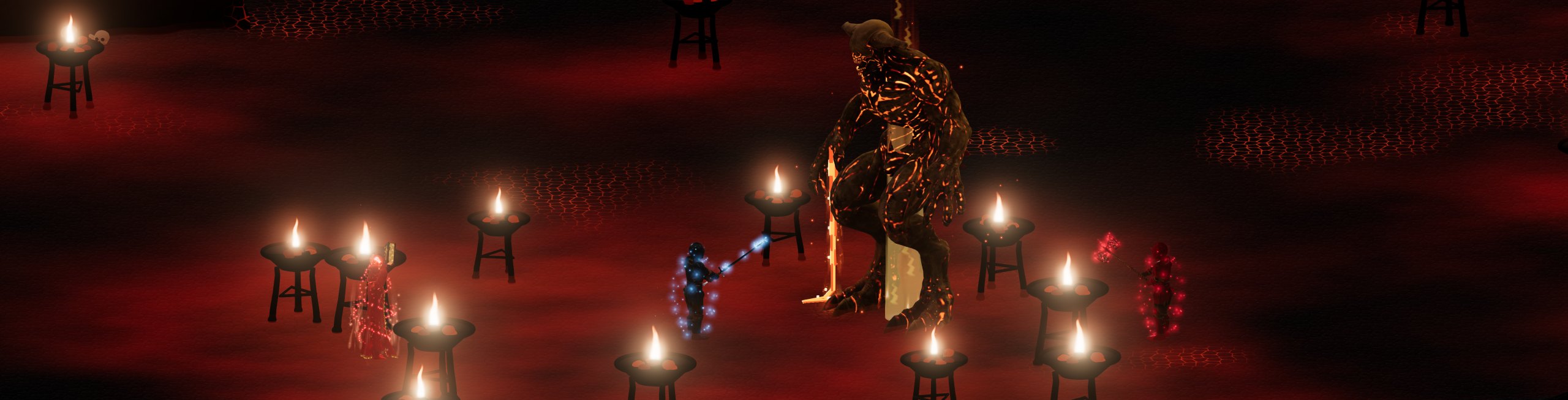
Reagent Bush L2

Click the bush, on foot: you gather one reagent at a time. Gathering can fail; after the attempt the reagent grows back in an hour.

These bushes give Silver Petals. Fioralba hosts L1–L3, Cenerombra L4–L5, on the shores of the three lakes of each world. L2–L5 are three times the size of L1.

You only gather on foot. The gesture lasts 4.2 seconds and the reagents disappear gradually from the leaves. If you move the character or are attacked, the gesture is interrupted and the bush is immediately whole again.

The current failure rate is 10% for L2: «The reagent got ruined while gathering and you collected nothing» appears. A completed attempt uses up the availability even when it fails; after an hour the reagent grows back and the bush returns to its initial shape.

The shore defenders can attack those who gather. Reagent level, opponents' difficulty and regrowth time are independent of the short start.

Open the whole chapter: Gathering reagents

Reagent Bush L3

Click the bush, on foot: you gather one reagent at a time. Gathering can fail; after the attempt the reagent grows back in an hour.

These bushes give Willow Ash. Fioralba hosts L1–L3, Cenerombra L4–L5, on the shores of the three lakes of each world. L2–L5 are three times the size of L1.

You only gather on foot. The gesture lasts 4.2 seconds and the reagents disappear gradually from the leaves. If you move the character or are attacked, the gesture is interrupted and the bush is immediately whole again.

The current failure rate is 15% for L3: «The reagent got ruined while gathering and you collected nothing» appears. A completed attempt uses up the availability even when it fails; after an hour the reagent grows back and the bush returns to its initial shape.

The shore defenders can attack those who gather. Reagent level, opponents' difficulty and regrowth time are independent of the short start.

Open the whole chapter: Gathering reagents
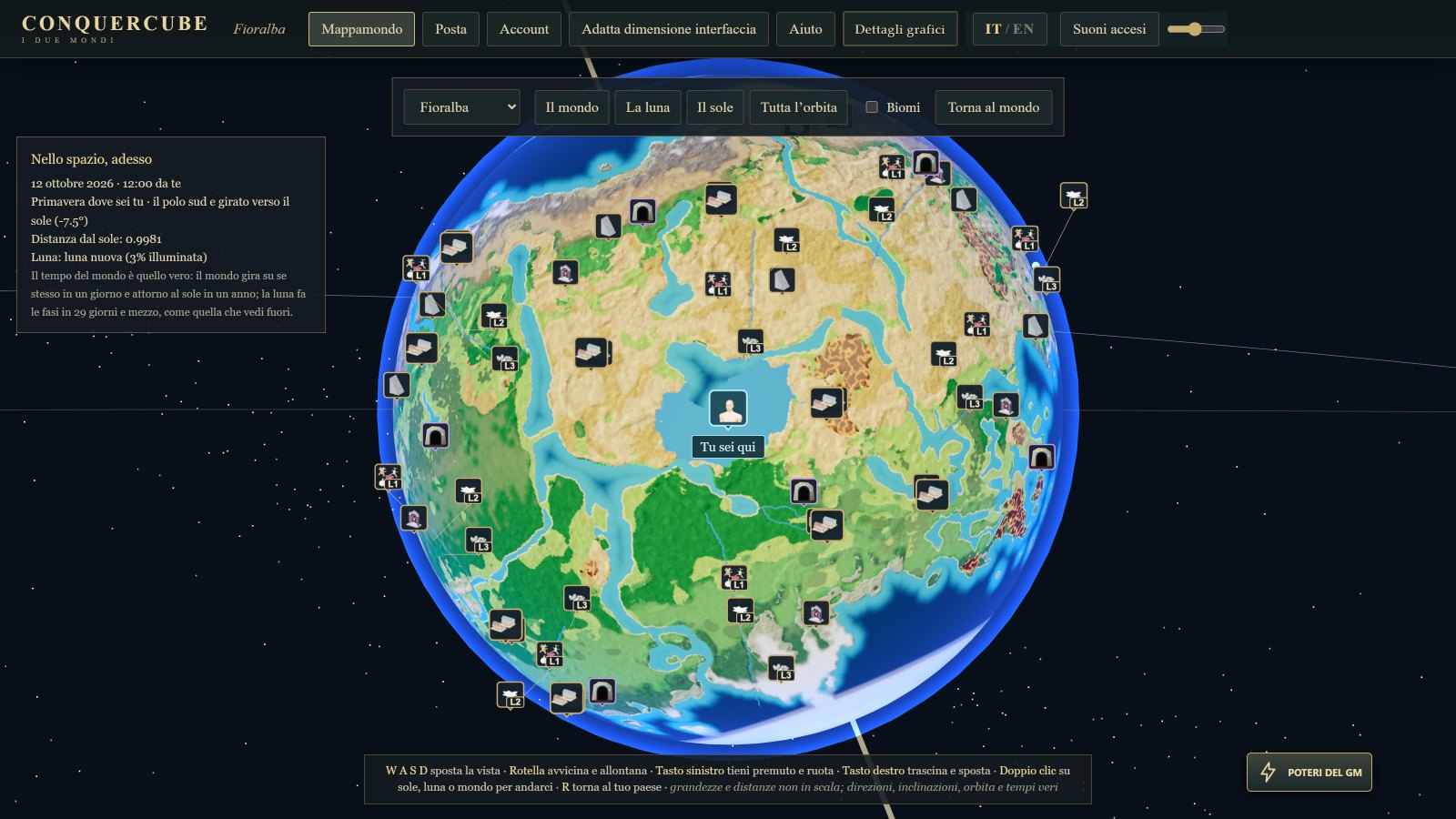
Reagent Bush L4

Click the bush, on foot: you gather one reagent at a time. Gathering can fail; after the attempt the reagent grows back in an hour.

These bushes give Shadow Berries. Fioralba hosts L1–L3, Cenerombra L4–L5, on the shores of the three lakes of each world. L2–L5 are three times the size of L1.

You only gather on foot. The gesture lasts 4.2 seconds and the reagents disappear gradually from the leaves. If you move the character or are attacked, the gesture is interrupted and the bush is immediately whole again.

The current failure rate is 20% for L4: «The reagent got ruined while gathering and you collected nothing» appears. A completed attempt uses up the availability even when it fails; after an hour the reagent grows back and the bush returns to its initial shape.

The shore defenders can attack those who gather. Reagent level, opponents' difficulty and regrowth time are independent of the short start.

Open the whole chapter: Gathering reagents
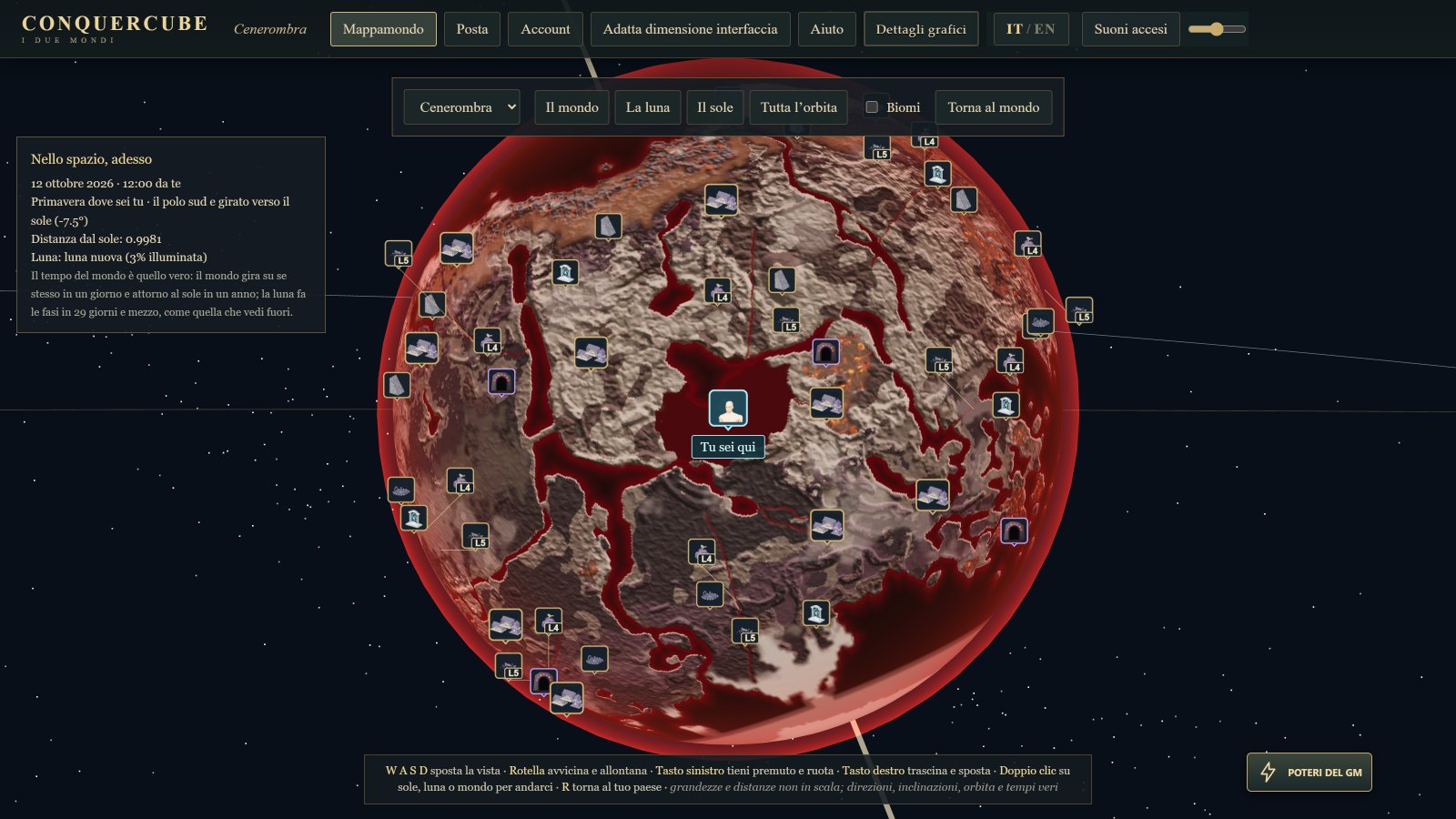
Reagent Bush L5

Click the bush, on foot: you gather one reagent at a time. Gathering can fail; after the attempt the reagent grows back in an hour.

These bushes give Onyx Dust. Fioralba hosts L1–L3, Cenerombra L4–L5, on the shores of the three lakes of each world. L2–L5 are three times the size of L1.

You only gather on foot. The gesture lasts 4.2 seconds and the reagents disappear gradually from the leaves. If you move the character or are attacked, the gesture is interrupted and the bush is immediately whole again.

The current failure rate is 30% for L5: «The reagent got ruined while gathering and you collected nothing» appears. A completed attempt uses up the availability even when it fails; after an hour the reagent grows back and the bush returns to its initial shape.

The shore defenders can attack those who gather. Reagent level, opponents' difficulty and regrowth time are independent of the short start.

Open the whole chapter: Gathering reagents
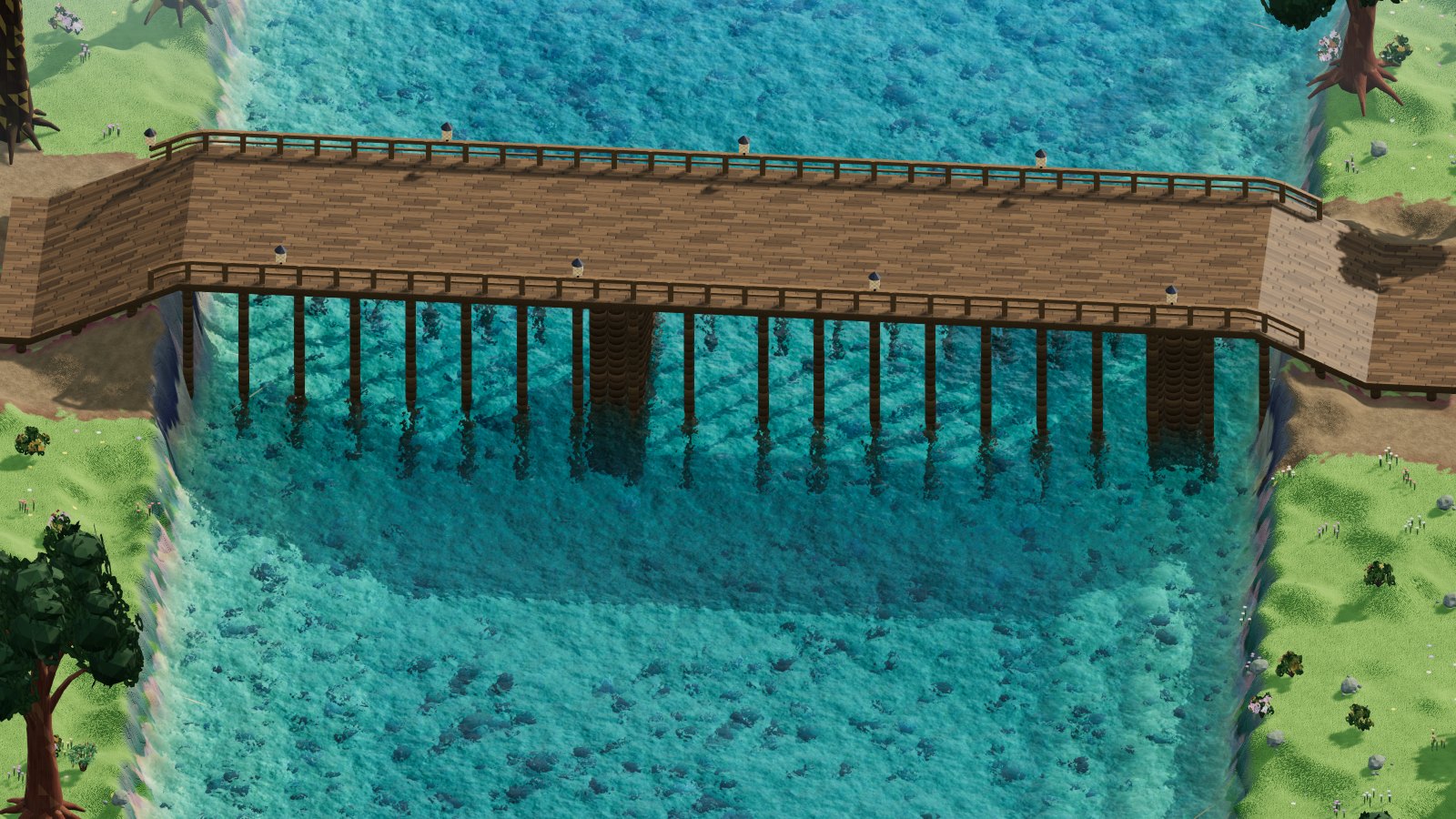
↑